
A corporate card policy is only finished once every rule inside it carries a number, a step most companies leave until someone overspends.
TL;DR
- A corporate card policy is the rulebook for a company card already in someone's hands: who qualifies for one, how much it can spend, where it works, what has to arrive after each purchase, and what follows when a rule gets broken.
- Seven decisions produce the whole document, with limits sized from the last 90 days of spend and a nine-clause template further down carrying blanks where your own figures go.
- Every clause has to resolve to a number, a named role or a merchant category, because a card has no way to act on a word like "reasonable".
- A document on its own checks nothing while a purchase is happening, which is why the version of the policy that holds is the one entered into the card as settings.
- Pemo is where those settings go: the free Starter plan covers limits, receipts and basic approval, with category locks and layered approval from Premium at AED 399 per month per company.
What is a corporate card policy?
A corporate card policy is the internal rulebook for a company card once it is in an employee's hands.
It answers who holds a card, how much that card can spend, where it works, what has to arrive after each purchase, and what happens when someone breaks a rule.
An expense policy answers a different question.
That document covers what the company will pay for at all, plus how an employee gets money back for something they funded themselves.
➡️ Our guide to crafting an employee expense policy in the UAE covers the reimbursement side in detail.
Keeping the two apart matters because of who reads each one:
- An expense policy gets read by a person weighing up whether to submit a claim.
- A card policy has to be legible to a card, which has no way to interpret "reasonable" or "business-related".
What has to be decided before you write anything?
Seven decisions carry the document, each ending in a figure or a name.
Work through them before drafting a clause, as most of the rewriting in this exercise happens when the prose gets written first and the numbers get discovered second.
- Who qualifies for a card: name a trigger such as anyone buying for the company more than twice a month, since the same job title covers very different buying patterns from one team to the next.
- How much each card holds: two numbers per card, a cycle limit covering the chosen period and a per-transaction cap on any single purchase.
- Which categories and countries stay open: list what the card is for so everything else closes, with country scope and cash access each getting a line of their own for UAE teams.
- What has to arrive after each purchase: a receipt inside 48 hours, plus a business-purpose note on anything above a threshold you set, perhaps AED 500.
- Which purchases need approval first: brackets beyond a single threshold, perhaps no approval below AED 500, manager approval from AED 500 up to and including AED 5,000, and a finance lead above that, with roles named in place of individuals so approvals survive annual leave.
- What happens when a rule is broken: two steps only, a note and a correction on the first instance, then a paused card pending a review with the manager on a repeat.
- What happens when someone leaves or changes role: the card closes on the last working day, with a named owner for the closure and any recurring charges moved to another card before it shuts.
Anything touching pay, deductions or employment status belongs in your HR process, since a card policy is the wrong instrument for it.
How do you set card limits without guessing?
You can set the card limits by pulling the last 90 days of spend for that person or that role and reading the figures off it.
After that, you can divide the 90-day total by three for a monthly average, then set that number aside.
A limit built on the average declines the card in every above-average month.
The figure to work from is the single highest of the three, plus a margin of roughly 25% for a busier one.
Here is how that lands for an operations coordinator in Dubai.
Three months of spend: AED 5,400, AED 7,900, AED 6,200.
The average is AED 6,500, which would have declined this person in one month out of three. The highest month is AED 7,900.
Adding 25% to that highest month gives AED 9,875, rounding to a monthly cycle limit of AED 10,000.
For the transaction cap, you can look at the largest single legitimate purchase in the same window.
If it was AED 2,500, a cap of AED 3,000 covers it with headroom that does not fund a laptop nobody approved.
What does a finished corporate card policy look like?
Below is a nine-clause template to copy into a document and fill in.
Although I’d recommend you to have the final version reviewed internally before it reaches the team, particularly any clause interacting with your employment terms.
1. Who holds a card
A card may be issued to an employee who purchases on behalf of [Company] more than [twice] per month.
Meeting that threshold makes someone eligible to request a card, without creating a right to one.
Requests go through [manager or finance] and are approved by [role].
Each card carries one name and is used by that person only.
2. Limits on each card
Every card holds a [monthly] cycle limit and a per-transaction limit, both set by role and listed in the schedule below.
Changes are requested from [role] and take effect once approved.
Cardholders can check their own limits in the [Pemo] app whenever they want to.
3. Where the card works
The card is enabled for these categories: [list].
Purchases outside them are declined at the point of payment.
Geographic scope is [the UAE only, a named list of countries, or international].
Where they are enabled, the limit is [AED amount] on a trip approved in writing.
The card is never used for private spending or for another employee's purchase. [cash-advance carve-out removed from this line]
4. What has to arrive after a purchase
Every purchase needs an itemised receipt in the app inside [48] hours.
A note describing the business purpose is required above [AED 500].
Every transaction is assigned to a category from the list in the app.
Receipts reach the app by [photo, forwarded email or upload].
5. When approval comes first
Purchases below [AED 500] need no prior approval.
Purchases from [AED 500] up to and including [AED 5,000] are approved by the cardholder's manager.
Anything above [AED 5,000] is approved by [role].
Approvals are recorded in the app.
An approval given anywhere else is confirmed there before the purchase counts as approved.
6. If a card is lost or compromised
[The cardholder or an admin] blocks the card in the app immediately, with [role] told the same day.
A replacement is issued once the original has been cancelled.
7. If a rule is not followed
A first instance brings a note from [role] and a correction to the record.
A repeat pauses the card until the cardholder, their manager and [role] have reviewed it together.
Any private charge is reported to [role] within [48] hours and settled through the process in clause 9.
Recovery of the amount is handled through your HR process, since anything affecting pay falls outside this policy.
8. Leaving or changing role
Cards close on the cardholder's last working day, or at the start of any notice period spent away from work.
[Role] handles the closure after [line manager] passes on the departure date.
Recurring payments move to another card before the closure.
A change of role triggers a limit review within [five] working days.
9. Owner, review and questions
This policy is owned by [name or role] at [email].
The limit schedule is reviewed [quarterly] and the document [annually].
Questions go to the owner at any point, ideally before a purchase.
Schedule: limits by role
How does Pemo help you run a corporate card policy?
Pemo gives every card its own limits, categories and submission rules, turning the clauses in your document into settings a cardholder cannot step around.
Our spend management platform is built for SMEs across the UAE and the wider MENA region, used by over 10,000 businesses.
What that changes is where the rule gets checked.
A purchase over the limit or outside the approved categories is declined at the point of payment, well before anyone reads a statement.
Here are Pemo’s features that a card policy leans on:
- Three card types: corporate cards for everyday spend, pre-funded cards where funds are approved before or after the request, and single-use virtual cards that expire once used.
- Every card draws on your Pemo wallet, which makes the type a question of how funds reach the card, not where the money comes from.
- Two formats for the first two types: physical cards for in-person payments and ATM access, virtual cards for online spend like advertising and software.
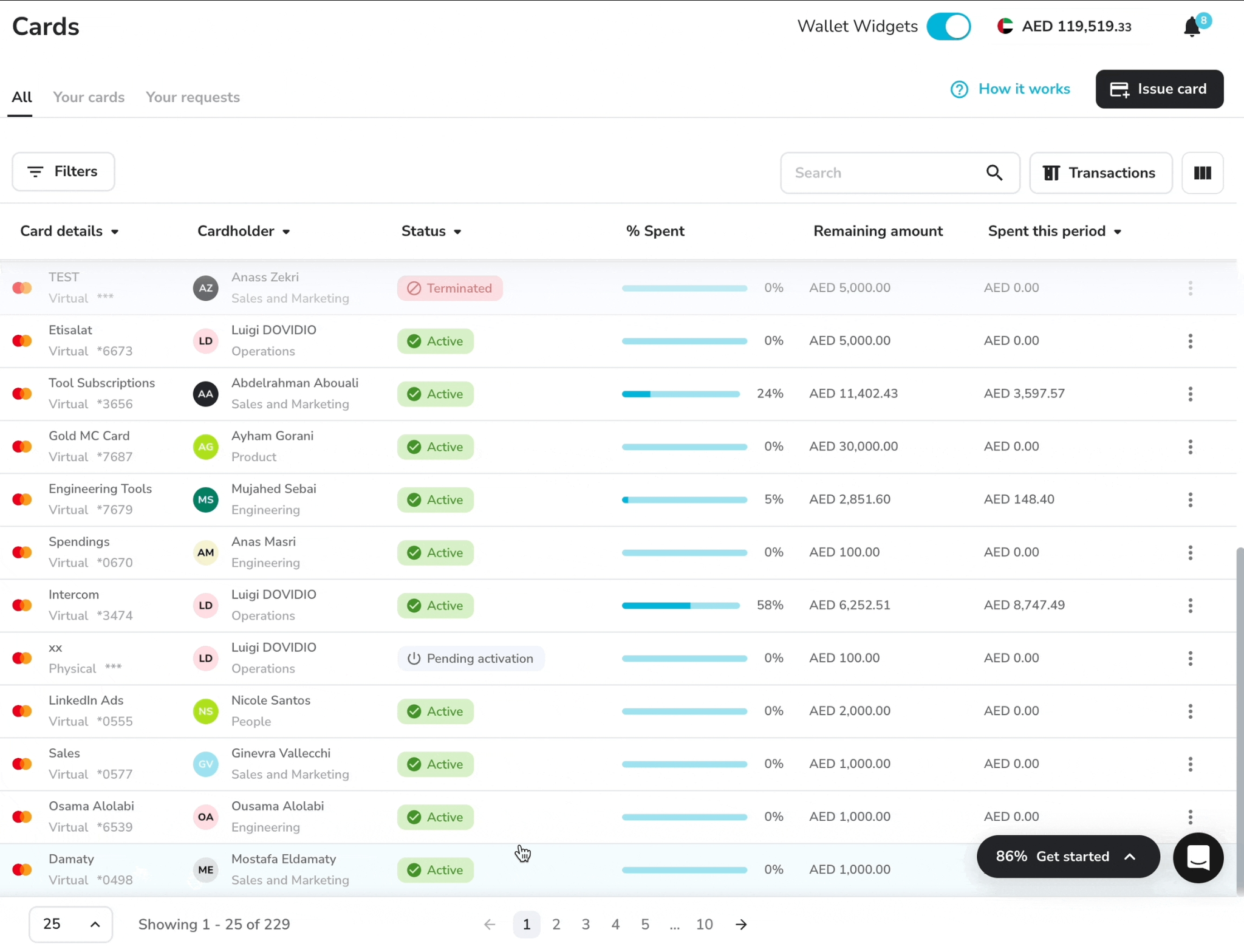
- Unlimited cards and cardholders on every plan, with virtual cards usable instantly and physical cards typically delivered within about 72 hours.
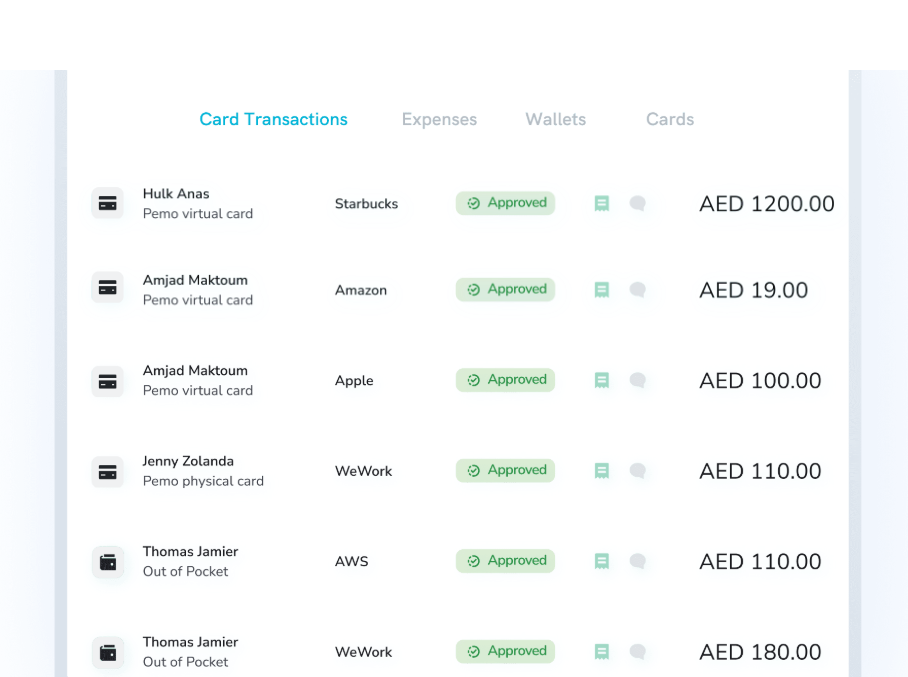
- Cycle limits set daily, weekly, monthly or yearly, alongside a per-transaction cap on any single purchase.
- Merchant category locks drawn from over 100 codes grouped into 18 business categories, available from Premium.
- Country scope set to international, the UAE only, or a named list of countries, with ATM withdrawals off by default and on request from Premium.
- Submission policies naming the fields a spender has to complete, with an amount threshold per field and 0 for always required.
- Per-card policies linked to individual cards, binding purchases made after the link and leaving earlier expenses alone.
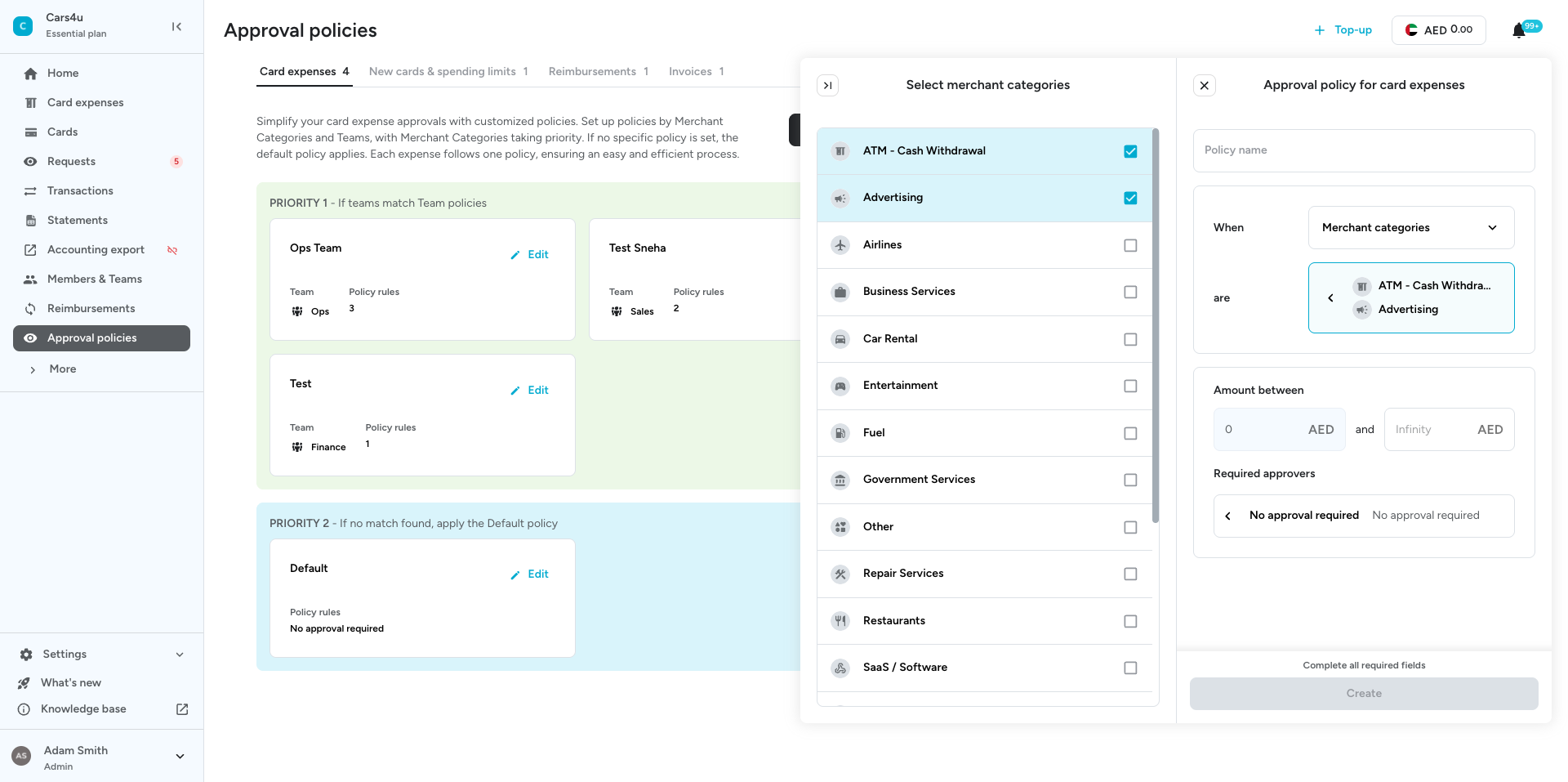
- Approval policies for card expenses built by merchant category or by team, with brackets starting at AED 0 and up to 3 rules per policy.
- A separate approval policy for new cards and limit increases, which turns the eligibility clause into a workflow.
- Freeze, block or re-limit any card at any moment from the app.
- Receipts and coding by mobile, forwarded email or OCR matching, syncing to Xero, QuickBooks, Zoho Books, Odoo, Wafeq or Mazeed on every plan.
- Our Premium plan also adds advanced submission policies, multi-layer approval workflows, maker-checker on card actions, approval-based and pre-approval cards, receipt reminders and duplicate detection.
Building the policy in Pemo, step by step
Here’s how building a corporate card policy looks in Pemo:
- Fill in the limit schedule above, one row per role.
- Open the Cards section on your dashboard and click Issue New Card.
- On the Create Card tab, set the card type, the cardholder, a label and the two limits.
- On the Advanced Controls tab, enable the merchant categories and the countries the policy allows.
- Enable ATM withdrawals on physical cards only where the policy permits cash, then set the withdrawal limit. Withdrawals are off by default and enabled on request from Premium.
- Open the More section of your menu, choose Submission Policies, then open the card expenses policy.
- Toggle on the fields a spender has to complete, with an amount threshold on any field that only applies above a certain value. Entering 0 makes it mandatory every time.
- Expand Link cards to attach the policy to specific cards and save it, or set it from the card itself under advanced settings.
- Open Approval Policies, select the Card expenses tab, click Create new, then give the policy a descriptive name.
- Choose the merchant category option from the dropdown titled When, then pick the categories the policy covers.
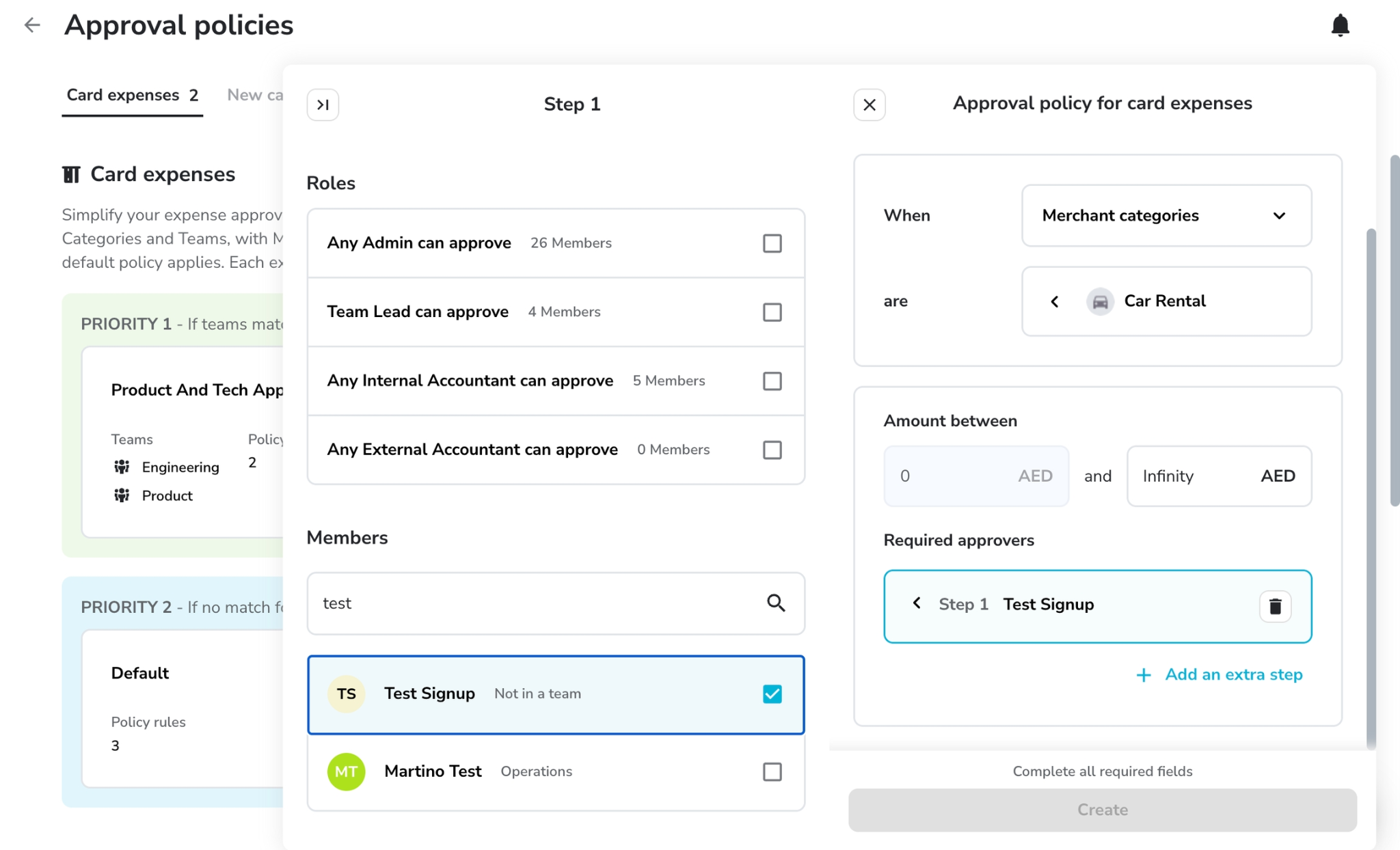
- Adjust where the first bracket ends, since it always starts at AED 0, then add approvers as named users or as roles.
- Click Create new beside "New cards & spending limits", then repeat the naming, teams, brackets and approvers for that policy.
- Switch off "Always auto-approve Admin requests" if every card and every increase needs a second signature.
Note: Merchant category codes are not perfectly consistent between networks, which is worth one test purchase at an intended merchant before a restricted card goes out to a team.
Sign up for Pemo for free
Once the schedule has numbers in it, loading them into an account is an afternoon of work.
On the free Starter plan, with no SaaS fees, you get:
- Unlimited cards and cardholders, with instant issuance and Apple Pay or Google Pay.
- Cycle and per-transaction limits on every card, plus a dedicated IBAN.
- The default submission and approval policies, covering receipt and field requirements plus approval routing at the default level.
- AI Copilot receipt matching and accounting integrations with Xero, QuickBooks, Zoho Books, Odoo, Wafeq and Mazeed.
- Cashback of 0.5% on international spend.
Premium costs AED 399 monthly per company, covering the controls a written policy usually asks for.
That means category and spend category restrictions, advanced submission policies, multi-layer approval workflows, maker-checker on card actions, and approval-based and pre-approval cards.
It also brings three sub-wallets, receipt reminders, duplicate detection, and cashback of up to 2% flat and uncapped on international spend.
Enterprise starts from AED 1,500 per month and adds budgets, unlimited sub-wallets, international cards for employees based outside the UAE, and custom ERP integration.
A foreign exchange fee of 3.68%, VAT included, applies to companies with KYB approval dated 1 July 2026 or later.
Net that against the cashback rate before counting international spend as a gain.
The rate applied to your account also depends on its foreign exchange profile, which makes the published figure a ceiling.
Over 10,000 businesses across the MENA region already run their spending on Pemo.
You can join them by starting on the free plan, or book a demo if you want to see the controls first.
⚠️ Disclaimer: This article was last updated on the 13th of August, 2026. It covers general information and is not legal, tax, or accounting advice, so confirm anything affecting your employment terms or filings with a qualified adviser. The template is a starting point to adapt, not a document to publish unchanged. Product features and plan availability change, so check current plan details before relying on them. If you spot something that needs correcting, contact us and we will review it.
Corporate card policy FAQs
What is the difference between a corporate card policy and an expense policy?
An expense policy covers what the company will pay for and how an employee claims money back for something they funded themselves.
A corporate card policy covers a card the company already issued: who holds it, what it can spend, where it works, and what happens after each purchase.
Companies with cards need both documents, though the card policy is the one that can be enforced automatically.
Should every cardholder have the same limit?
No. A single company-wide limit has to be set high enough for your largest legitimate spender, which makes it meaningless for everyone below them.
A limit that suits the marketing lead running ad accounts is far too high for a card that only buys fuel.
Set limits by role and list them in a schedule at the end of the policy, varying within a role only where the work differs.
How often should a corporate card policy be reviewed?
Quarterly for the limit schedule, annually for the document itself.
Limits drift out of date fastest, since a team's buying pattern changes with headcount and seasonality.
The structural clauses covering eligibility, receipts and offboarding tend to hold for a year at a time unless the business changes shape.
Who should own the corporate card policy?
Ownership belongs to whoever can change a card setting, which in most UAE SMEs is the finance manager or the founder handling finance.
Line managers own the approvals inside their team, with the policy owner holding the limit schedule and the quarterly review.


