
This guide walks through how vendor invoice processing actually works for a UAE business in 2026, stage by stage.
TL;DR
- Vendor invoice processing is the full path a supplier bill takes from the moment it arrives to the day it's paid, coded, and archived for tax.
- Six stages carry the risk: capture, coding, approval, payment, reconciliation, and retention. Most of the damage happens at the handoffs between them.
- Pemo captures vendor bills by email, reads them with AI, runs them through approval, and syncs the data into QuickBooks, Xero, Zoho Books, Wafeq, Tally, and Dynamics 365. Invoice handling is included on every plan, the free tier as well.
What does vendor invoice processing involve
Vendor invoice processing is accounts payable work.
A supplier sends you a bill for something you bought, and your job is to check it, approve it, pay it, and record it correctly.
That last word does a lot of heavy lifting, as a supplier bill isn't only a request for money. It's a record your books depend on.
Most SMEs here run the whole thing on one finance person, or a founder wearing the finance hat.
The bill lands in an inbox or a WhatsApp thread, gets a glance, gets paid when someone remembers, and gets typed into the accounting system at month-end if there's time.
That holds up fine at ten bills a month.
At eighty, it stops working, without anyone quite deciding it should.
The six stages of vendor invoice processing, and where each one leaks
Every vendor bill travels the same stretch of road, whether you've mapped it or not.
Six stretches, and each one hides a pothole:
- Capture: The bill arrives as a PDF, a paper slip, or a phone photo. If it isn't logged the day it lands, it's already exposed to being paid late or paid twice.
- Coding: Someone assigns it a general-ledger account, a cost centre, and a vendor. Get the coding wrong and the wrong figures flow into your books.
- Approval: Whoever holds the budget signs off. Bills stall here for days, waiting on the one person who can approve them.
- Payment: The bill gets settled from a bank account or a card. With no clear record of who paid what, the same bill gets paid a second time without anyone noticing.
- Reconciliation: The payment is matched back to the bill and the bank statement. Skip it and your books slowly drift away from what actually happened.
- Retention: The invoice is filed and kept on record. A bill you can't produce during an audit is a bill you effectively never had.
Where the manual version quietly falls apart
Picture a single bill that slips. A supplier emails an AED 18,000 invoice with 30-day terms.
It arrives during a brutal week, and nobody logs it. Day 35, the supplier chases.
Now you're paying late, and a vendor you depend on is a degree cooler than they were last month.
The finance person, rattled, pays it quickly off a card without checking whether it had already gone out by bank transfer.
It had. You've now paid AED 18,000 twice, and clawing it back takes three emails and the better part of a fortnight.
By quarter-end, that mess has landed in the wrong period, and your accountant is unpicking one bill while the rest of the close waits.
None of this needed a villain. It needed one invoice that wasn't captured the day it landed, and everything after it rolled downhill.
How expense management software like Pemo takes the risk out of each stage
A single system closes those gaps.
Pemo was built in the UAE for this kind of work, and more than 10,000 businesses across the region now run their spend through us.
Below is how our spend management platform handles those stages, from capture through to retention:
Capture: forward the bill, let the AI read it
Every Pemo account comes with its own upload email address.
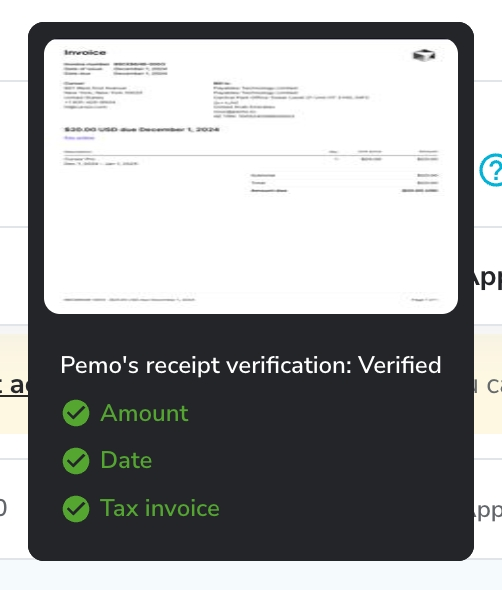
Forward a vendor invoice to it, or drop the file into the dashboard, and Pemo's AI reads the document and lifts out the vendor name, the invoice number, the invoice date, the due date, the currency, and the amount.

It highlights where on the page it found each figure, so a quick look is enough to confirm it read things correctly.
That means the bill is captured and structured the second it arrives, well before it can slip.
Approvals that move, with a trail that stays
You set approval rules once, shaped around how your business really signs off.
A bill routes to the right approver based on its amount, the team behind it, or its spend category, and it lands only with them, so nobody wades through requests that were never theirs to handle.
Every edit and sign-off is recorded in an audit trail pinned to the invoice, comments included.
So when someone asks in March who approved a bill back in September, the answer is one click away, not a memory test.
Pay it, mark it paid, and lock the record
Once a bill is approved, you pay it and mark it paid in the same place, from your desktop or the mobile app.
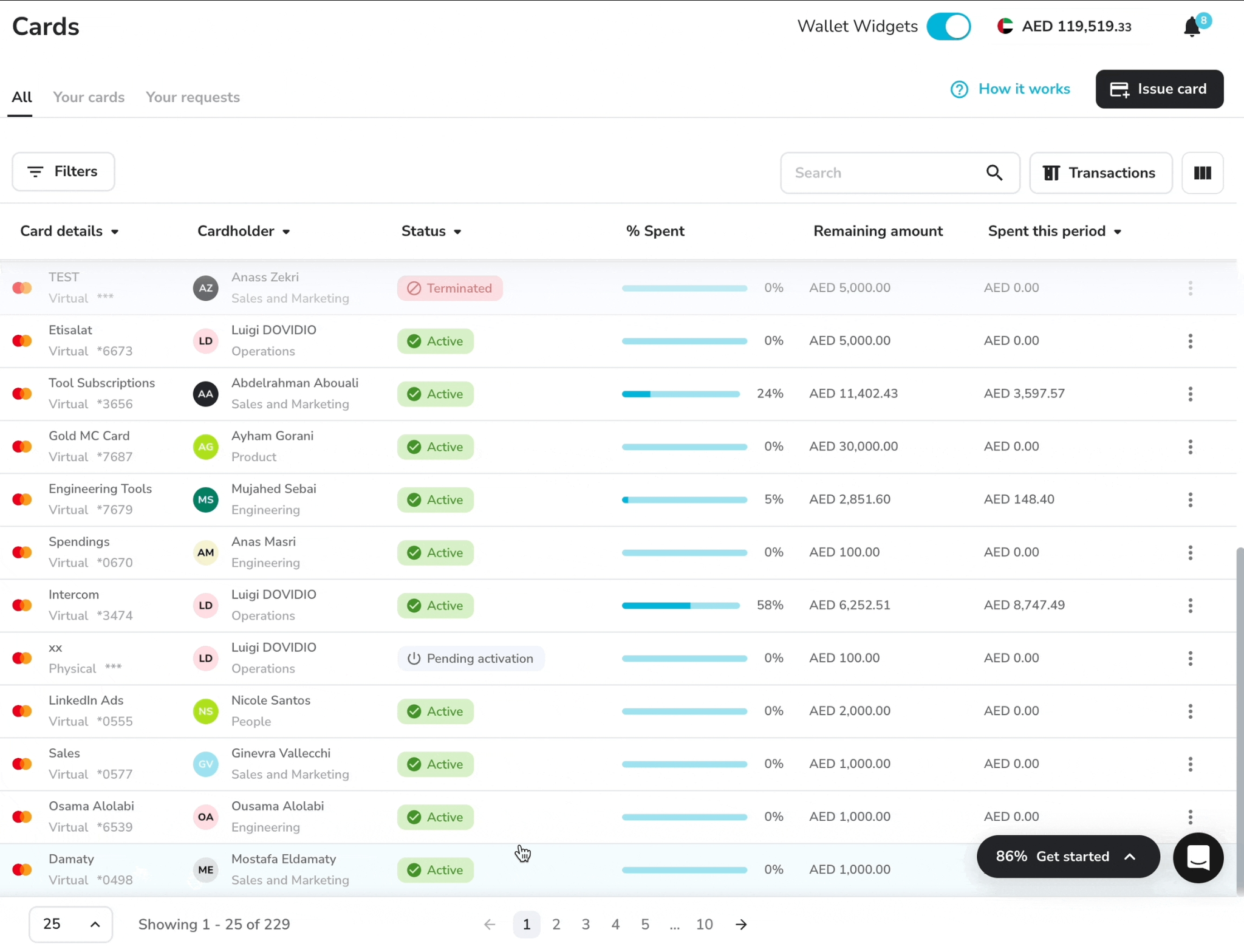
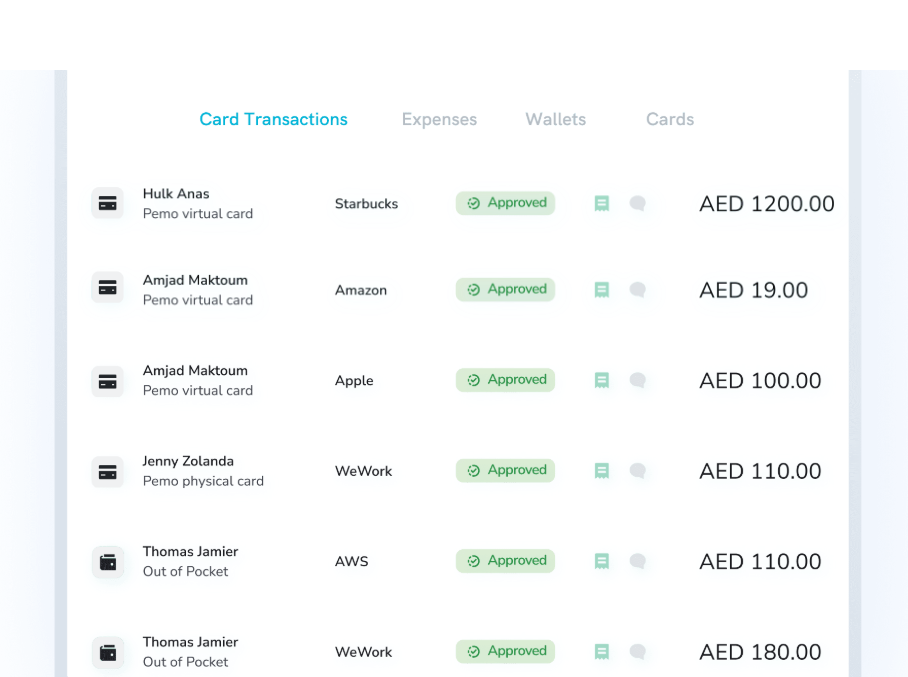
The dashboard shows each invoice as pending, approved, unpaid, paid, or rejected, so you can see the state of your payables at a glance.
With every payable in one place and its due date attached, you also get a live read on what's leaving the account and when, which takes some guesswork out of cash flow planning.
When you export an invoice to your accounts, Pemo locks it, keeping the record intact for an audit.
➡️ See also: Cash flow management in the UAE, for planning around what's due.
Sync straight into your accounting software
The sync stage usually swallows most of an accountant's month.
Pemo connects directly to QuickBooks, Xero, Zoho Books, Wafeq, Tally, and Microsoft Dynamics 365.
Pemo Copilot, our AI categorisation engine, codes each line to your chart of accounts and picks the vendor, getting sharper every time you correct it.
Wafeq is worth calling out for UAE teams here, since it's built for the region, and the coded data flows into it with no re-keying.

Pemo puts the payoff at closing your books up to five times faster, though the real gain depends on how manual your process is today.
By month-end, the vendor bills are categorised and matched, already in your ledger.
➡️ More on this: Accounting automation and integrations, and how coded data reaches your books.
Pricing
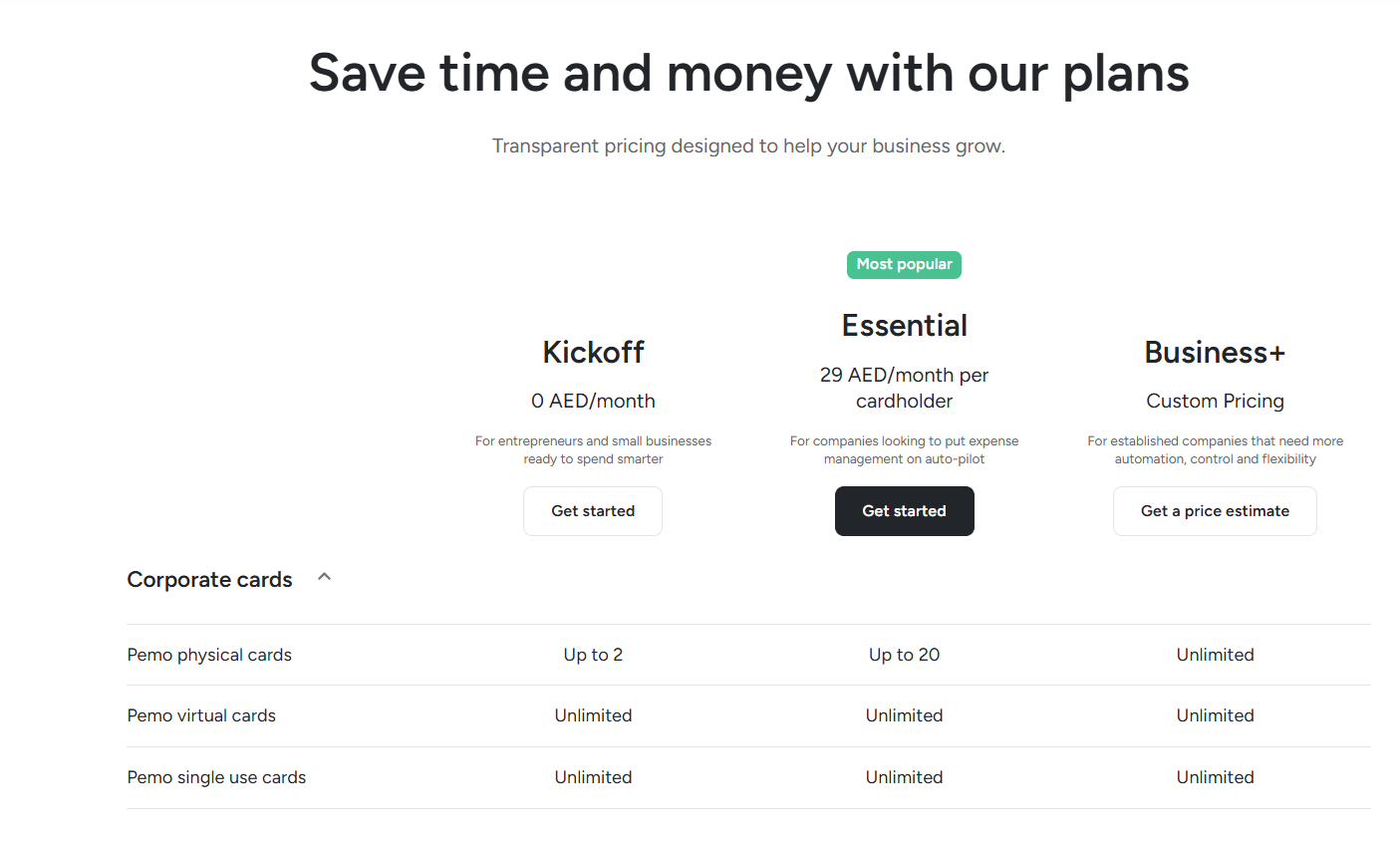
Pemo runs a free plan plus two paid tiers:
- Kickoff (AED 0/month): up to 2 physical cards, unlimited virtual and single-use cards, 0.5% cashback on ads, and unlimited AI receipt collection.
- Essential (AED 29/month per cardholder): up to 20 physical cards and up to 2% cashback, with advanced card controls switched on.
- Business+ (custom): unlimited physical cards, with more automation and hands-on support for larger teams.
Getting your AP onto Pemo
Moving vendor invoices onto Pemo doesn't need a project plan:
- Sign up and verify. Open an account with your UAE trade licence and clear KYC. Invoice handling is included on every plan, including the free Kickoff tier for up to two card users.
- Set your upload email and approval rules. Point your suppliers or your own inbox at your Pemo upload address, then build the approval steps to mirror who signs off on what.
- Connect your accounting software. Link QuickBooks, Xero, Zoho Books, Wafeq, Tally, or Dynamics 365 so coded bills land in your ledger without re-keying.
- Run one month in parallel. Process a month of bills through Pemo alongside your old method, confirm the two agree, then retire the inbox routine.
➡️ Deeper dive: Invoice management overview, covering capture and approvals inside the product.
Get started with Pemo for free
Think about the last working day of next quarter as a CFO.
The vendor bills for the period are in, coded, approved, and matched to payments, each one posted to your ledger.
No inbox archaeology, and no AED 18,000 bill paid twice because the first payment never got logged.
Your finance lead opens the dashboard, sees every payable and its status on one screen, signs off, and moves on with the day.
That's the version worth building toward.
It's also the version that holds up under an audit, with clean vendor data and a trail behind every payment.
You can sign up for Pemo's free plan or book a demo to see why 10,000+ businesses in the MENA region have chosen us.
⚠️ Disclaimer: This article was last updated on the 10th of July, 2026. If there's any misinterpretation of the information, please contact us, and we'll fact-check it. This isn't legal or accounting advice, so always consult a qualified professional before making decisions.


