
Vendor payment processing software moves approved supplier bills to the payee's bank account, with checks on the payee and a record of each payment.
I'll show you the 8 best vendor payment processing software in the UAE for 2026, compared on where each one can pay and what it checks before money leaves.
TL;DR
- Pemo offers the best vendor payment processing software in the UAE for local supplier payments, taking bills from capture through IBAN checks and release to a paid status in the ledger.
- For global payouts, Tipalti runs a supplier portal, and Payoneer adds batch payments of up to 1,000.
- Mamo sends UAE and international payouts from the balance its customer payments land in.
- Wio Business adds supplier approvals to a digital business account, with supply chain finance for eligible businesses.
- Kyriba centralises payments across banks and ERPs for larger groups.
- Wafeq pays approved bills from inside the ledger through a connected Wio account.
- Xpence pays card-accepting suppliers from Visa cards on a funded balance.
What are the best vendor payment processing software in the UAE in 2026?
The best vendor payment processing software in the UAE in 2026 is Pemo for paying UAE suppliers, with bills, payee checks and payment status in one place.
For suppliers abroad, I'd look at Tipalti and Payoneer next.
All 8 are compared below by where they pay and what they cost:
Every tool here passed four tests:
- Pays suppliers directly: money goes to a vendor's bank account or card from inside the tool.
- Checks before release: account validation, approval steps or per-payment controls.
- Payment status: a record of each payment from release onwards.
- Available to UAE companies: UAE businesses can sign up directly or through a UAE bank.
➡️ A note on scope: A note on scope: I left out invoice tools that don't send payments, along with providers that UAE companies can't sign up to yet.
#1: Pemo
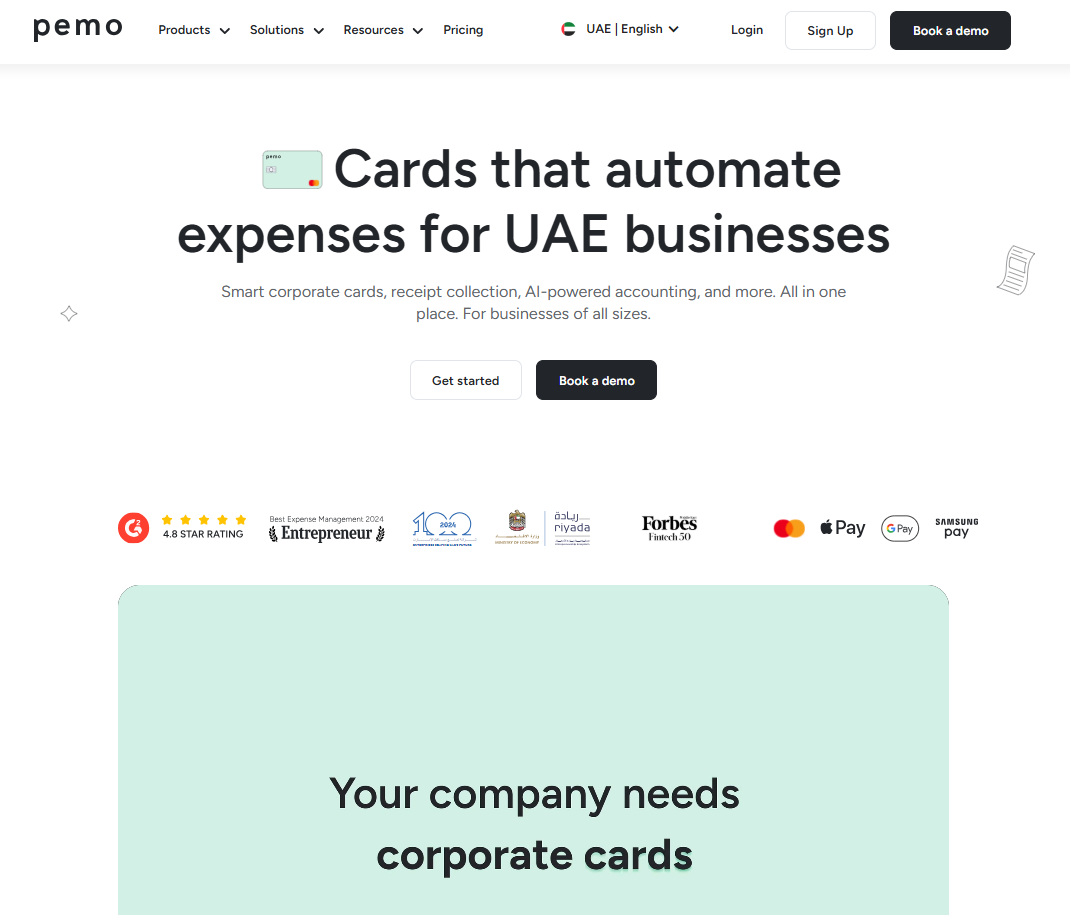
Pemo (that's us) offers the best vendor payment processing software in the UAE for local supplier payments, running each bill from the inbox to a paid status in the ledger.
Full disclosure: Even though Pemo is our own platform, I'll be upfront that suppliers abroad are better served by some of the tools further down. Pemo is a financial technology platform, not a bank.
The Pemo Business Account that Bill Pay pays from is provided by ruya, a UAE-licensed, Shari'ah-compliant community bank.
These are the problems I hear most often when UAE finance teams talk about paying suppliers:
- Bills scattered across inboxes: invoices land in email threads and chats, where some stay unpaid past their due date.
- Hand-typed bank details: IBANs copied from a PDF, with no check that the account belongs to the supplier.
- One person approving and paying: the same login approves a bill and sends the money.
- Bills paid twice: a transfer goes out for an invoice that was already settled another way.
- Payments outside the workflow: transfers made in online banking, away from the bill and its approval.
- Month-end re-keying: paid bills typed into the ledger by hand.
Pemo answers each of those inside one workflow:
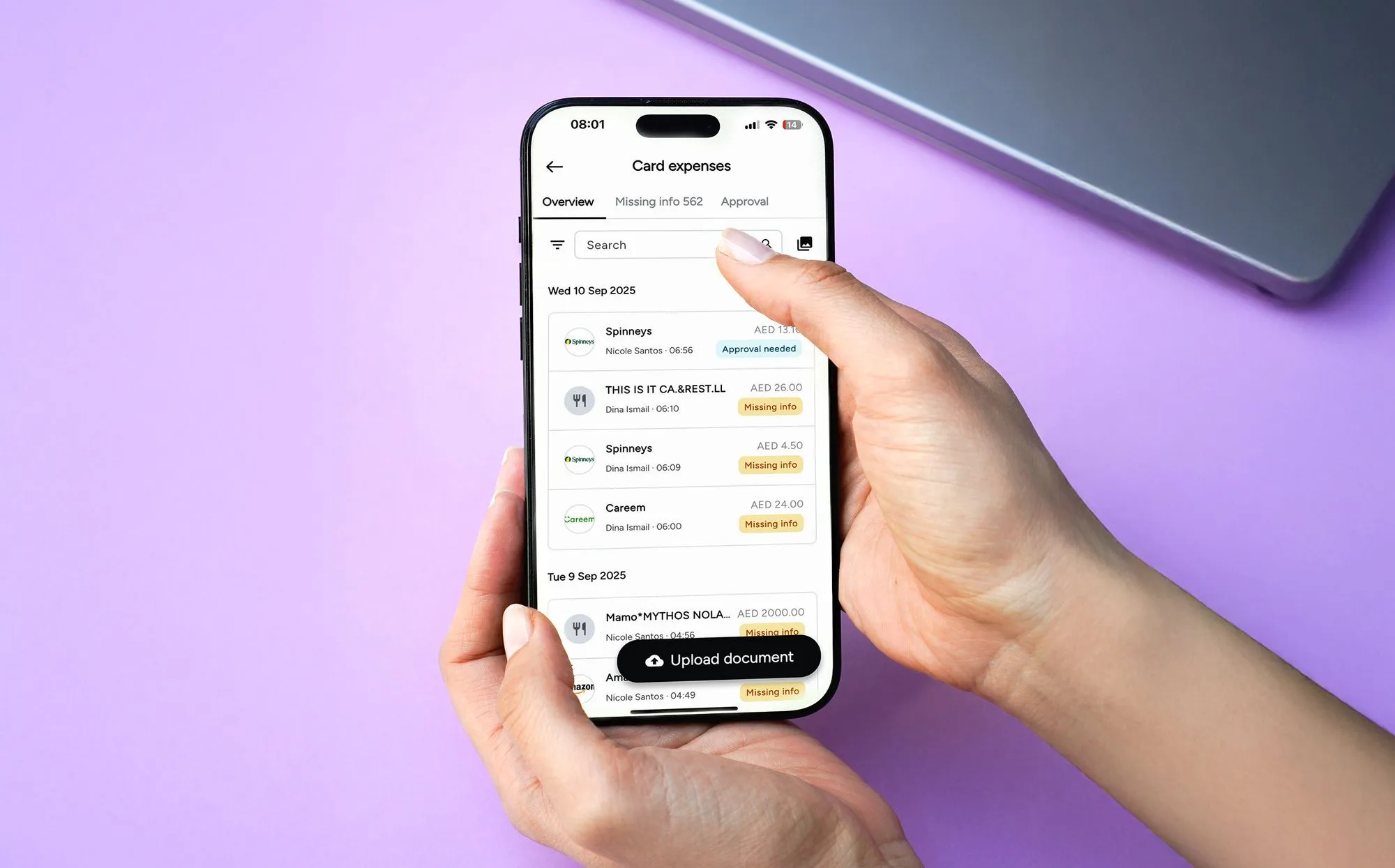
- One upload address: forwarded bills are read by AI on arrival.
- IBAN name checks: the bank returns the account holder's name before the first payment.
- Separate release rights: only the Payment Order Authorizer can send funds.
- Duplicate flags: repeated bills flagged before transfer.
- Payments from Pemo: Bill Pay sends AED transfers from the Pemo Business Account.
- Paid status in the ledger: paid bills sync as paid to Xero, QuickBooks or Zoho Books.
Pemo features
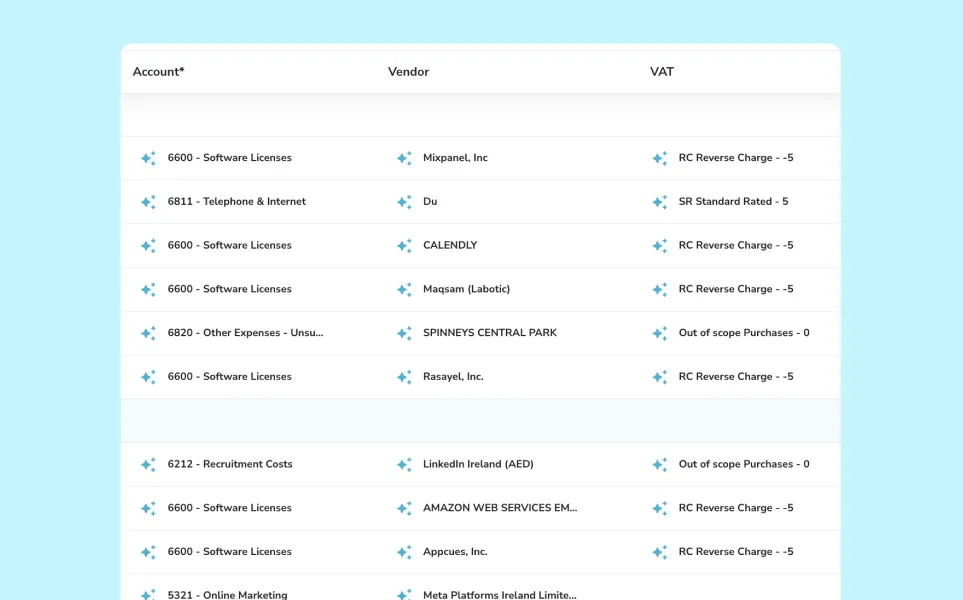
- Invoice capture: AI reads the vendor, invoice number, dates, currency and amount from each bill, highlighting where each figure came from.
- Vendor setup: vendors added while reviewing a bill, one at a time, by CSV or from the accounting system.
- IBAN name check: each IBAN verified with the bank, which returns the account holder's name.
- Payment checks: duplicate bills, bank-detail mismatches and first payments to a new supplier flagged before transfer.
- POA release: one bill or a batch sent by the Payment Order Authorizer confirmed with a verification code or a trusted device, at AED 0.50 per transfer up to AED 50,000.
- Invoice-to-PO validation: Financial OS compares each invoice with its purchase order before payment.
- Ledger sync: paid bills marked as paid in Xero, QuickBooks or Zoho Books, with a payment order for each.
- Locked records: exported invoices locked against later edits.
- Role-based access: vendors added by AP Clerks, Admins or Super Admins.
💡 For security reviews, Pemo is PCI DSS certified and hosted on Google Cloud, with access scoped by role.
➡️ Our article on automating vendor payments in Dubai covers late-payment costs and payment timing.
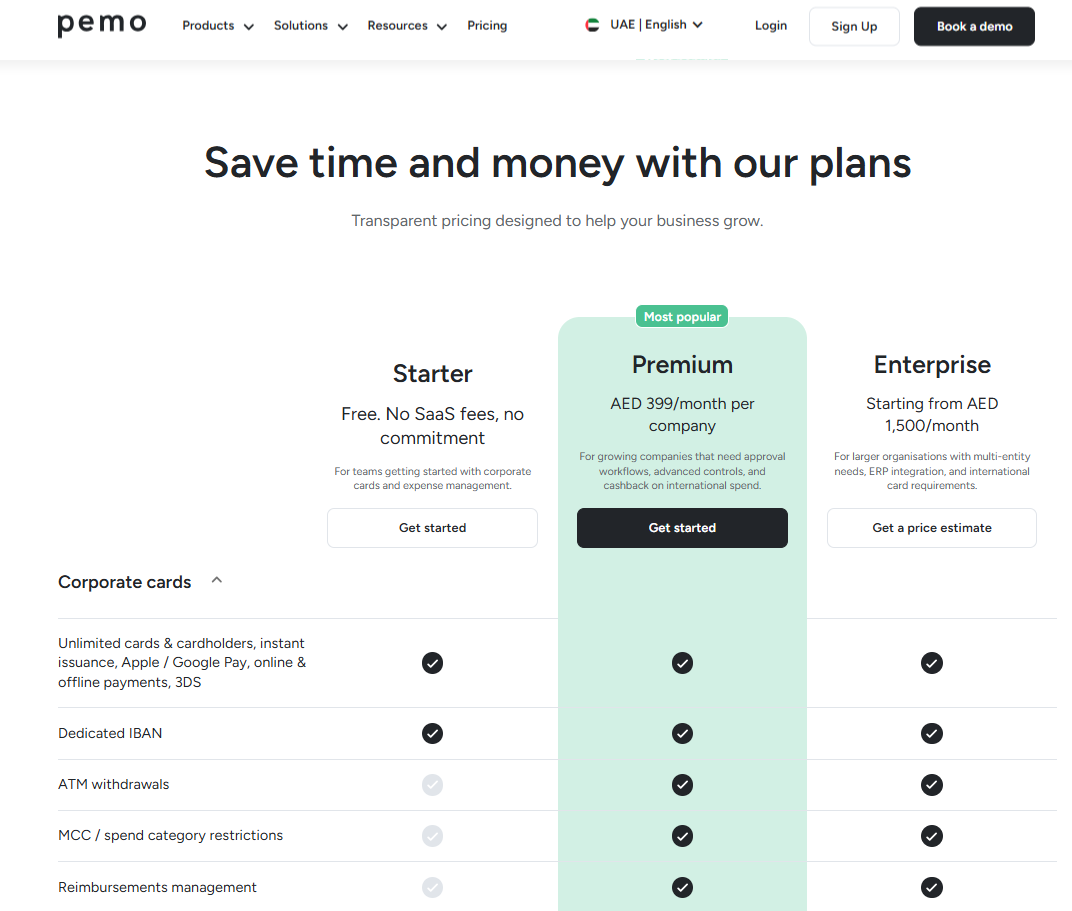
Pemo's pricing
Bill Pay needs the Pemo Business Account alongside any Pemo plan:
- Starter: AED 0, with invoice capture, approvals and Pemo Copilot.
- Premium: AED 399/month per company, adding multi-layer approvals, maker-checker and duplicate detection.
- Enterprise: from AED 1,500/month for multi-entity groups, adding budgets and custom ERP integrations.
- Pemo Business Account: AED 200/month, or AED 99/month under the discount running since October 2026.
- Local transfers: AED 0.50 each up to AED 50,000 and AED 1.05 above, VAT included.
Pemo's pros and cons
✅ IBAN name check before the first payment.
✅ Batch release with a single confirmation.
✅ Paid status synced back to the ledger.
✅ Vendors imported by CSV or from the accounting system.
❌ Bill Pay sends AED transfers within the UAE for now.
❌ Scheduled payments and WPS salary payments are still on the roadmap.
#2: Tipalti
Best for: Companies paying suppliers and partners in many countries from one payables platform.
Similar to: Payoneer.
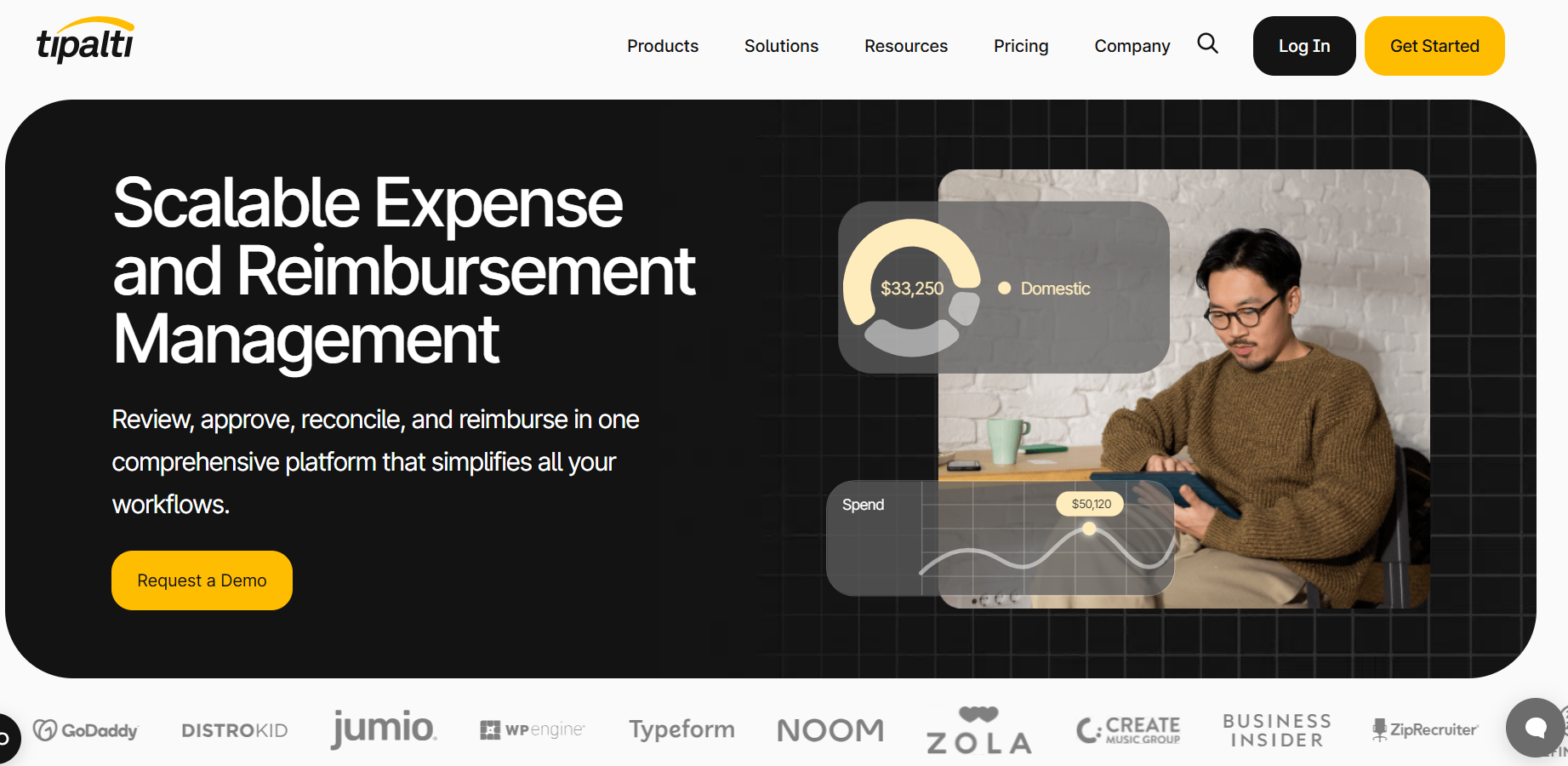
Tipalti handles supplier payables from invoice capture through to payouts in 200+ countries and territories on local rails.
Payments are funded through a dedicated Tipalti virtual account.
Features
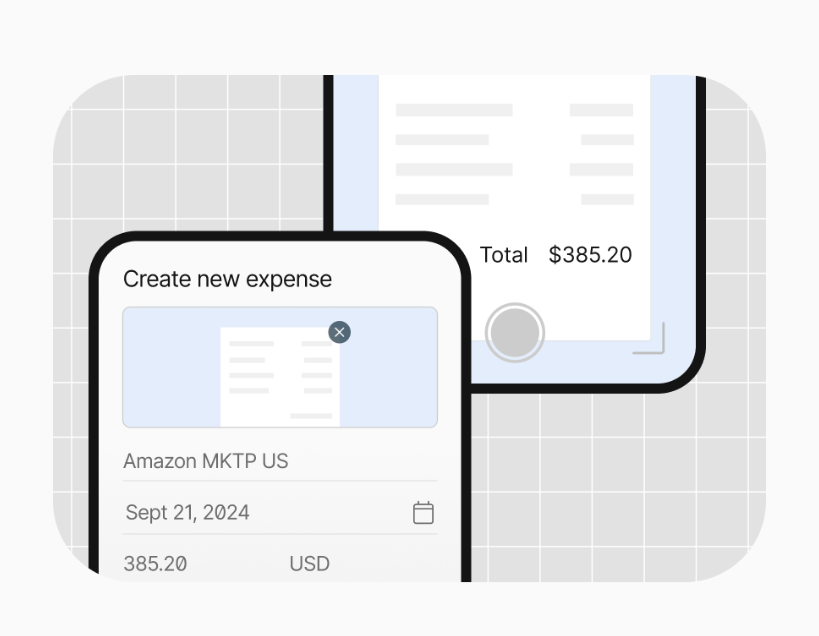
- Invoice capture: invoices scanned in any format and coded to the GL.
- Supplier portal: suppliers onboard themselves in 27 languages and keep their payment and tax details current.
- PO matching: 2- and 3-way matching before payment.
- ERP integrations: NetSuite, Sage Intacct, QuickBooks, Microsoft Dynamics and SAP, plus an API.
- Multi-entity payables: entity-specific rules with centralised visibility.
- Tipalti Card: bills paid by card with cashback.
Payment processing
- Local rails: payments to 200+ countries and territories.
- FX management: multiple currency accounts, with FX handled in the payment run.
- Payment detail validation: IBAN, SWIFT codes and account numbers checked before a payment is attempted.
- Screening: OFAC and AML checks before each payment.
- Licensing: money transmitter licences in the US, Canada, UK and EU.
Pricing
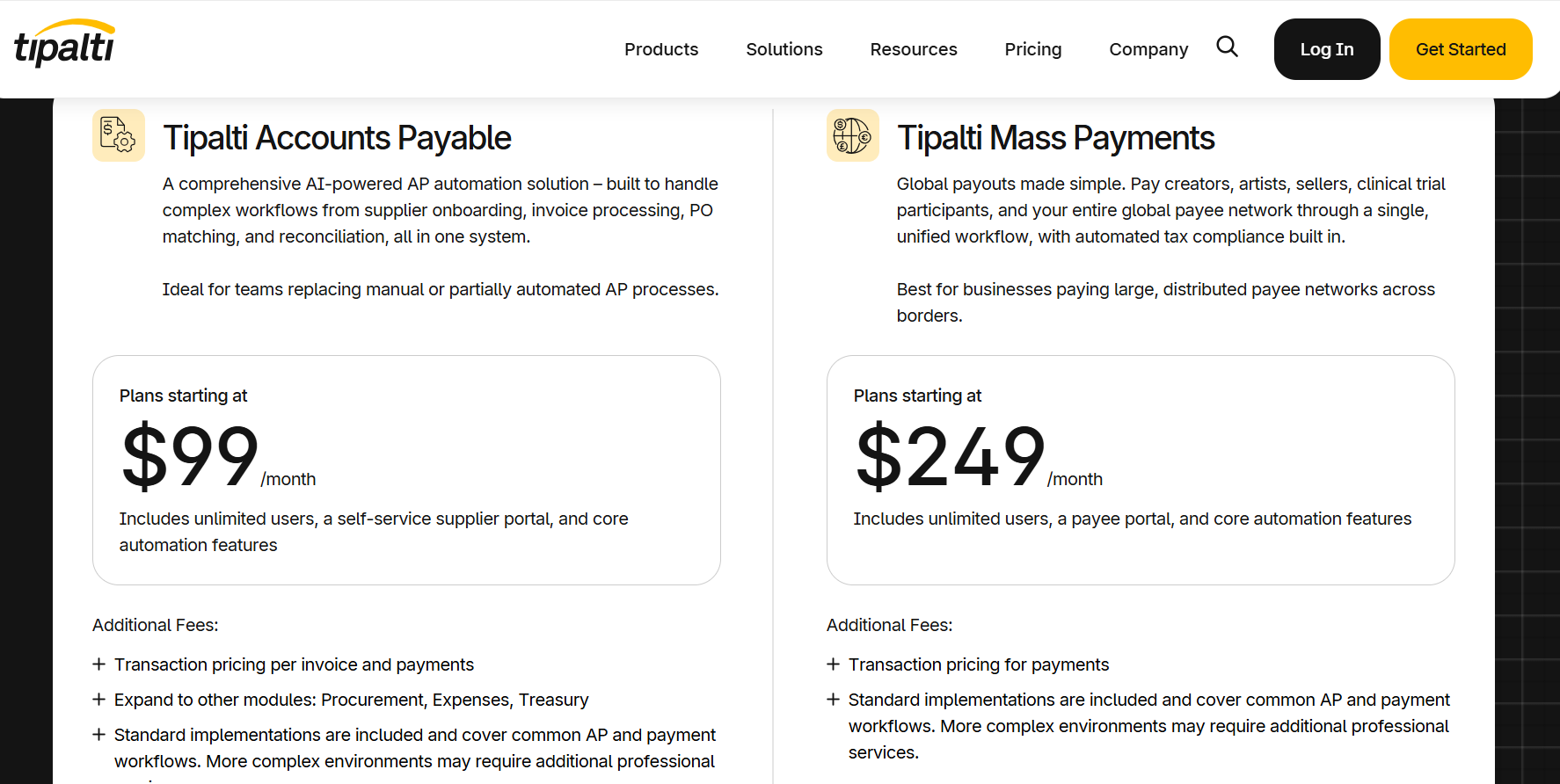
Tipalti lists starting prices for two products, with transaction pricing added per invoice and payment:
- Accounts Payable: USD 99/month to start, covering unlimited users, the supplier portal and core automation.
- Mass Payments: USD 249/month to start, with a payee portal for paying large networks across borders.
- Implementation: standard setups included, with complex environments quoted as professional services.
- Add-ons: Procurement, Expenses and Treasury modules.
Pros and Cons
✅ Suppliers manage their own bank details.
✅ Payments to 200+ countries and territories on local rails.
❌ Transaction pricing per invoice and payment adds to the subscription.
#3: Payoneer
Best for: Businesses that receive international payments and pay overseas suppliers from the same balance.
Similar to: Tipalti.
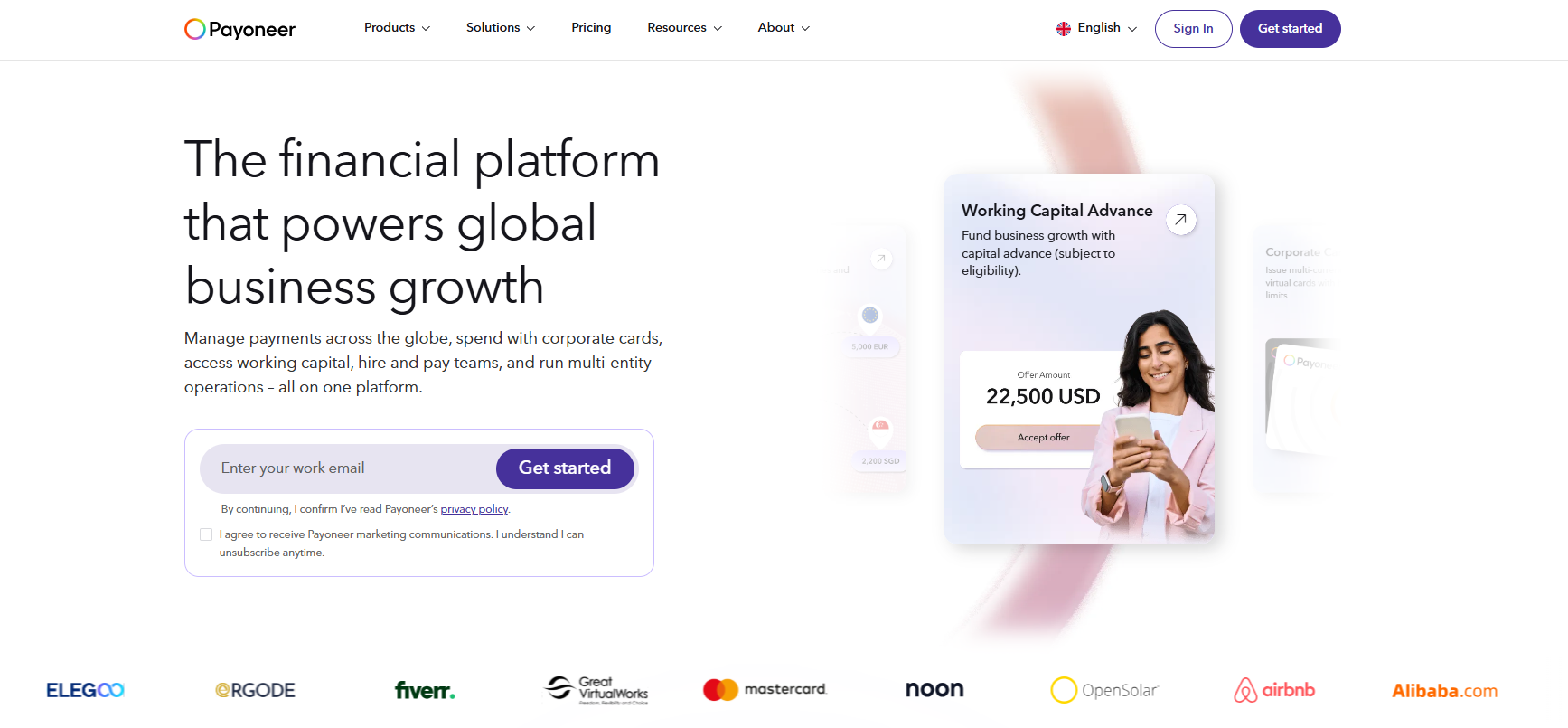
Payoneer combines multi-currency receiving accounts with outbound payments to suppliers and contractors in 190+ countries and territories, across 70+ currencies.
From what I've seen, Payoneer suits UAE businesses that already receive payments from abroad, with the dirham among the currencies it moves funds between.
Features

- Receiving accounts: local account details for getting paid in 70+ currencies.
- Payment links and invoicing: tools for collecting from clients.
- Smart FX: currency management at rates Payoneer describes as optimised.
- Payoneer Corporate Cards: physical and virtual cards with expense management, subject to eligibility.
Payment processing
- Single Payments: suppliers paid in their local currency, with conversion handled in the payment flow.
- Batch payments: up to 1,000 payments at a time.
- Payment methods: wire, ACH or in-network transfer from the Payoneer balance.
- Funding options: payments made from the Payoneer account or an external source.
Pricing
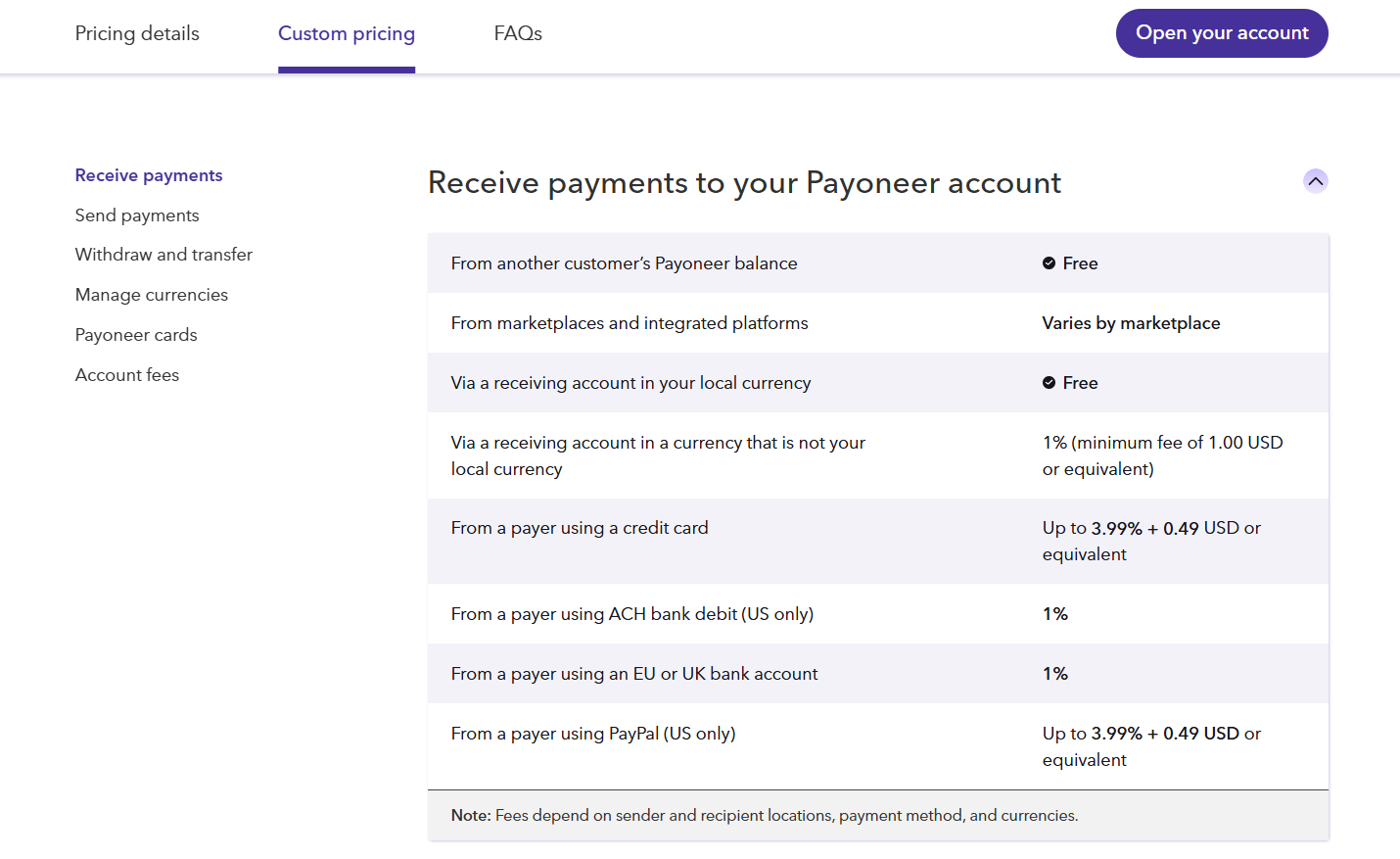
Payoneer's published fees, last updated 1 January 2026, are mostly per transaction:
- Receiving from another Payoneer account: free.
- Receiving in a non-local currency: 1% per payment, with a USD 1 minimum.
- Sending and withdrawals: fees vary by location, payment method and currency, and are listed on the Fees page inside the account.
- Custom pricing: available for businesses processing more than USD 50,000 a month.
Pros and Cons
✅ Supplier payments to 190+ countries and territories.
✅ Batch payments of up to 1,000.
❌ Sending fees depend on location, payment method and currency, which makes costs harder to estimate upfront.
#4: Mamo
Best for: Businesses that collect payments through Mamo and pay vendors from the same balance.
Similar to: Wio Business.
Mamo Payouts sends bank transfers to vendors, partners and other third parties from the Mamo balance.
According to Mamo, international payouts are typically processed within minutes.
Features
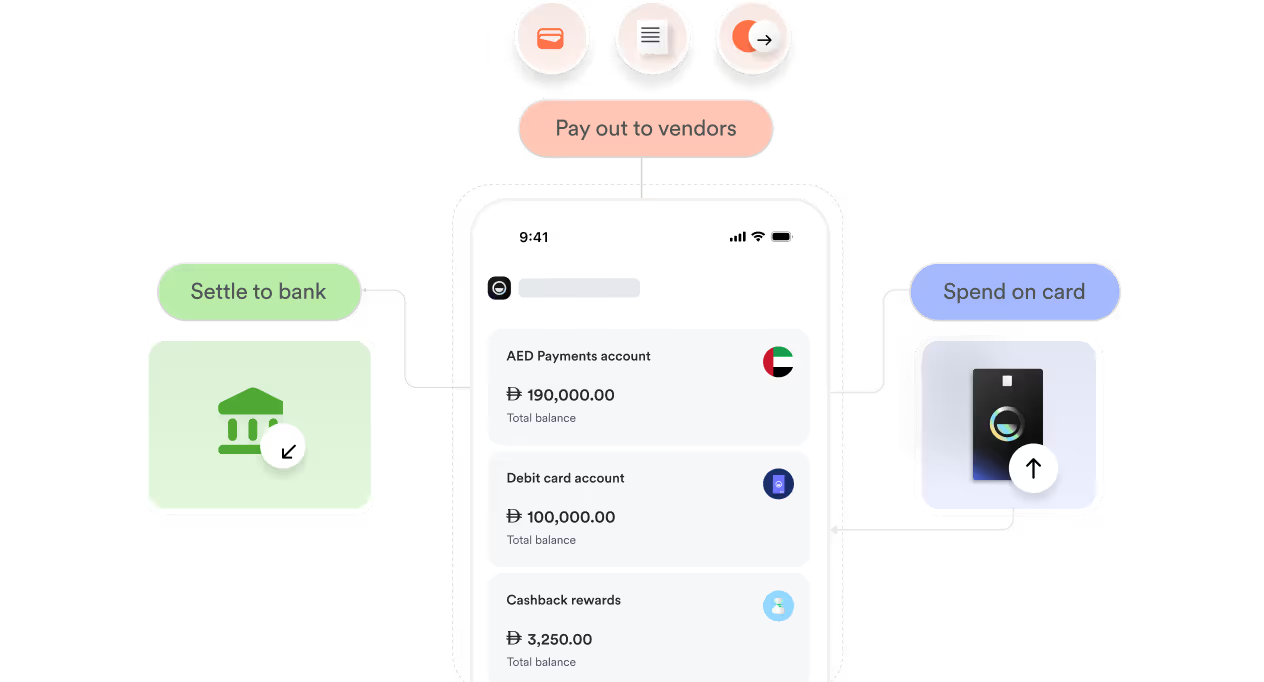
- Payouts API: payouts triggered by events or scheduled through the API.
- Bulk transfers: several payouts processed together.
- Partner cards: virtual cards for instant payouts to third parties.
- Collections: payment links and checkout on the same platform.
Payment processing
- UAE transfers: payouts to vendors' UAE bank accounts.
- International payouts: funded in AED, with recipients paid in their local currency.
- No recipient account needed: suppliers don't need a Mamo account.
- Individual sends abroad: international payouts are created one at a time and can't be recalled once sent.
Pricing
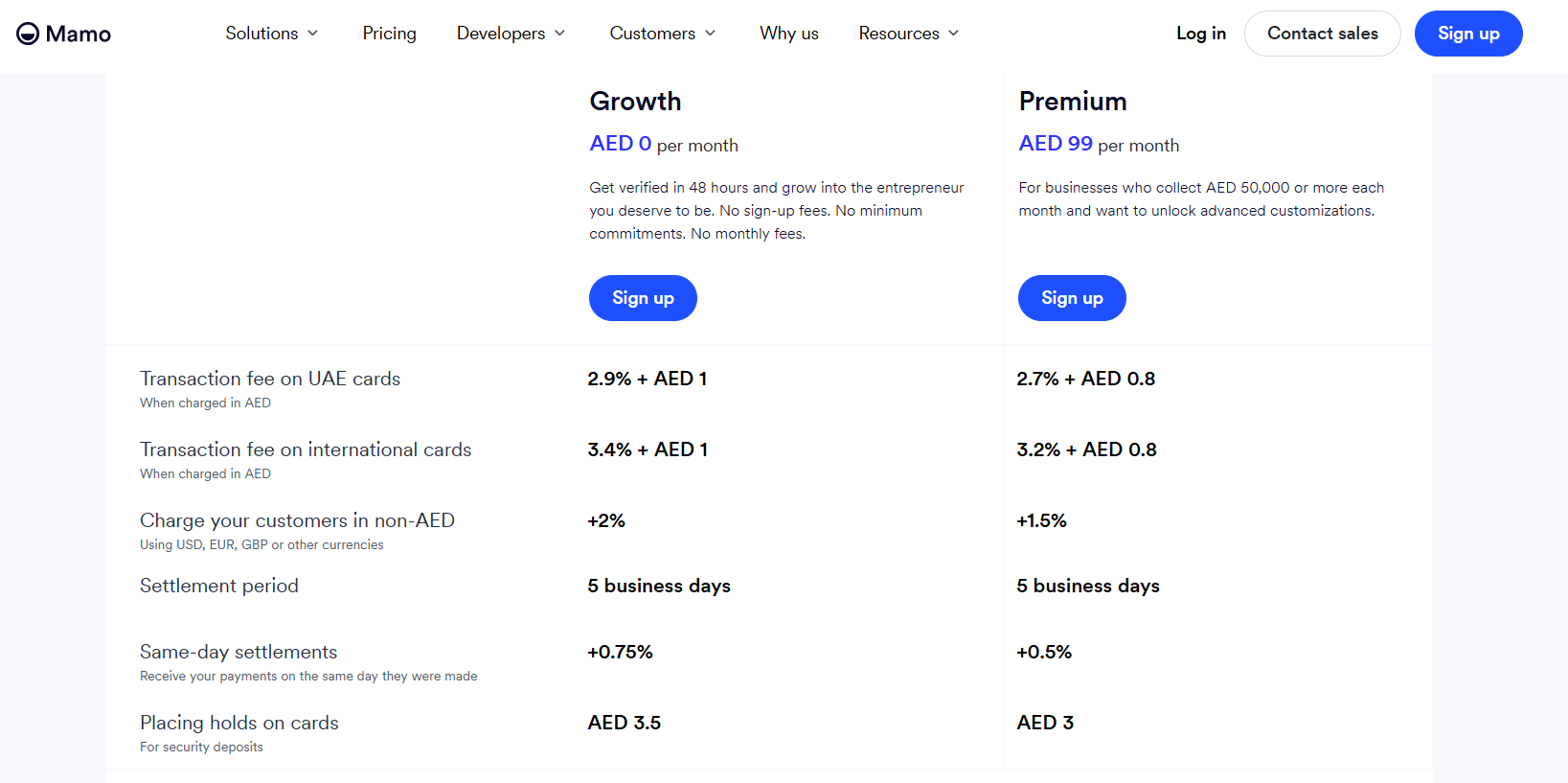
Mamo's payout fees depend on the plan, before VAT:
- UAE bank transfers: AED 5 per payout on Growth and Premium.
- International on Growth: 0.6%, or AED 15 if higher.
- International on Premium: 0.5%, or AED 15 if higher, with better FX rates.
- Plans: Growth at AED 0 and Premium at AED 99/month.
Pros and Cons
✅ International payouts typically processed within minutes.
✅ A payouts API for automation.
❌ A transaction fee on UAE cards of 2.7% + AED 0.8 even on the Premium plan.
#5: Wio Business
Best for: Wio account holders managing supplier approvals and payments in their banking app.
Similar to: Mamo.

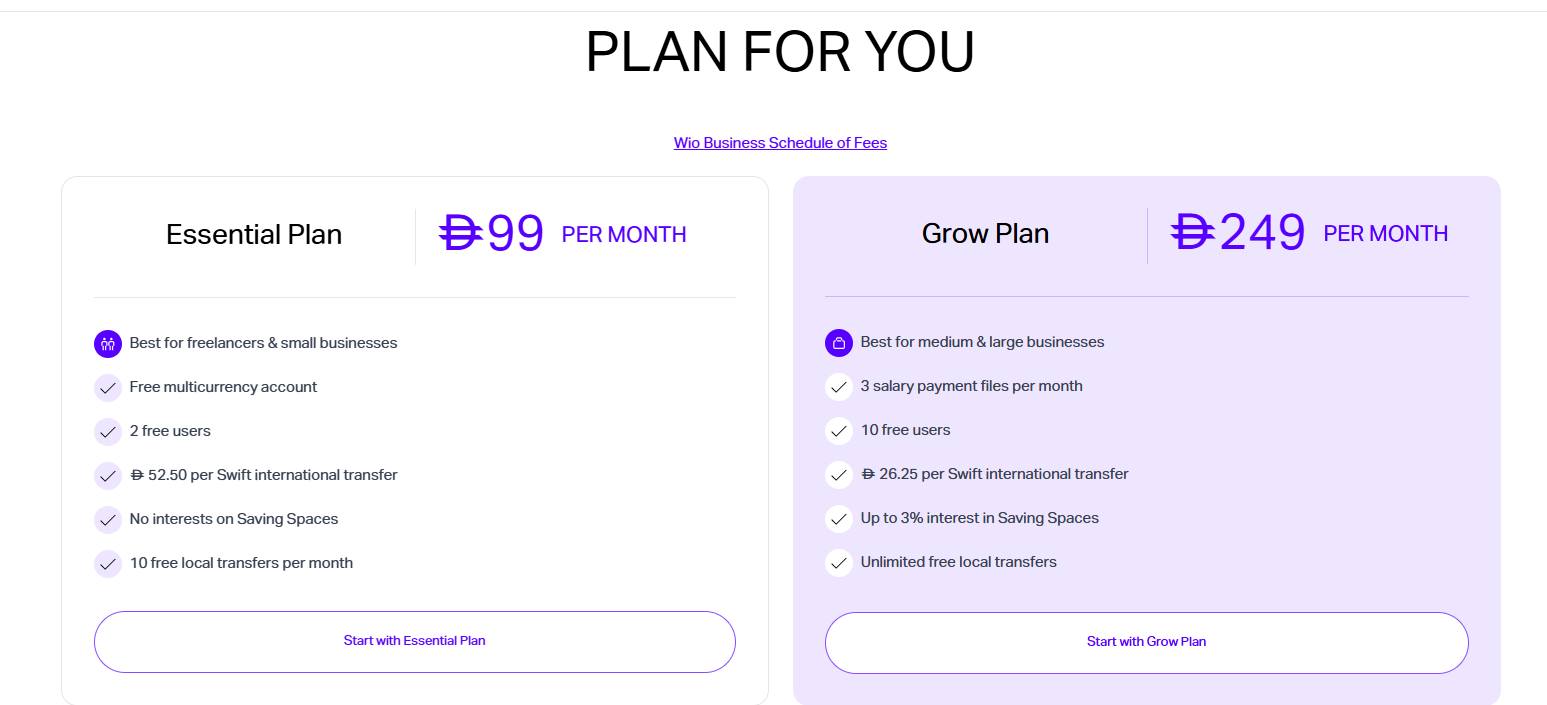
Wio Business offers local and global payment and collection tools alongside a supply chain finance product for supplier relationships.
Supply chain finance gives suppliers an early-payment option without changing the business's own payment dates.
Features

- Supplier onboarding: a single invitation brings a supplier in, whichever bank or region it uses.
- Team-wide access: approvals and payments shared across the team.
- Invoicing: invoices created and managed in the app.
- Financing: business loans and a line of credit alongside payments.
Payment processing
- Local and global payments: transfers to suppliers in the UAE and abroad.
- Bulk payments: several transfers sent together.
- Daily transfer limit: up to AED 500,000 a day with biometrics on, or AED 25,000 without, on Android.
- Call protection: transfers can't be started or approved during an active phone or VoIP call.
- Early supplier payouts: suppliers paid early without changing the business's own terms.
Pricing
Wio Business is priced by plan, with VAT included:
- Essential: AED 99/month.
- Grow: AED 249/month.
- Extra users: AED 26.25 a month each beyond the plan's included users.
Pros and Cons
✅ Early supplier payments without changing your own terms.
✅ Payments and approvals in the same banking app.
❌ Needs a Wio Business account.
#6: Kyriba
Best for: Groups with several entities and banks that want one hub for outgoing payments.
Similar to: Tipalti.
Kyriba centralises payment processing across banks, ERPs, entities, currencies and payment rails.
I'd normally point groups with an in-house treasury team to Kyriba, since fraud detection, sanctions screening and account validation run inside the same payment lifecycle.
Features
- Bank connectivity: APIs carrying payment data between ERP, treasury and bank.
- Payment status reporting: real-time status through the same APIs.
- Treasury tools: cash visibility and hedging alongside payments.
- Standardised controls: each payment handled consistently, whatever its geography, type or amount.
Payment processing
- Payments hub: outgoing payments from several ERPs routed through one platform.
- Approval controls: segregation of duties built into each payment.
- Account validation: bank account ownership confirmed before payments go out.
- Audit trails: a record of each payment and screening decision.
Pricing
Pricing comes as a quote from Kyriba's sales team.
Pros and Cons
✅ One hub for payments across banks and ERPs.
✅ Payment status available in real time through APIs.
❌ Pricing on request only.
#7: Wafeq
Best for: UAE teams that want to pay approved bills from inside their accounting software.
Similar to: Pemo, Wio Business.
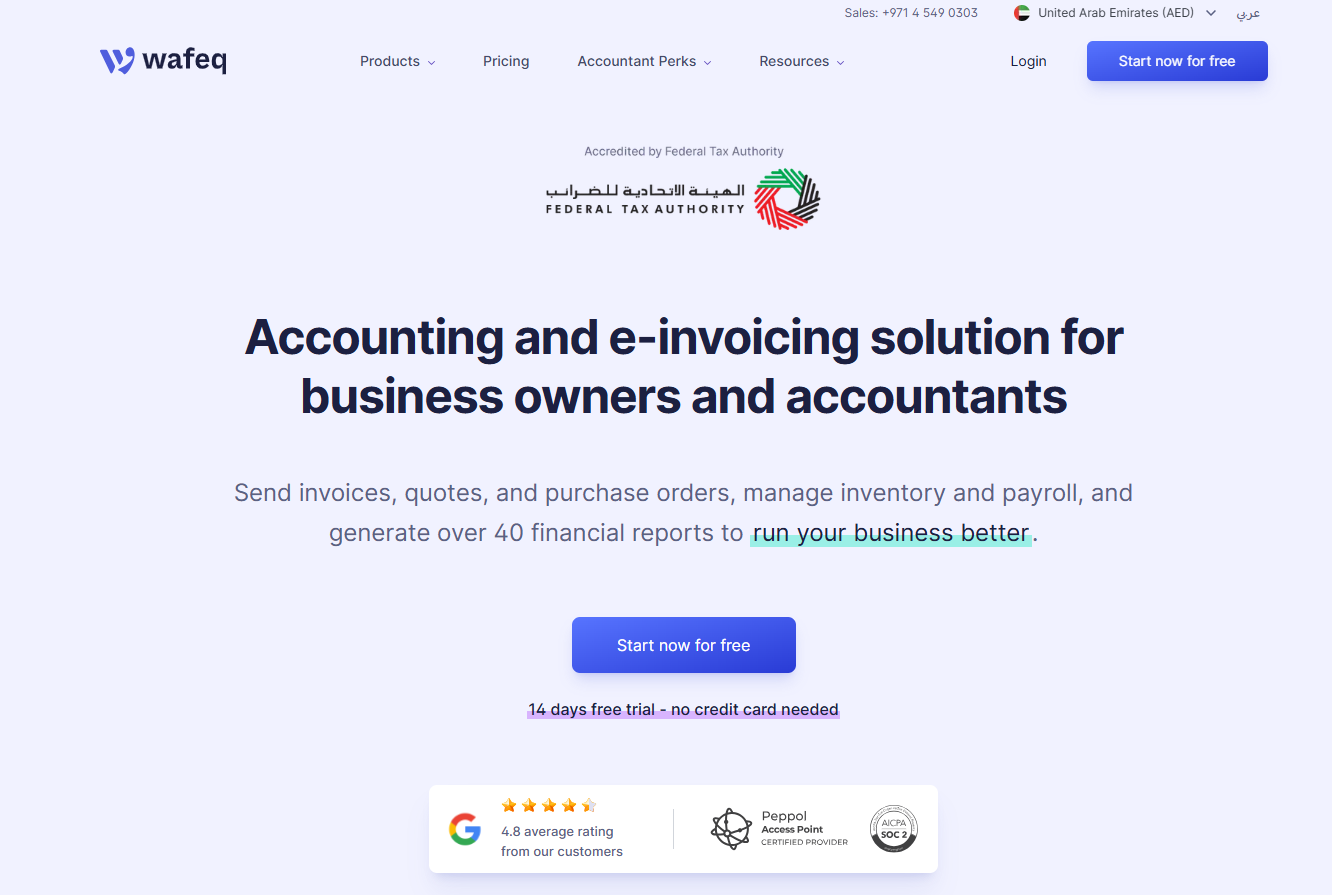
Wafeq is a UAE and Saudi accounting platform that can send a supplier payment straight from the bill through a connected bank account.
Features
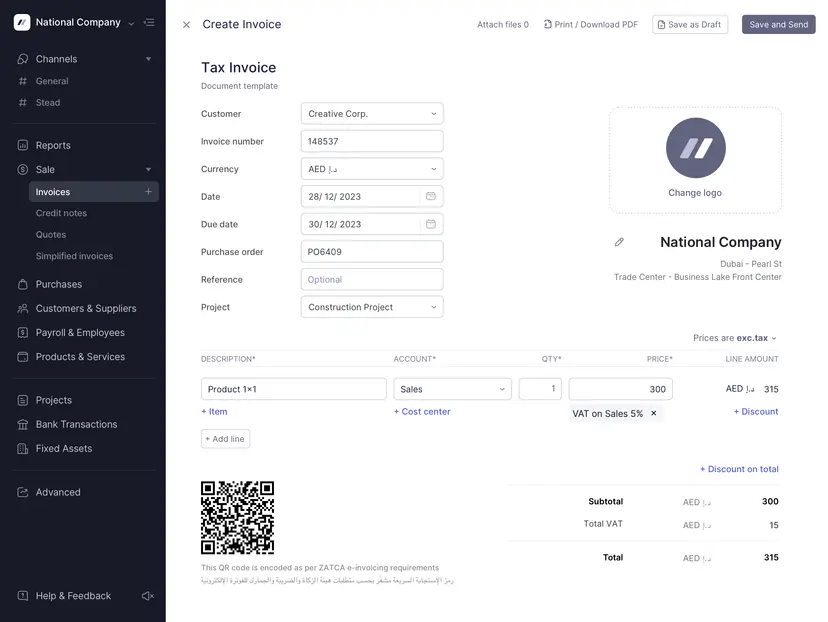
- Invoice inbox: suppliers email invoices to a dedicated address, where OCR logs each one as a bill.
- Live bank balance: the connected Wio account's balance and statements shown inside Wafeq.
- Beneficiary sync: Wio beneficiaries pulled into Wafeq and mapped to supplier records.
- Payment advice: payment details attached and shared with the supplier.
Payment processing
- Pay through bank: an approved bill paid from Wafeq with one action.
- Approval matrix: maker, checker and authorizer roles, with limits by amount or currency.
- Bank-side release: each payment confirmed with a one-time password on Wio's secure site.
- Batch preparation: several bills queued for payment together, though each is still released individually for now.
- Status and reconciliation: live status from initiated to completed, with the cleared payment matched back to its bill.
Pricing
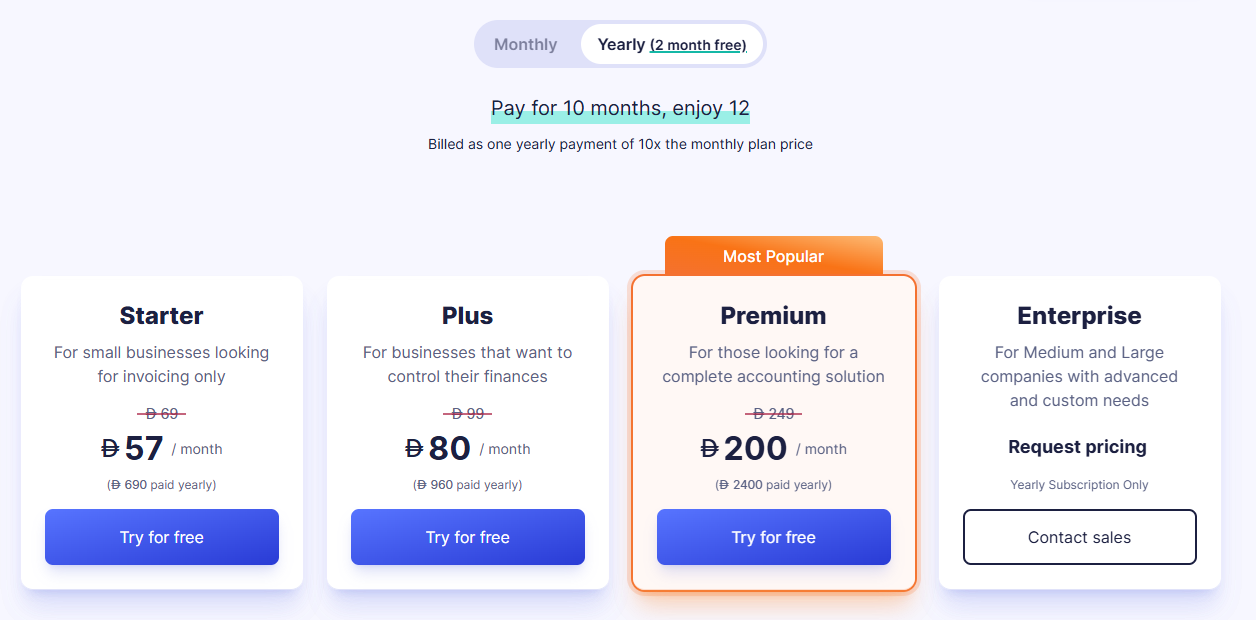
Wafeq's UAE plans are priced in dirhams, and bank payouts need a connected account:
- Starter: AED 57/month billed annually (AED 69 monthly).
- Plus: AED 80/month billed annually (AED 99 monthly).
- Premium: AED 200/month billed annually (AED 249 monthly).
- Enterprise: custom pricing.
Pros and Cons
✅ Payments start from the bill itself, with no bank portal to open.
✅ New beneficiaries are verified with Emirates ID face checks in Wio.
❌ Self-serve bank payouts in the UAE need a connected Wio account.
#8: Xpence
Best for: Small UAE teams whose suppliers and subscriptions accept card payments.
Similar to: Mamo, Pemo.
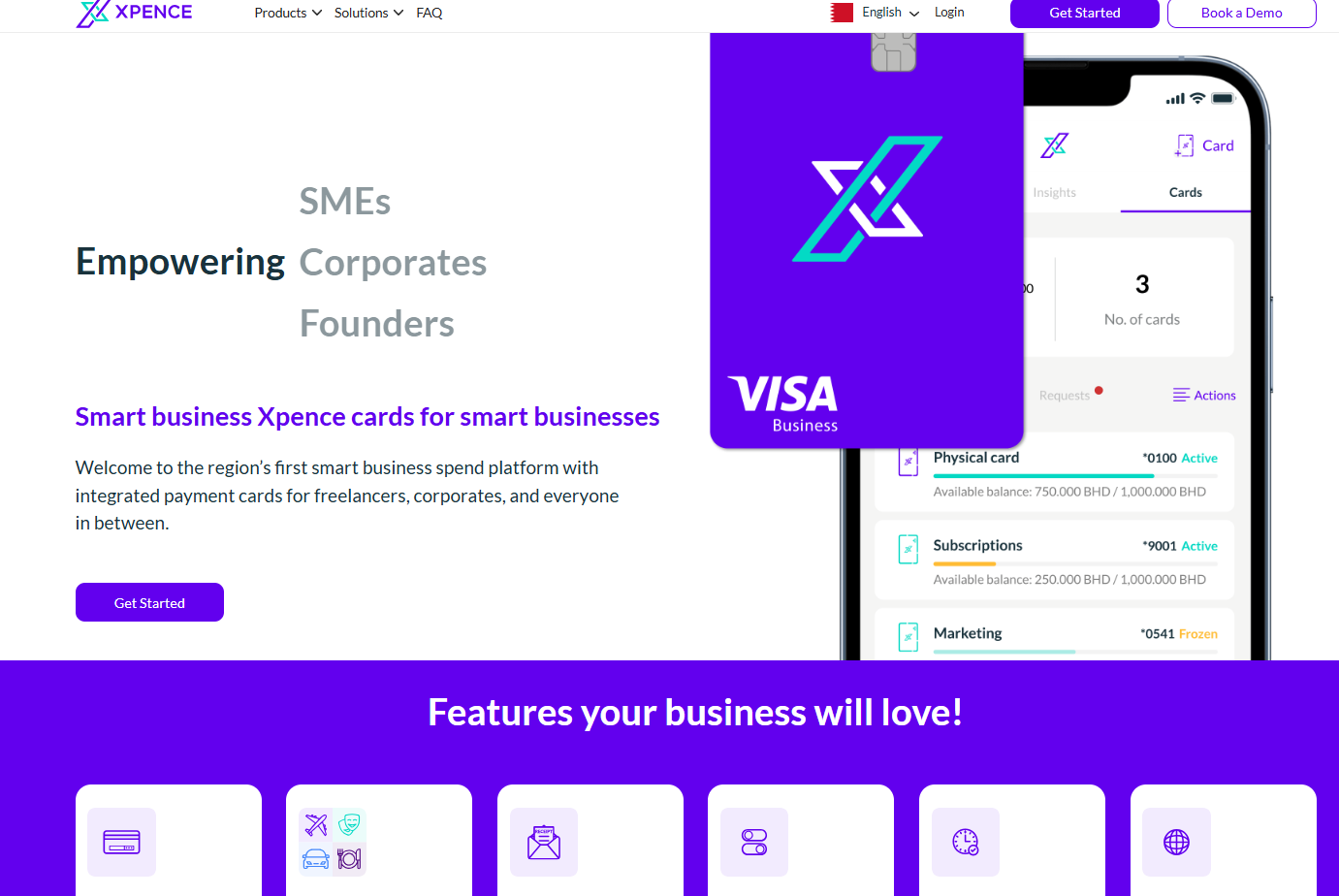
Xpence issues Visa cards on a balance the company funds, sorting each card payment into a category at the point of purchase.
Features
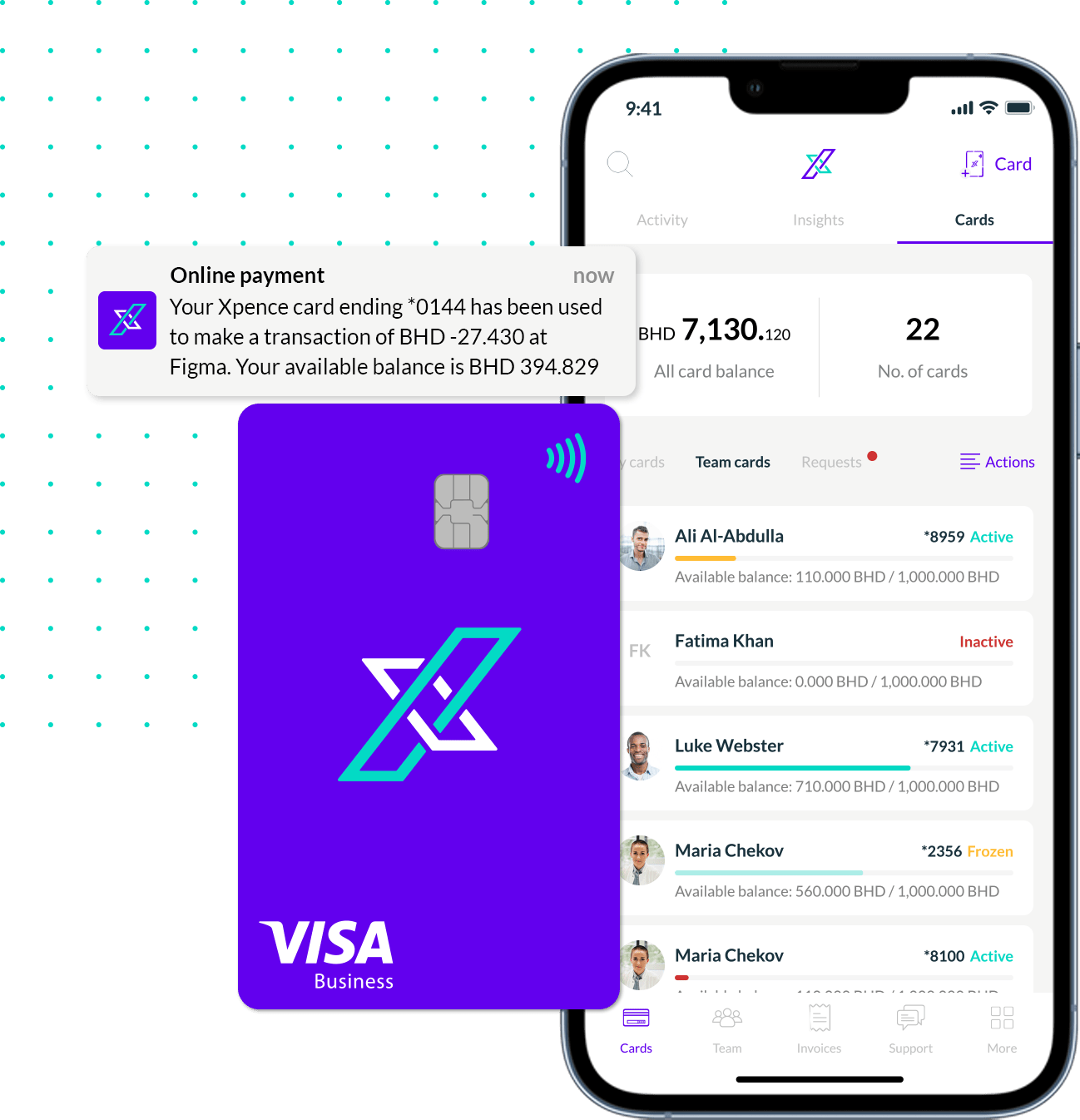
- Physical and virtual Visa cards: accepted wherever Visa is, with rules set on each card.
- Customer invoicing: invoices raised and paid online from the same account.
- Industry setups: configurations for corporate services providers, construction firms and advertising agencies.
Payment processing
- Card payments to suppliers: suppliers paid by card from the funded balance.
- Per-card controls: spending rules and limits set on each card.
- Automatic categorisation: each payment sorted as it happens.
Pricing
Xpence doesn't share its pricing publicly. You'd need to contact their team for a walkthrough and a custom quote.
Pros and Cons
✅ Supplier card payments limited to the balance already loaded.
✅ Transactions categorised without manual coding.
❌ No public pricing, unlike many Xpence alternatives.
What should UAE finance teams look for in vendor payment processing software?
A UAE finance team should judge four things: payment reach, payee checks, release rights and the route into the ledger.
I usually start with the payment rails, since a tool that can't reach your suppliers' banks has little else to offer.
These are the four areas I'd compare: 👇
Payment rails and currencies
The first question is which accounts a tool can pay, and in which currencies:
- Local AED transfers: payments to UAE bank accounts.
- International transfers: SWIFT or local rails abroad, with the exchange rate shown before release.
- Card payouts: virtual cards for suppliers that prefer to be paid by card.
- Batch payments: several bills released together.
Payee checks before money leaves
In my experience, most payment losses start with a wrong or changed bank detail, which is why payee checks deserve the closest look:
- IBAN validation: the account holder's name returned before the first payment.
- Bank-detail change controls: edits to a vendor's account flagged or approved separately.
- Duplicate detection: a bill that's already been paid held back.
- First-payment flags: new payees highlighted for review.
Who releases the payment?
It's ideal to start with a clear split between approving a bill and sending the money:
- Approval policies: routes by amount, team or vendor.
- Separate release rights: the approver and the person sending the payment kept apart.
- Second-factor release: payment confirmed with a one-time code or biometric.
- Scheduled payments: bills paid on their due date.
Status and reconciliation
Once a payment leaves, finance needs to know where it is and see it in the books:
- Payment tracking: status from approval through to settlement.
- Payment proof: a payment order or confirmation for each transfer.
- Accounting sync: paid bills marked as paid in the ledger.
- Supplier visibility: remittance details the supplier can see.
➡️ For the steps before payment, see our vendor invoice processing guide.
Next steps: pay UAE suppliers with Pemo
Every tool on this list moves money to suppliers, though each one fits a different mix of local and international payees.
For UAE suppliers, Pemo keeps the bill, the payee check and the paid status in one record.
If you want vendor payments that also give you:
- Corporate cards: unlimited virtual and single-use cards for suppliers that prefer card payments.
- Receipt capture by WhatsApp and email: card receipts matched to each payment.
- Cashback: 0.5% on international card spend on Starter, up to 2% on Premium, depending on the account's FX fee profile.
- Wallet forecasting: committed outflows set against the balance, on every plan.
Based on my experience, a month of supplier bills run through Bill Pay alongside your current process is a low-risk way to switch.
You can sign up for Pemo on the free Starter plan, then add the Pemo Business Account for Bill Pay.
A Pemo demo walks through a bill from upload to payment.
⚠️ Disclaimer: This article was last updated on 20 November 2026 and covers general product information, not legal or tax advice. Vendor features and prices change often. Please confirm current details with each provider.
Vendor payment processing FAQs
What is vendor payment processing software?
Vendor payment processing software sends approved supplier payments to the payee's bank account or card, with checks on the payee and a record of each payment.
It usually follows invoice capture and approval in the payables cycle, which our invoice management software guide covers.
How are local vendor payments made in the UAE?
Most local vendor payments go out as AED bank transfers to the supplier's UAE IBAN.
In Pemo, Bill Pay sends those transfers from the Pemo Business Account for AED 0.50 each up to AED 50,000.
How can a finance team avoid paying a vendor twice?
Duplicate payments are best caught before release, by checking each bill against what has already been paid.
Pemo flags duplicate bills before transfer.
Duplicate detection on expenses comes with Premium and Enterprise.
Which tools pay international suppliers from the UAE?
Tipalti and Payoneer reach the most countries.
Mamo charges 0.5% to 0.6% per international payout, with an AED 15 minimum.
Pemo's Bill Pay currently sends AED transfers within the UAE.