
In this article, I'll go over the 10 best accounting automation solutions in the UAE in 2026, going over their features, pricing structure, and pros and cons.
TL;DR
- Pemo offers the best accounting automation software in the UAE with its AI-powered Pemo Copilot, real-time transaction sync, and direct integrations with QuickBooks, Xero, Zoho Books, Tally, and Wafeq.
- Tools like Zoho Books, Wafeq, and QuickBooks Online are good picks for UAE SMEs that want cloud accounting with built-in VAT compliance and broad ecosystem support.
- Xero and Odoo are worth a look if you want unlimited users, strong automation, and a large app ecosystem, while Tally Prime remains a UAE favorite for teams that prefer a one-time desktop license.
What are the best accounting automation tools in the UAE in 2026?
The best accounting automation software in the UAE is Pemo with our AI categorization capability and direct accounting software sync.
Here are the 10 best accounting automation solutions in the UAE in 2026:
#1: Pemo
Pemo offers the best accounting automation software in the UAE with its AI-powered Pemo Copilot, real-time transaction sync, and direct integrations with the accounting platforms UAE finance teams actually use.
Full disclosure: Even though Pemo is our platform, I'll give you an unbiased and objective perspective on why Pemo offers the best accounting automation software in the UAE in 2026.
Here's the thing about traditional accounting automation tools: they sit at the end of the spend cycle.
A transaction happens in the real world (someone swipes a card, a vendor sends an invoice, a supplier gets paid), and then somebody has to scrape that data into the accounting software.
Bank feeds help here, but there's still a lag, and there are still gaps the finance team has to chase down at month-end.
We designed Pemo to approach accounting differently.
Instead of cleaning up transactions after they've happened, our platform captures them at the moment they happen, attaches the receipt, applies the right VAT treatment, and pushes everything into your accounting software in real-time.
The result is that books close significantly faster than teams relying on manual categorization and month-end clean-up.
Let's go through the features that make Pemo the best accounting automation software for UAE businesses in 2026: 👇
Capture spend data at the source, not after the fact
Pemo gives your team physical and virtual corporate cards, plus a centralized way to handle invoice payments and reimbursements.
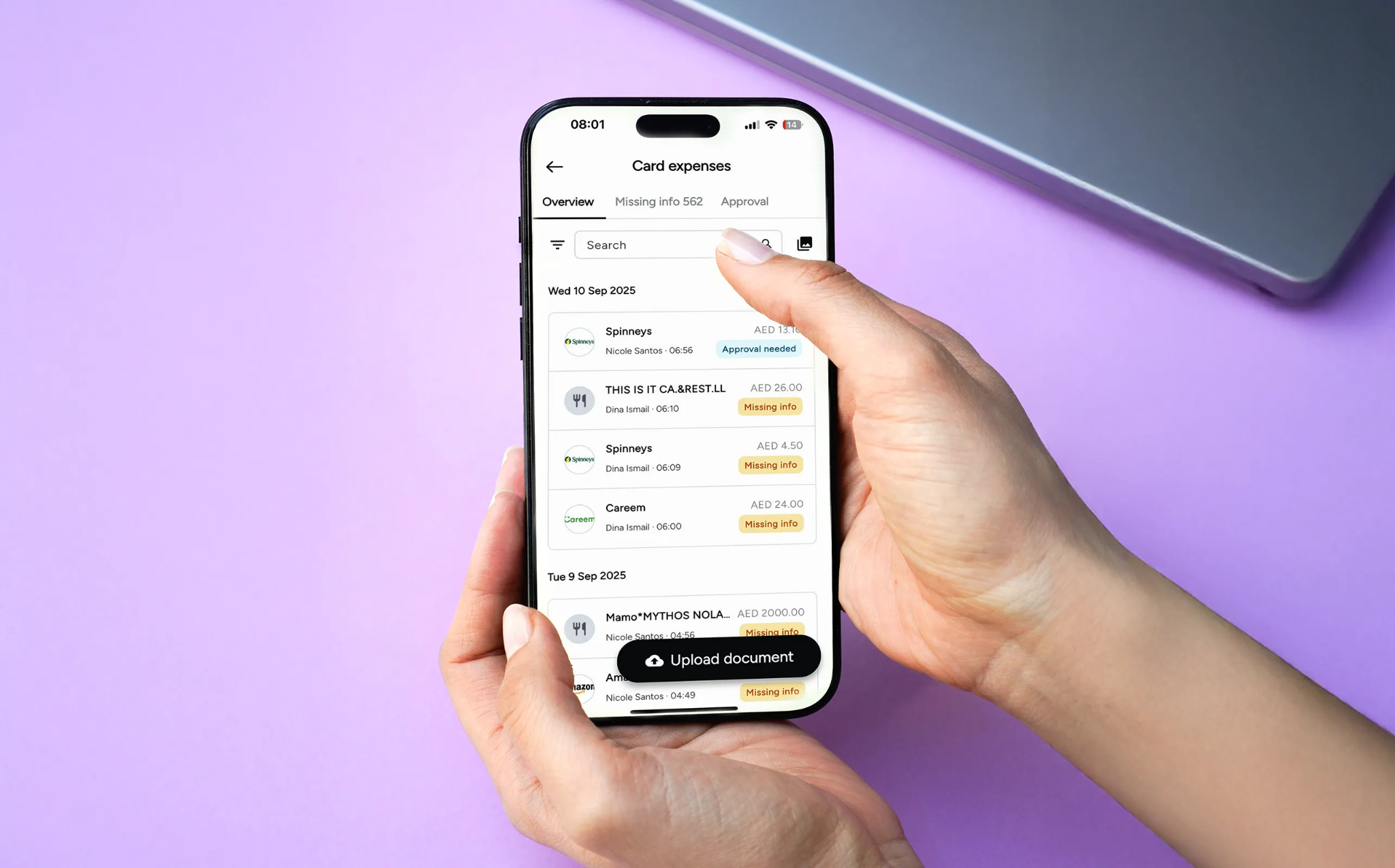
Every time a card is swiped or an invoice is uploaded, our system captures the transaction live and turns it into a tracked expense with the receipt already attached.
What this means in practice:
- Real-time transaction tracking: Every card swipe and invoice upload appears in your dashboard the moment it happens, so finance teams aren't stuck reconstructing the month after the fact.
- AI-powered receipt matching: Missing or mismatched receipts get flagged automatically, so nothing has to be manually chased down.
- Spending controls per card: Adjust limits, freeze cards, or block specific merchant categories live, all from the dashboard.
- Centralized invoice capture: Forward bills to your Pemo inbox or upload them directly, and the data is extracted automatically with no manual entry.
Compared to traditional accounting automation tools that wait for clean data to land in their inbox, Pemo cleans it on the way in.
Pemo Copilot auto-categorizes every transaction
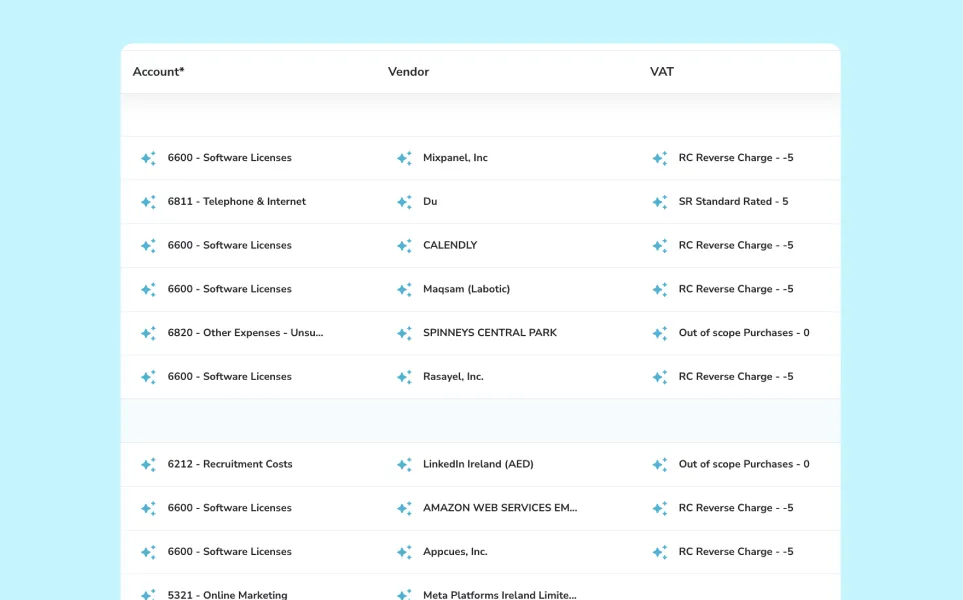
Pemo Copilot is our AI engine for accounting automation, and it's the feature that saves accountants the most time for the least effort.
Here's what it does:
- Automatic chart-of-accounts coding on every transaction, with vendor and VAT treatment applied at the same time.
- Pattern recognition that sharpens over time, so the system's suggestions get more accurate the longer it runs in your business.
- Override controls for your accountant, so the team keeps final say on anything the AI flags or misreads.
- Real-time inconsistency alerts that surface issues in the same week they happen, not at month-end.
There are no rules engine to build and no model to train. Copilot is live from the first transaction and picks up your business's patterns as it goes.
Direct sync with QuickBooks, Xero, Zoho Books, Tally, And Wafeq
Pemo doesn't try to replace your accounting software. It feeds it.
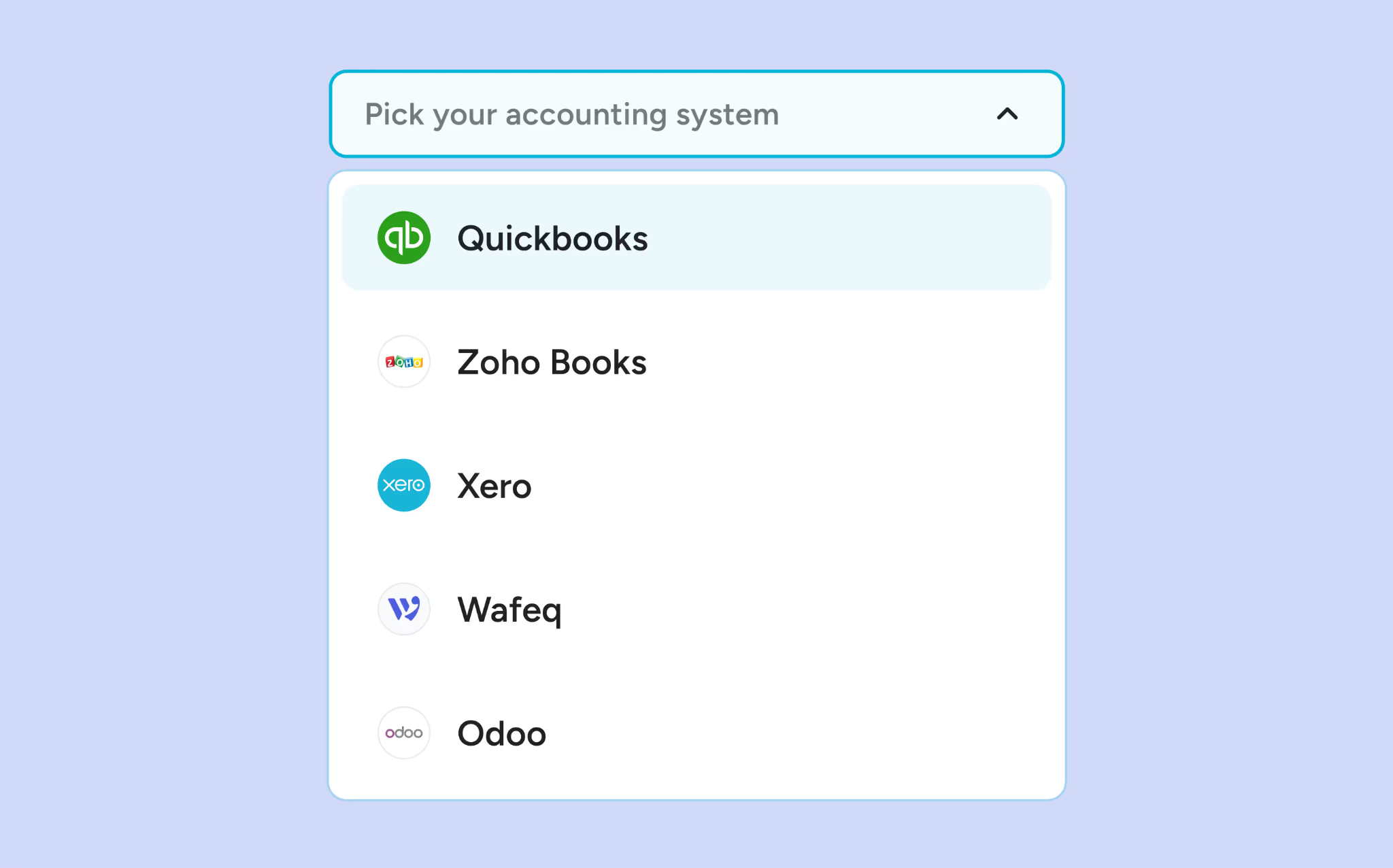
We've built native, two-way integrations with the accounting platforms UAE businesses actually use:
- QuickBooks Online for SMEs that already run their books on Intuit's platform.
- Xero for cloud-first teams using the global standard for unlimited-user accounting.
- Zoho Books for businesses already inside the Zoho ecosystem.
- Tally for the many UAE accountants and SMEs running on Tally.
For every other platform, Pemo exports clean CSV files that drop into your ERP without manual reformatting.
You also get to control sync timing, with the option to push transactions daily or trigger a sync on demand to eliminate the back-and-forth of CSV exports, journal entries, and manual reconciliations.
[New] Pemo MCP: use ChatGPT or any LLM to get information about your finances
Pemo’s MCP connects Claude, ChatGPT, Gemini, Copilot or any client that supports remote MCP servers to your live Pemo data. The asking happens in the tool your team already has open.
You can ask for today's declined transactions, last month's software spend, a month-end summary, cards with no recent activity, or reimbursements submitted this week.
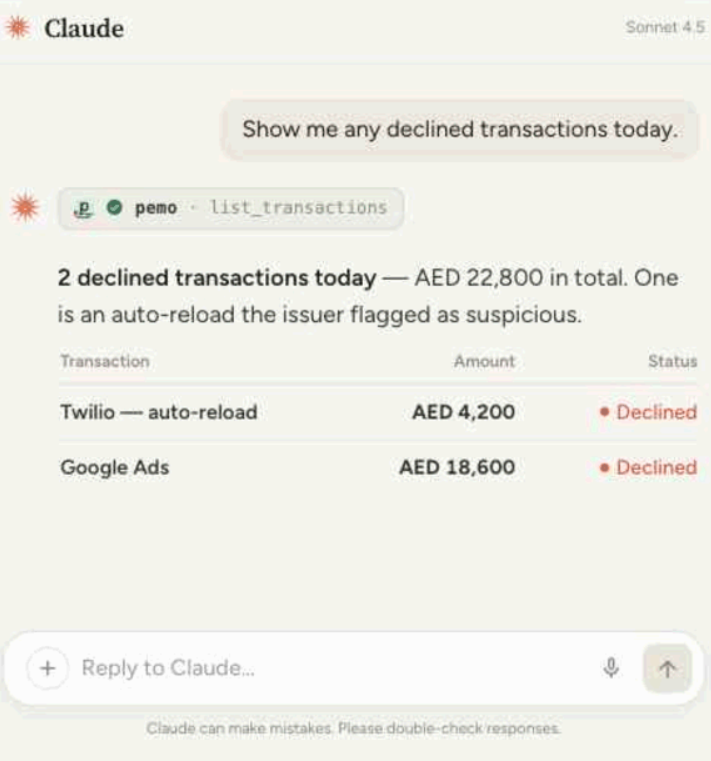
The connection is read-only, so nothing gets approved or changed from a chat window. Cards show their last four digits only. Each person's Pemo role limits what their assistant can see.
Pemo MCP is rolling out to customers now, with an admin requesting access from support before the connector goes in.
What makes Pemo different from other accounting automation tools?
Most accounting automation tools live downstream of where spending actually happens.
They ingest bank feeds, extract data from receipts that have already been collected, and apply rules to transactions already sitting in an accounting software inbox.
That approach works, but it leaves a structural gap: finance teams still have to wait for data to land before they can clean, match, and reconcile it.
Pemo operates further upstream by issuing the corporate cards, capturing invoices at the point of entry, and feeding the accounting software directly, so spend data arrives already coded, categorized, and VAT-treated.
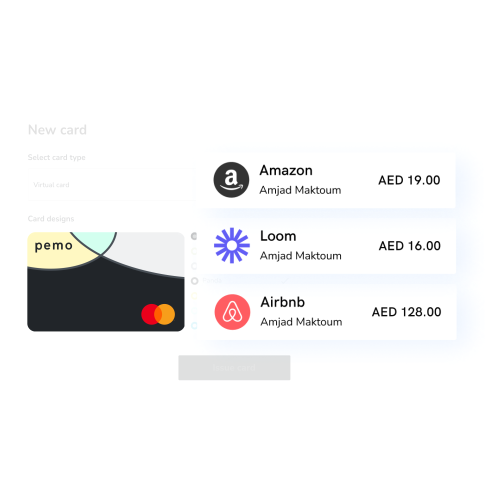
That end-to-end ownership of the spend-to-books flow is what makes Pemo's automation both faster (it starts at the transaction) and more complete (it closes the loop without handoffs between separate tools).
There's also less to configure on your side: no rules engine to build from scratch, and you won’t have to stitch together card issuing, invoice OCR, and accounting sync from three separate vendors.
Pemo's Pricing
Pemo has a free plan called Starter with unlimited cards and cardholders, which gets you instant card issuance, mobile and email receipt capture, OCR matching, bulk approvals, and 0.5% cashback on international spend.
To unlock the full expense management and accounting automation features, you'd move onto one of our 2 paid plans:
- Premium: AED 399/month per company, priced per company rather than per cardholder. Adds up to 2% uncapped cashback on international spend, multi-layer approval workflows, unlimited sub-wallets, budgets, and wallet forecasting.
- Enterprise: Starting from AED 1,500/month. Adds multi-entity setup, custom ERP integration, international cards for employees based outside the UAE, and a dedicated CSM with phone support.
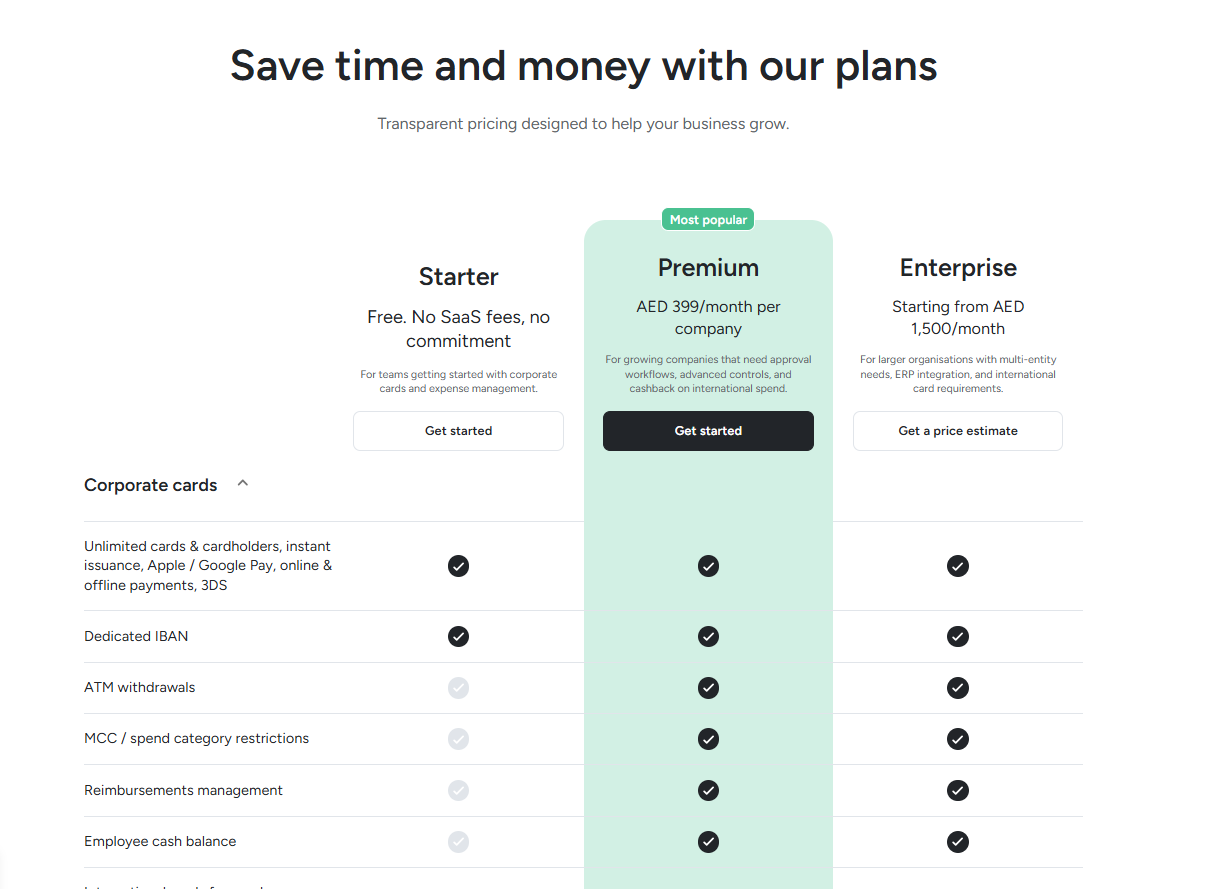
Want to learn more? You can sign up for Pemo's free plan or book a demo to see it in action.
Pemo's Pros and Cons
✅ AI-powered accounting automation with Pemo Copilot.
✅ Direct integrations with QuickBooks, Xero, Zoho Books, Tally, and Wafeq.
✅ Real-time transaction sync that closes the gap between spending and bookkeeping.
✅ Generous free plan for up to 2 card users.
✅ Designed for the MENA region.
❌ Wallet top-ups require bank transfers and aren't processed on weekends.
#2: Zoho Books
Best for: UAE SMEs that want a cloud accounting suite with a free plan.
Similar to: QuickBooks Online, Xero.
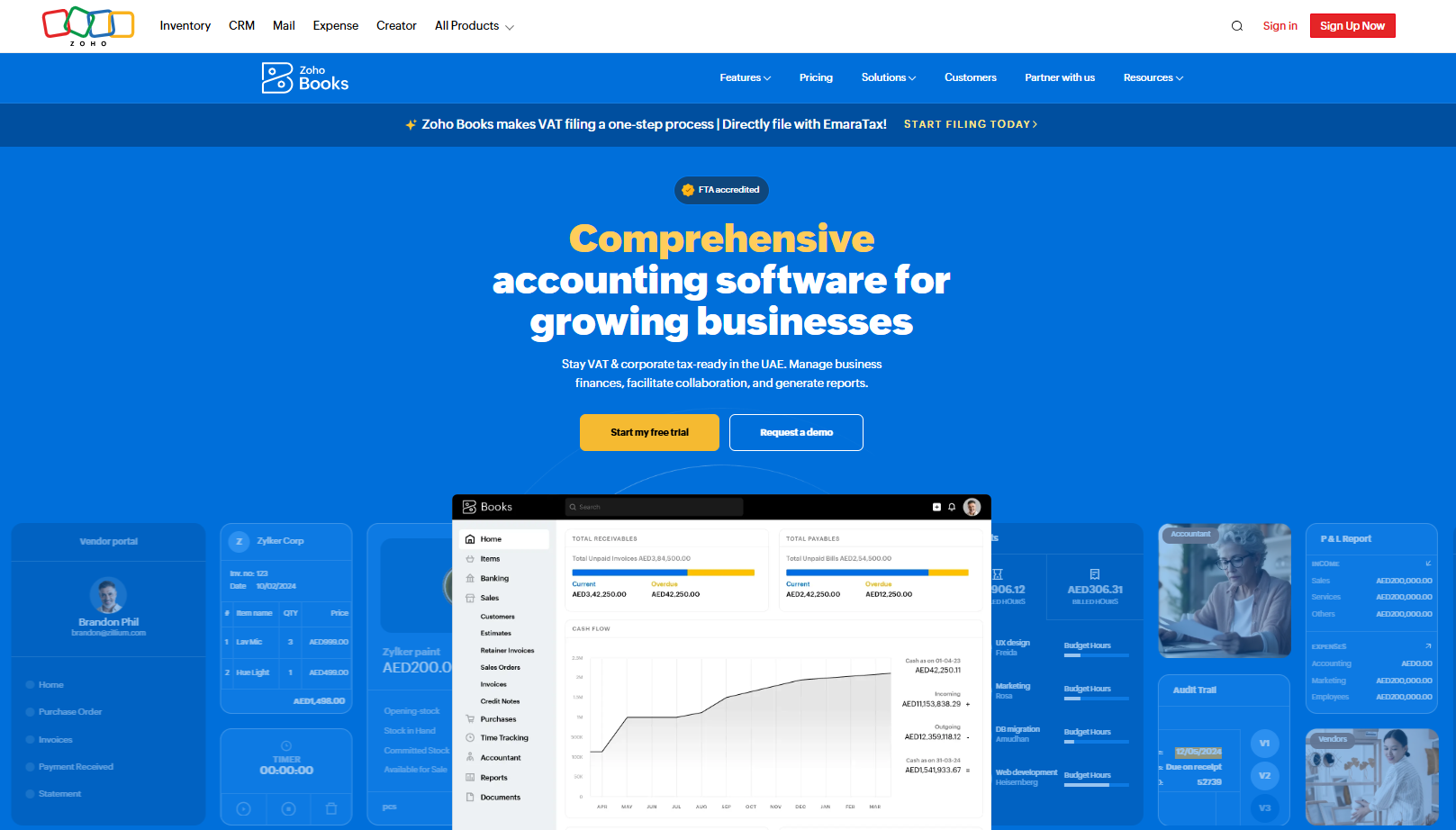
Zoho Books is a cloud accounting platform inside the broader Zoho ecosystem. It's one of the few options on this list with a fully usable free tier.
It's especially popular with smaller UAE businesses that want to keep accounting and CRM under one roof.
Features
- Bank reconciliation and feeds: Connect your UAE bank account to pull transactions in automatically and match them to invoices and bills.
- Workflow automation: Set up custom rules to trigger approvals, payment reminders, and recurring invoices without manual work.
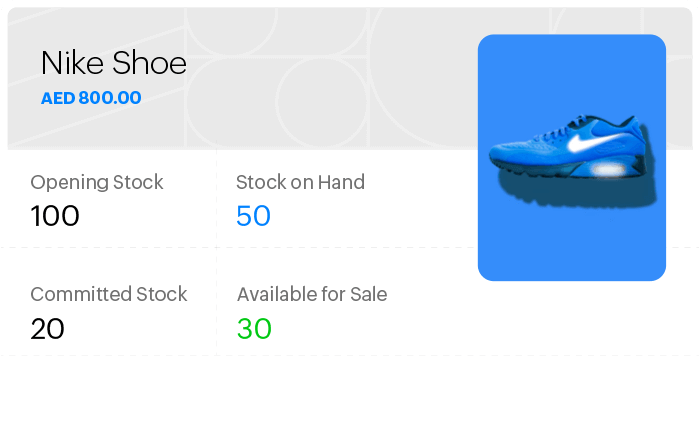
- Inventory and project tracking: Higher-tier plans add stock management and project profitability for businesses that need it.
Pricing
Zoho Books has a free plan for small and micro-businesses, which lets you create invoices, quotes, expenses & journals.
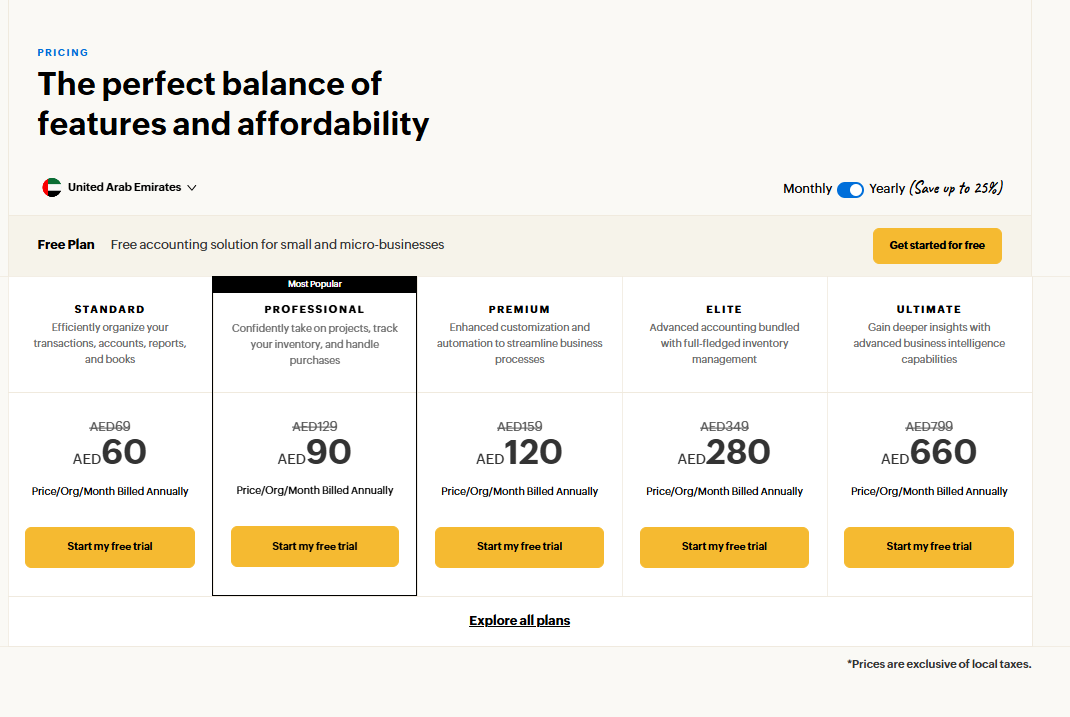
Beyond the free plan, there are 5 paid tiers (per organization, billed annually):
- Standard: AED 60/month for 3 users, with bank feeds and higher invoice limits.
- Professional: AED 90/month for 5 users, adding multi-currency, projects, and purchase orders.
- Premium: AED 120/month for 10 users, with budgeting and forecasting.
- Elite: AED 280/month for 10 users, adding advanced inventory.
- Ultimate: AED 660/month for 15 users, with advanced analytics.
Pros and Cons
✅ Genuinely useful free tier.
✅ Good value at the lower tiers compared to other cloud accounting platforms.
❌ Some advanced features feel a bit buried or take extra steps to reach, according to G2.
#3: Wafeq
Best for: MENA-native accounting with deep UAE and KSA tax compliance.
Similar to: Zoho Books.
Wafeq is a GCC-focused cloud accounting tool with e-invoicing for the UAE, ZATCA compliance for Saudi Arabia, and a bilingual Arabic and English interface.
It's grown fast in the region because regulatory compliance was the design starting point, not an afterthought bolted on later.
Features
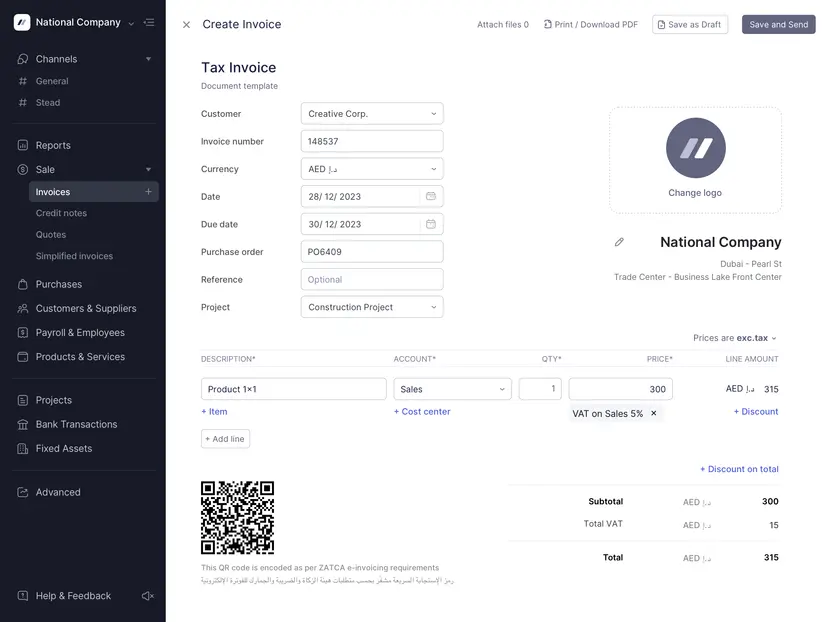
- Automated VAT ZATCA Phase 2 compliance for Saudi Arabia.
- Bilingual interface: The whole platform runs in Arabic and English, which matters in the UAE more than people who haven't worked here realize.
- Multi-entity reporting: You can manage multiple companies from a single Wafeq account and produce consolidated financials across them.
Pricing
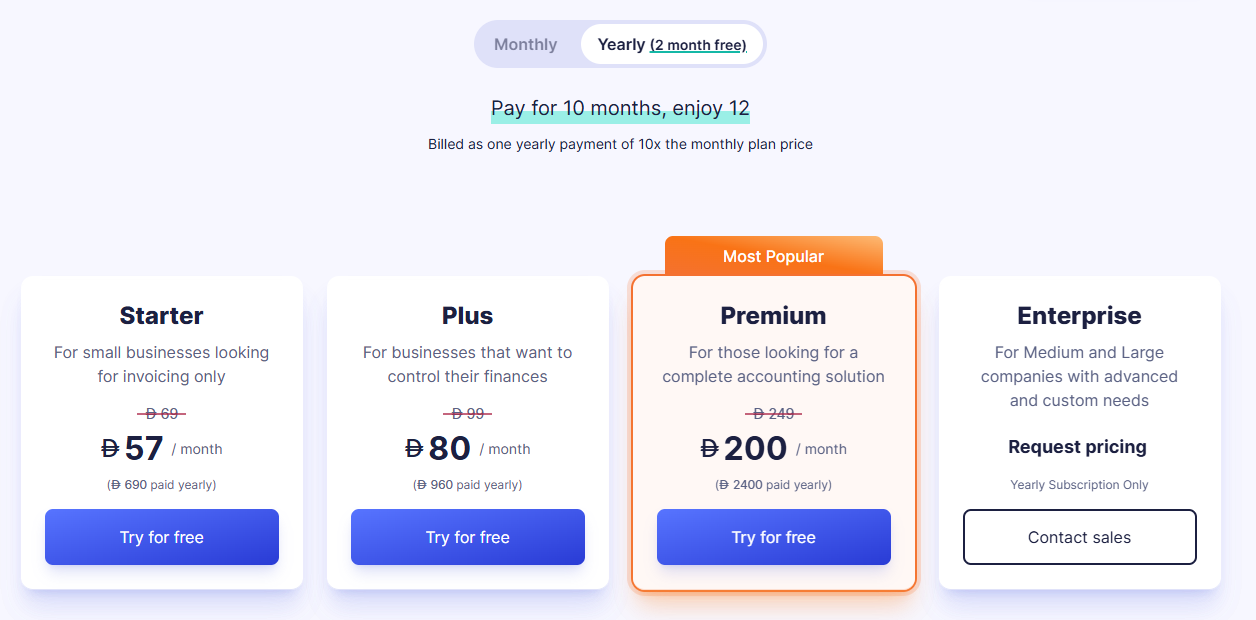
Wafeq has 4 plans, with annual billing offering a discount over monthly:
- Starter: From AED 57/month for invoicing and core bookkeeping.
- Plus: From AED 80/month, which adds recurring invoices, bulk emailing, and branch management.
- Premium: From AED 200/month, adding payroll, employee expense claims, inventory, and consolidated reporting.
- Enterprise: Custom pricing for larger organizations.
Pros and Cons
✅ Built for the UAE and KSA markets from day one, with native VAT and e-invoicing.
✅ Bilingual Arabic-English interface.
✅ Affordable starting price compared to global cloud accounting tools.
❌ Not as much integration ecosystems as large platforms like QuickBooks Online or Xero.
#4: QuickBooks Online
Best for: Businesses that want the most established cloud accounting brand and the widest network of accountants.
Similar to: Xero.
QuickBooks Online is Intuit's cloud accounting platform, and it's the most widely adopted accounting software globally.
In the UAE, you'll find a strong network of certified QuickBooks accountants and a localized version.
Features
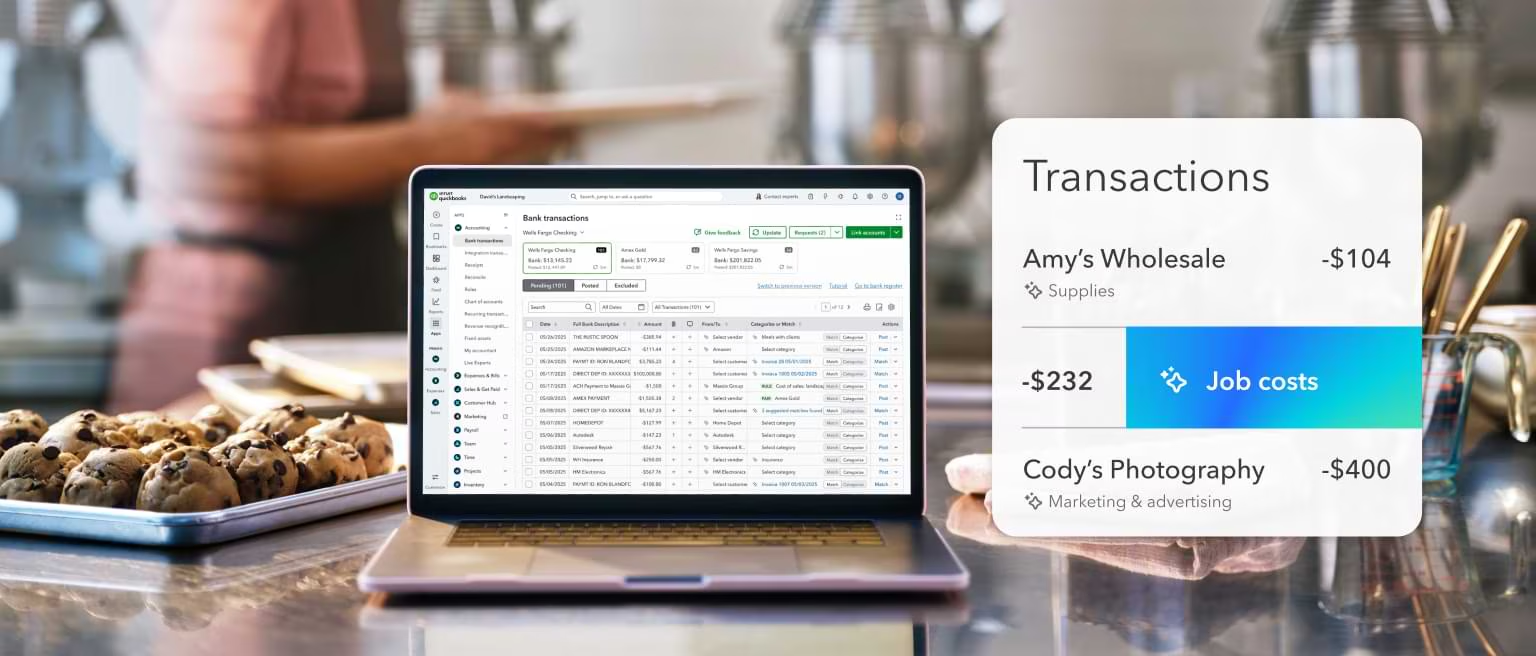
- Intuit Assist (Gen AI): A built-in assistant that lets users ask finance questions in plain language and offloads routine tasks like transaction categorization and account reconciliation.
- Bank feeds and rules: Connect bank accounts and let QuickBooks learn your categorization patterns over time.
- Project profitability and inventory: Available on Plus and above for businesses that bill by project or carry stock.
- Wide app marketplace: Hundreds of integrations including PayPal, Square, ServiceM8, and Dext.
Pricing
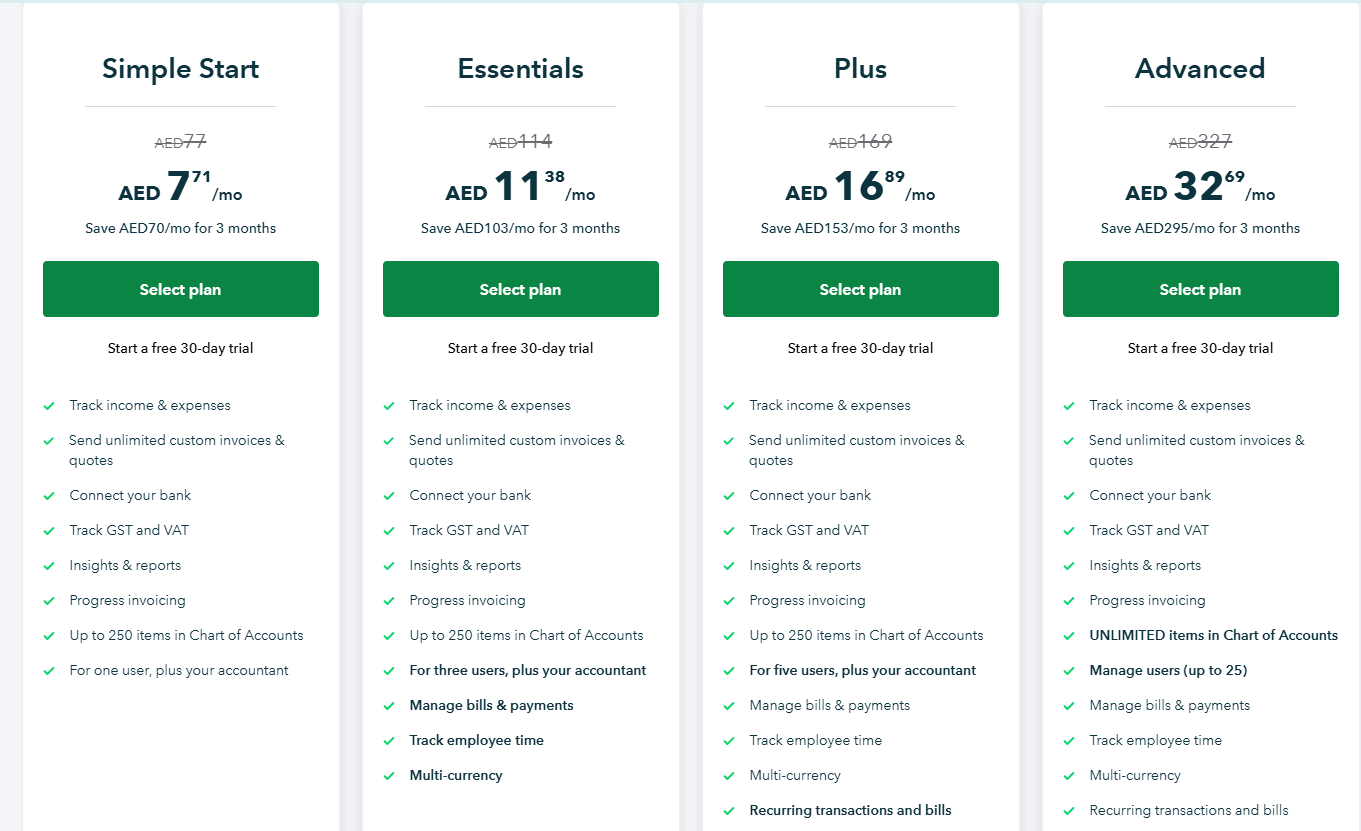
QuickBooks Online runs regional pricing in the UAE, with reduced pricing in the first 3 months:
- Simple Start: AED 77/month, which lets you track income and expenses, send unlimited custom invoices & quotes, and connect your bank.
- Essentials: AED 114/month for up to 3 users, which adds the ability to track employee time, and manage bills & payments.
- Plus: AED 169/month for up to 5 users, which adds recurring transactions and bills, the ability to track your inventory, and manage budgets.
- Advanced: AED 327/month for up to 25 users, with unlimited items in Chart of Accounts, unlimited classes and locations, data sync with Excel, and the ability to automate workflows.
Note: Even though the prices are displayed in AED, billing will be processed in USD.
Pros and Cons
✅ Largest network of UAE-based QuickBooks-certified accountants.
✅ Mature platform with a deep integration ecosystem.
✅ Strong AI capabilities through Intuit Assist on higher tiers.
❌ Some advanced features can feel less intuitive and require extra time to navigate, according to one user on G2.
#5: Xero
Best for: Growing teams that need unlimited users and strong bank reconciliation.
Similar to: QuickBooks Online.
Xero is a cloud accounting platform used worldwide. The big differentiator is unlimited users on every plan, which makes it a favorite of growing teams that don't want to be charged per seat.
It also has one of the largest accounting app marketplaces on the market.
Features
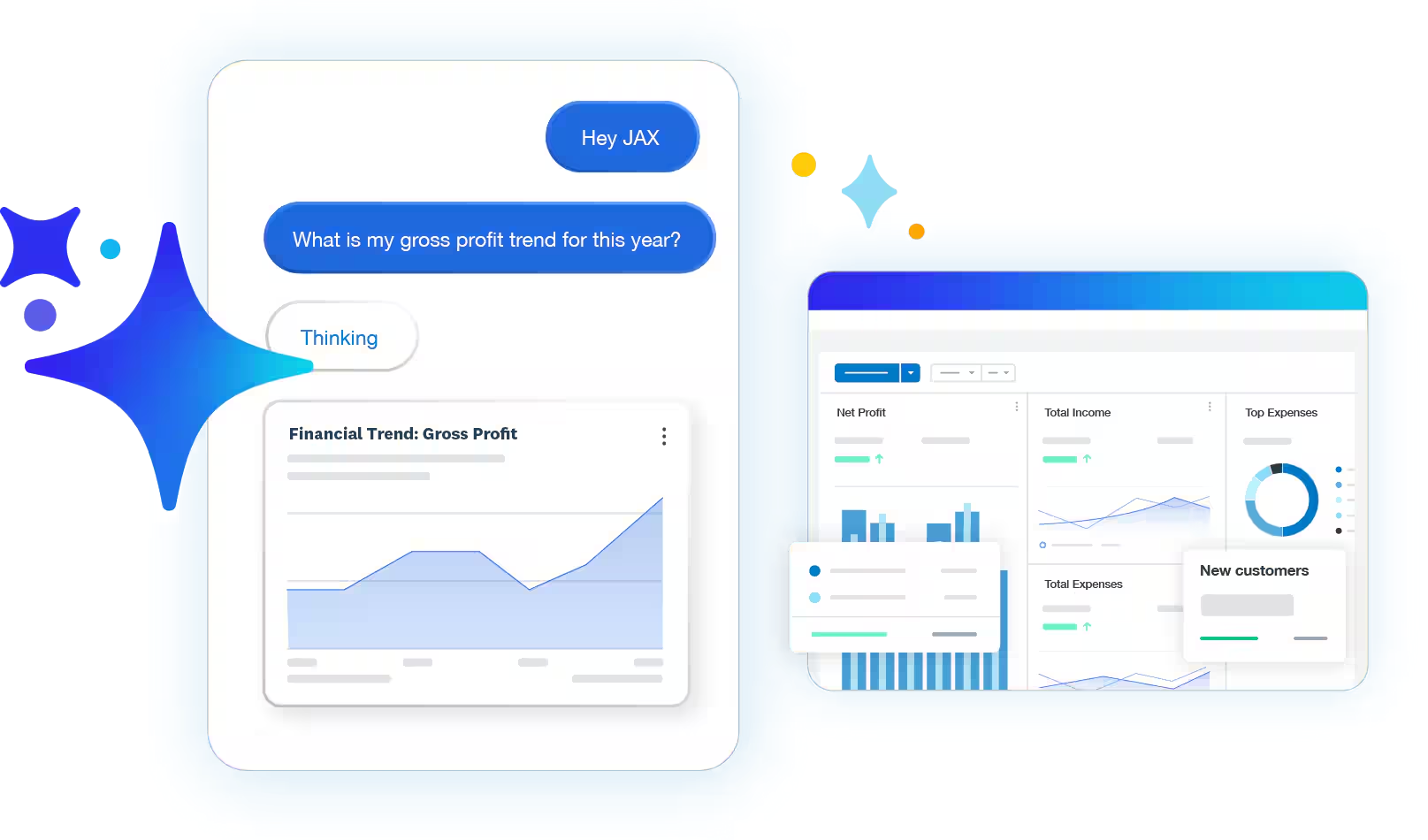
- AI-assisted bank reconciliation: The reconciliation engine matches most transactions on its own and leaves the edge cases for the accountant to review.
- Hubdoc receipt capture: Included in all plans, Hubdoc extracts data from photographed receipts and pulls bills from supplier portals.
- Unlimited users on every plan: No per-seat charges as your team grows.
- 1,000+ app integrations: Including Stripe, Shopify, and most major payroll providers.
Pricing
Xero has 4 main plans, all displayed in USD:
- Lite: USD 7/month, which lets you send 5 invoices and quotes per month, accept online invoice payments, reconcile bank transactions, and capture bills and receipts with Hubdoc.
- Starter: USD 29/month, which lets you send quotes and 20 invoices, accept online invoice payments, and enter 5 bills.
- Standard: USD 50/month, which adds its auto-reconcile capability for bank transactions, personalized financial health scorecards, and the ability to customize performance dashboards.
- Premium: USD 75/month, which adds a 180-day forecast cash flow, the ability to analyze KPIs and ratios, and you can also use multiple currencies.
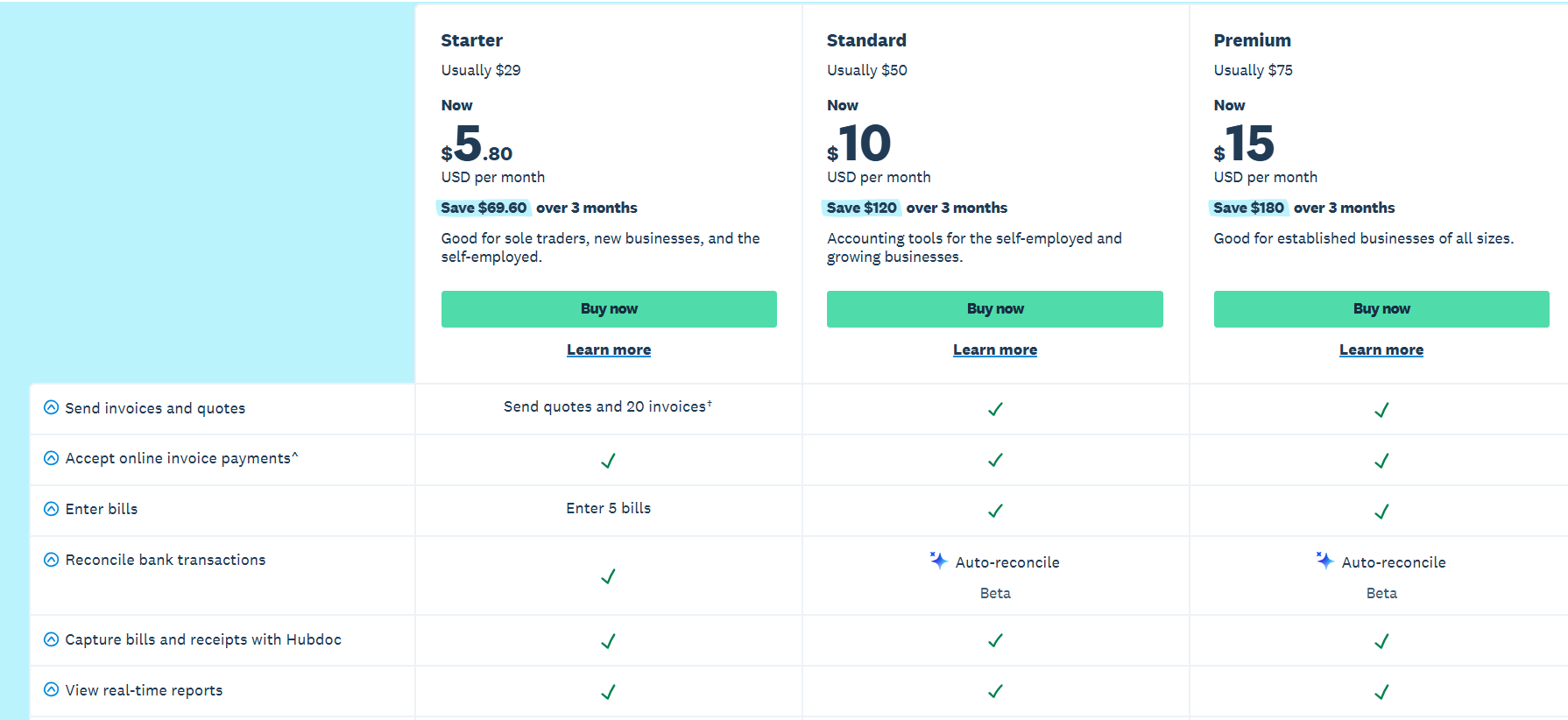
Similar to QuickBooks, there’s an option to save money on your first three months, which is why the displayed prices are as low as USD 1.40/month for the Starter plan in the first 3 months.
Pros and Cons
✅ Unlimited users on every plan.
✅ Clean, intuitive interface that's friendly to non-accountants.
✅ Hubdoc is included in all plans for receipt capture.
❌ Payments against expenses could be smoother as a process, according to a G2 review.
#6: Odoo
Best for: Businesses that want modular accounting connected to CRM, inventory, HR, and operations.
Similar to: Sage, NetSuite.
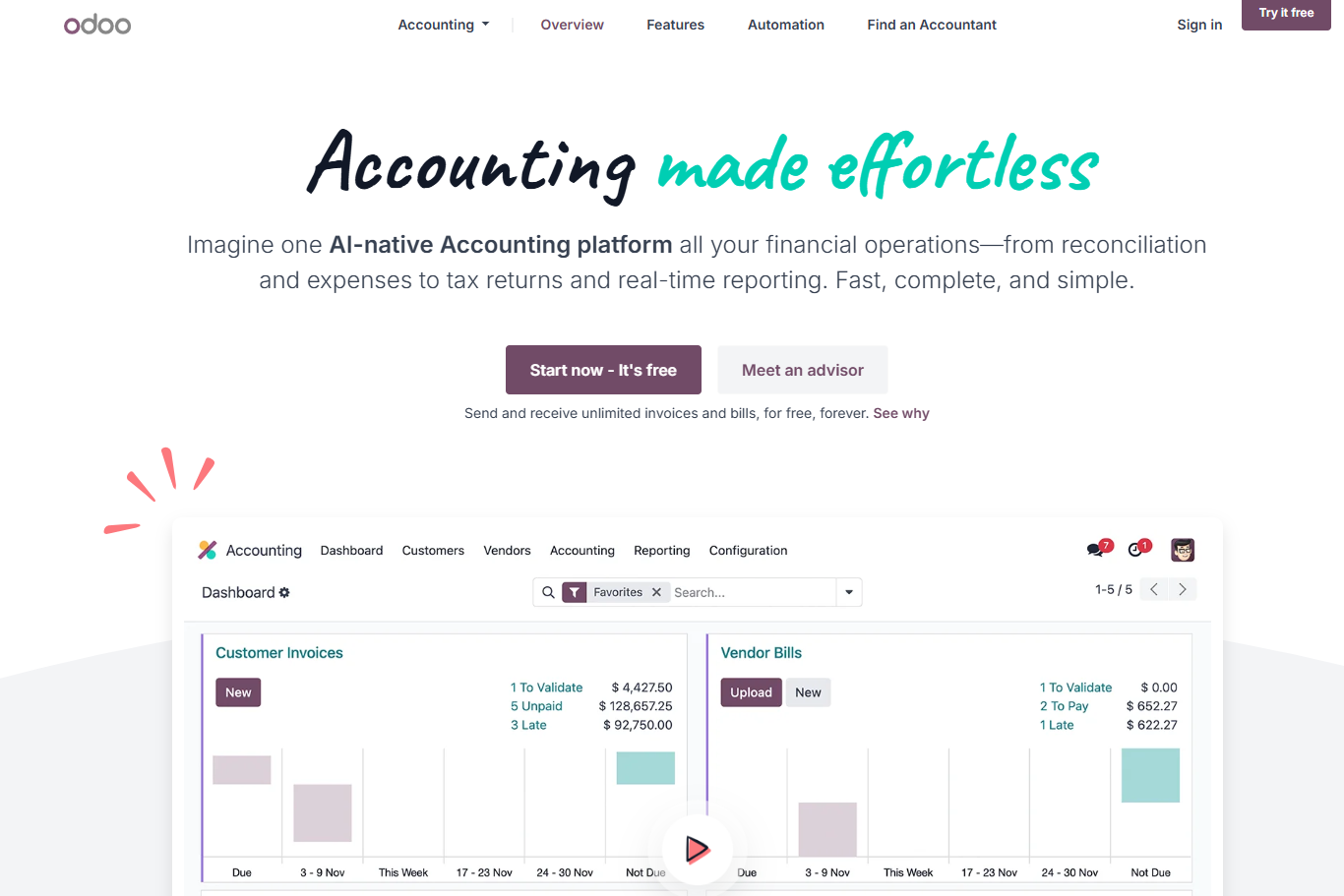
Odoo isn't strictly an accounting platform.
It's a modular open-source business suite where accounting is one app among dozens, including CRM, sales, inventory, manufacturing, HR, marketing, and ecommerce.
Features
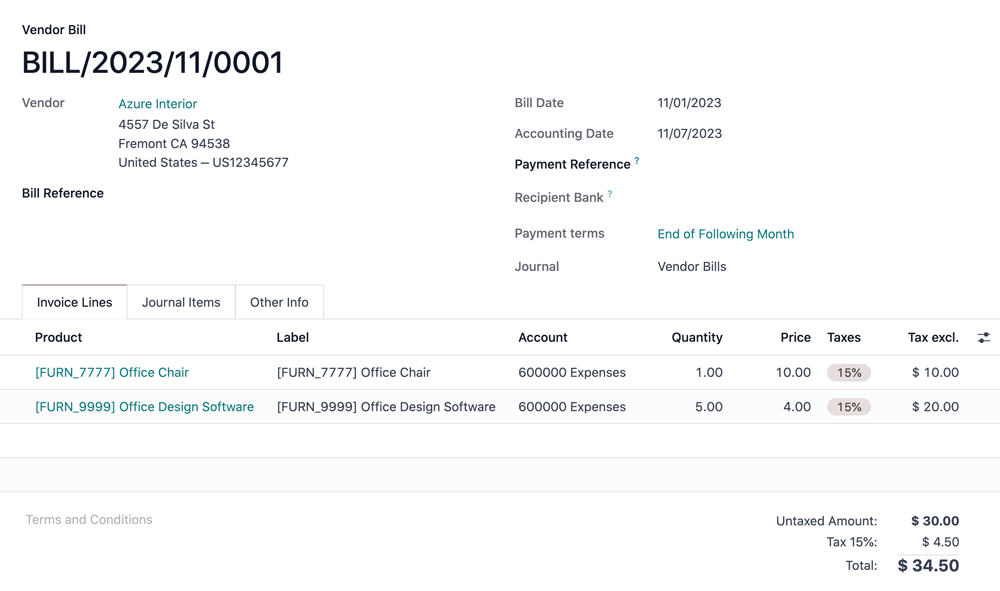
- AI invoice digitization: Reads supplier invoices and creates draft entries automatically.
- Automated reconciliation: Bank feed matching and batch payment reconciliation reduce manual entry.
- Multi-company and multi-currency: Supports group structures and UAE-specific accounting rules through regional localization modules.
- Connected modules: The accounting app talks directly to CRM, inventory, manufacturing, and HR, so data flows without manual exports.
Pricing
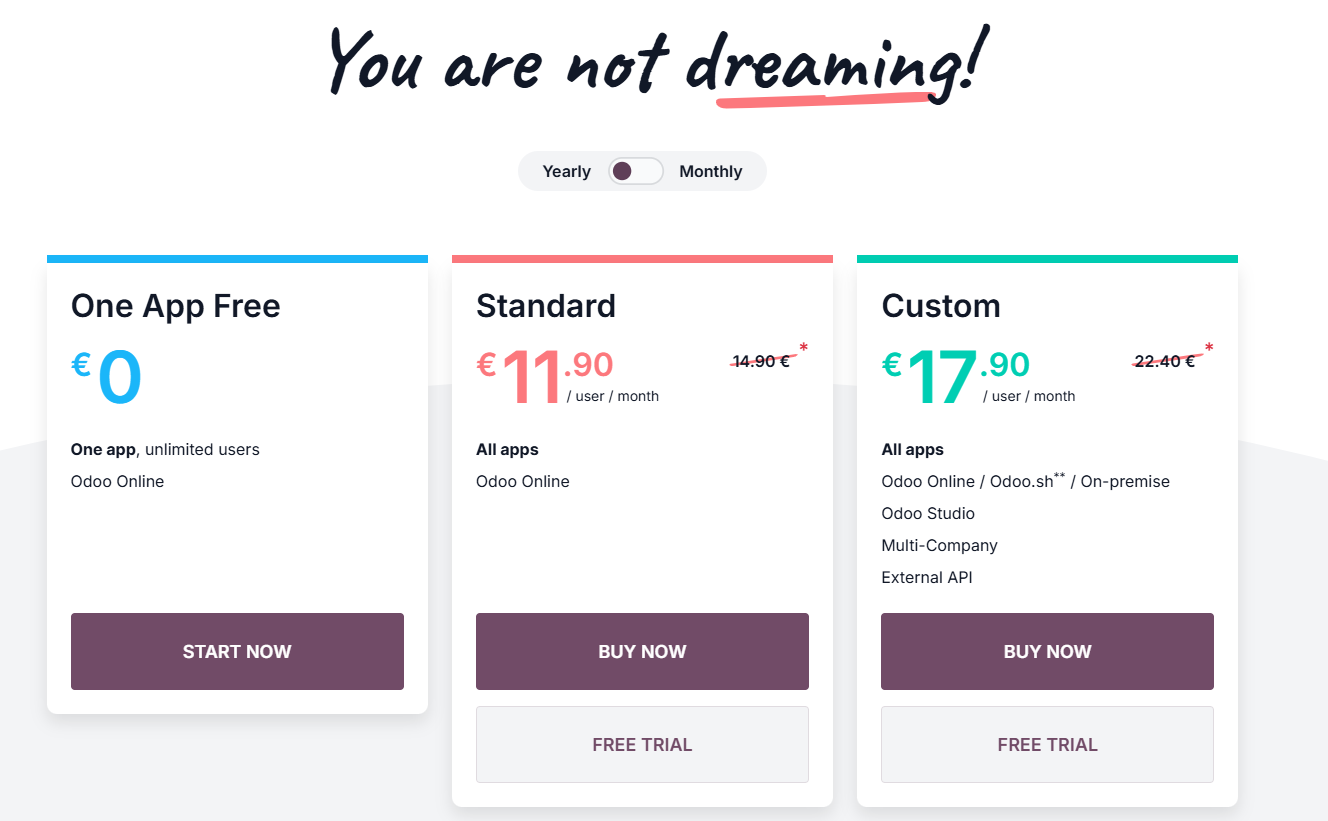
Odoo has 3 tiers:
- One App Free: Free for unlimited users, but only one app (e.g. just accounting).
- Standard: EUR 11.90/user/month annually for the full app suite hosted on Odoo Online.
- Custom: EUR 17.90/user/month for multi-company, custom development, Odoo.sh hosting, and Odoo Studio.
Pros and Cons
✅ Strong automation for routine accounting tasks.
✅ Modular suite that connects accounting to the rest of your business.
✅ Free option if you only need one app.
❌ Per-user pricing can scale quickly for larger teams.
#7: Tally Prime
Best for: UAE accountants and SMEs that prefer a one-time desktop license over monthly subscriptions.
Similar to: QuickBooks Desktop.
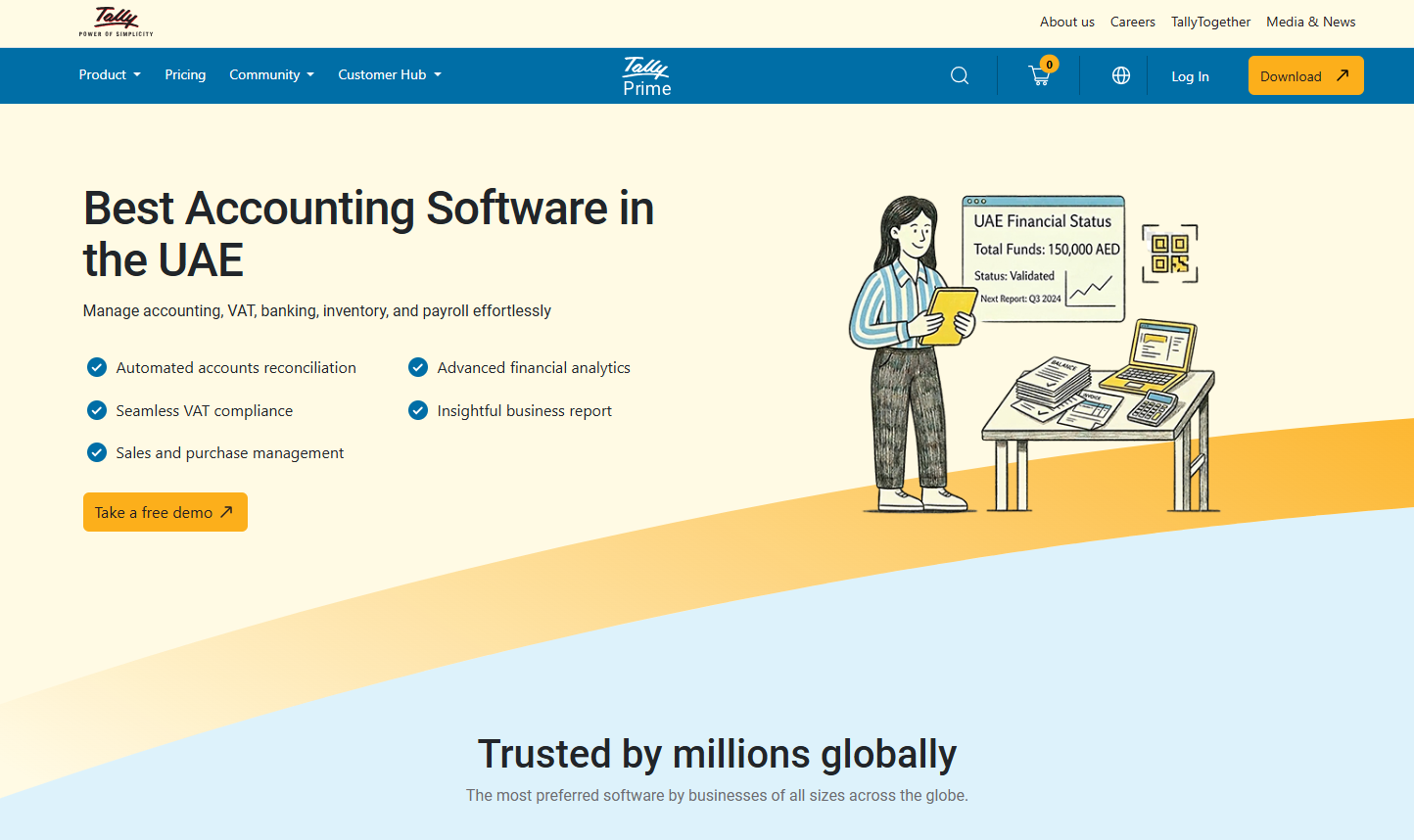
Tally Prime’s feature depth skews toward the detailed inventory tracking and multi-currency trade workflows.
Under the hood, it's a mature product with a VAT-compliant module, bilingual Arabic and English invoicing, and optional cloud hosting layered on top of the original desktop software.
Features

- Bilingual invoicing: Arabic and English invoicing built into recent versions.
- Bank reconciliation: Imports bank statements in standard formats and auto-journals entries.
- Multi-currency support: Handles transactions in multiple currencies, useful for trading businesses across the GCC.
Pricing
Tally is sold as a perpetual license with annual Tally Software Services (TSS) for updates and support:
- Silver (single-user): AED 2,340 one-time, with the first year of TSS included.
- Gold (multi-user): AED 7,020 one-time, with the first year of TSS included.

Pros and Cons
✅ Familiar to most UAE-based accountants.
✅ One-time license is appealing for cost-conscious businesses.
✅ Strong VAT and compliance features for the local market.
❌ Certain workflows like advanced analytics, forecasting and collaboration feel limited, according to a G2 review.
#8: FreshBooks
Best for: Freelancers and service-based small businesses focused on invoicing.
Similar to: QuickBooks.
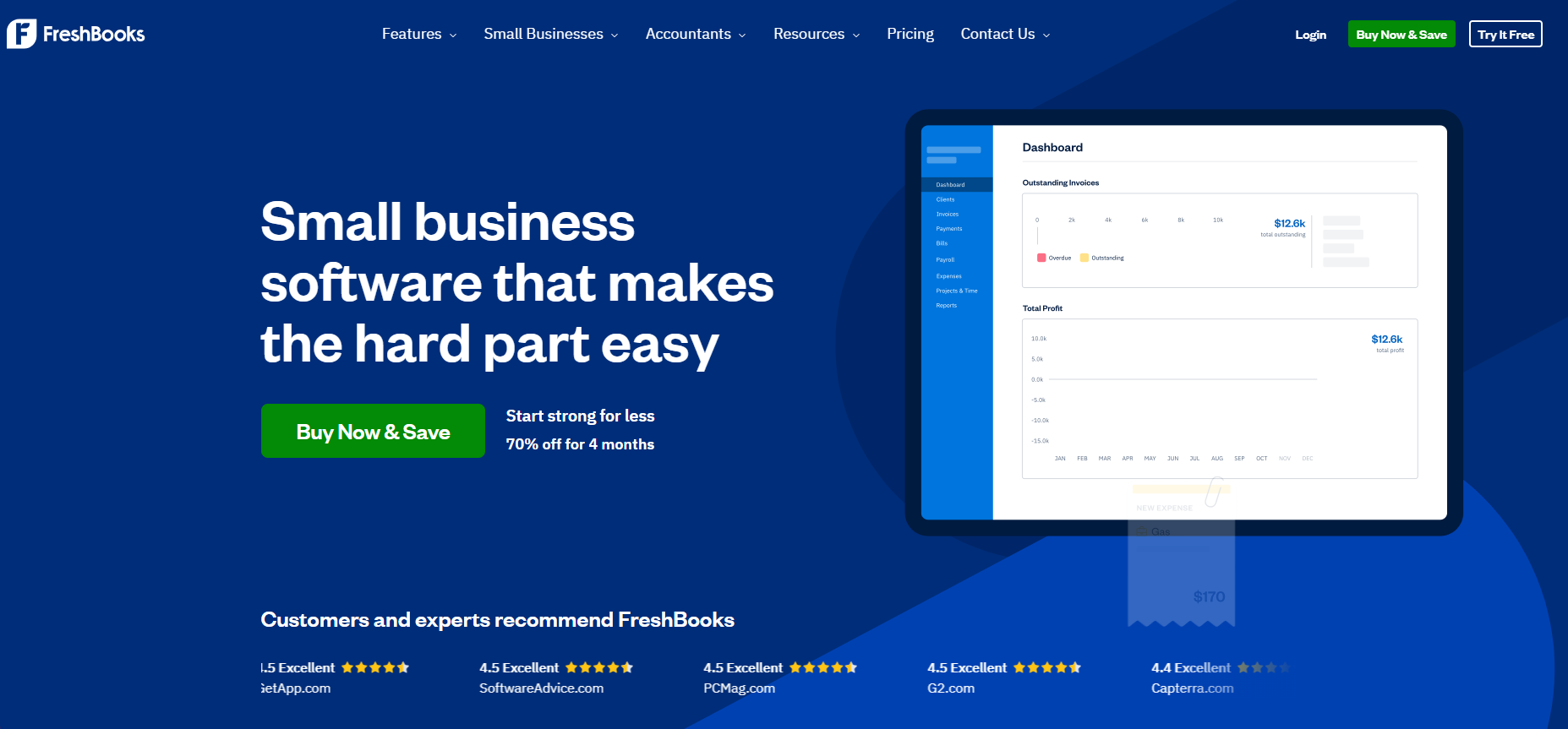
FreshBooks started as invoicing software and grew into a full double-entry accounting platform.
It can be a good option for service businesses that bill by time or project, and the interface is one of the friendliest for people without an accounting background.
Features
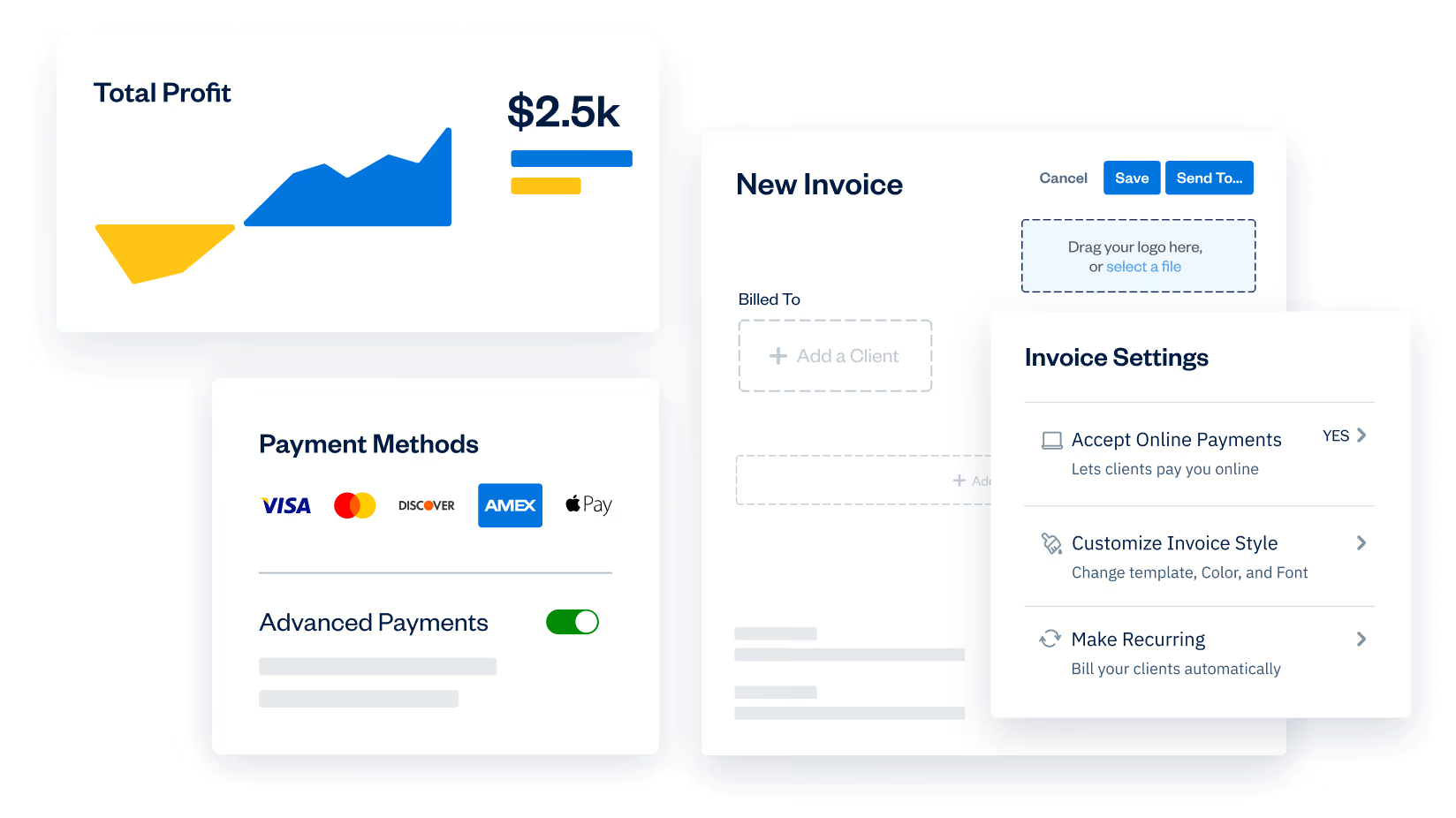
- Invoicing and time tracking: Send unlimited invoices, track billable hours, and convert time directly into bills.
- Project profitability: Track which clients and projects are actually making money.
- Expense capture: Photograph receipts and categorize expenses on the go through the mobile app.
- Client portal: Lets clients view invoices, pay online, and track project status.
Pricing
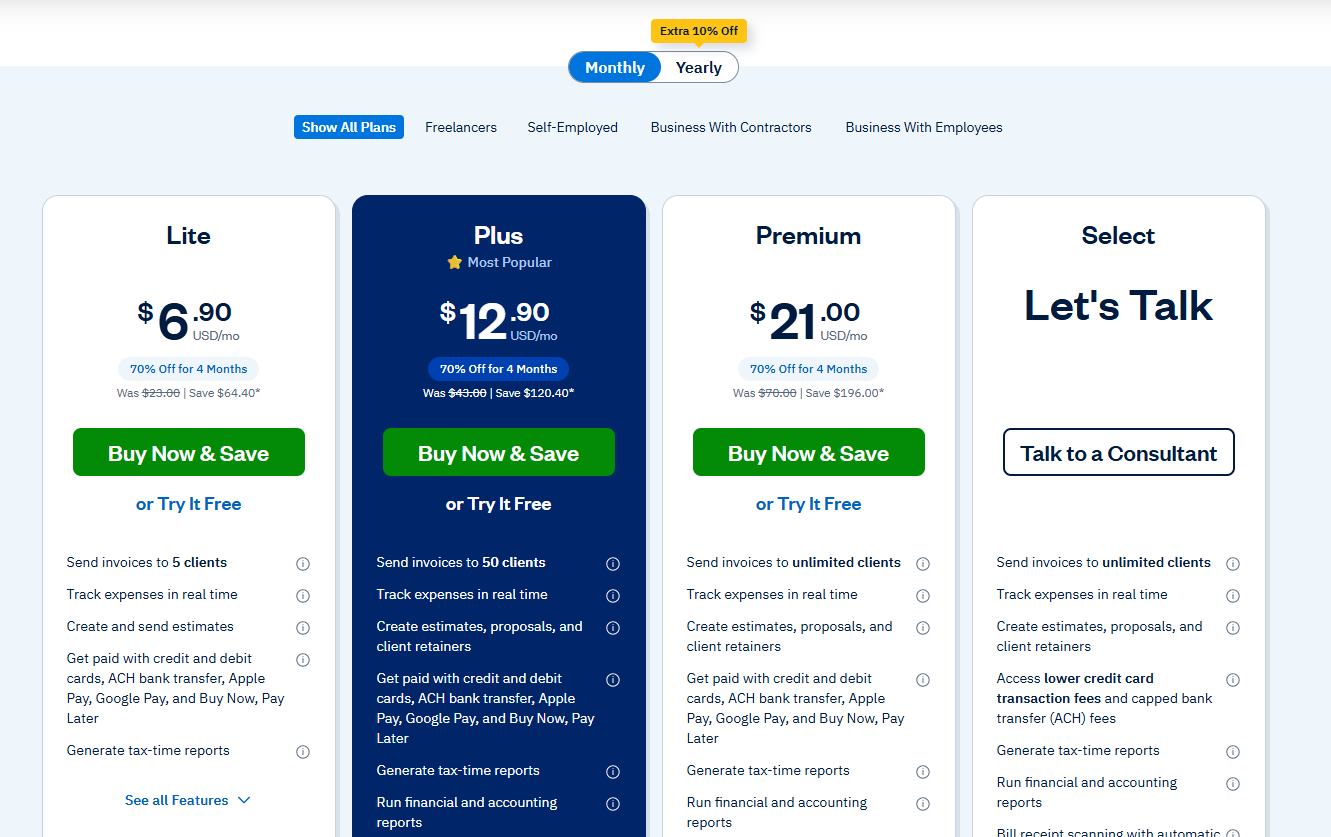
FreshBooks has 4 plans (annual billing offers a 10% discount):
- Lite: USD 6.90/month for 5 billable clients for the first 4 months, with unlimited invoices and basic accounting.
- Plus: USD 12.90/month for 50 clients for the first 4 months, adding recurring invoices, proposals, and double-entry accounting.
- Premium: USD 21/month for unlimited clients for the first 4 months, with project profitability and custom email templates.
- Select: Custom pricing for larger teams, with dedicated account management.
Note: Extra team members cost an additional USD 11/month/seat, and its advanced payments cost USD 20/month (although included in Select), and its FreshBooks Payroll solution would also cost you an additional USD 40/month plus USD 6/month per user.
Pros and Cons
✅ Some of the cleanest invoicing in the category.
✅ Designed for non-accountants from the ground up.
✅ Strong mobile app for capturing receipts on the go.
❌ Adding team members costs an extra USD 11/user/month on top of the plan price, which might stack up fast for larger teams.
#9: Sage
Best for: Established SMEs in the UAE that need deeper inventory, payroll, and reporting than typical cloud tools offer.
Similar to: Tally Prime, QuickBooks Desktop.
Sage is aimed at established UAE SMEs whose accounting needs have outgrown a simple cloud app.
It covers general ledger, accounts payable and receivable, payroll with WPS integration, inventory, and job costing in one system.
Features
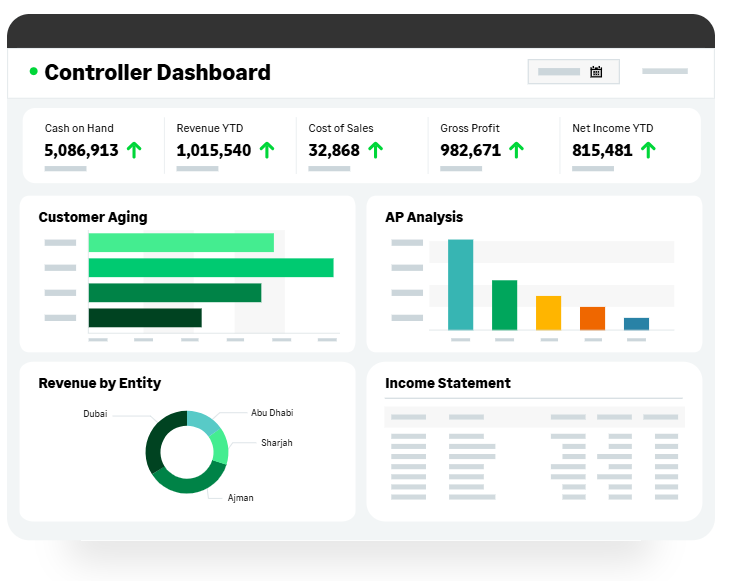
- Inventory and job costing: Tracks stock levels, reorder points, job profitability, and fixed assets for SMEs with real operational complexity.
- Crystal Reports integration: Build custom reports beyond the standard templates, useful for established businesses with non-standard reporting needs.
Pricing
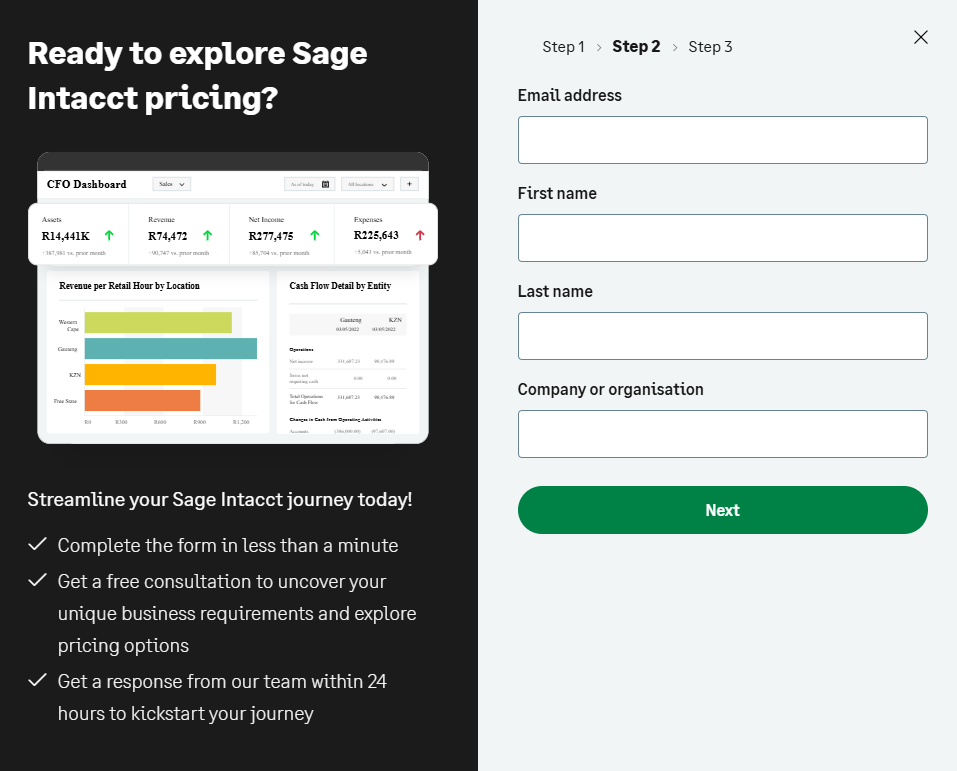
Sage's pricing is not publicly available, so you’d have to contact them and request pricing.
Pros and Cons
✅ Strong feature depth for established SMEs with complex accounting requirements.
✅ WPS payroll integration specific to the UAE labor compliance stack.
✅ Local partner network for implementation, training, and ongoing support.
❌ While running reports of slow performance, window freezes, and application crashes are common, according to one G2 review.
#10: Dext
Best for: Pre-accounting automation that captures receipts and invoices before they hit your books.
Similar to: AutoEntry.
Dext is a pre-accounting layer that captures financial documents using AI and OCR, then pushes clean data into Xero, QuickBooks, Sage, and other accounting tools.
It's especially popular with accounting firms managing multiple client books.
Features

- High-accuracy OCR: Pulls key fields (supplier, amount, tax, due date) from receipts and invoices with very high extraction accuracy, including on handwritten documents.
- AI categorization: Suggests categories, descriptions, and payment methods based on patterns it learns over time.
- Supplier rules and smart splits: Automate how recurring transactions are categorized and posted.
- Wide accounting integrations: Syncs with Xero, QuickBooks, Sage, and 30+ other accounting platforms.
Pricing
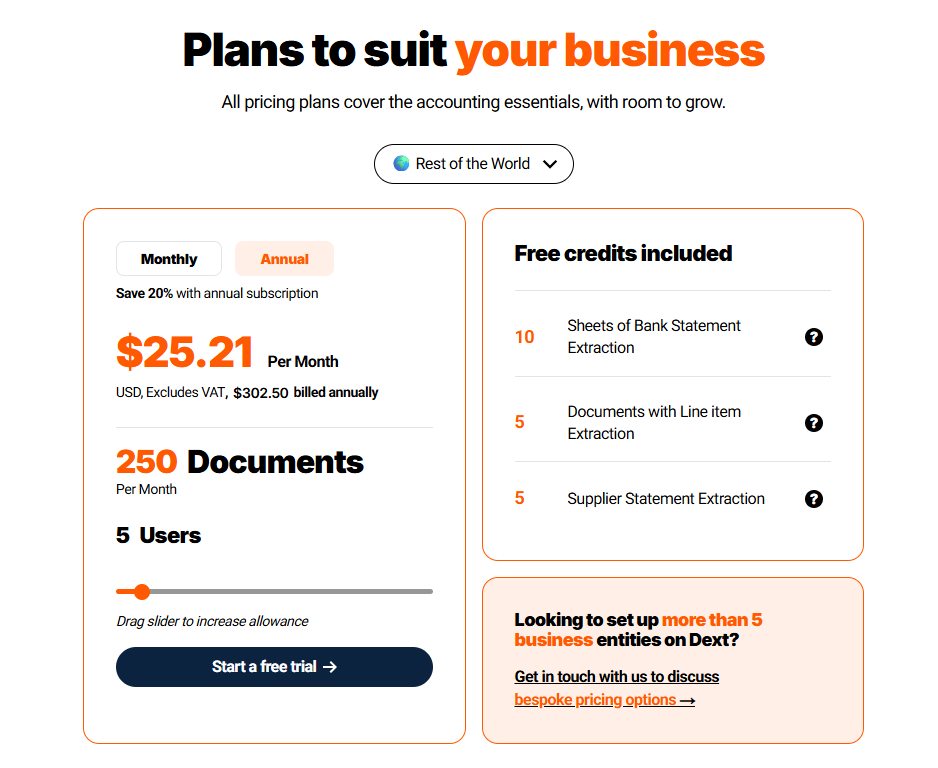
Dext’s pricing is based on the number of documents per month that you’ll be handling with the platform and the number of users.
Its pricing starts from USD 25.21 when billed annually for 250 documents per month and 5 users per month.
Apart from this, you’d have free credits included for sheets of bank statement extraction, documents with line item extraction, and supplier statement extraction.
Pros and Cons
✅ Very high data extraction accuracy on receipts and invoices.
✅ Standard tool inside many global accounting firms.
✅ Saves significant time on manual data entry.
❌ This G2 review finds the feature for setting receipts for approval in Dext limiting due to the current limit of only 20 receipts.
Next steps: try Pemo for free
Pemo offers an all-in-one accounting automation platform for SMEs and growing businesses in the UAE, featuring AI-powered categorization through Pemo Copilot and direct sync with the accounting software your team already uses.
Our platform helps your finance team close the books faster by capturing every transaction at the source, categorizing it automatically, and pushing it into QuickBooks, Xero, Zoho Books, Tally, or Wafeq in real-time.
If you're looking for accounting automation software with AI-powered categorization built for UAE businesses that offers:
- Real-time transaction sync with your accounting software.
- Pemo Copilot for automatic Chart of Accounts, vendor, and VAT tagging.
- Direct integrations with QuickBooks, Xero, Zoho Books, Tally, and Wafeq.
- VAT-compliant reporting built around UAE rules.
Then you can sign up for Pemo's free plan or book a demo to see why 10,000+ businesses in the MENA region have chosen us.
⚠️ Disclaimer: This article was last updated on 12th of August, 2026, and if there's any misinterpretation of the information, please contact us and we will fact check it.


