
Double-entry accounting automation tools turn a card payment or bank line into a balanced debit and credit, leaving a UAE finance team to approve the result.
I've ranked the 10 best double-entry accounting automation tools in the UAE in 2026 by how each one builds entries and what it charges.
TL;DR
- Pemo offers the best double-entry accounting automation tool in the UAE for card spend and supplier bills, sending payments, fees, refunds and paid bills to Xero already balanced.
- Xero and QuickBooks Online use AI to match and categorise routine bank lines, with Xero adding bank rules on top.
- Zoho Books and Wafeq categorise UAE bank feeds through editable rules, both from accredited e-invoicing providers.
- Odoo and Microsoft Dynamics 365 Business Central bring posting automation into a wider ERP, Odoo through reconciliation models and Business Central through recurring journals.
- Oracle NetSuite generates intercompany eliminations and amortisation journals for groups with several subsidiaries.
- Dext codes receipts and supplier invoices, then publishes them into the ledger you already use.
- TallyPrime builds vouchers from imported bank statements on a one-time licence.
What should UAE finance teams look for in double-entry automation tools?
A UAE finance team should check where entries get built, who controls the rules, how awkward movements post and how data reaches the ledger.
I'll go through them one at a time: 👇
Where each entry gets built
Most SMEs build entries in more than one place:
- At the source: a spend platform or capture tool codes the card payment or invoice before the books see it.
- From the bank feed: the ledger reads statement lines and matches or categorises them.
- Inside the ledger: recurring journals and schedules create entries on a timetable.
- Across all three: a spend platform feeding a ledger that also runs bank rules.
➡️ Coded at the source, a card payment arrives with its receipt and VAT rate already attached.
Posting rules the finance team controls
I'd only trust automated postings if the chart-of-accounts owner can read and edit the rules behind them.
These are the controls I look for:
- Editable rules: bank or transaction rules that finance can change without a developer.
- Default accounts: set accounts for card fees and FX differences, sparing the suspense account.
- Line-level VAT: the UAE's 5% rate, or a zero or exempt code, applied line by line.
- A review step: suggested coding that someone approves before export or posting.
How awkward movements post
Card purchases rarely cause trouble. I'd test these movements first:
- Card and transfer fees: posted as separate expenses, apart from the purchase they relate to.
- Refunds and chargebacks: returned as money received against the original cost.
- Transfers between accounts: recorded between two balance sheet accounts to avoid counting the expense twice.
- Foreign-currency payments: posted at the AED amount paid, with exchange differences treated consistently.
➡️ The error I see most often is a wallet top-up booked as an expense on the main bank feed, which counts every exported card payment twice in the P&L.
The hand-off into the ledger
Most of the manual work left at month-end comes from the hand-off between tools:
- Native connectors: field mapping kept up by the vendor, receipts attached to each entry.
- Scheduled or on-demand sync: a clear rule on when data moves, to stop anything posting twice.
- CSV exports: workable for any ledger, though someone has to import each batch.
- E-invoicing route: a ledger that's an accredited provider, or connects to one, ahead of the UAE's phased rollout.
➡️ Our ranking of the 10 best accounting automation software in the UAE looks at these hand-offs from the ledger side.
What are the best double-entry accounting automation tools in the UAE in 2026?
The best double-entry accounting automation tool in the UAE in 2026 is Pemo, which prepares card and bill entries before they reach the ledger.
Xero and QuickBooks Online follow as ledgers that match and categorise bank lines with AI.
The table below compares all 10 by fit and starting price:
To make the list, a tool had to pass four tests:
- Balanced posting: routine transactions post both sides without a manual journal.
- Rules the team controls: finance can edit the rules or templates behind each posting.
- UAE VAT handling: UAE VAT applies line by line, natively or through a local partner app.
- Sold in the UAE: UAE businesses can buy from the vendor or a regional partner.
➡️ A note on scope: close-management platforms and e-invoicing-only providers are left to our finance automation tools guide.
#1: Pemo
Pemo (that's us) offers the best double-entry accounting automation tool in the UAE for card spend and supplier bills, preparing both sides of each entry before it reaches the ledger.
Full disclosure: Even though Pemo is our platform, I'll be clear about what it leaves to your ledger and to the other tools on this list.
Card spend, fees, refunds, wallet top-ups and paid supplier bills all reach Xero with their debit and credit set.
Accruals and other period-end judgement calls stay with your ledger and your accountant.
NymCard Payment Services LLC issues the Pemo card, under a licence from the Central Bank of the UAE.
Bill Pay pays suppliers from the Pemo Business Account, provided by ruya, a UAE-licensed and Shari'ah-compliant community bank.
A month of double entries in Pemo runs like this:
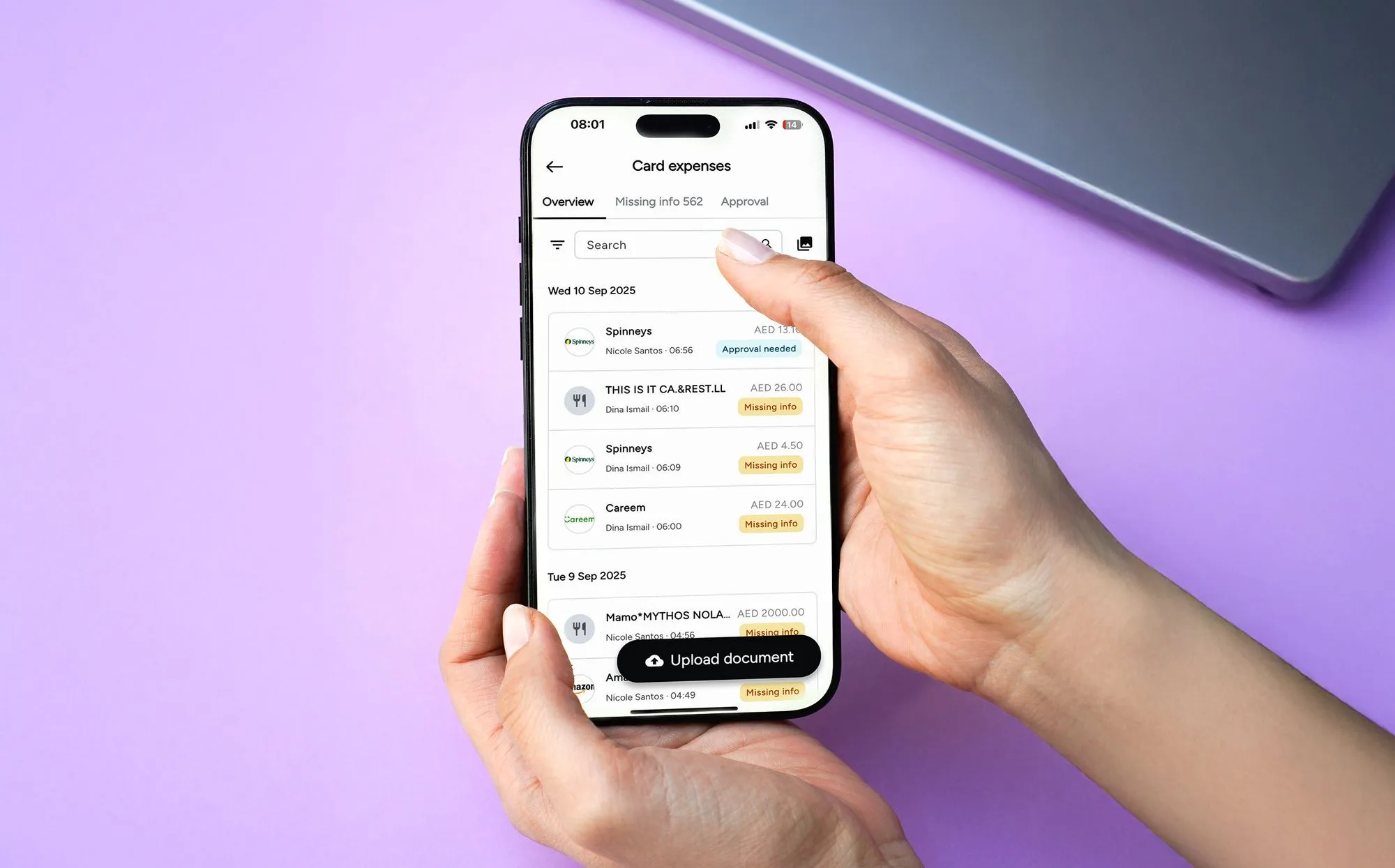
- Capture: every card payment becomes an expense, ready for its receipt.
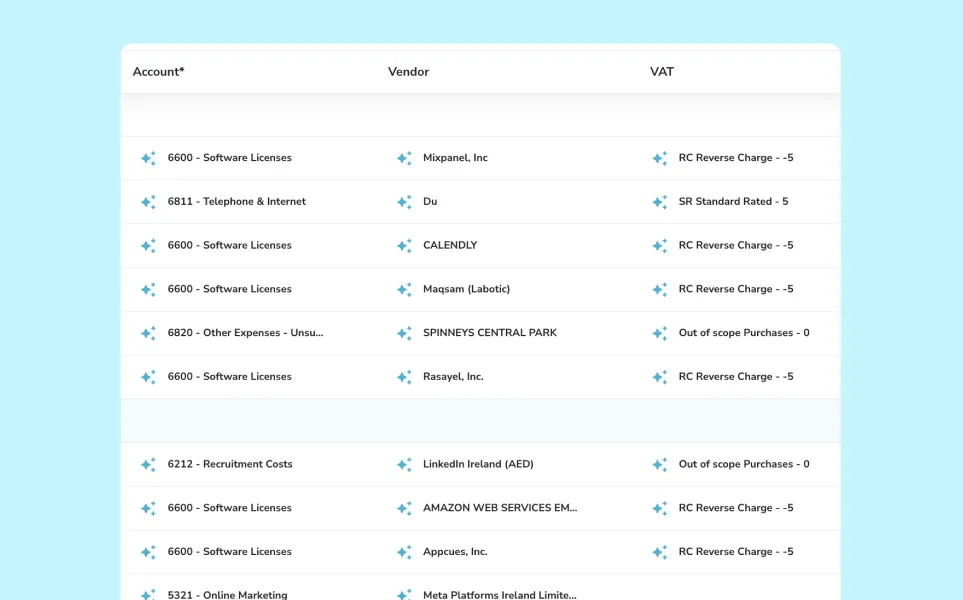
- Coding: Pemo Copilot proposes an account and VAT rate.
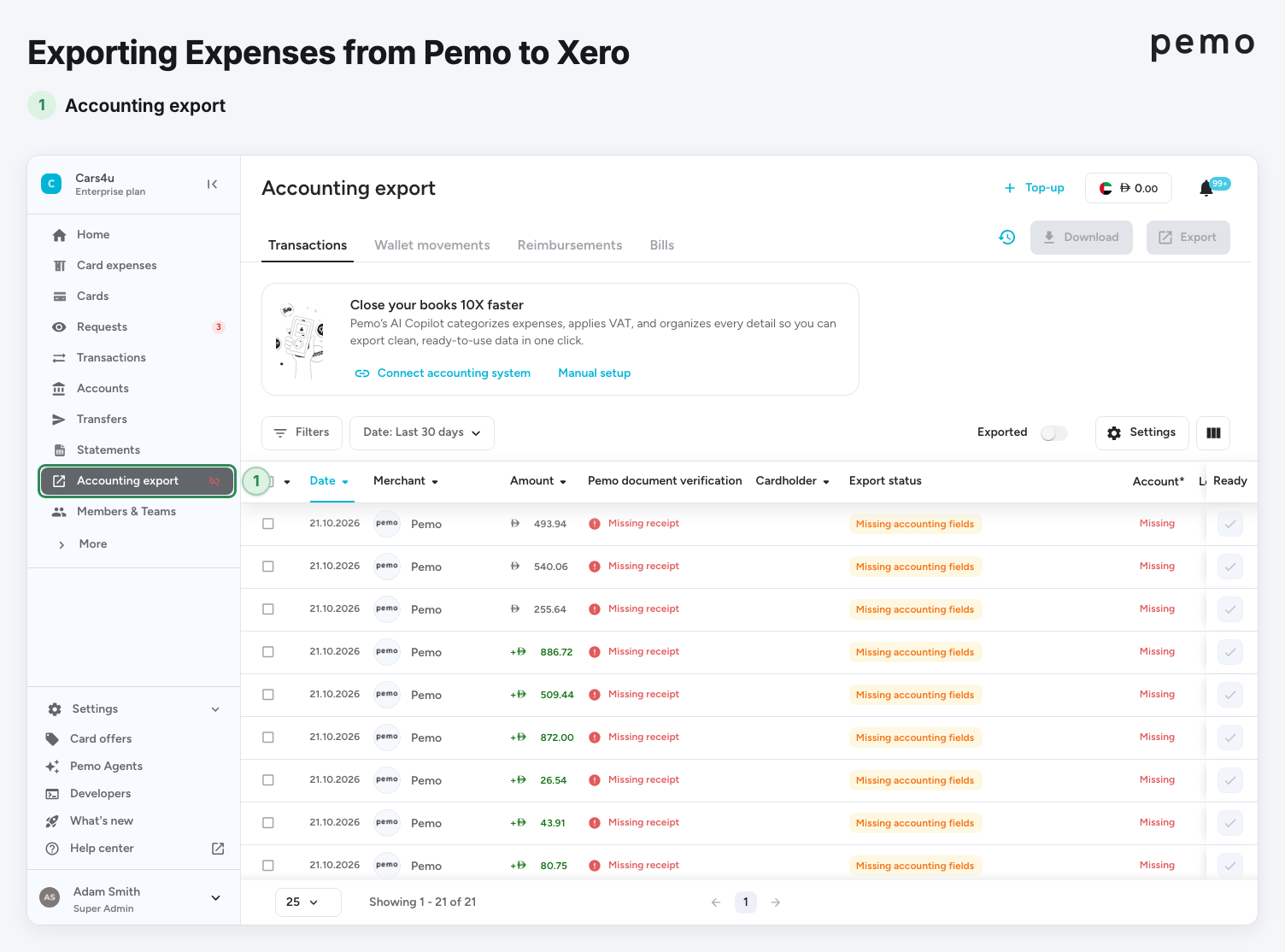
- Review: the chart-of-accounts owner approves the coding on the Accounting Export page.
- Export: the batch goes to Xero, posting against the Pemo Wallet's own payment account.
Let's go over how Pemo handles each part of the entry: 👇
Balanced, VAT-split card entries in Xero
Card expenses leave Pemo as VAT-inclusive amounts, then Xero calculates the VAT from the rate on the line:
- Wallet account: card purchases are credited to a Xero account set up for the Pemo Wallet alone, either a Cash Account or a Bank and Cash account.
- Fields sent: the receipt, AED amount, VAT type and rate, expense date and ID, plus account, vendor, payment account, memo and tracking categories.
- Settled only: the Accounting Export page lists settled expenses, keeping pending charges and card checks out of the books.
- Completeness check: Pemo flags an expense as incomplete while its account or vendor is missing.
A courier delivery paid on a Pemo card for AED 525, made up of AED 500 plus AED 25 of VAT, posts like this:
➡️ How much of that VAT the company can recover is a decision for your finance team or a tax advisor.
Wallet movements beyond purchases post on their own routes
Wallet movements other than purchases reach Xero in their own formats:
- Card fees: an international transaction fee posts as a separate expense under the purchase's Pemo Export ID, to the default fee account in Accounting Settings.
- Refunds, cashback and chargebacks: money returning to the wallet arrives through a "Receive money" transaction that debits the Pemo Wallet's account.
- Top-ups and withdrawals: with the cash ledger switched on, these leave the Wallet Movements tab as transfers between two balance sheet accounts.
- Fee invoice: a tax invoice for the month's fees arrives on the 3rd of the next month, giving the fee account a figure to agree to.
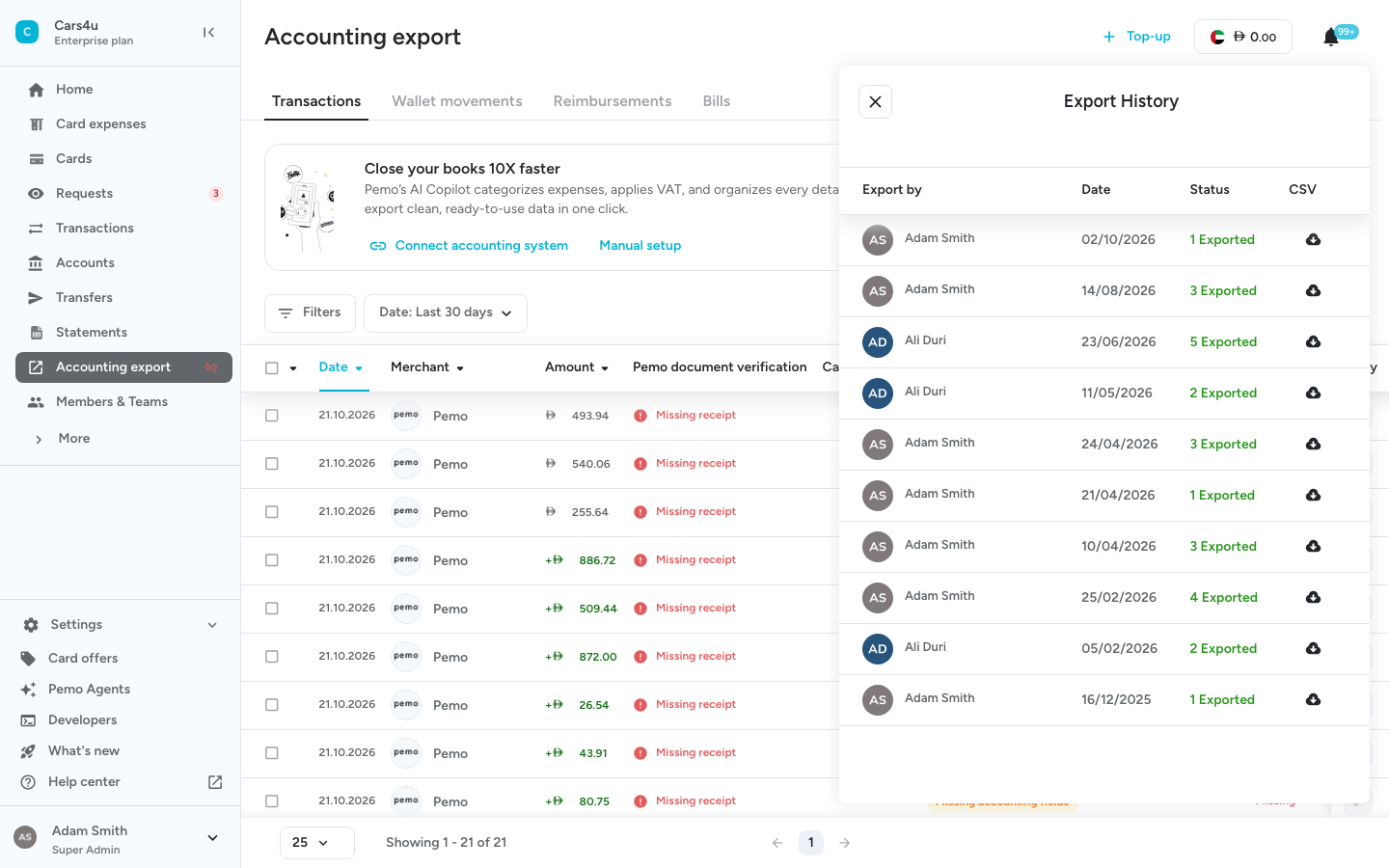
➡️ Our double-entry accounting automation guide works through these entries with numbers.
Coding prepared by Pemo Copilot
Most of the coding is done before a reviewer opens the export page:
- Pemo Copilot: once Xero is connected and holds three or more accounts, Copilot proposes an account and VAT rate for every expense, based on your team's earlier coding.
- Daily refresh: Pemo's copy of your Xero chart and contacts updates every 24 hours.
- Vendor mapping: suppliers carry across from Xero to avoid duplicate contacts on export.
- Ready marking: the reviewer marks checked expenses as ready, then exports them as one batch.
- Standard connectors: QuickBooks, Zoho Books, Wafeq, Odoo and Mazeed on every plan.
- ERP connectors: NetSuite and Business Central from Premium, with Pemo Universal CSV for any other ledger.
Bill Pay clears the payable when a bill is paid
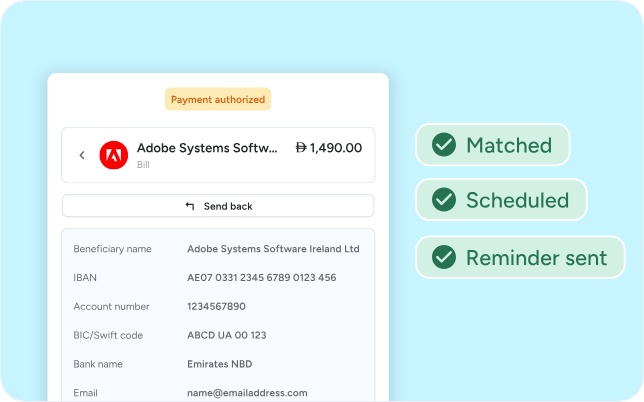
Supplier bills paid through Bill Pay post both halves of the entry without a manual step:
- Invoice reading: Bill Pay reads an uploaded invoice before it goes for approval.
- Payment release: the Payment Order Authorizer (POA) approves the payment by entering a one-time SMS code.
- Automatic sync: a bill paid in Pemo shows as paid in Xero without an export.
- Payable cleared: the bill's credit to Accounts Payable and the payment's debit net to zero once both post.
➡️ Approvals are covered in our AP automation guide for Dubai SMEs.
Pemo's pricing
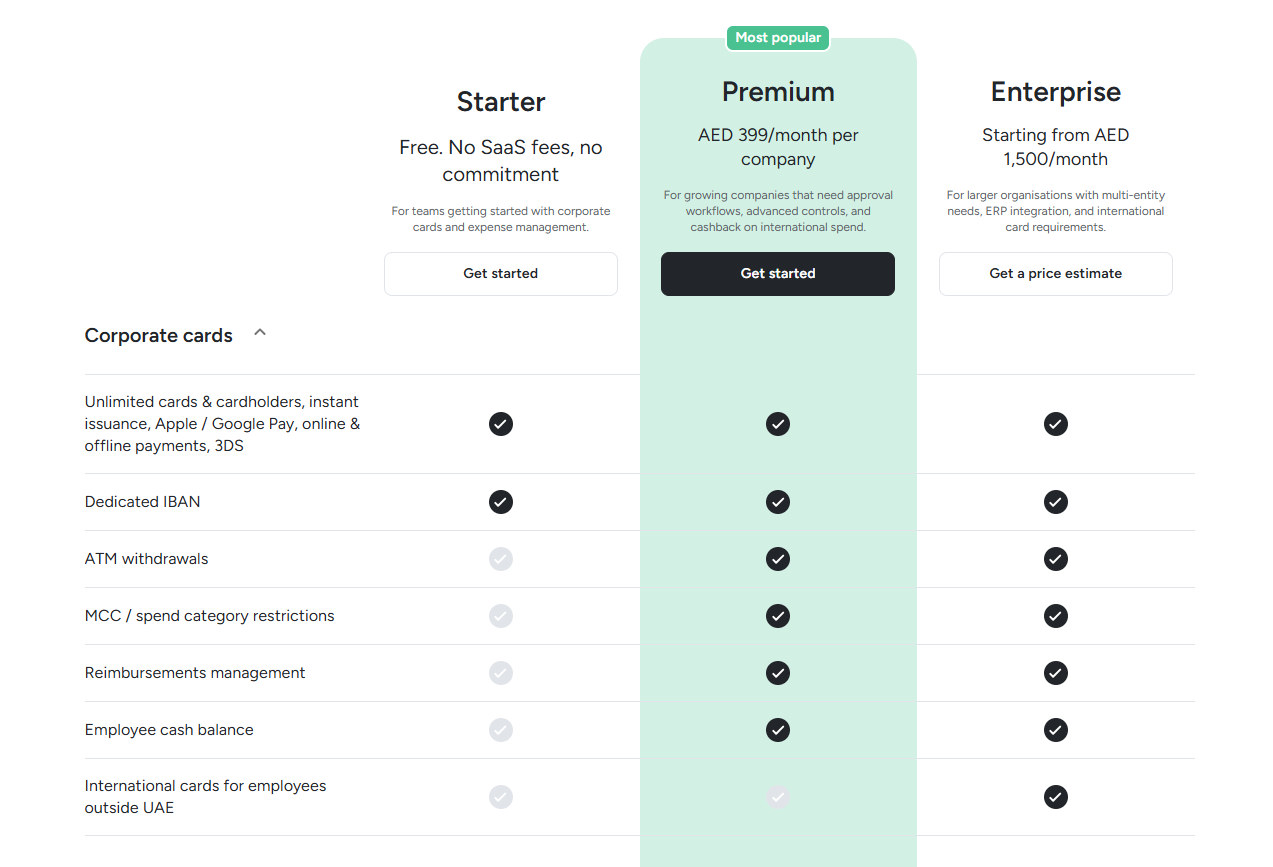
Every Pemo plan is billed per company, at no extra charge per card or user:
- Starter: AED 0, with Pemo Copilot, custom fields and vendor mapping already in, plus auto and VAT coding and the standard accounting integrations.
- Premium: AED 399/month per company to unlock split expenses and reimbursements, layered approvals, VAT visibility and the NetSuite and Business Central connectors.
- Enterprise: from AED 1,500/month for groups with several entities that need budgets, a developer API, custom exports or a bespoke ERP integration.
- Pemo Business Account: needed for Bill Pay, at AED 200/month or AED 99/month under the discount running since October 2026.
Pemo's pros and cons
✅ Pemo Copilot on the free plan.
✅ Card fees post as their own expense.
✅ Refunds return through "Receive money", kept apart from new expenses.
✅ Paid bills sync to Xero marked as paid.
❌ Intercompany entries and accruals stay with the ledger or the accountant.
❌ Bill Pay runs on the separately priced Pemo Business Account, open only to companies with an existing UAE business bank account.
#2: Xero
Best for: Reconciling most bank lines through JAX and bank rules.
Similar to: QuickBooks Online, Zoho Books.
Xero's UAE site offers VAT submission and a dedicated e-invoicing feature for UAE businesses.
The expense tracking software’s JAX assistant reconciles a bank transaction on its own when it's highly confident in the match.
Features

- VAT returns: Submit VAT online for UAE businesses.
- UAE eInvoicing: a dedicated feature for the UAE mandate.
- Fixed assets: a register inside the ledger.
- Hubdoc: document capture that comes with Xero plans when connected.
Double-entry automation
- Auto bank reconciliation: JAX categorises and matches bank lines, reconciling only the ones it's highly confident about.
- Four methods: a Rule, Match, Memory or Prediction label shows the reviewer why JAX posted a line.
- Bank rules: a rule codes every matching transaction identically.
- Cash coding: several bank lines coded in one pass alongside JAX.
- Review and undo: reconciled lines stay visible and can be edited or reversed.
Pricing
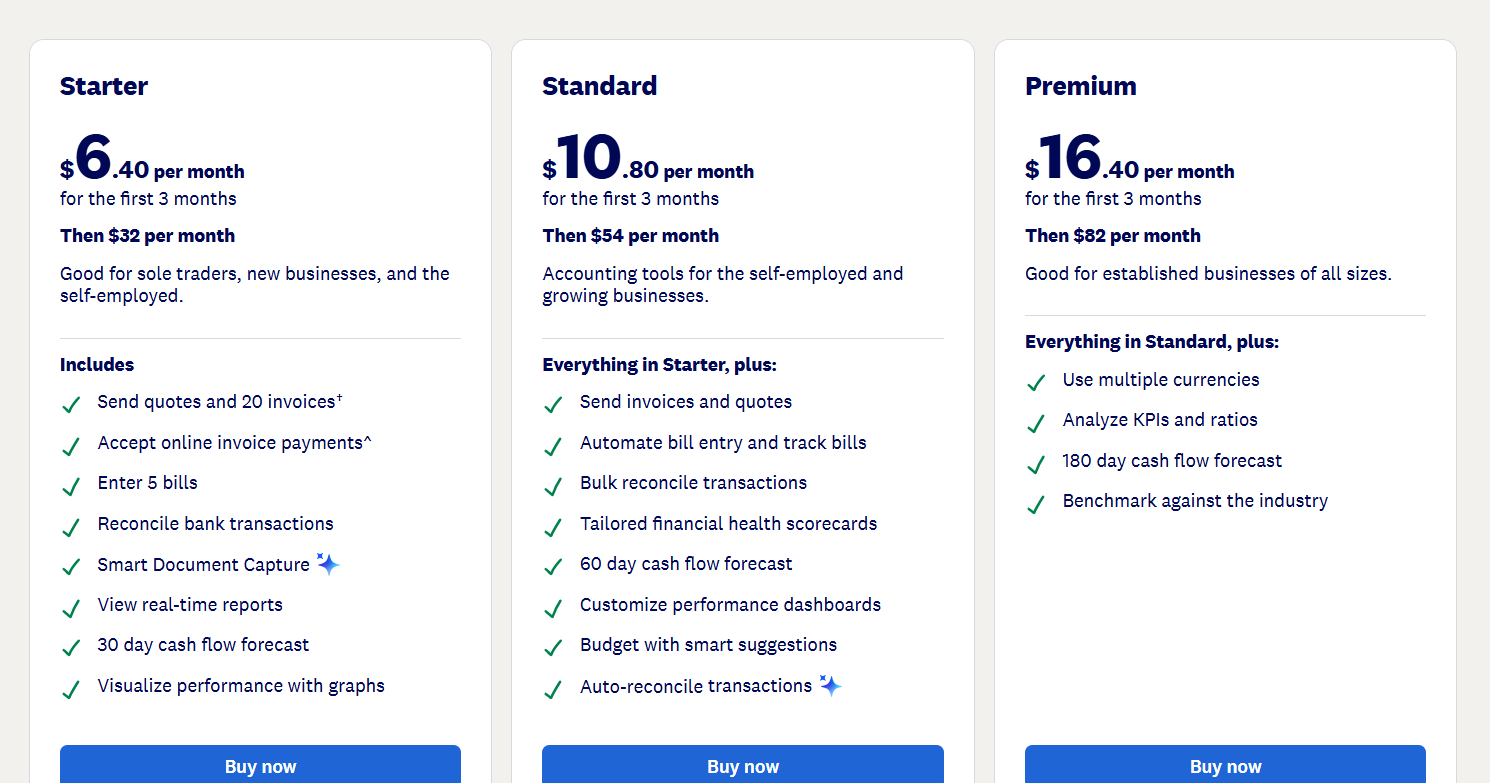
Xero bills UAE subscribers in USD at these prices, effective 1 November 2026:
- Lite: USD 7/month.
- Starter: USD 32/month for quotes, 20 invoices and 5 bills a month.
- Standard: USD 54/month.
- Premium: USD 82/month, adding multiple currencies.
Pros and Cons
✅ JAX labels the reason behind each reconciliation.
✅ Bank rules and cash coding still work alongside the AI.
✅ Hubdoc capture at no extra cost once connected.
❌ Starter limits sales invoices to 20 and bills to 5 a month.
❌ Multiple currencies need Premium.
#3: QuickBooks Online
Best for: A ledger that copies your coding onto new transactions.
Similar to: Xero, Wafeq.
Intuit sells QuickBooks Online in the UAE with a local sales line and four plans.
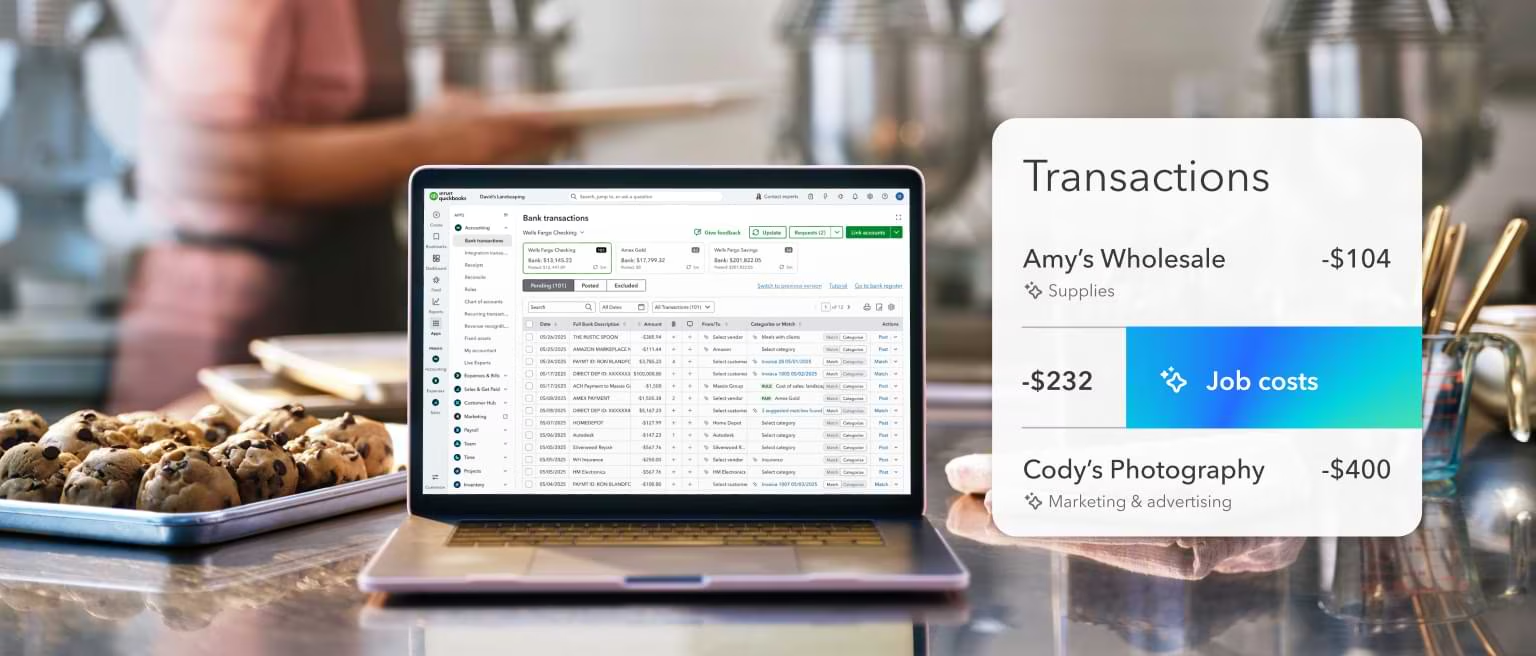
Its Intuit Intelligence features add AI to bank feeds and bookkeeping.
Features
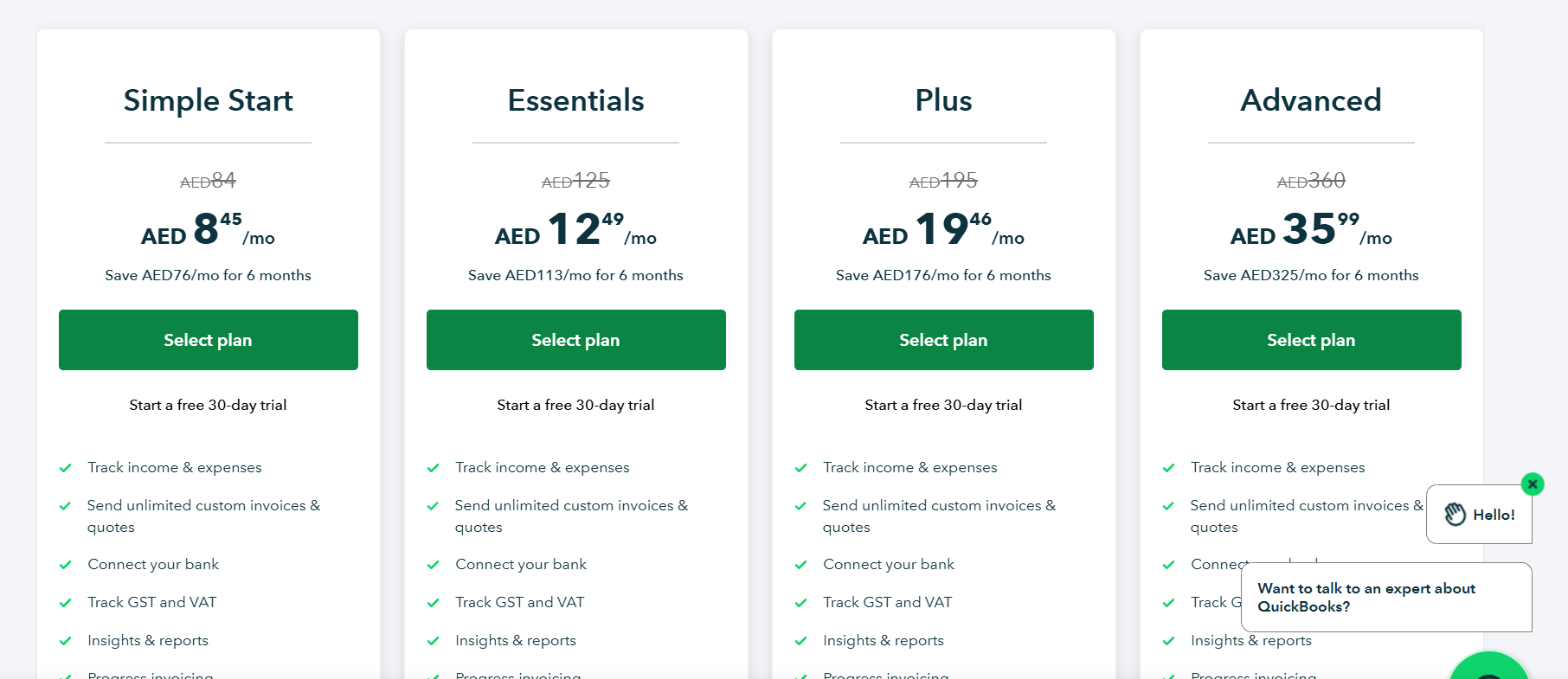
- Users by plan: 1 on Simple Start, 3 on Essentials, 5 on Plus and 25 on Advanced, plus accountant access.
- Multiple currencies: from Essentials upwards.
- VAT tracking: on every plan, alongside progress invoicing.
- Recurring transactions and bills: on Plus and Advanced.
- Inventory and classes: inventory tracking on Plus and Advanced, with up to 40 classes and locations on Plus.
Double-entry automation
- Automated bookkeeping: new income and expense lines are coded from your earlier choices, then matched and recorded.
- Smart expense organisation: an AI step that files transactions under categories before you approve them.
- AI-powered collaboration: from Essentials, transactions needing a second look are flagged with a prompt to message your advisor.
- AI Insights & Anomaly Detection: unusual patterns surfaced from Plus upwards.
- Revenue recognition and workflow automation: both on Advanced.
Pricing
QuickBooks shows UAE prices in AED but bills in USD:
- Simple Start: AED 84/month for one user, with bank connections and VAT tracking.
- Essentials: AED 125/month for three users, adding bill management and multiple currencies.
- Plus: AED 195/month for five users, adding inventory tracking and recurring transactions.
- Advanced: AED 360/month for 25 users, adding revenue recognition and an unlimited chart of accounts.
- First 6 months: introductory prices of AED 8.45 on Simple Start, AED 12.49 on Essentials, AED 19.46 on Plus and AED 35.99 on Advanced.
Pros and Cons
✅ Coding gets more automatic the longer you use it.
✅ A 30-day free trial.
✅ VAT tracking on every plan.
❌ Below Advanced, the chart of accounts stops at 250 accounts.
❌ Finance AI on Advanced isn't available with multiple currencies switched on.
#4: Odoo
Best for: Rule-based reconciliation inside a modular ERP.
Similar to: TallyPrime, Microsoft Dynamics 365 Business Central.
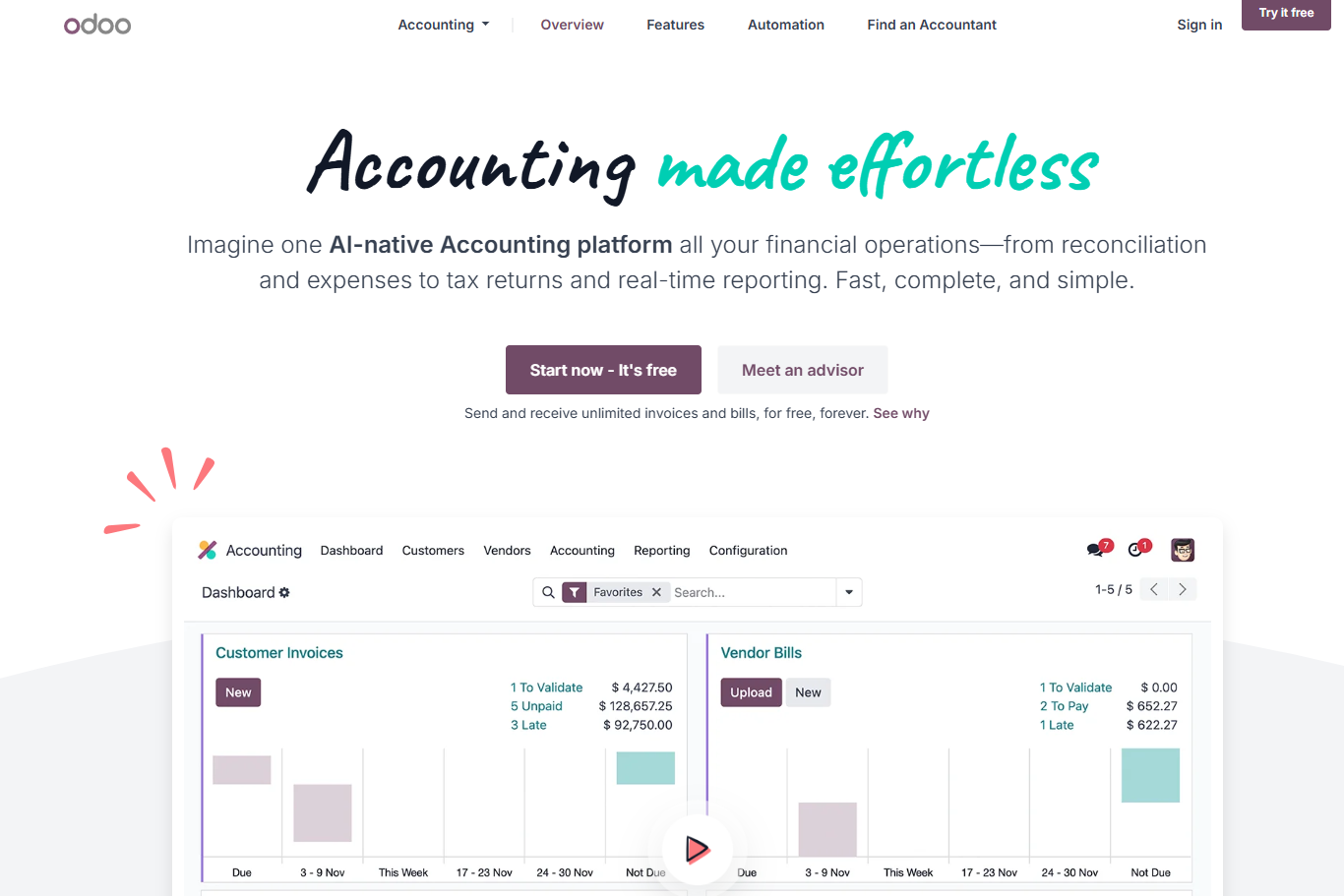
Odoo's Accounting app shares one open-source database with its sales and inventory apps.
A UAE fiscal localisation ships with a local chart of accounts and the 5% VAT rate preconfigured.
Features
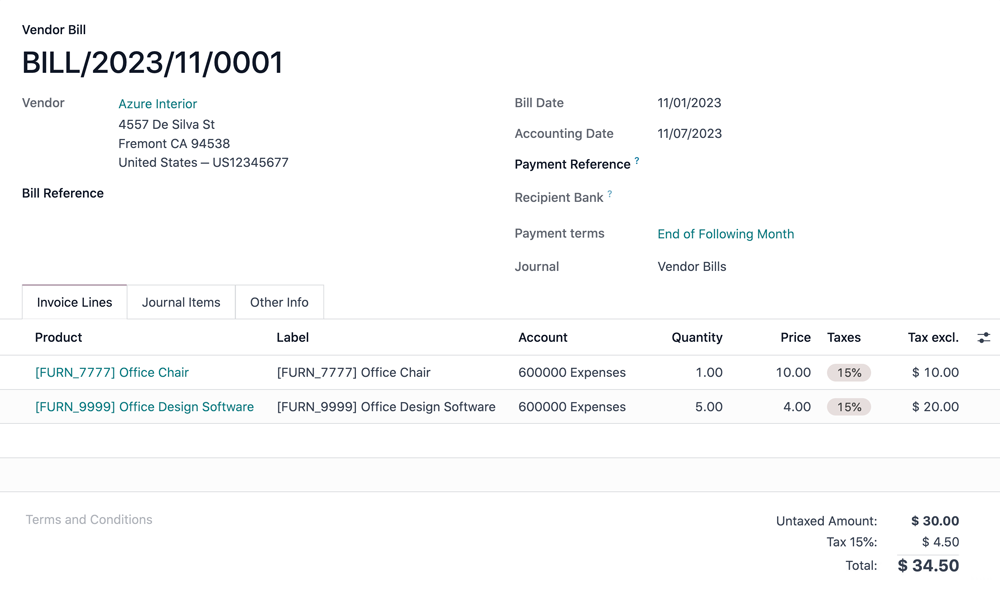
- Payment follow-
- Follow-ups: reminder emails for overdue customer invoices, sent from editable templates.
- Bank synchronisation: statements imported or synced into a bank journal.
- Multi-company: several companies on one database with the Custom plan.
- Modular apps: invoicing and stock switched on as the team grows.
Double-entry automation
- Reconciliation models: custom rules run manually through buttons or automatically on matching transactions.
- Counterpart rules: a model sets the account, amount, label and analytic distribution of the entry it creates.
- Bank Fees model: the remainder of a matching transaction moves to a bank fees account.
- Partner mapping: incoming payments go to the right customer account based on a reference or keyword.
- Exchange moves: currency exchange entries created automatically during reconciliation.
Pricing
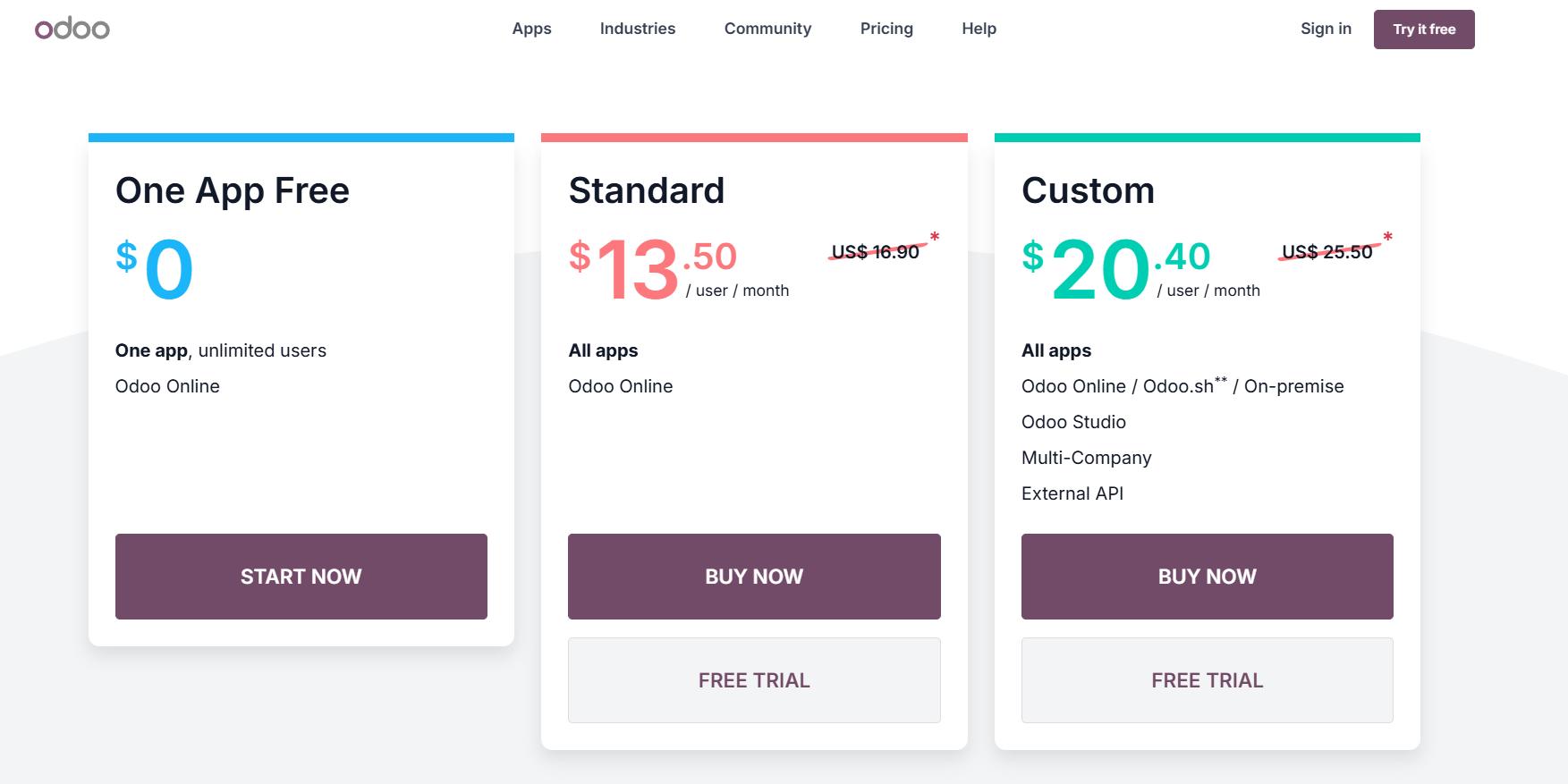
Odoo sets prices by the country you sign up from, charging per user once more than one app is in use (UAE monthly list prices):
- One App Free: USD 0 for one app, with no cap on users.
- Standard: every app on Odoo Online for USD 16.90/user/month.
- Custom: USD 25.50/user/month, needed for multi-company setups, Odoo Studio, API access or self-hosting on Odoo.sh or on-premise.
Pros and Cons
✅ Automated reconciliation models run in a set order.
✅ Counterpart rules can carry analytic distribution.
✅ A free single-app entry point.
❌ Multi-company needs the Custom plan.
#5: Zoho Books
Best for: Transaction rules for UAE bank feeds inside the Zoho suite.
Similar to: Wafeq, Xero.
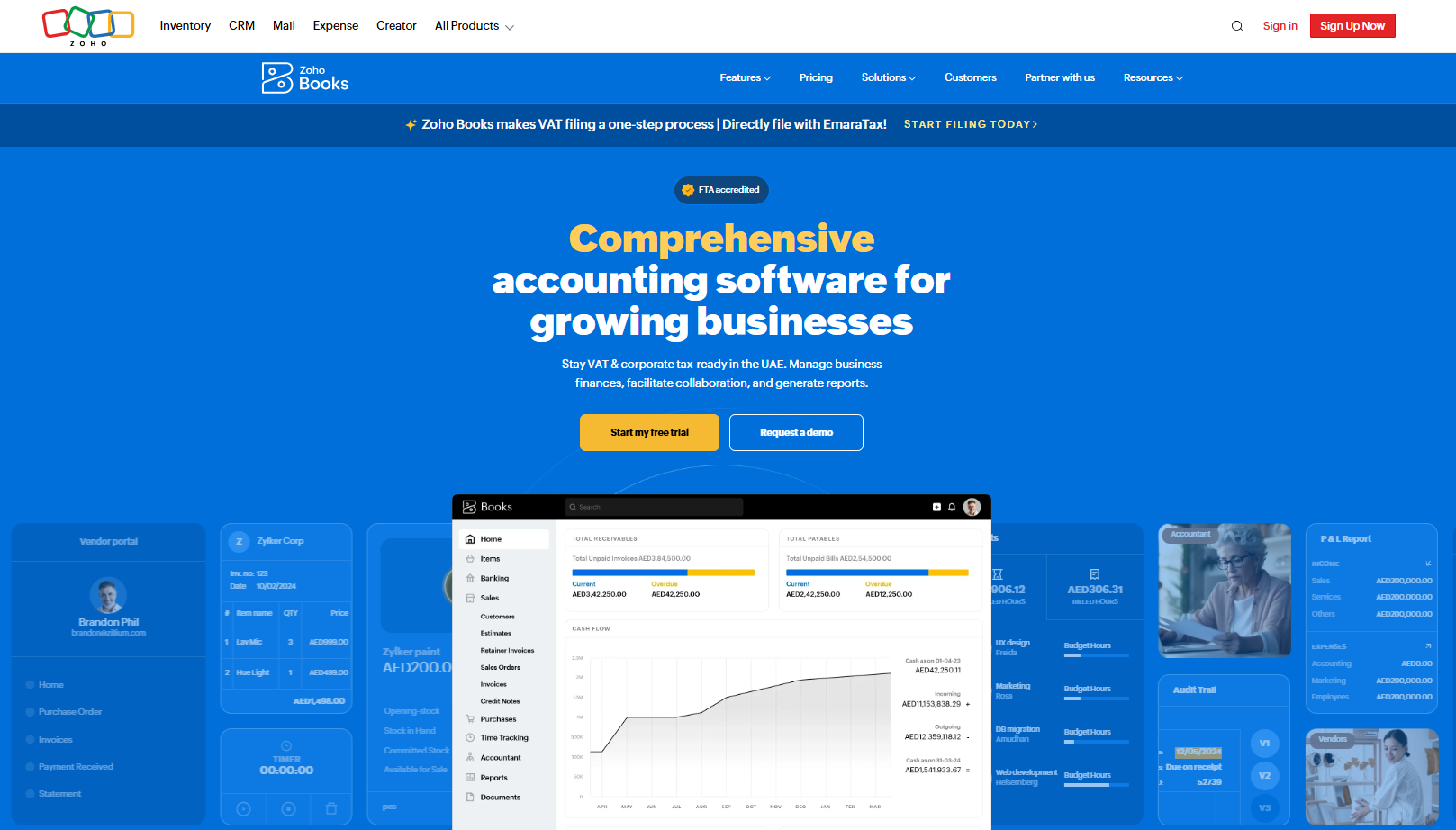
Zoho Books has a UAE edition prepared for VAT and corporate tax.
Zoho Software Trading LLC is on the Ministry of Finance's accredited e-invoicing provider list (no. 121988).
Features
- Workflow rules: sales and purchase approvals plus custom business workflows, from Professional.
- Bank connections: feeds from linked accounts or imported statements.
- eInvoicing add-on: from Professional, with the first 100 transactions free.
- Zoho suite: one Zoho account covering CRM and Expense.
Double-entry automation
- Transaction rules: criteria-based rules that categorise deposits and withdrawals from bank feeds.
- Recognized or Categorized: a rule either suggests a match for review or lets Zoho Books categorise the line itself.
- Rule prompts: after a manual categorisation, Zoho Books offers to save it as a rule.
- Best Matches: recognized lines paired with transactions already in the books.
- Duplicate exclusion: repeated bank feed lines left out automatically.
Pricing
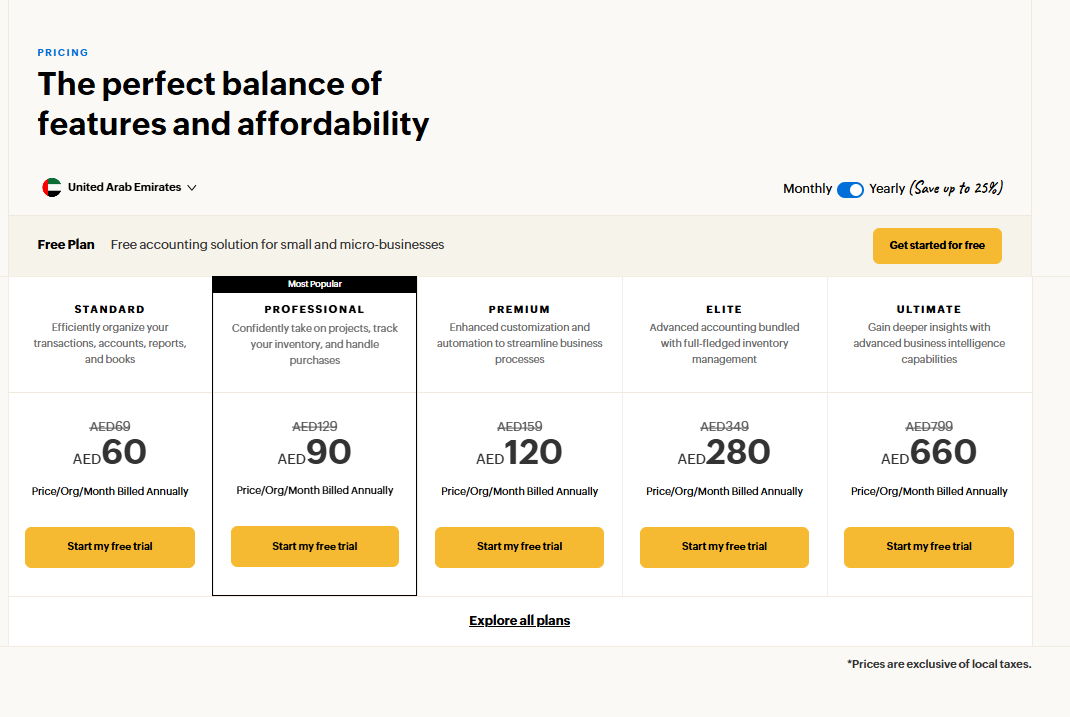
After the free plan, Zoho Books charges per organisation on five plans, shown before local taxes with annual billing first and monthly billing in brackets:
- Standard: AED 60/month (AED 69).
- Professional: AED 90/month (AED 129).
- Premium: AED 120/month (AED 159).
- Elite: AED 280/month (AED 349).
- Ultimate: AED 660/month (AED 799).
Pros and Cons
✅ A free plan for businesses with annual revenue up to AED 200,000.
✅ Rules can auto-categorise or wait for review.
❌ Purchase approvals start on the Professional plan.
#6: Wafeq
Best for: Bank rules and accredited e-invoicing from a UAE-built ledger.
Similar to: Zoho Books, QuickBooks Online.
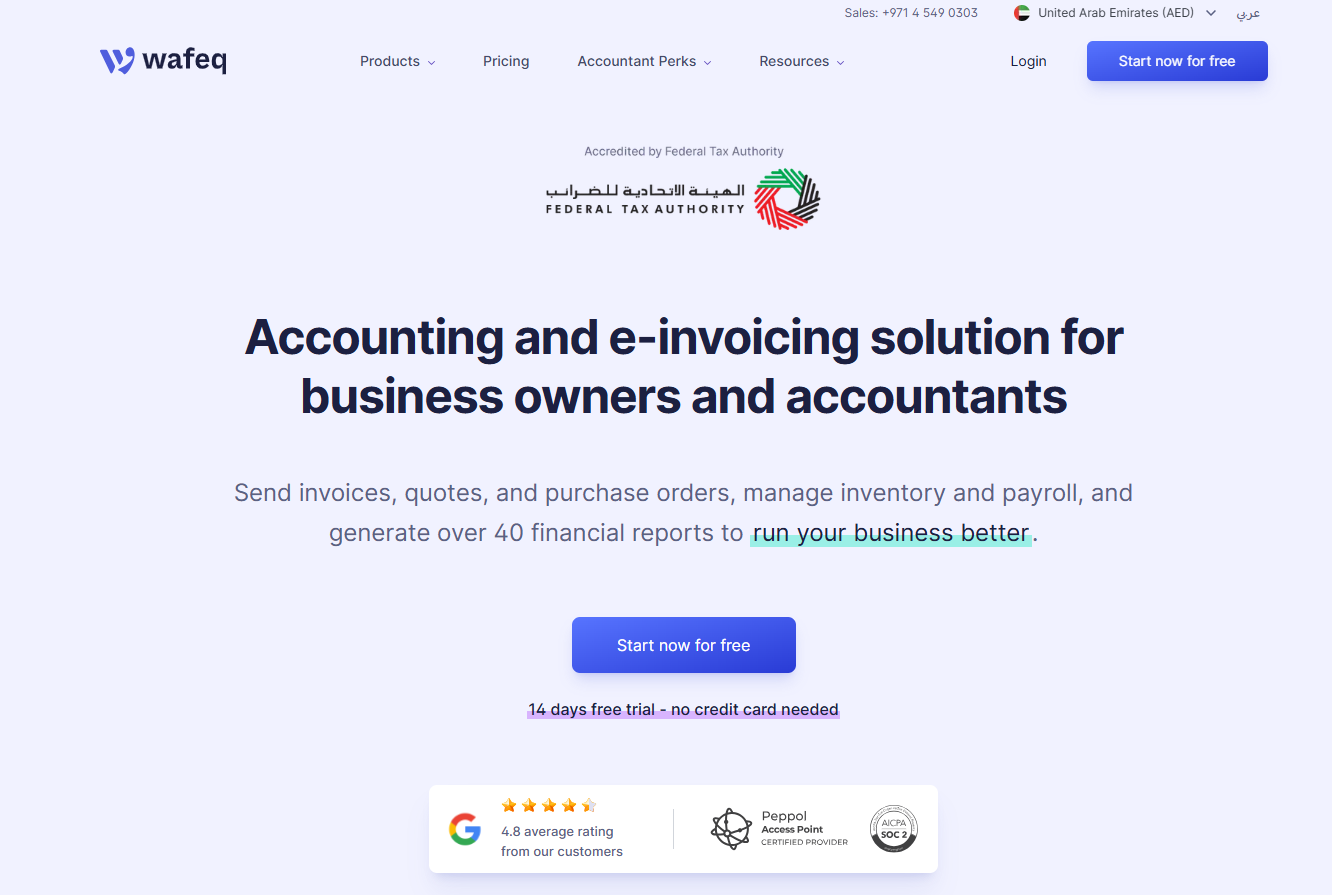
Wafeq has dedicated editions for the UAE and Saudi Arabia.
Wafeq FZ-LLC, its UAE company, appears on the accredited e-invoicing provider list (no. 129932).
Features
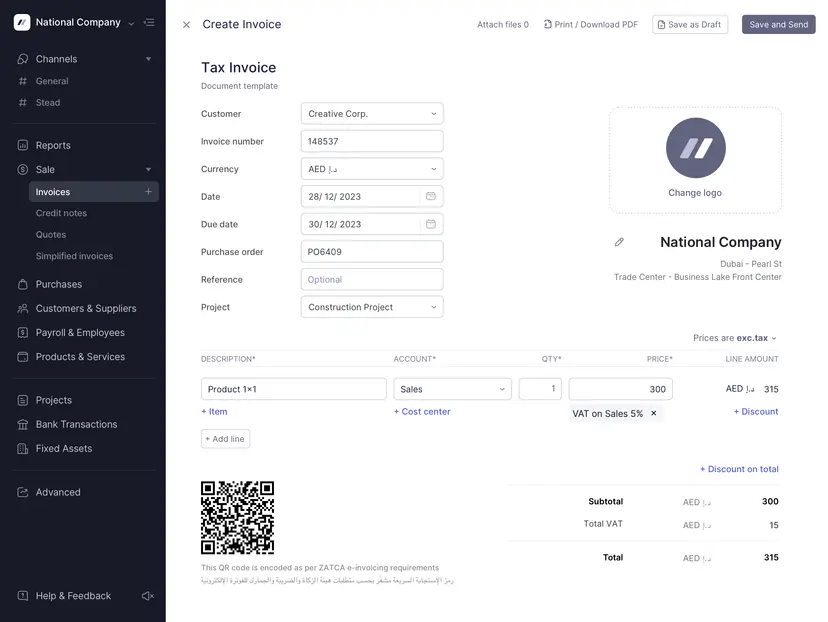
- UAE e-invoicing on every plan: since October 2026, Starter, Plus and Premium can send, receive and report e-invoices at no extra cost.
- PINT AE e-invoices: generated natively and sent over Peppol, according to Wafeq.
- Corporate tax mapping: income and expense accounts can carry a corporate tax classification.
- Fixed assets: a register inside the ledger.
- Zapier: links to apps Wafeq doesn't integrate with natively.
Double-entry automation
- Bank rules: rules that classify and reconcile bank transactions automatically.
- Statement matching: imported bank lines matched to transactions already recorded in Wafeq.
- Manual journals: journal lists filtered by status, period, account or contact, plus bulk import.
- Foreign currency reconciliation: a bank reconciliation report for foreign currency accounts.
Pricing
Wafeq's UAE plans are priced in dirhams and cost less when paid yearly:
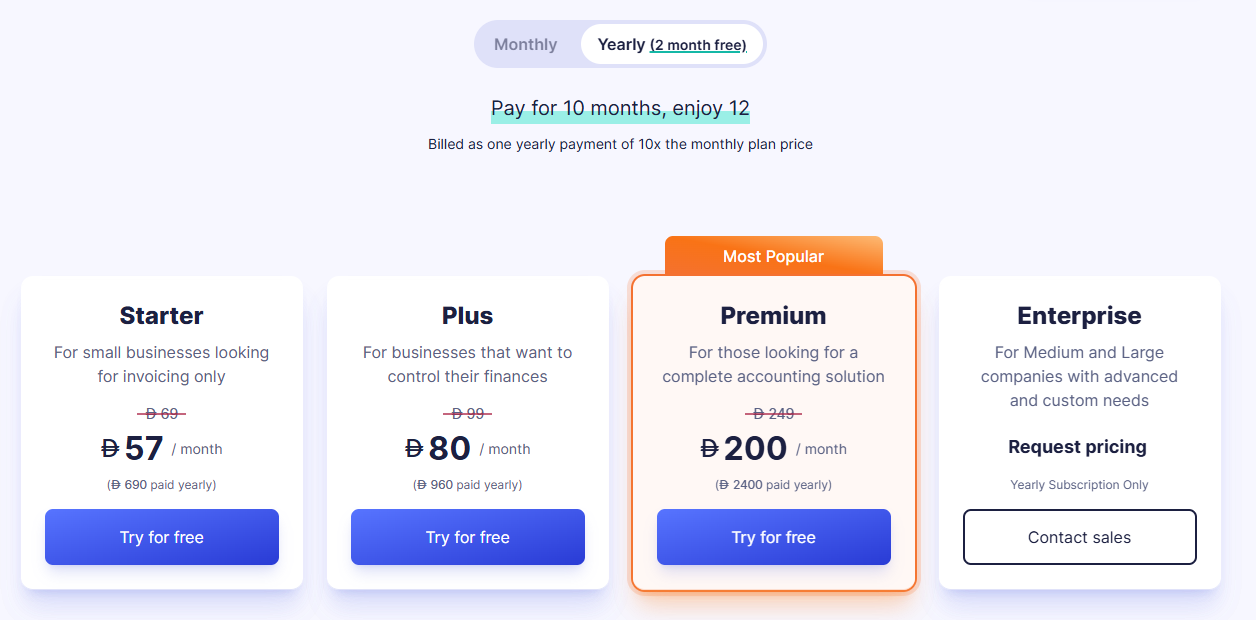
- Starter: AED 69 monthly or AED 57/month on an annual plan, including VAT returns and bank reconciliation.
- Plus: AED 99 monthly or AED 80/month annually, where the e-invoicing API first appears.
- Premium: AED 249 monthly or AED 200/month annually, which adds payroll and bulk e-invoicing through the API.
- Enterprise: quoted per company on an annual contract.
➡️ I compare Wafeq with other UAE ledgers in our list of the 10 best accounting automation software in the UAE.
Pros and Cons
✅ UAE e-invoicing included on every plan at no extra cost.
✅ Invoices and VAT returns in Arabic and English.
✅ Corporate tax classification at account level.
❌ Payroll and the bulk e-invoicing API need Premium.
#7: Microsoft Dynamics 365 Business Central
Best for: Recurring journals and deferrals inside a Microsoft ERP.
Similar to: Odoo, Oracle NetSuite.
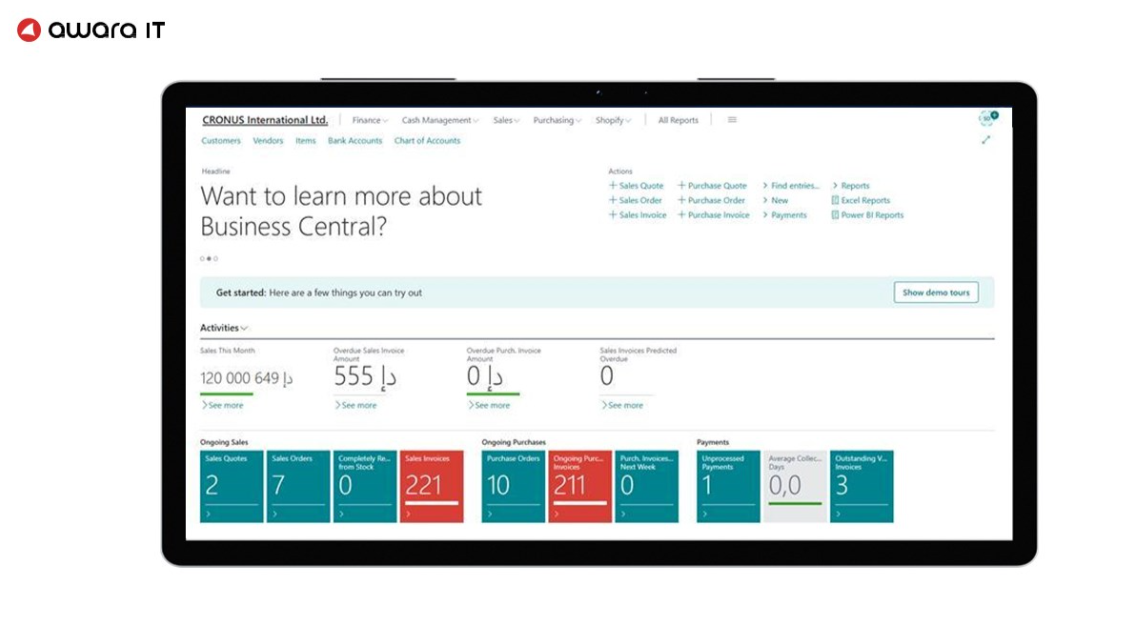
Microsoft partners sell and implement Business Central, a cloud ERP covering finance and operations.
Those partners also supply the localisation apps for UAE VAT reporting and e-invoicing.
Features
- Payables Agent: an AI helper for working through supplier invoices.
- Multiple companies: included on Essentials and Premium licences.
- Partner localisation: add-ons covering FTA VAT returns and the link to an accredited e-invoicing provider.
- Outlook and Excel: Business Central data inside Microsoft 365 tools.
Double-entry automation
- Recurring general journals: scheduled entries with fixed or variable amounts, used for accruals and other regular postings.
- Allocation keys: one recurring journal line split across accounts by quantity, percentage or amount.
- Deferral templates: revenue and expenses spread across periods from a template.
- VAT posting groups: journal templates can fill the general posting type and VAT posting groups on each line from account defaults.
- Background Error Check: journal batches validated while the team works on them.
Pricing
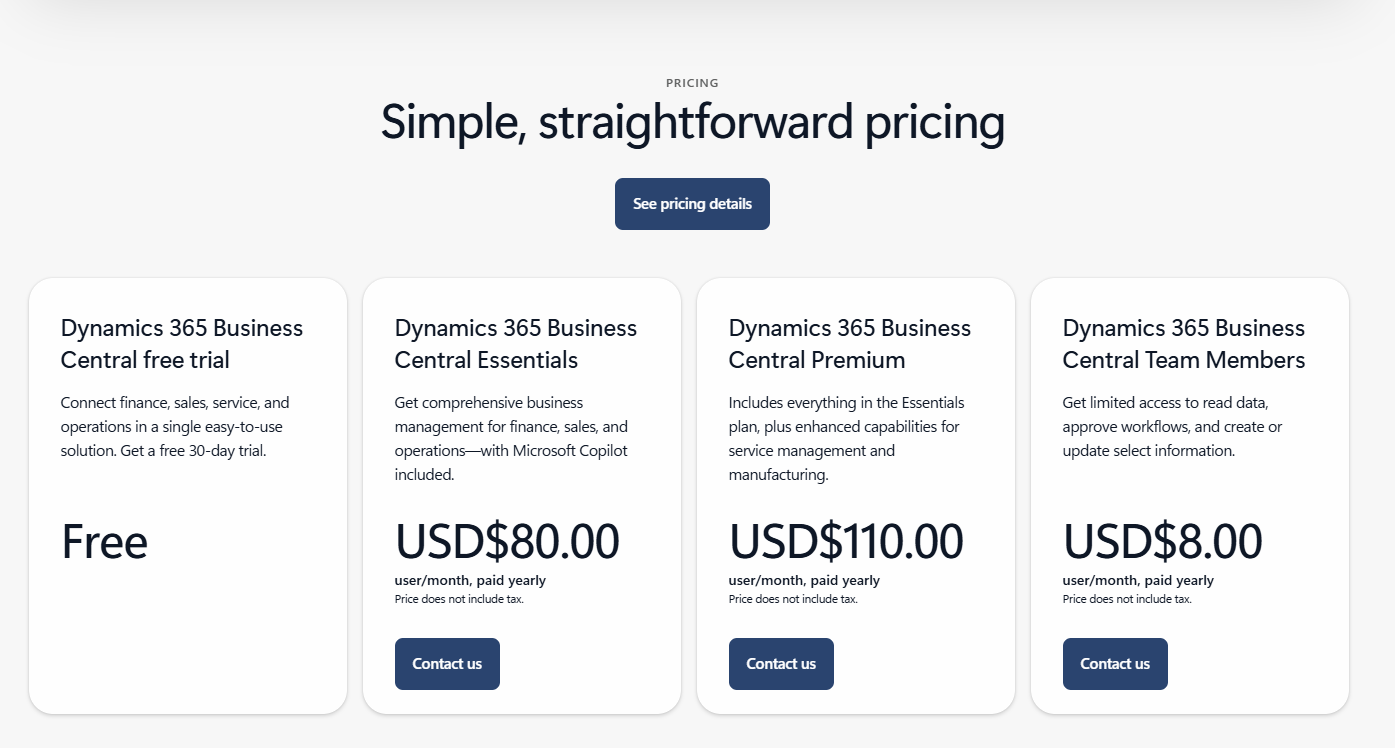
Business Central is licensed per user through partners at these US list prices, billed annually:
- Essentials: USD 80/user/month.
- Premium: USD 110/user/month, the tier for manufacturing or service management.
- Team Members: USD 8/user/month for staff who only need restricted access.
Pros and Cons
✅ Accruals and allocations handled through native recurring journals.
✅ Several companies on one licence.
❌ It's not very easy to navigate, according to a G2 review.
#8: Oracle NetSuite
Best for: Intercompany eliminations and amortisation entries for multi-entity groups.
Similar to: Microsoft Dynamics 365 Business Central.
NetSuite's OneWorld edition runs several subsidiaries and currencies in one Oracle cloud account.
UAE customers already have access to NetSuite E-Invoicing.
Features
- OneWorld: multi-subsidiary, multi-currency setup and consolidated reports.
- Multi-Book Accounting: book-specific journal entries for different reporting needs, in OneWorld.
- NetSuite E-Invoicing: e-invoices and tax data created inside NetSuite.
- NetSuite Next: an AI assistant and agentic workflows announced for the UAE in February 2026.
Double-entry automation
- Automated Intercompany Management: elimination journal entries generated automatically at period close.
- Advanced intercompany journal entries: debits and credits between two subsidiaries in one journal.
- Allocation schedules: journal entries created automatically to spread shared costs, including across subsidiaries.
- Amortization schedules: journal entries that recognise expenses in increments across a set period.
- Dynamic allocation: allocation weights recalculated from statistical account balances when the journal is generated.
Pricing
NetSuite pricing comes as a quote from Oracle or a partner, with no public price list.
Pros and Cons
✅ Intercompany eliminations post automatically at close.
✅ Amortization schedules spread expenses across periods.
✅ Allocation schedules spread shared costs across subsidiaries.
❌ No published pricing.
#9: Dext
Best for: Publishing coded receipts and invoices into an existing ledger.
Similar to: Pemo, Xero.
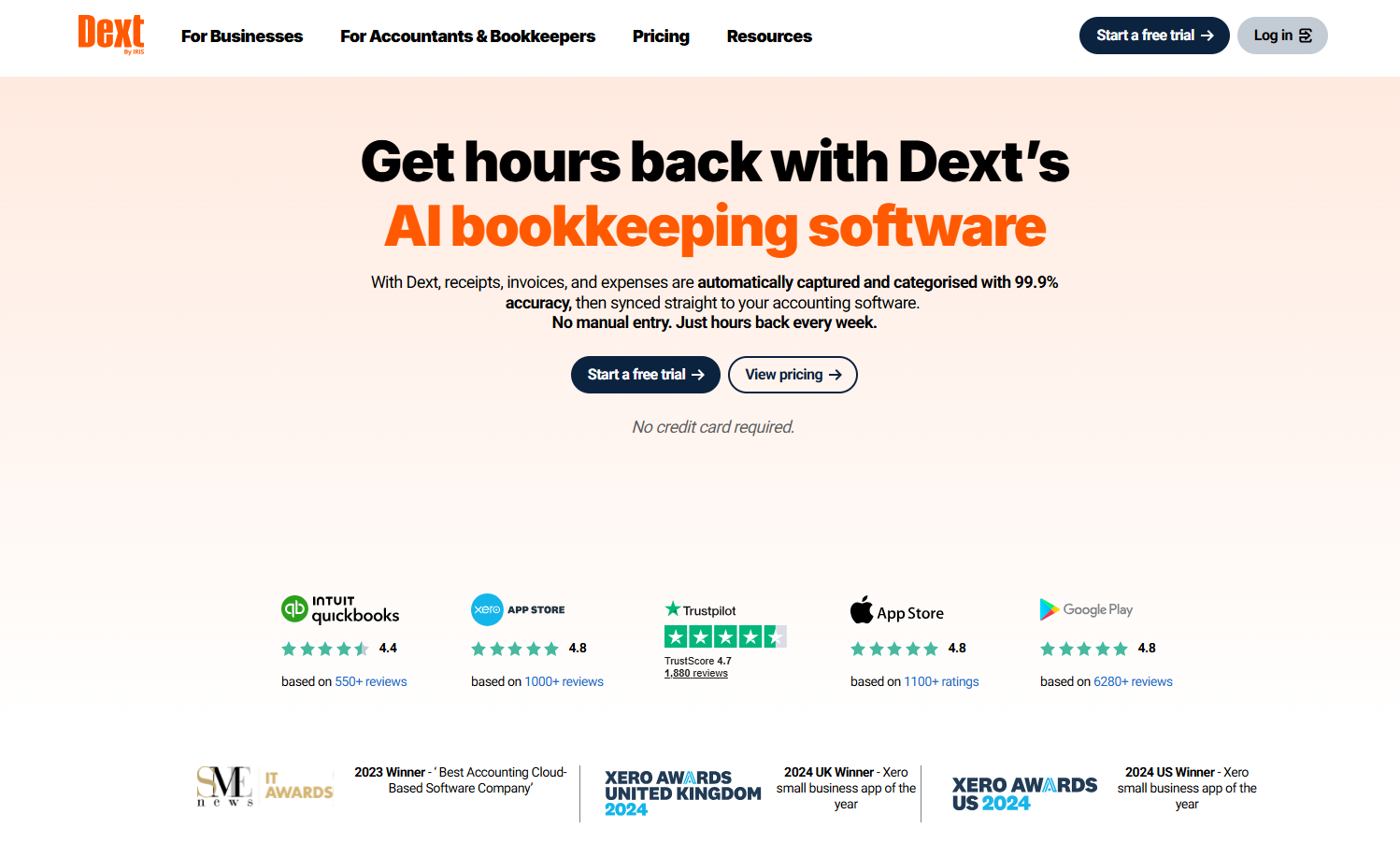
Dext Prepare extracts data from receipts and supplier invoices, then publishes coded documents into accounting software.
More than 36 accounting solutions connect to it, Xero and QuickBooks Online among them.
Features

- Data extraction: key invoice and receipt fields, line items included.
- Approvals: documents routed for sign-off before publishing.
- Supplier statement reconciliation: supplier statements checked against published invoices.
- Dext AI Assist: in-app guidance for core tasks.
Double-entry automation
- Supplier rules: automatic coding for repeat suppliers.
- Auto-publish: documents from trusted suppliers published to the ledger without a manual step.
- Duplicate detection: an invoice can't be published twice.
- Bank match: published items matched to bank transactions.
Pricing
Dext's Business plan is priced by users and monthly documents, after a 14-day free trial:
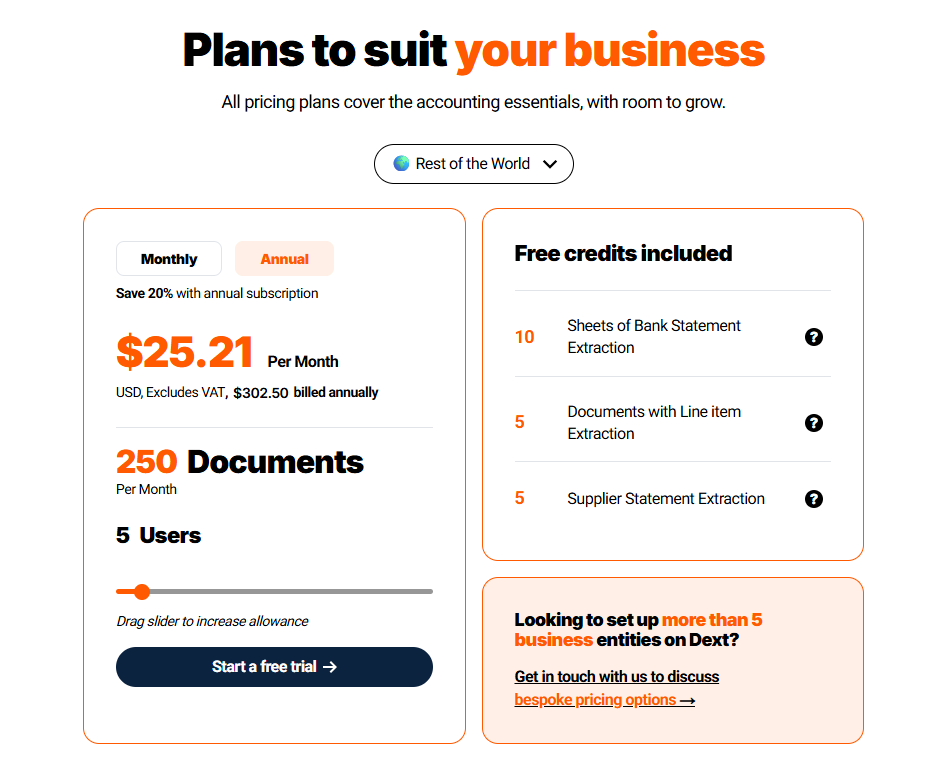
- Business: from USD 25.21/month billed annually (USD 302.50 a year), excluding tax, for 5 users and 250 documents a month.
- Larger allowances: more users or documents raise the price, with annual billing up to 20% cheaper than monthly.
Pros and Cons
✅ Supplier rules remove repeat coding.
✅ Duplicates are caught before publishing.
✅ Connects to most major ledgers.
❌ The entry Business plan covers 250 documents a month.
#10: TallyPrime
Best for: Vouchers created and reconciled from imported bank statements, on a perpetual licence.
Similar to: Zoho Books, Odoo.
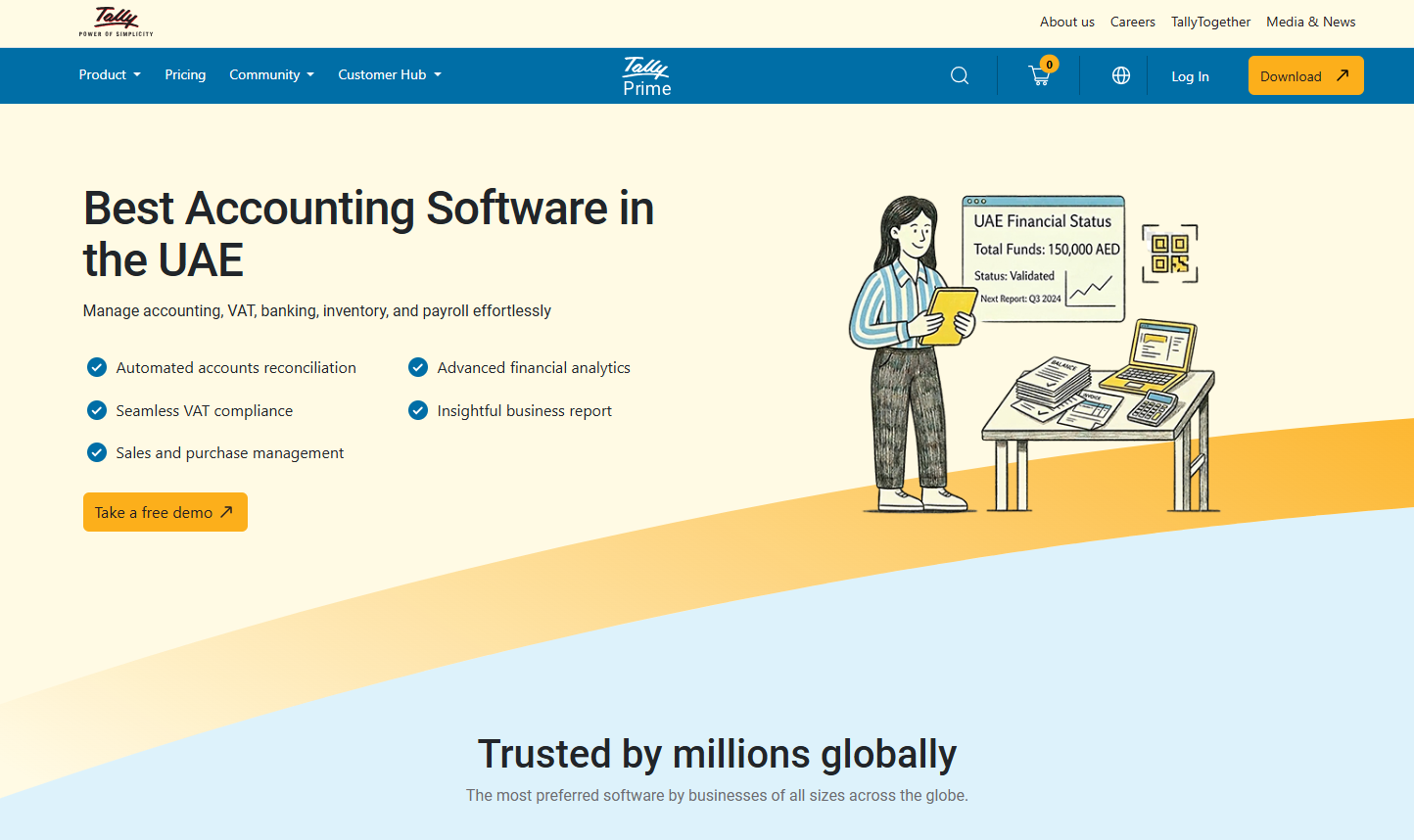
Tally Solutions sells TallyPrime in the UAE as VAT-ready accounting and inventory software on a perpetual licence.
The software runs fully in Arabic.
Features
- Connected VAT returns: Form 201 uploaded and submitted to the EmaraTax portal from inside TallyPrime.
- Edit Log: a permanent change log for internal control.
- Inventory: stock tracking alongside the accounts.
- Bulk payments: payment files uploaded to bank portals, currently for Standard Chartered in the UAE.
Double-entry automation
- Auto-created vouchers: payment and receipt vouchers built from an imported bank statement, individually or in bulk.
- Auto bank reconciliation: book entries matched to statement lines as exact or potential matches.
- Missing entries: vouchers for bank charges and other missing lines created from the reconciliation screen.
- Duplicate detection: repeated amounts and dates flagged before they inflate the bank book.
Pricing
Tally sells TallyPrime in the UAE as a one-time licence that includes one year of Tally Software Services (TSS):
- Silver: AED 2,340 for a single PC.
- Gold: AED 7,020 for unlimited users across PCs on a local network.
- TSS renewal: AED 468 a year for Silver and AED 1,404 a year for Gold.

Pros and Cons
✅ Bank statements become vouchers in a few clicks.
✅ VAT returns filed straight to EmaraTax.
❌ Multi-user access across PCs needs Gold.
❌ Updates and connected services after the first year need a TSS renewal.
Next steps: automate your double entries with Pemo
Every tool here builds entries at a different point between a payment and the closed books.
Pemo starts at the source: card spend reaches the ledger balanced, coded and receipted.
Paid bills arrive in Xero already marked as paid.
If you're looking for double-entry automation that also gives you:
- Wallet Reconciliation Graph: a Transactions-tab chart of how much of the month's card and wallet activity has reached Xero.
- Pemo Wallet Statement: opening and closing balances with every movement in between, downloadable as CSV or PDF.
- Tracking categories: cost centres and projects carried into Xero entries.
- Per-company pricing: unlimited physical and virtual cards on every plan for one company-wide price.
On the free Starter plan, you can run a month of card expenses through Xero before deciding on a paid plan.
A Pemo demo shows a card payment posting to Xero with your own transactions.
⚠️ Disclaimer: This article was last updated on 5 November 2026 and covers general product information, not tax or legal advice. Vendor features and prices change often. Please confirm current details with each provider.
Double-entry accounting automation FAQs
Does accounting software create double entries automatically?
Yes, for the transactions it records.
A ledger such as Xero posts both sides of every invoice or bank line it processes, VAT split included.
Manual journals work differently, because whoever enters one picks the accounts on both sides.
What's the difference between a bank rule and a posting rule?
A bank rule tells the ledger how to code a statement line that matches set conditions, such as a merchant name.
A posting rule fixes the accounts behind a transaction type, such as where card fees go.
Several tools here offer both, under names like transaction rules or posting groups.
Can a spend platform replace the ledger?
No, a spend platform prepares entries, and the ledger keeps the books.
Pemo sends coded card spend and paid bills to Xero or another ledger, which still holds the chart of accounts and produces the VAT returns.
Our guide to the complete UAE finance stack shows how the two layers connect.
Which entries still need an accountant?
Entries that depend on estimates or a period-end judgement still need an accountant.
Accruals, prepayment releases, depreciation, intercompany recharges, and tax adjustments at year-end all fall into that group.
Business Central and NetSuite can post recurring and amortisation entries on a schedule, though someone still sets the amounts behind them.


