
Are you trying to work out which vendor payment automation software deserves a place in your UAE finance stack in 2026?
In this guide, I'll walk through the 8 best vendor payment automation tools for the UAE market in 2026, with their features, pricing, and honest pros and cons.
TL;DR
- Pemo offers the best vendor payment automation software in the UAE, with supplier invoices captured straight from email, cleared in one approval queue, then paid from your own wallet.
- Mamo and Xpence suit UAE teams that want supplier payouts and card spend running on a locally regulated platform.
- Wafeq, Zoho Books, and Xero handle bills inside the accounting system itself.
- Odoo and Tipalti cover ERP-led payables and cross-border supplier payouts.
What are the best vendor payment automation tools in the UAE in 2026?
The strongest vendor payment tool for a UAE business is Pemo, whose invoice capture, approval routing, and wallet payments keep the full supplier cycle inside a single dashboard.
The table below puts all 8 solutions side by side:
What are the best all-in-one spend management and vendor payment platforms in the UAE?
These platforms handle the payment inside the same dashboard, by transfer or by card, with no separate bank portal to open:
#1: Pemo
Pemo offers the best vendor payment automation software in the UAE, built on an invoice inbox, custom approval flows, wallet payments, and a live connection to your ledger.
Full disclosure: Pemo is our own platform. I've kept this section to specifics you can check, then applied the same standard to every other tool here.
The reason vendor payments eat so much of a finance team's week is the handoff chain.
An invoice lands in one person's inbox. A second types it into the accounting system, a third approves it, then a fourth logs into the bank and re-keys the amount by hand.
Four touchpoints on a single invoice, with a due date quietly passing somewhere in the middle.
We collapsed that chain into one place.
Here's what that looks like feature by feature for a UAE business in 2026: 👇
Get every supplier invoice into one place
Supplier invoices almost never arrive somewhere convenient.
They come as email attachments, forwarded twice before finance ever sees them.
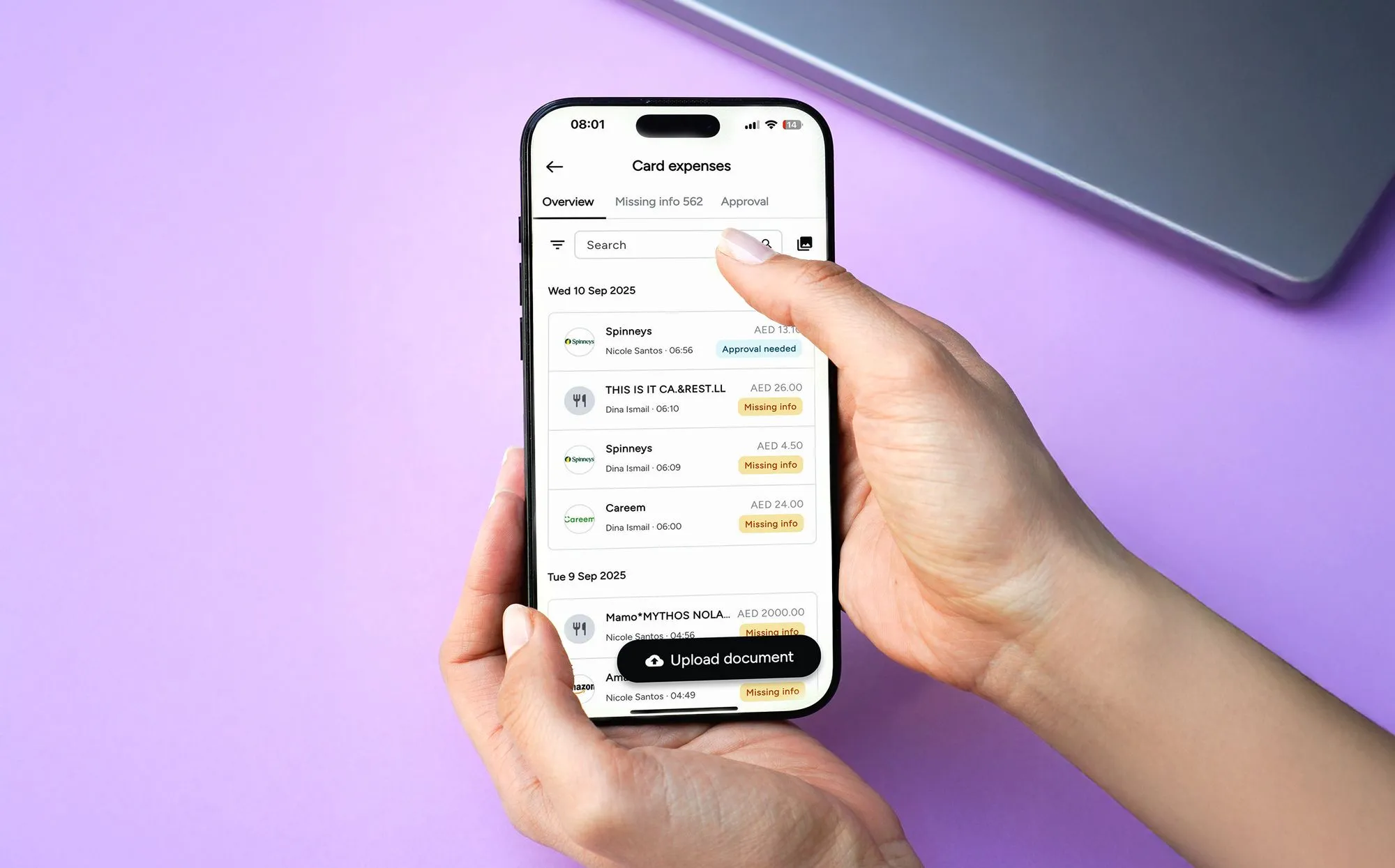
Pemo gives you a dashboard address to forward them to, then reads the document for you:
- Email forwarding from whichever inbox received the invoice, which puts the record in place seconds after it arrives.
- Automated data extraction that lifts the vendor, amount, and due date straight off the page for you.
- Status tracking on every invoice from the moment it lands to the moment it clears, which ends the daily round of asking where a payment stands.
- A central archive that keeps every invoice findable, wherever it originally arrived.
Route approvals to whoever signs off
An approval flow only helps when it mirrors how your company already makes decisions.
You set the routing once in Pemo, then every future invoice finds its own way through:
- By amount, sending a AED 50,000 supplier invoice to the CFO while smaller ones clear locally.
- By relevance, showing each approver the invoices that need their sign-off and nothing else.
- Through multiple layers for larger commitments, available on our Premium plan.
- With maker-checker on card actions, keeping the person requesting a change apart from the person confirming it.
➡️ Every approval and release stays attached to the invoice. A question three months later takes seconds to answer.
Pay suppliers without opening your bank portal
Most tools in this category stop at approval and hand you back to your bank.
Pemo releases the payment from a balance you've already funded, without sending you back to a bank portal:
- Settlement from your Pemo wallet, with a dedicated IBAN attached to the account.
- Scheduled disbursements timed to the due date, ending the late fees on invoices nobody forgot about.
- A live cash position showing inflows against committed outflows before you release the next batch.
- Cross-border supplier payments handled through the same flow as local ones.
Close the loop in your accounting software
The last stretch of a supplier payment is usually the most manual part of it.
Pemo Copilot codes the transaction before your accountant opens the ledger, then pushes it across:
- AI categorisation that assigns the chart of accounts and the vendor, getting sharper as it sees more of your transactions.
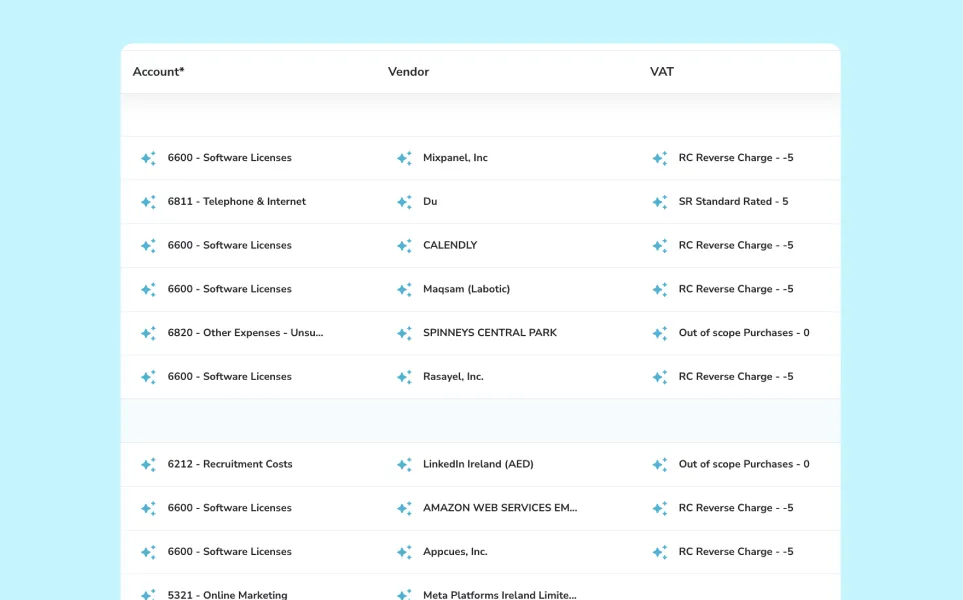
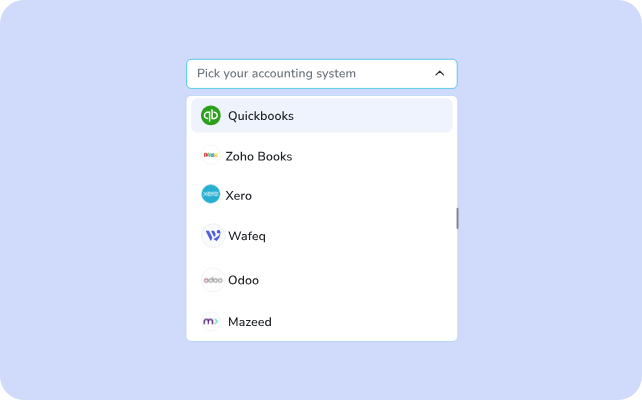
- Native sync with QuickBooks, Xero, Zoho Books, Wafeq, Odoo, and Mazeed, plus CSV export for anything else.
- Automatic matching that ties a cleared payment back to the original invoice with no manual search.
- A cleaner close, since coded and matched entries turn month-end into a review of data that's already right.
💡 For most companies, around AED 20,000 of monthly international card spend brings in enough cashback to cover the AED 399 subscription. Premium's rate is up to 2%, and what you receive depends on your account's FX fee profile.
Pemo's Pricing
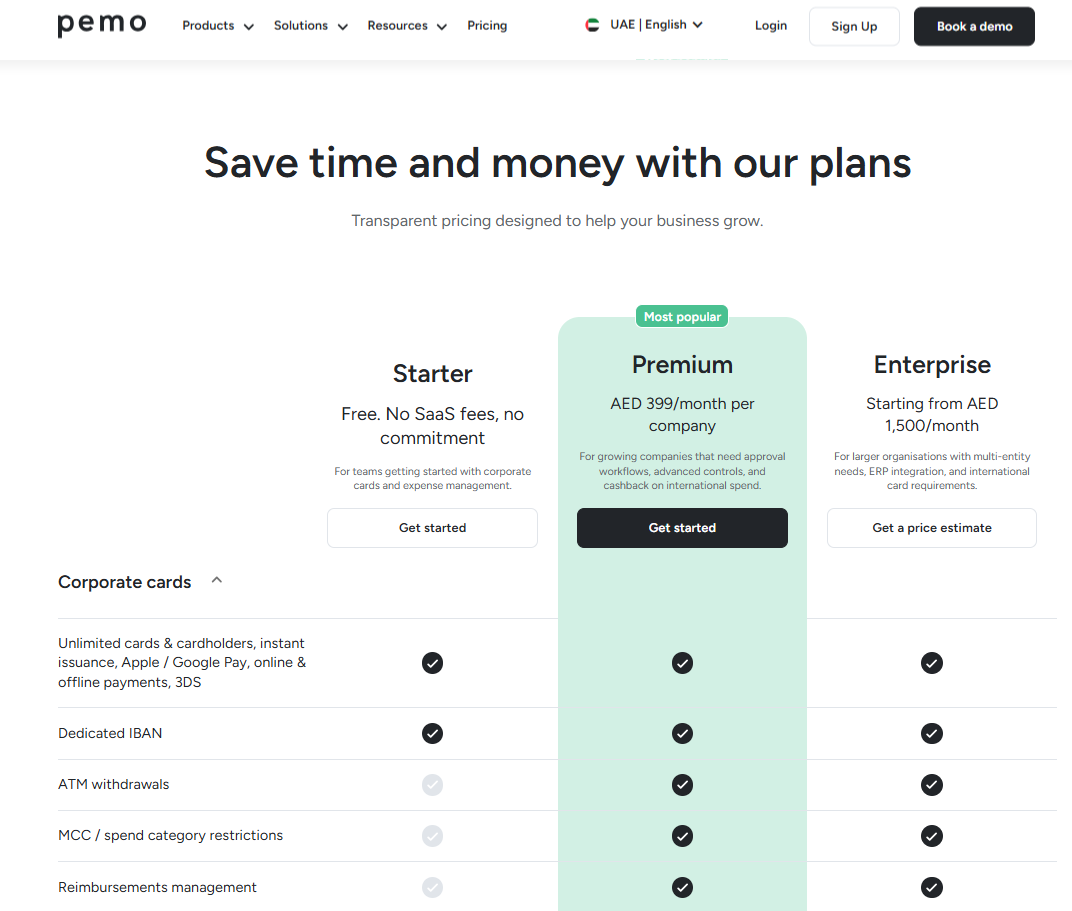
Pemo prices by functionality rather than headcount. Every plan carries unlimited users alongside unlimited physical and virtual cards:
- Starter: free with no SaaS fees and no commitment, built for teams getting going with corporate cards and expense management.
- Premium: AED 399/month per company, adding approval workflows, advanced controls, and cashback on international spend.
- Enterprise: from AED 1,500/month, covering multi-entity needs, ERP integration, and international cards for staff based outside the UAE.
Pros and Cons
✅ Invoices forwarded straight from email, with the fields already read off the document.
✅ Approvers see only what needs their sign-off, keeping cycles short.
✅ Payment released from your own wallet, with no separate banking session.
✅ Every plan carries unlimited users and unlimited cards, the free one included.
✅ Native sync with QuickBooks, Xero, Zoho Books, Wafeq, Odoo, Mazeed, and Tally.
❌ Payments draw on a wallet you top up in advance, which rules out settling an invoice on credit.
❌ Multi-layer approval workflows only become available on the Premium plan.
#2: Mamo
Best for: Bulk dirham and international vendor transfers priced per payout.
Similar to: Pemo, Tipalti.
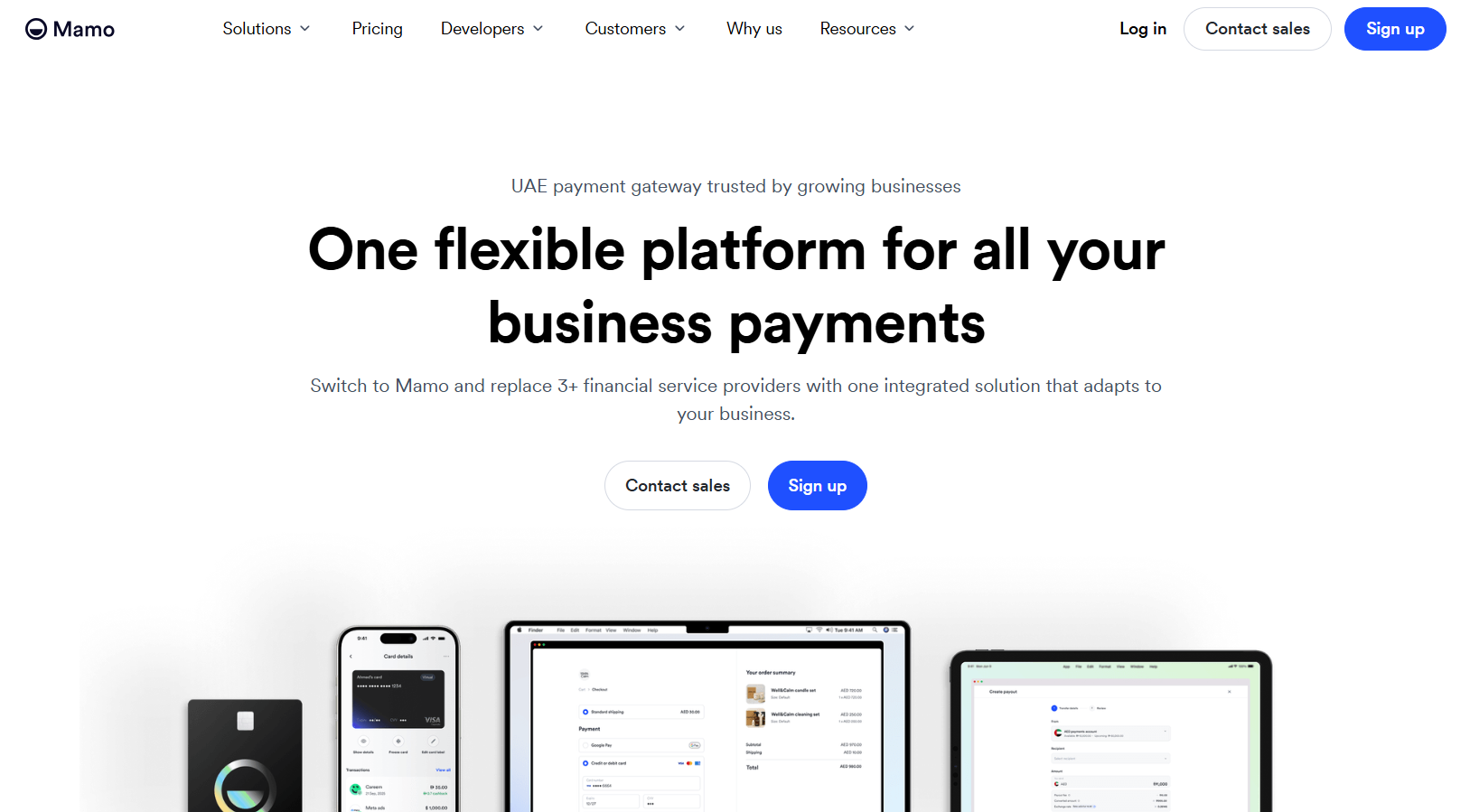
Mamo is a Dubai payments platform regulated by the DFSA, spanning payment collection, corporate cards, and outbound transfers through its Payouts product.
It suits UAE businesses paying suppliers by bank transfer at volume, particularly those who would rather pay a flat fee per payout than a monthly seat licence.
Features
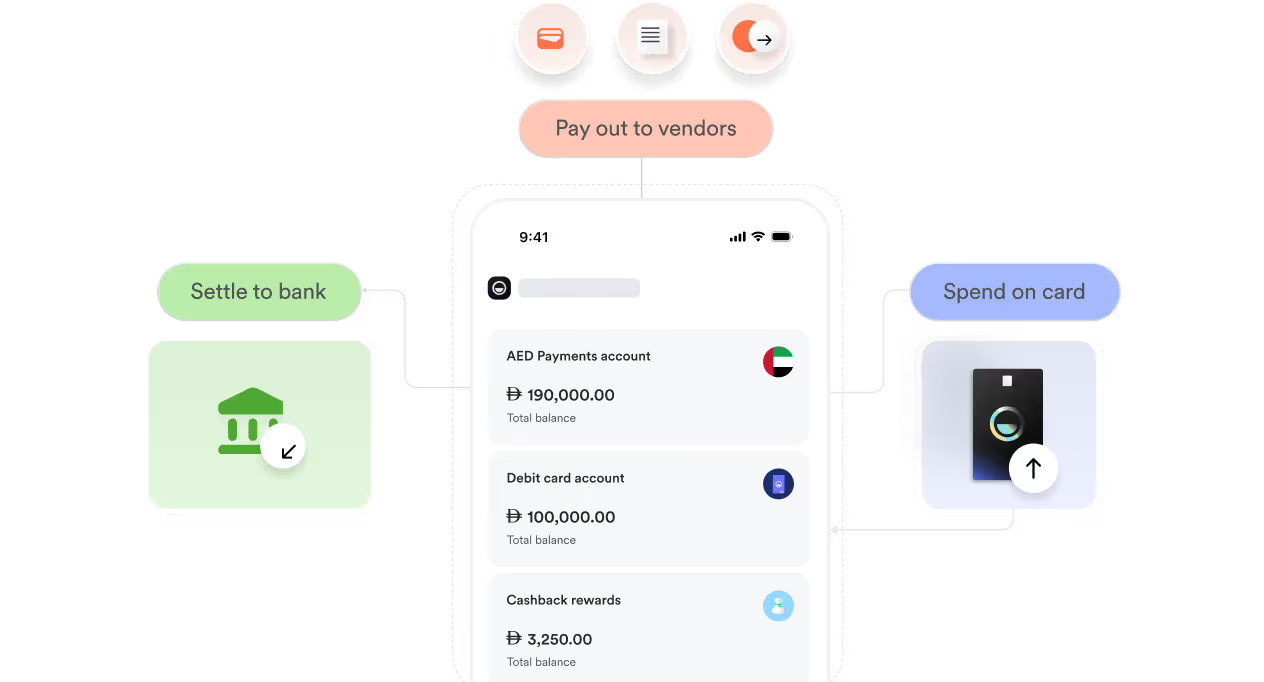
- Bulk transfers: settle many invoices in a single run, with a CSV upload for larger batches.
- One dashboard: money coming in and going out appears together, leaving a single audit trail.
- OTP verification: every payout gets confirmed by one-time password before release.
Pricing
Mamo charges a plan fee plus a fee on each payout, a different shape from the rest of this list:
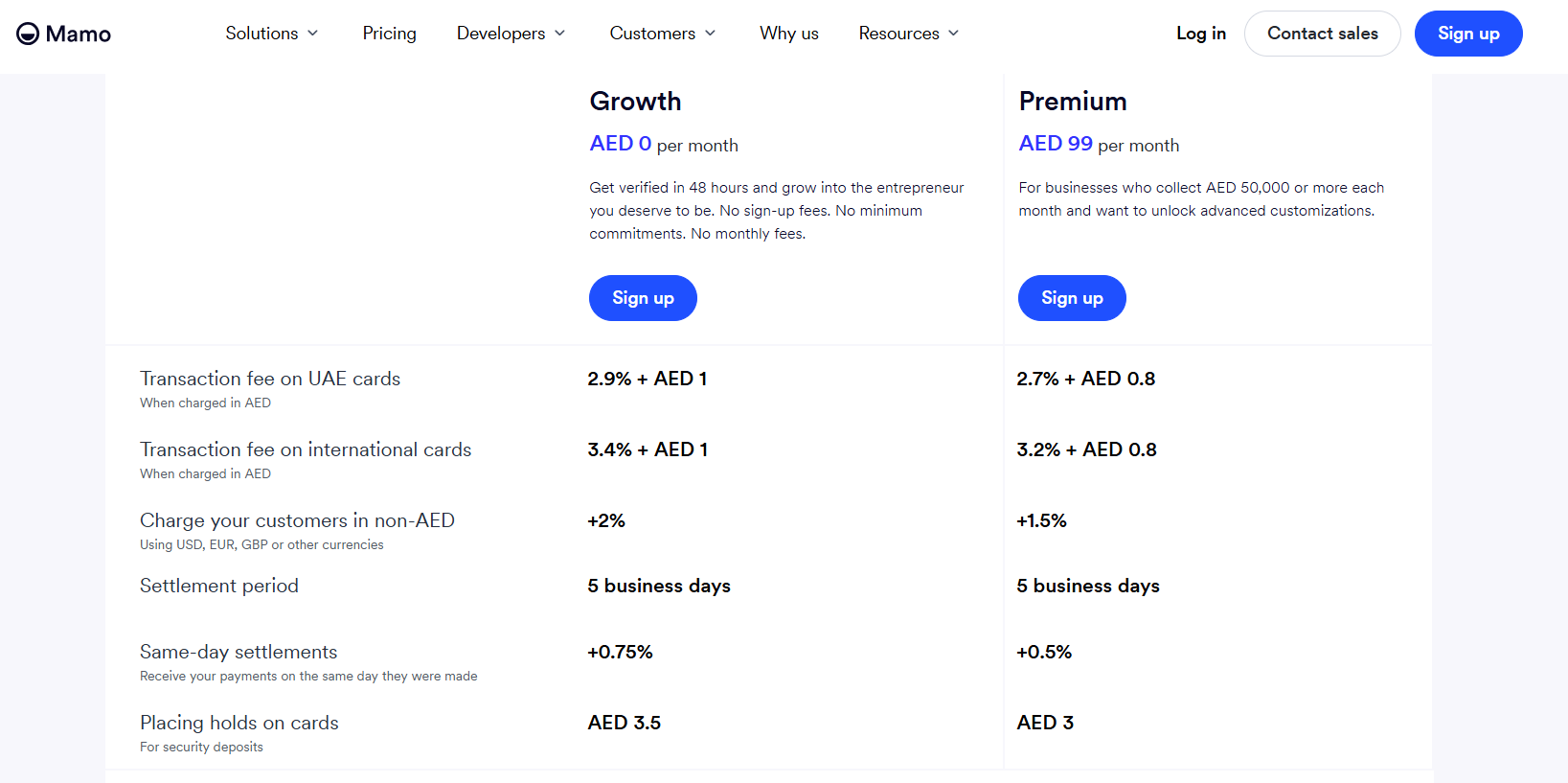
- Growth: AED 0/month with no minimum commitment, at AED 5 per domestic payout and 0.6% on international transfers.
- Premium: AED 99/month for businesses collecting AED 50,000 or more monthly, holding AED 5 domestic payouts and dropping international transfers to 0.5%.
- Enterprise: custom pricing for businesses processing over AED 500,000 monthly.
Pros and Cons
✅ A free entry plan with no monthly commitment, handy for testing the workflow before moving real volume.
✅ Regulated by the DFSA and built in the UAE.
✅ Payout APIs for recurring supplier runs.
❌ A transaction fee on UAE cards of 2.7% + AED 0.8 even on the Premium plan.
#3: Xpence
Best for: Small UAE teams whose suppliers and subscriptions accept card payment.
Similar to: Pemo, Mamo.
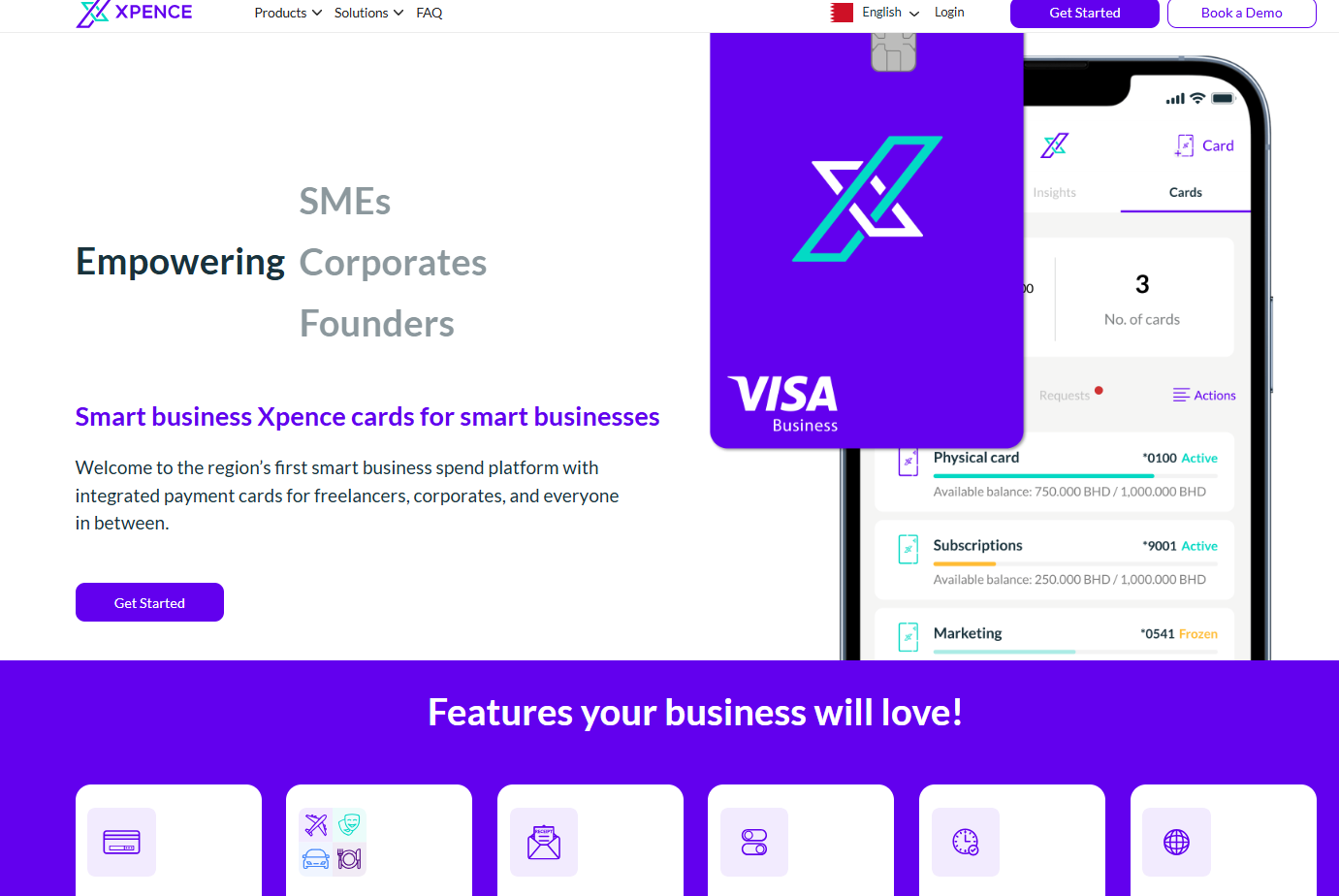
Xpence puts company spend on Visa cards and categorises each transaction as it happens, operating across the UAE and Bahrain.
The fit is freelancers, startups, and small finance teams whose suppliers and subscriptions take card payment.
Features
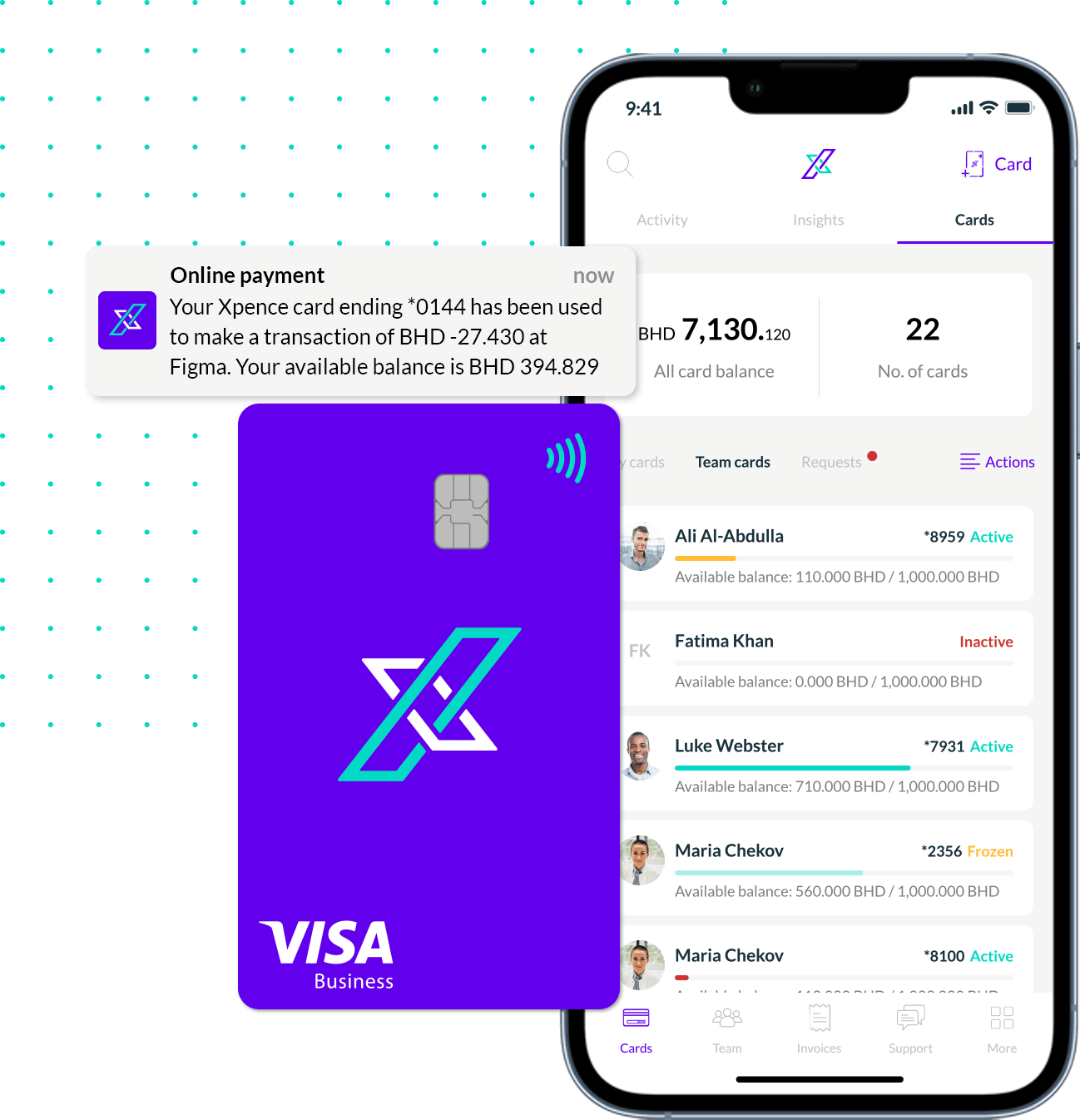
- Visa cards on a funded balance: issued physically or virtually, accepted globally, with rules attached per card.
- Classification at the moment of purchase: transactions land already sorted, with no coding queue building up behind them.
- Sales invoicing: the same account raises customer invoices and collects online payment.
- Industry configurations: setups aimed at corporate services providers, construction firms, and advertising agencies.
Pricing
Xpence doesn't share its pricing publicly. You'd need to contact their team for a walkthrough and a custom quote.
Pros and Cons
✅ Funded cards, which cap exposure at the balance you top up.
✅ Suits a solo operator and a mid-sized finance team without a change of product.
✅ Detailed transaction history built without anyone keying data in.
❌ No public pricing, unlike many Xpence alternatives.
What are the best accounting-led vendor payment tools in the UAE?
These platforms keep bills next to the ledger, then either push the instruction to your bank or record the payment once it clears:
#1: Wafeq
Best for: Releasing bulk supplier payments from inside a UAE-built ledger.
Similar to: Zoho Books, Odoo.
Built in the UAE, Wafeq combines accounting software with a payout automation module wired directly into regional banks.
Features
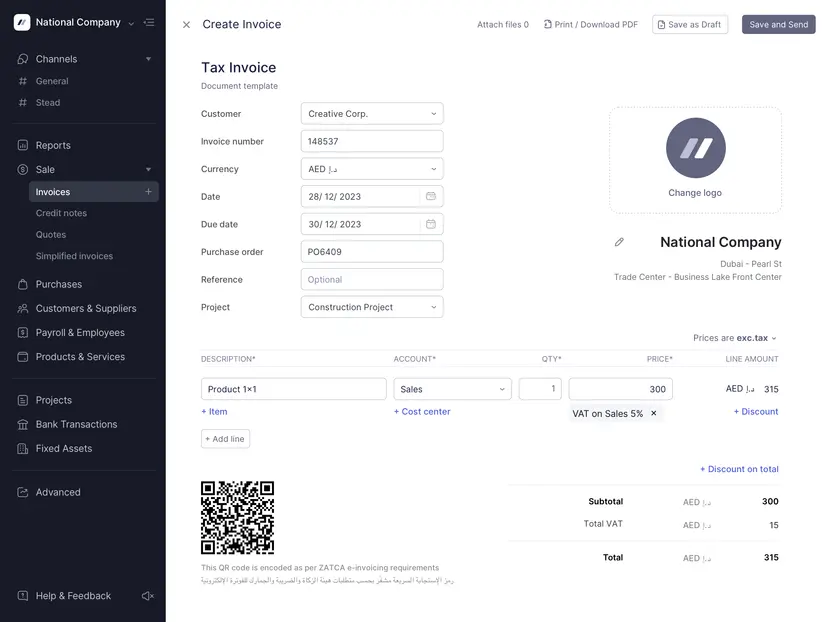
- Payment request generation: send an invoice in by email or upload, then let the scan lift the details into a request.
- Role-based approval flow: set who approves and who releases, with payment limits attached to each role.
- Bulk payment processing: prepare and release several approved requests in a single run.
- Automatic reconciliation: the cleared bank transaction gets matched to the bill and recorded against the ledger entry.
- Beneficiary management: beneficiaries created in the connected bank sync across and map to supplier records.
Pricing
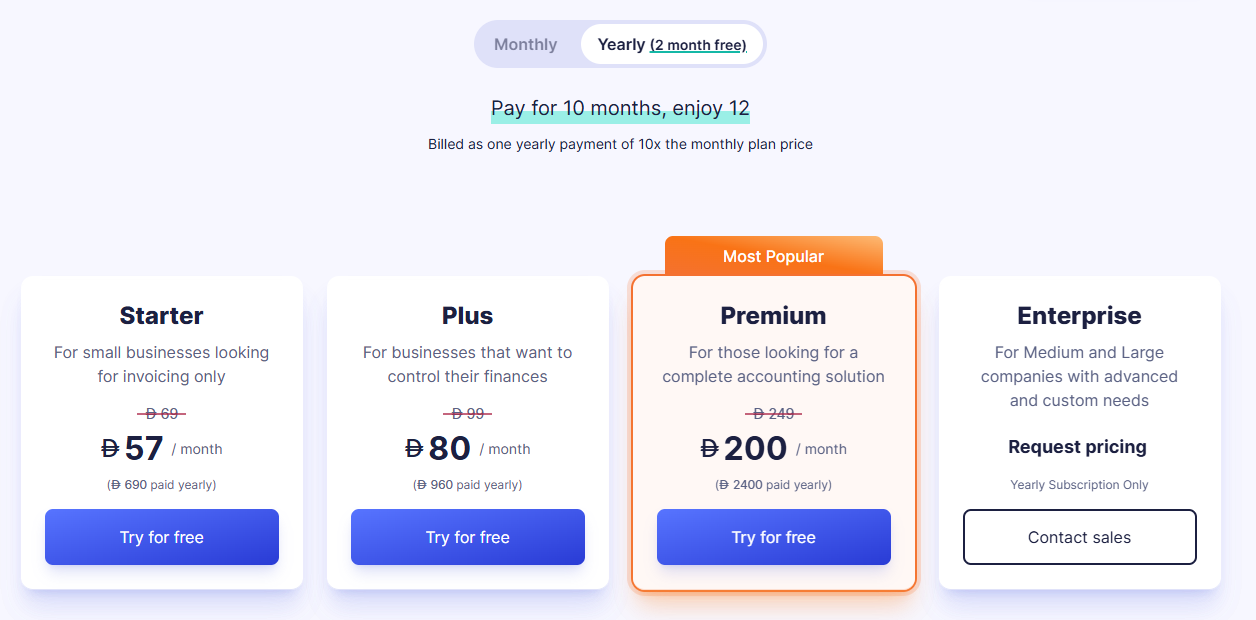
Wafeq runs a 14-day free trial with no card required. UAE plans are priced in dirhams:
- Starter: AED 57/month billed annually (AED 69 monthly) for invoices, expense tracking, bank reconciliation, and 2 users.
- Plus: AED 80/month billed annually (AED 99 monthly), adding purchase invoices, purchase orders, recurring invoices, and 5 users.
- Premium: AED 200/month billed annually (AED 249 monthly), adding payroll, unlimited users, inventory tracking, and multi-entity reporting.
- Enterprise: custom pricing, adding a dedicated account manager, advanced ERP API access, and high-efficiency bank reconciliation.
Pros and Cons
✅ Payment released straight from the linked bank account.
✅ Approvals carry role-based limits and a visible audit trail.
✅ Published plans priced in dirhams, which takes exchange rates out of your software budget.
✅ Support in Arabic and English, on local phone lines.
❌ Smaller integration ecosystem than QuickBooks Online or Xero.
#2: Zoho Books
Best for: Bill tracking and purchase order conversion for teams already on the Zoho suite.
Similar to: Xero, Wafeq.
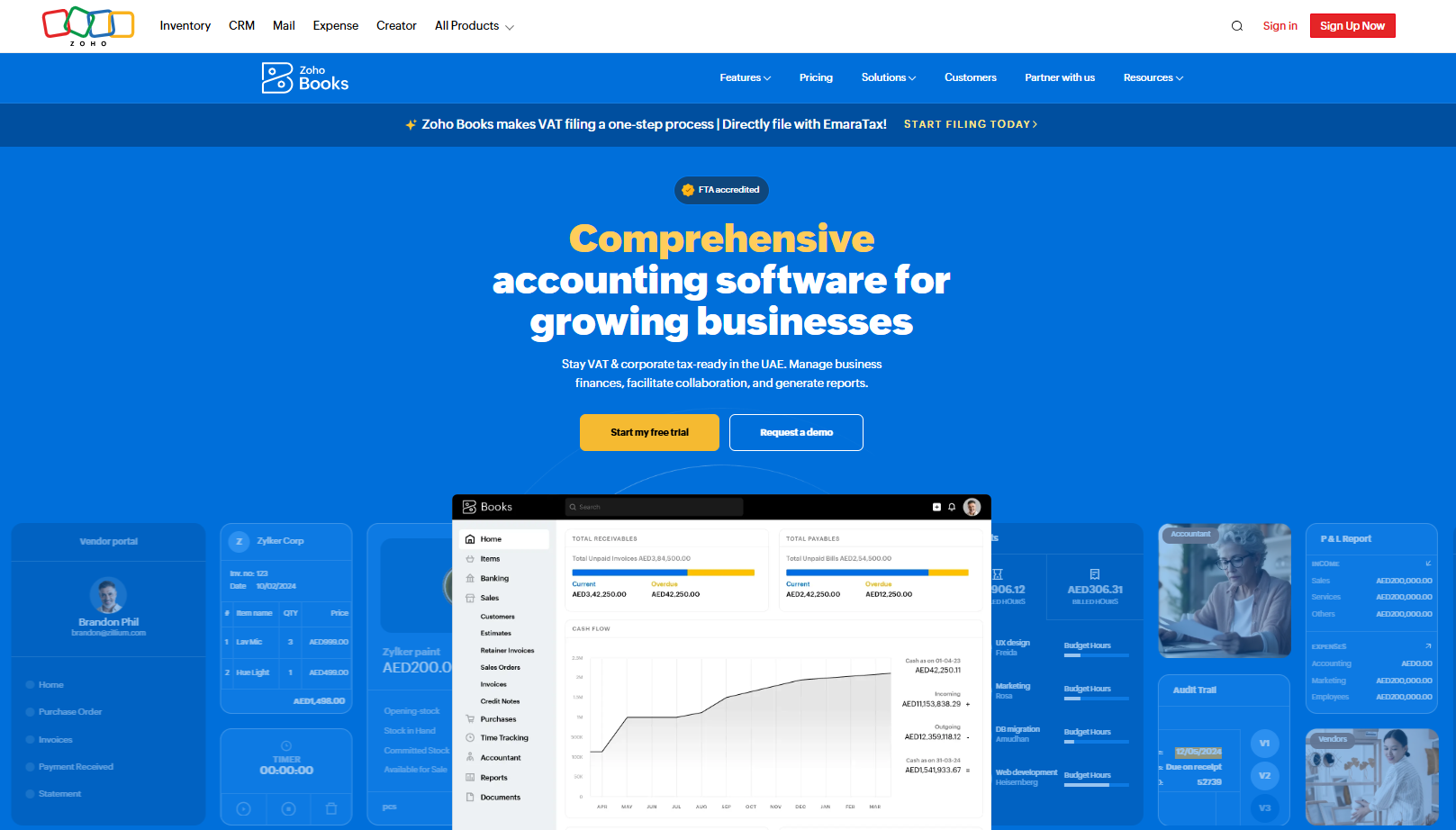
Zoho Books handles cloud accounting with a full bills module behind it, covering purchase orders, vendor credits, recurring bills, and a supplier portal.
It makes most sense for a UAE team already running Zoho CRM or Inventory that wants payables in the same login.
Features
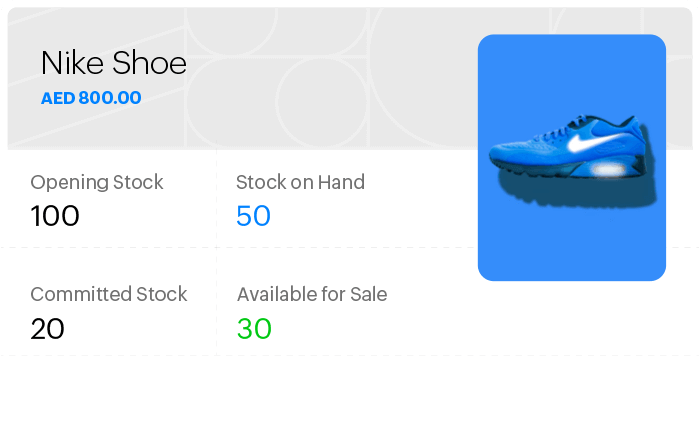
- Recurring bills: set regular supplier charges to generate on their own each cycle.
- Purchase order conversion: turn a fulfilled purchase order into a bill in one click, with room to adjust what changed.
- Vendor credits: log a refund or an advance as a credit note, then get prompted to apply it to that supplier's next bill.
- Vendor portal: suppliers submit documents directly, then an approved document becomes a bill without re-entry.
Pricing
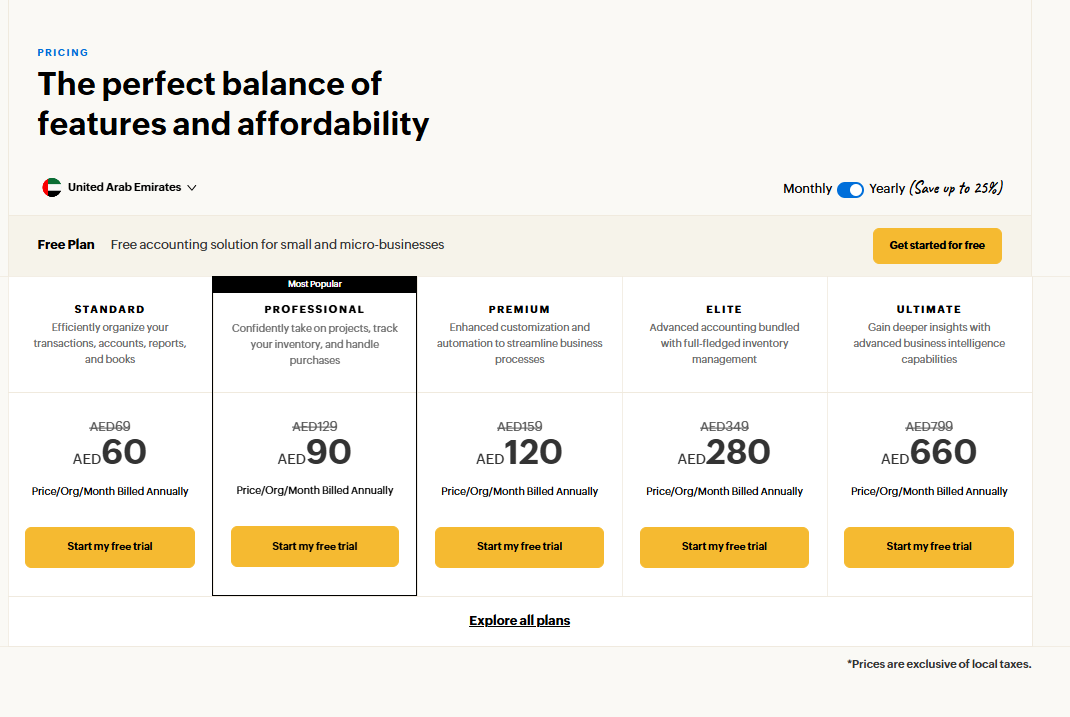
Zoho Books has a free plan for small and micro-businesses, which lets you create invoices, quotes, expenses & journals.
Beyond the free plan, there are 5 paid tiers (per organization, billed annually):
- Standard: AED 60/month for 3 users, with bank feeds and higher invoice limits.
- Professional: AED 90/month for 5 users, adding multi-currency, projects, and purchase orders.
- Premium: AED 120/month for 10 users, with budgeting and forecasting.
- Elite: AED 280/month for 10 users, adding advanced inventory.
- Ultimate: AED 660/month for 15 users, with advanced analytics.
Pros and Cons
✅ One price for the whole organisation, whatever the headcount.
✅ A genuinely free tier.
✅ Purchase order to bill conversion, tying procurement and payables together.
✅ Dirham pricing on the UAE edition.
❌ Purchase approvals start on the Professional plan.
#3: Xero
Best for: Automated bill entry and batch payments across suppliers in several currencies.
Similar to: Zoho Books.
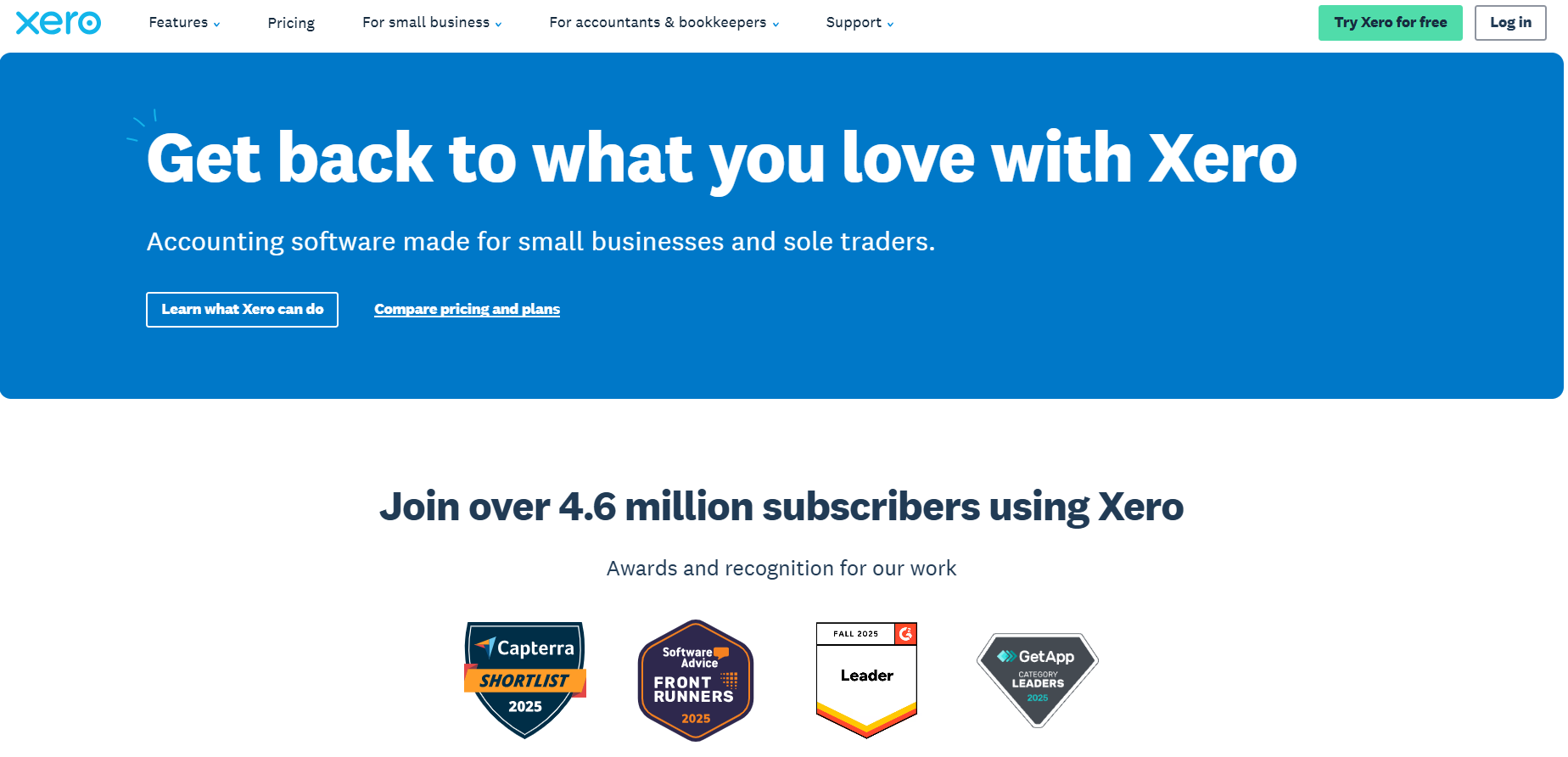
Xero's cloud accounting carries bills tooling that automates invoice entry, then pays approved supplier bills in batches.
The strongest case is a UAE business settling suppliers in several currencies while reporting from a single ledger.
Features
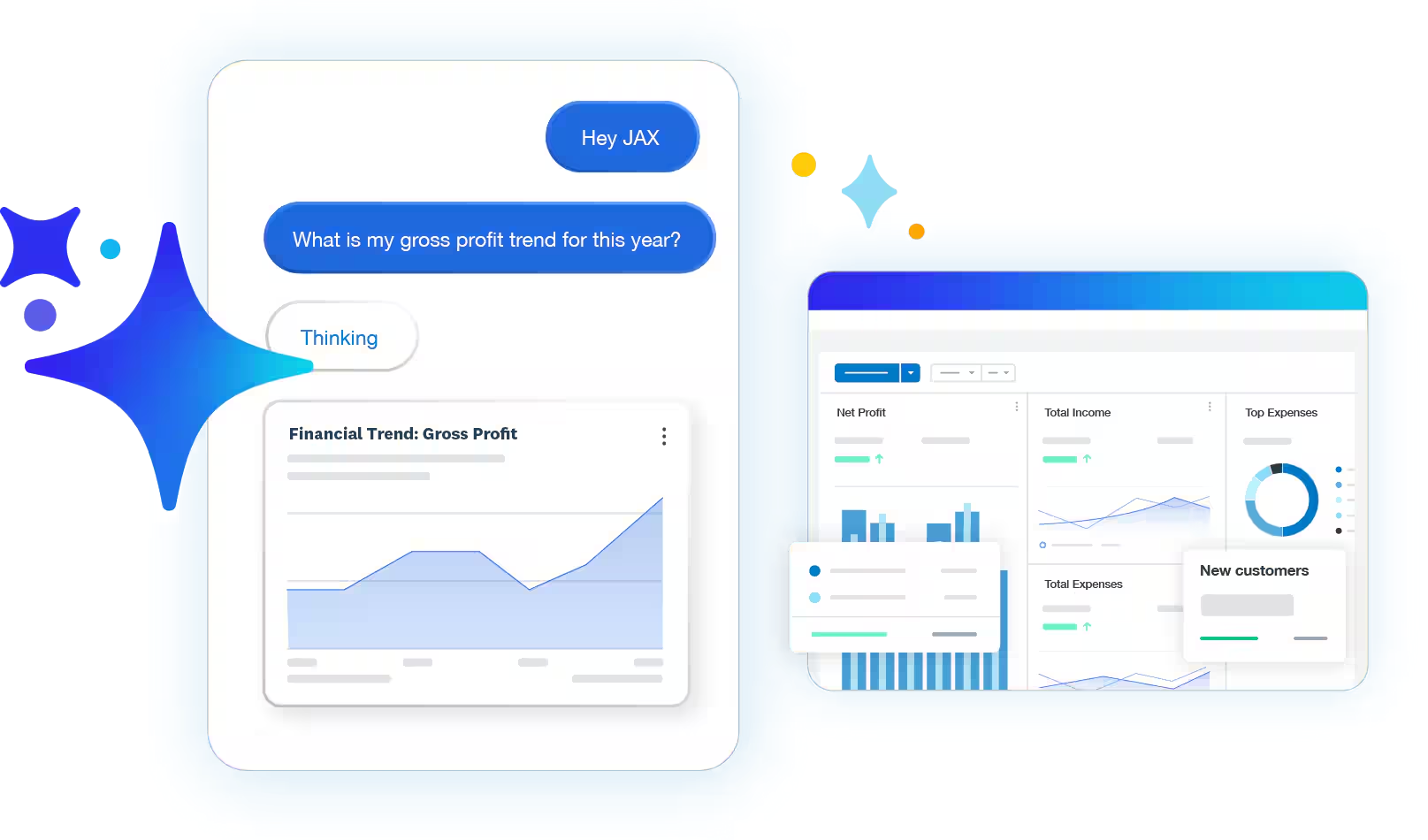
- Automated bill entry: upload files or forward bills from email for Xero's AI to pull the key details into a draft.
- Role-based permissions: control separately who can create a bill and who can approve it.
- Duplicate flagging: possible duplicates get surfaced automatically to cut payment errors.
- Batch payments: pay several approved bills at once, with reconciliation applied afterwards.
Pricing
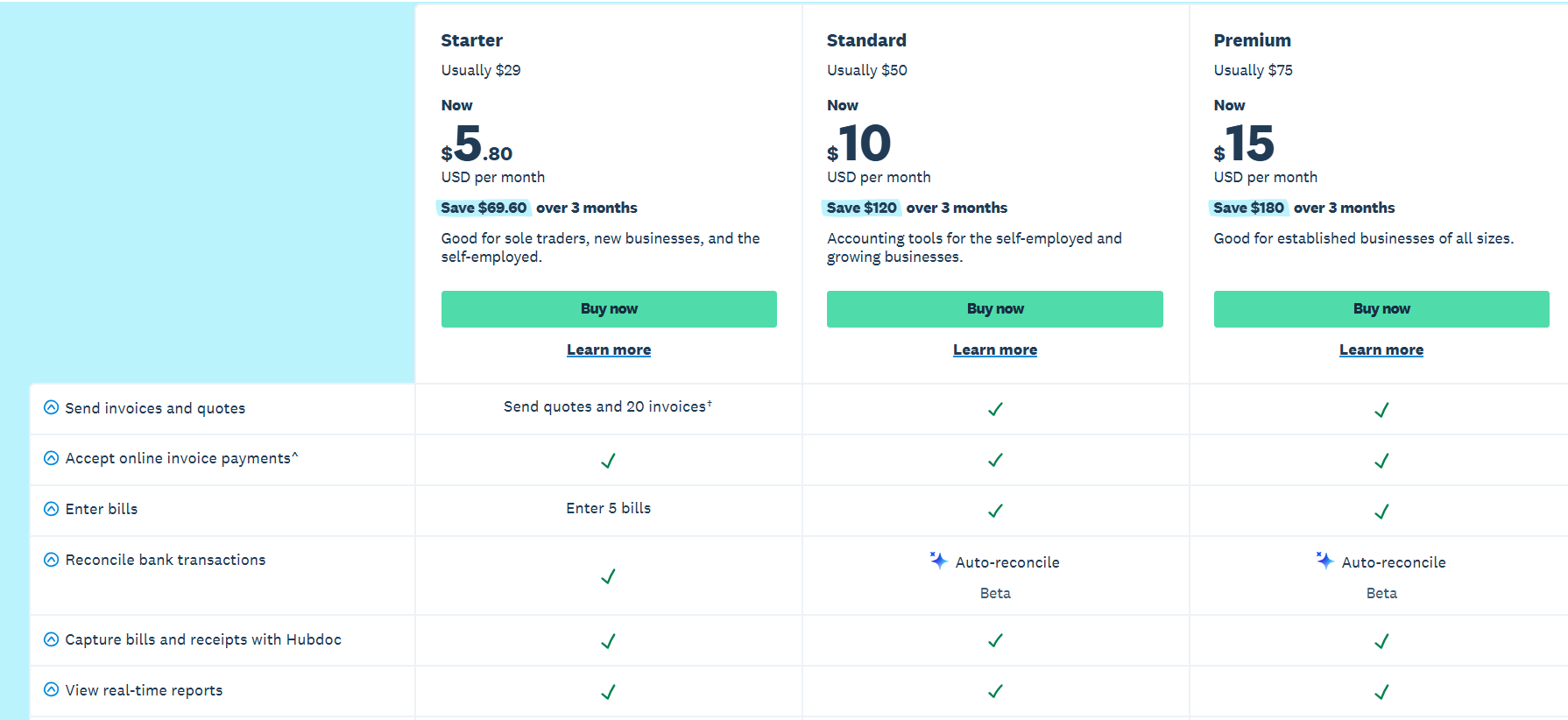
Xero shows UAE pricing in dollars, and currently runs an 80% discount across the first three months:
- Lite: $7/month for simple bookkeeping in a micro business.
- Starter: $29/month, covering 20 invoices and entry of 5 bills.
- Standard: $50/month, which unlocks automated bill entry, bill tracking, and bulk reconciliation.
- Premium: $75/month, which adds multi-currency handling and a 180-day cash flow forecast.
Pros and Cons
✅ Automated bill entry from email.
✅ Local UAE bank feeds through Wio Bank.
✅ Batch payments with reconciliation applied automatically.
❌ UAE customers are billed in dollars.
What are the best ERP and global vendor payment platforms in the UAE?
The final group suits larger operations paying suppliers across multiple entities and currencies:
#1: Odoo
Best for: Payables tied to purchase orders and stock receipts inside one ERP.
Similar to: Wafeq.
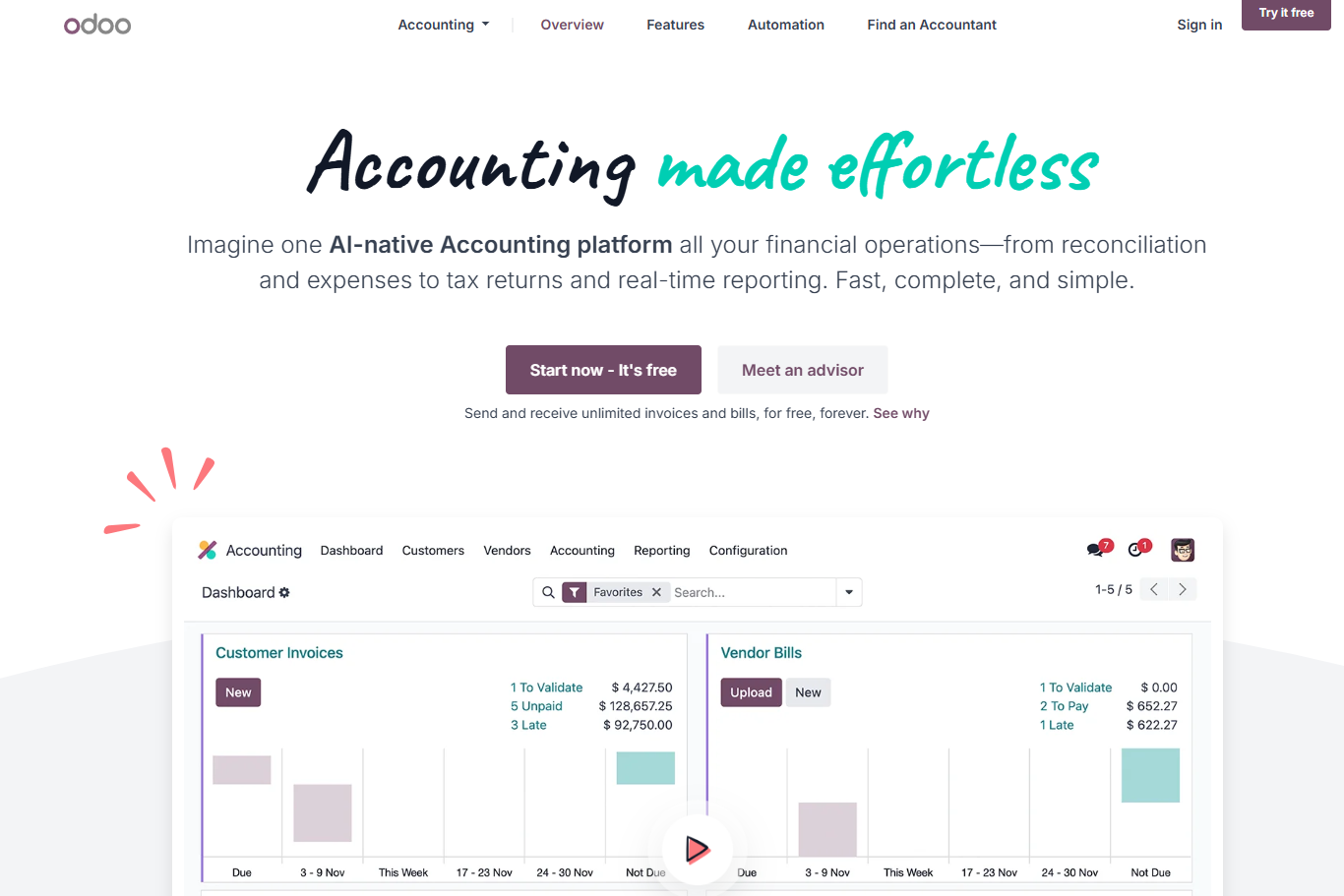
Odoo is an open-source business suite where vendor bills form one module alongside purchasing and inventory.
The businesses that benefit most are UAE traders and contractors needing bills matched against purchase orders and goods receipts before payment.
Features
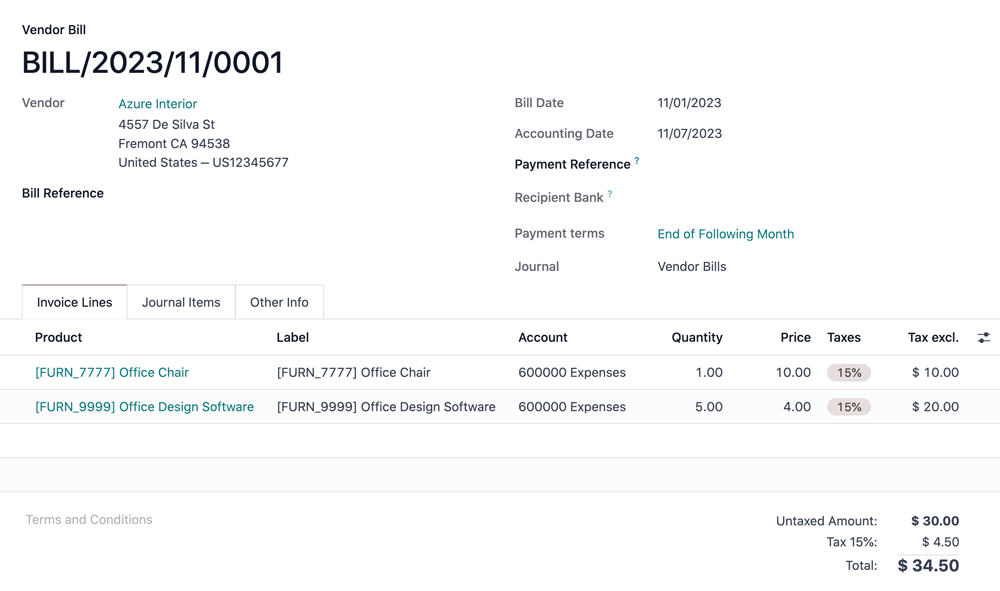
- Bill digitisation: upload a supplier PDF or photograph it in the mobile app, with Odoo reading the supplier, dates, and amounts off the document.
- 3-way matching: incoming bills get cross-referenced against the purchase order and the warehouse receipt before approval.
- Duplicate bill detection: flagged before a second payment leaves on the same invoice.
- Recurring bills: schedule regular charges like rent or retainers from the bill configuration.
Pricing
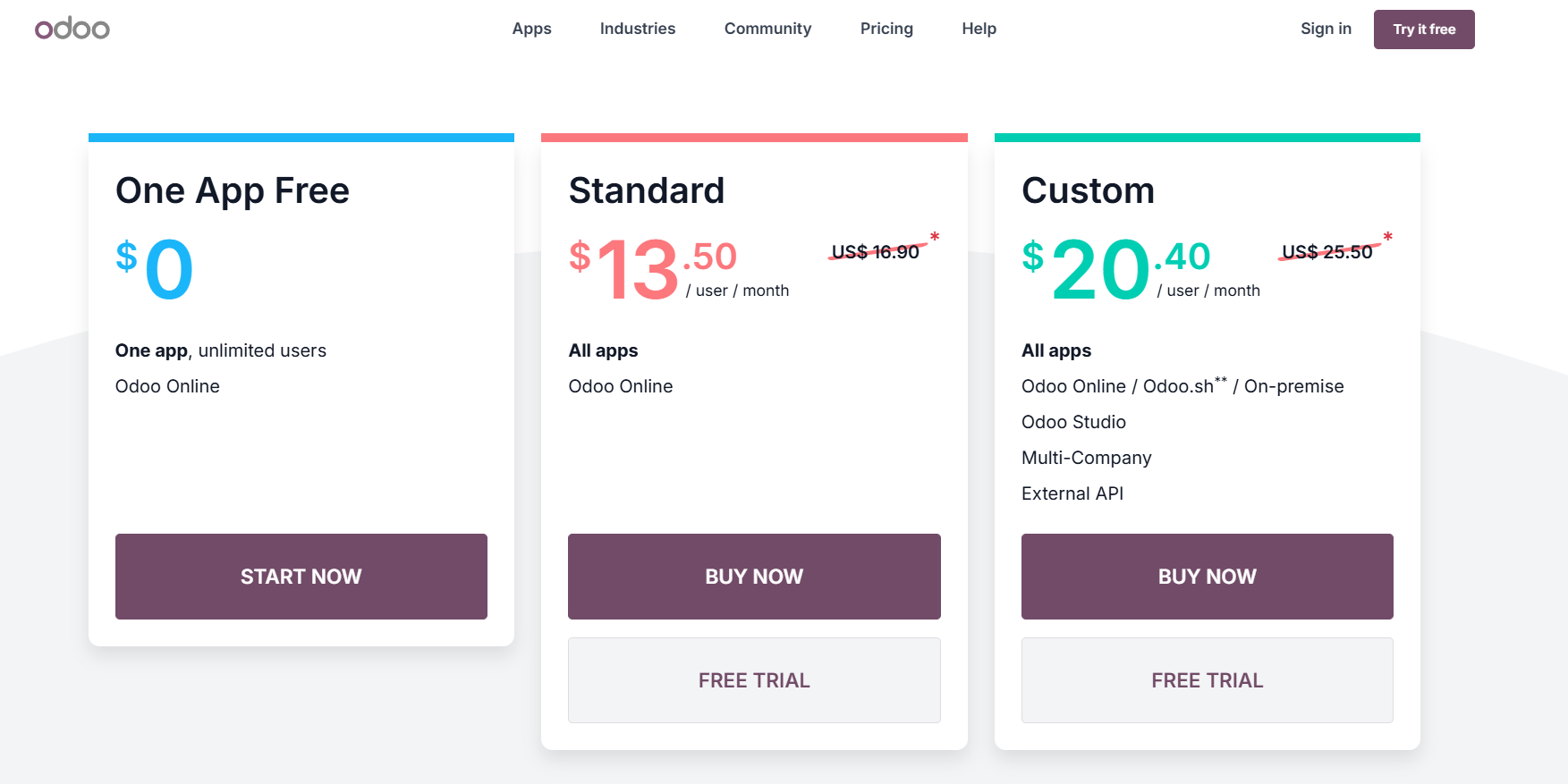
Odoo prices per user with all apps included. Purchase and Accounting come in the same bundle:
- One App Free: $0 for a single app with unlimited users.
- Standard: $16.90/user/month, currently discounted to $13.50/user/month for the first year on initial users.
- Custom: $25.50/user/month, currently discounted to $20.40/user/month, adding Odoo Studio, multi-company, and external API access.
Pros and Cons
✅ Purchase order and receipt matching built in.
✅ Adding Purchase alongside Accounting costs nothing extra, since one licence covers every app.
✅ Open-source foundation, with a large regional partner network behind it.
❌ Per-user pricing can scale quickly for larger teams.
#2: Tipalti
Best for: Onboarding and paying a large international supplier base through a self-service portal.
Similar to: Mamo.
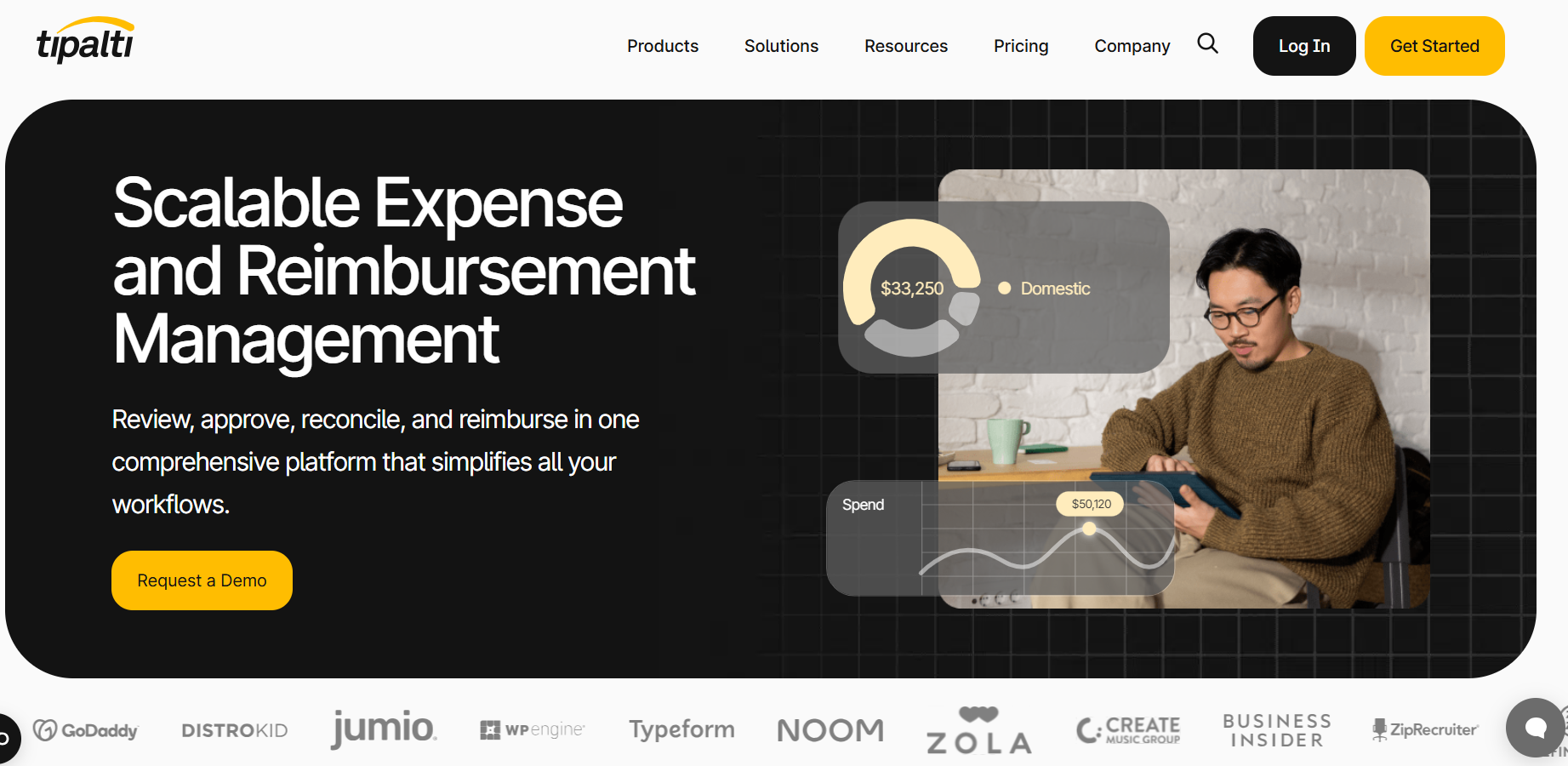
Tipalti automates accounts payable on a global scale, built around suppliers managing their own onboarding and invoicing.
It targets mid-market and larger finance teams paying hundreds of international suppliers across multiple entities.
Features
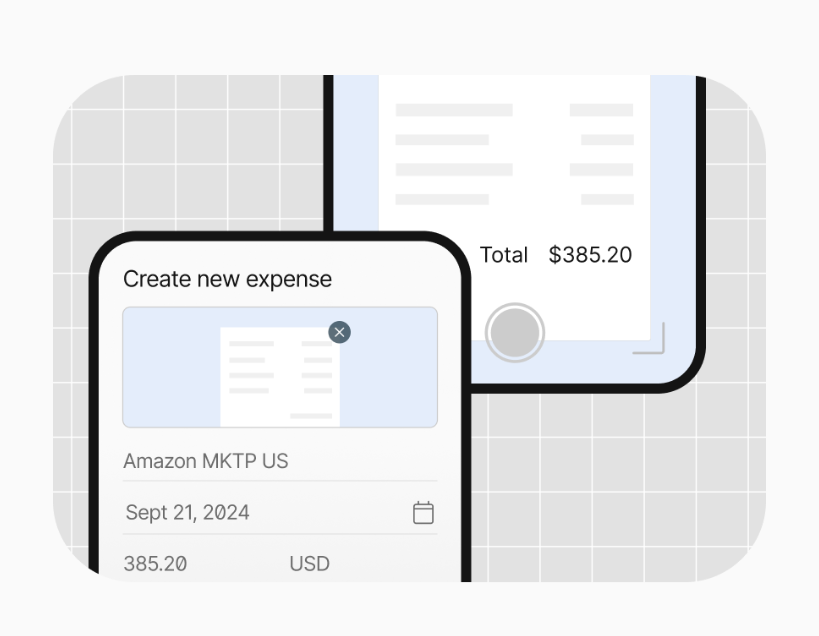
- Supplier self-onboarding: vendors register through a branded portal with support across 27 languages.
- Invoice capture and coding: documents get scanned and coded automatically across 146 languages, in formats from PDF to spreadsheet.
- PO matching: 2-way and 3-way matching runs against purchase orders before an invoice reaches approval.
- Global payment reach: payments go out across more than 200 countries and territories, in over 120 currencies.
Pricing
Tipalti splits pricing across two products, with transaction fees layered on top of the subscription:
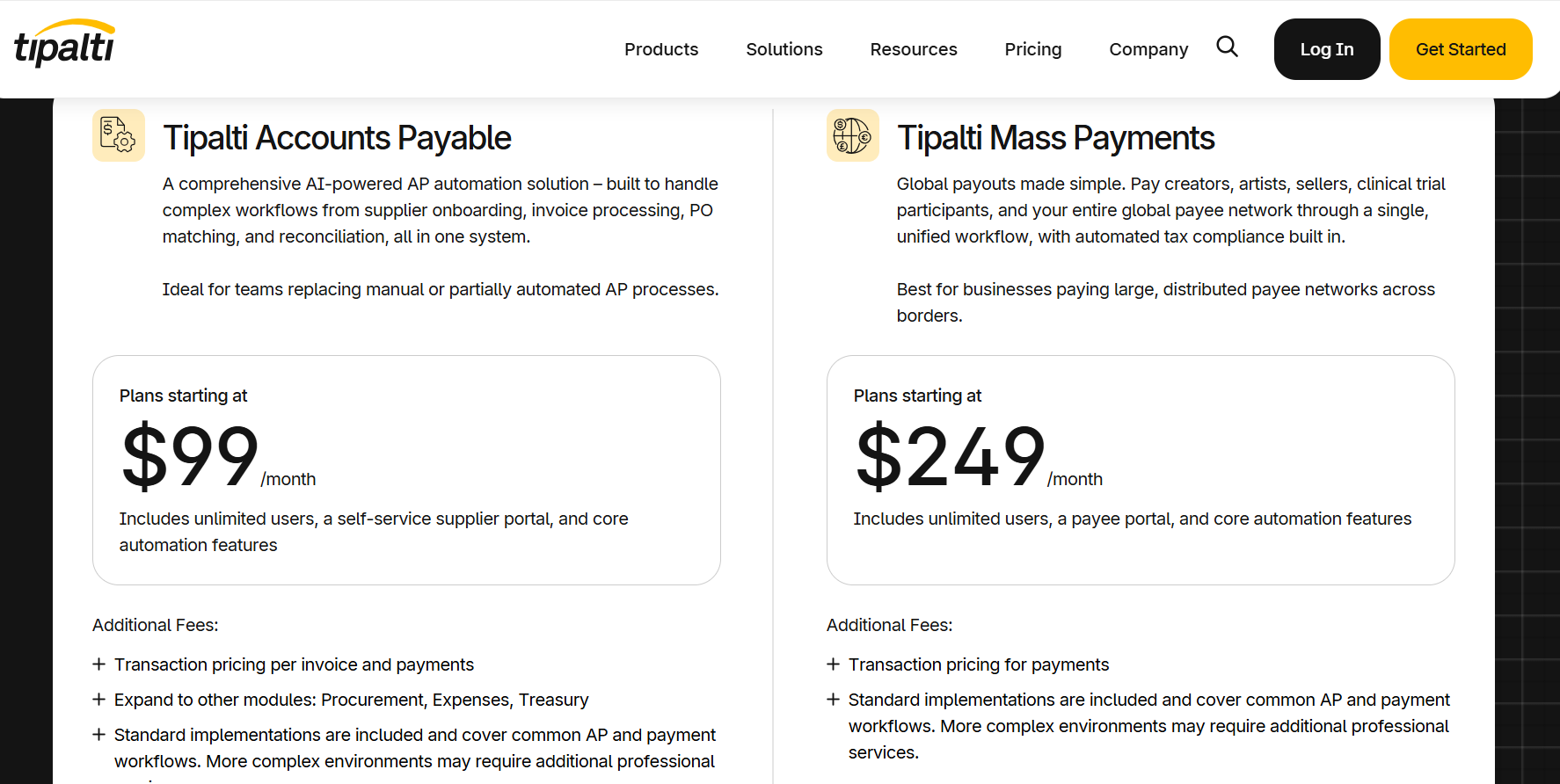
- Accounts Payable: from $99/month, with unlimited users, supplier self-onboarding, and the core invoice automation set.
- Mass Payments: from $249/month, with unlimited users and a payee portal, aimed at large distributed payee networks.
- Add-on modules: Procurement, Expenses, and Treasury attach to either product at extra cost.
- Transaction pricing: per-invoice and per-payment fees apply on top, with your effective monthly cost tracking volume.
Pros and Cons
✅ A supplier portal that ends vendor detail chasing.
✅ Invoices get matched to their purchase order before anyone approves them.
✅ Payment coverage across more than 200 countries and territories, useful for importers with a scattered supplier base.
✅ Unlimited users on both products.
❌ Higher starting price at $99/month than some of the other competitors on the market.
Next steps: try Pemo for free
Pemo puts the whole supplier payment cycle in one place for UAE finance leaders.
An invoice arrives already read and coded, reaches the one person who needs to clear it, then settles from your wallet on the day it's due.
If you want vendor payment automation that gives your team:
- An invoice inbox that captures supplier bills straight from email.
- Approval routing shaped around your own reporting lines, not a template.
- Payment released from a funded wallet with a dedicated IBAN behind it.
- Coded entries flowing into QuickBooks, Xero, Zoho Books, Wafeq, Odoo, Mazeed, or Tally.
- A searchable archive holding every invoice, approval, and release.
Then you can sign up for the free plan or book a demo to see why over 10,000 businesses across the MENA region run on Pemo.
⚠️ Disclaimer: This article was last updated on the 14th of August, 2026, and if there's any misinterpretation of the information, please contact us, and we will fact-check it.


