
Spend control software sets the rules on company cards and payments before money leaves, from card limits to approvals and budgets.
I've ranked the 8 best spend control software in the UAE in 2026 by the controls each one enforces before money goes out.
TL;DR
- Pemo offers the best spend control software in the UAE, putting limits, location and merchant rules, approval policies and budgets on prepaid corporate cards.
- Mamo and Xpence run prepaid business cards with per-card limits, Mamo free to start and Xpence with custom pricing.
- Wio Business and Network International add team cards with limits to a digital business account or a commercial prepaid programme.
- Zoho Expense, Rydoo and SAP Concur enforce policy through approvals and audits on submitted expenses.
What are the best spend control software in the UAE in 2026?
The best spend control software in the UAE in 2026 is Pemo, which puts limits, location and merchant rules and approval policies on every corporate card.
Mamo and Wio Business follow, with card controls attached to a payments or banking account the business may already use.
Here are all 8, with the controls each one enforces and where pricing starts:
To make this list, a tool had to pass four tests:
- Controls before money is paid out: at least one rule, such as a card limit, a pre-approval or a policy check, acts before a payment or reimbursement.
- Rules finance can change: admins set and adjust controls without contacting the vendor.
- Published detail: the vendor's own pages describe the controls.
- Sold in the UAE: UAE businesses can sign up directly or through a partner.
➡️ A note on scope: bank credit cards with no control layer and procurement suites fall outside this list.
#1: Pemo
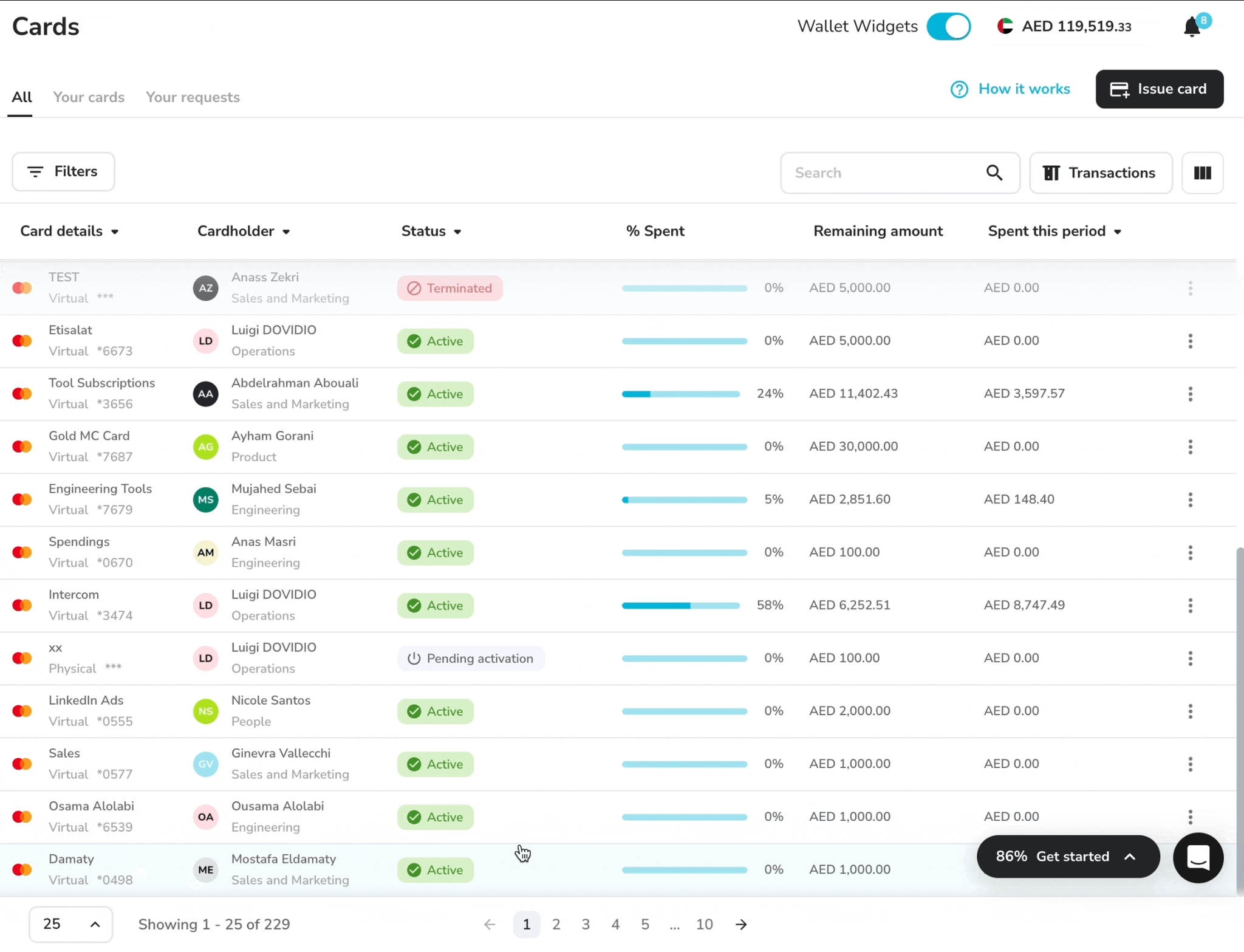
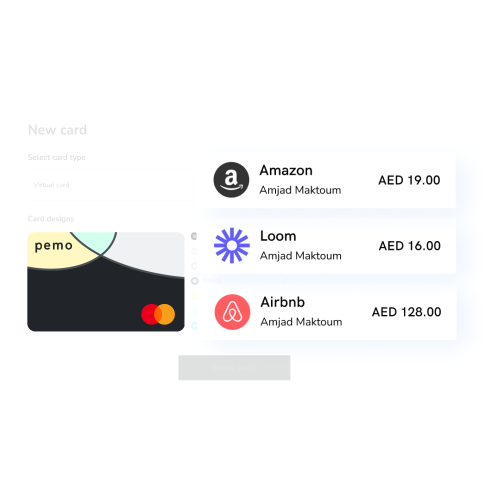
Pemo (that's us) offers the best spend control software in the UAE, setting limits, location and merchant rules and approval policies on prepaid corporate cards before anyone pays.
Full disclosure: Even though Pemo is our own platform, I'll be upfront about which controls need a paid plan.
Every Pemo card spends from the company's prepaid Pemo Wallet, with cards drawing only on funds the company has already loaded.
Admins set each card's rules from the web dashboard or the mobile app.
Pemo cards are issued by NymCard Payment Services LLC, which is licensed by the Central Bank of the UAE.
Control in Pemo works in this order:
- Before a card exists: requests for new cards and higher limits go through an approval policy.
- When the card is set up: limits, countries and merchant categories are fixed on the card.
- At the payment: the cardholder confirms every online card payment in the Pemo app, in place of an SMS code.
- After the payment: card expense approval policies route spend by merchant category or team.
Let's go over the controls behind each stage: 👇
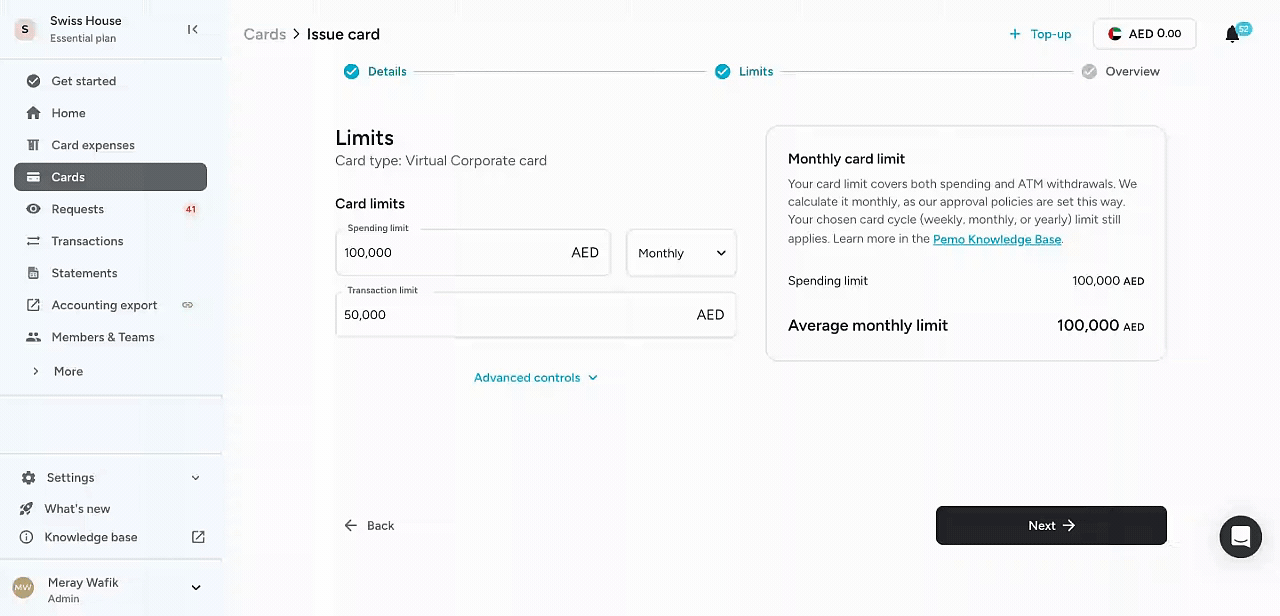
Limits by period, country and merchant on each card
Each card carries its own limits and rules from the day it's created:
- Cycle limits: transaction or cycle limits by day, week, month or year, with a default maximum of AED 100,000 when no cycle limit is set.
- Location controls: UAE only, International or Selected countries, on every plan.
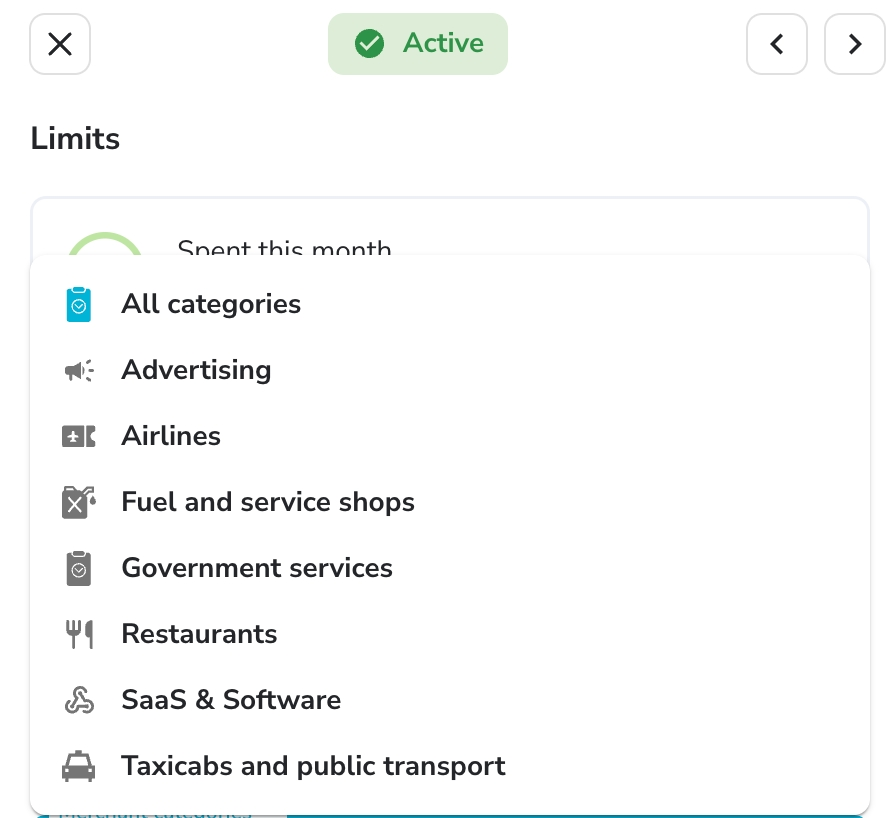
- Merchant categories: categories allowed or blocked card by card, from Premium.
- Single-use cards: a card that closes after one payment.
- Freeze and terminate: a card frozen, unfrozen or terminated instantly from the dashboard.
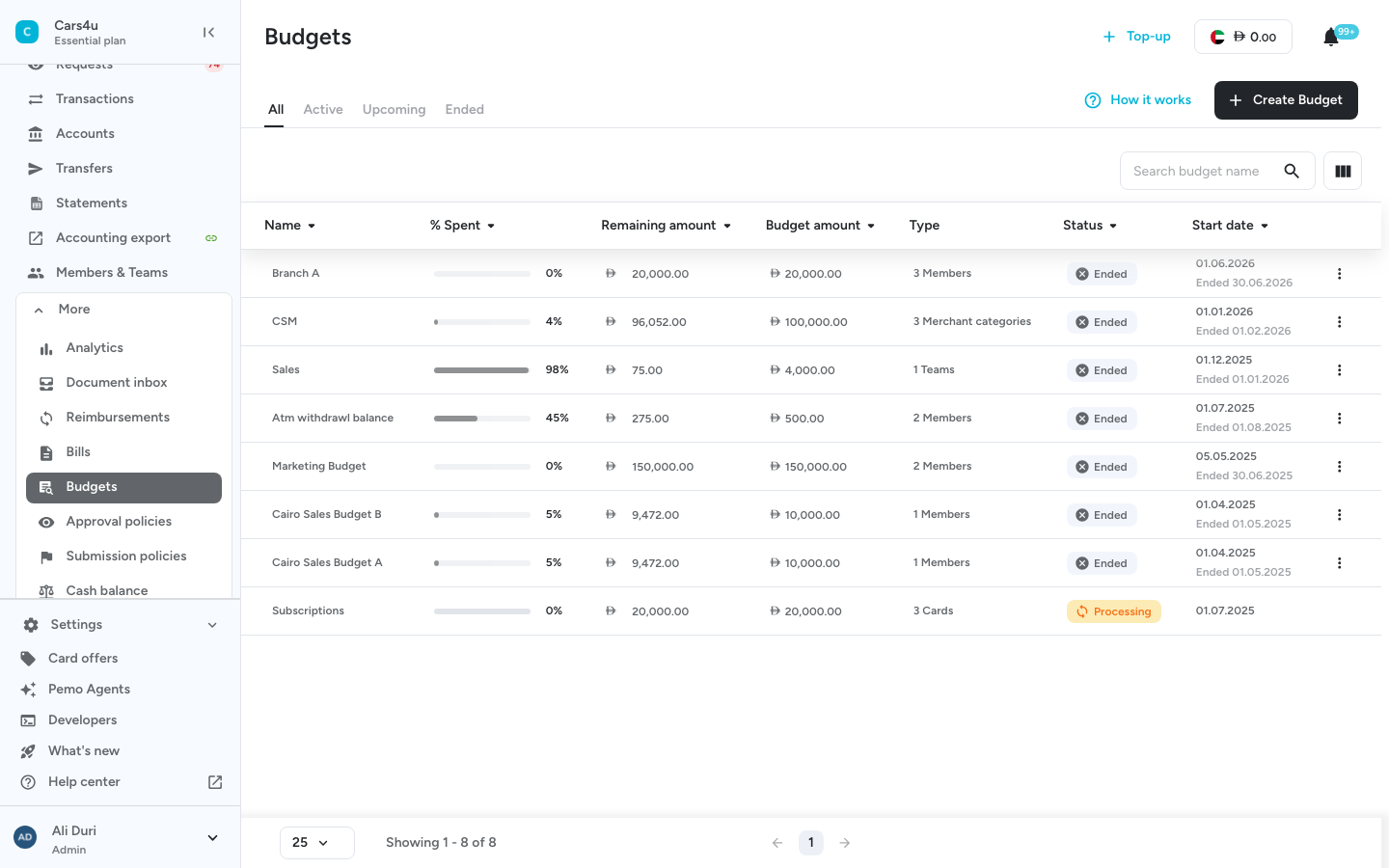
Approval policies cover cards, limits and expenses
Approvals start before a card is issued and continue after it's used:
- Card and limit requests: team members ask for new cards or higher limits, which admins approve.
- Card expense policies: approval routes set by merchant category or by team, with default policies on every plan and advanced ones on Premium.
- Multi-layer approvals: several sign-offs on larger spend, on Premium.
- Maker-checker: card changes confirmed by a second person, on Premium.
Budgets, sub-wallets and forecasting
Limits on single cards add up to company-level guardrails:
- Budgets: set by card, member, merchant category or team, with budget owner notifications, on Enterprise.
- Sub-wallets: team-level balances under one company wallet, three on Premium and unlimited on Enterprise.
- Wallet forecasting: committed outflows set against the balance, on every plan.
➡️ Our guide on how to control employee spending in the UAE compares cards with petty cash and reimbursements.
Real-time alerts and in-app payment approval
Cardholders also confirm online payments on their phone, a security step at checkout:
- In-app payment approval: each online card payment confirmed from a push notification, in place of an SMS code.
- Real-time tracking: each transaction visible to finance as it happens.
- Mobile wallets: cards usable through Apple Pay and Google Pay.
Pemo's pricing
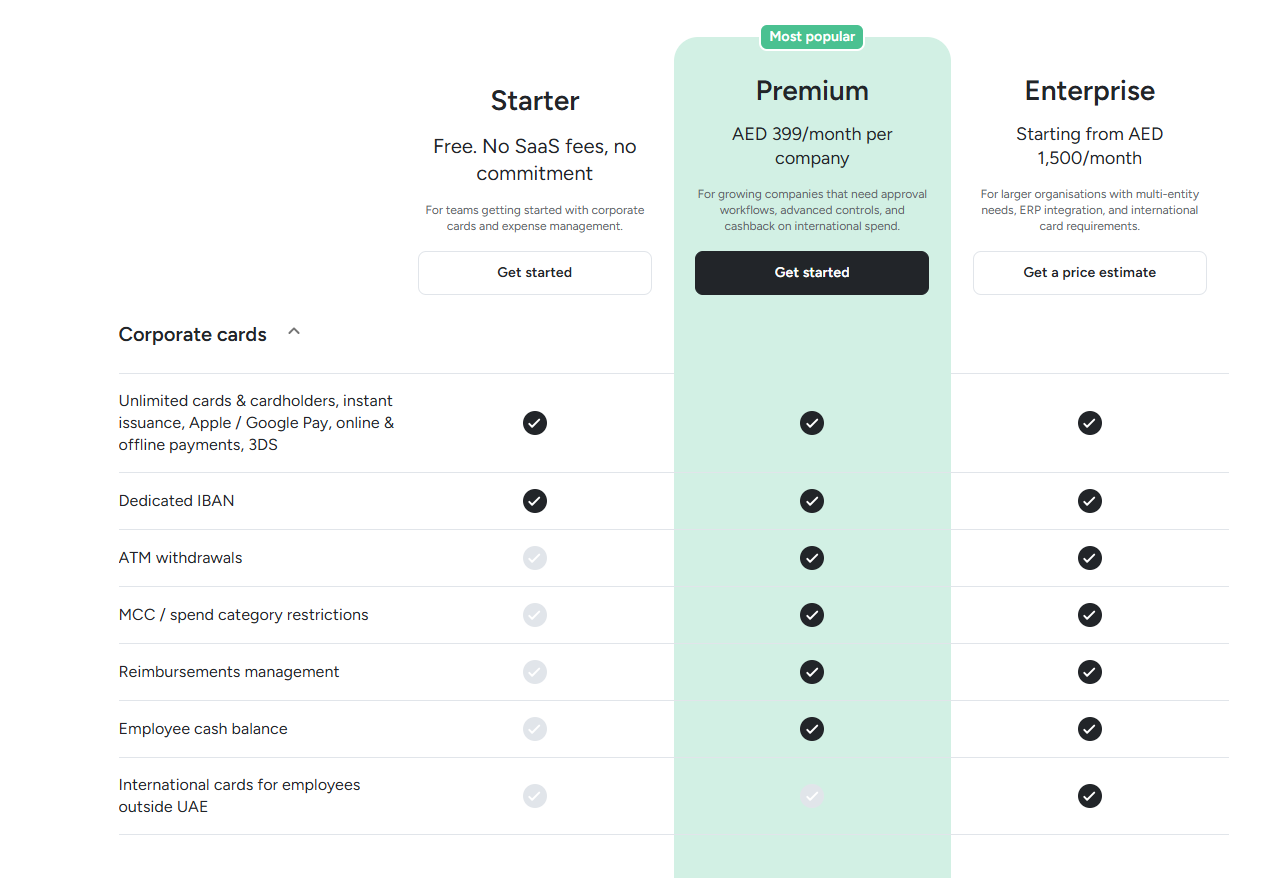
Pemo bills each plan per company, whatever the number of cards:
- Starter: AED 0, with per-card limits, location controls, freezes and wallet forecasting.
- Premium: AED 399/month per company, adding merchant category restrictions, multi-layer approvals, maker-checker controls and three sub-wallets.
- Enterprise: from AED 1,500/month, adding budgets, unlimited sub-wallets and custom ERP integrations.
Pemo's pros and cons
✅ Location controls and instant freezes on the free plan.
✅ Approval policies for new cards and limit changes.
✅ Maker-checker for card changes on Premium.
❌ Built for the MENA region.
❌ Cards run on a prepaid wallet that you top up ahead of spending.
#2: Mamo
Best for: Payment-collecting businesses that want limits on the cards funded from that same balance.
Similar to: Xpence, Pemo.
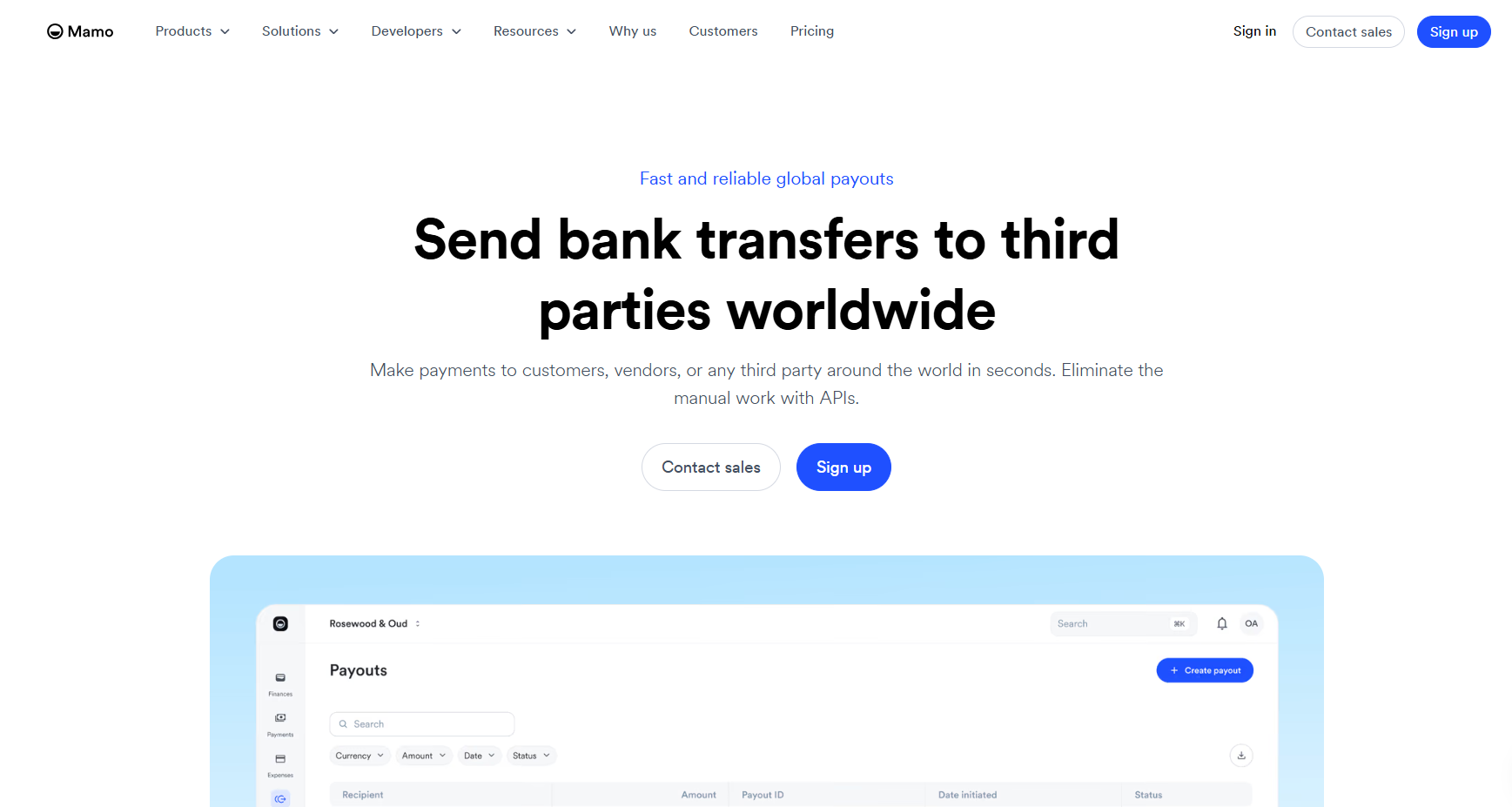
Mamo's corporate cards draw on the Mamo balance that customer payments flow into, with limits and alerts managed from the dashboard.
A lost card can be updated, replaced or deactivated in seconds.
Features
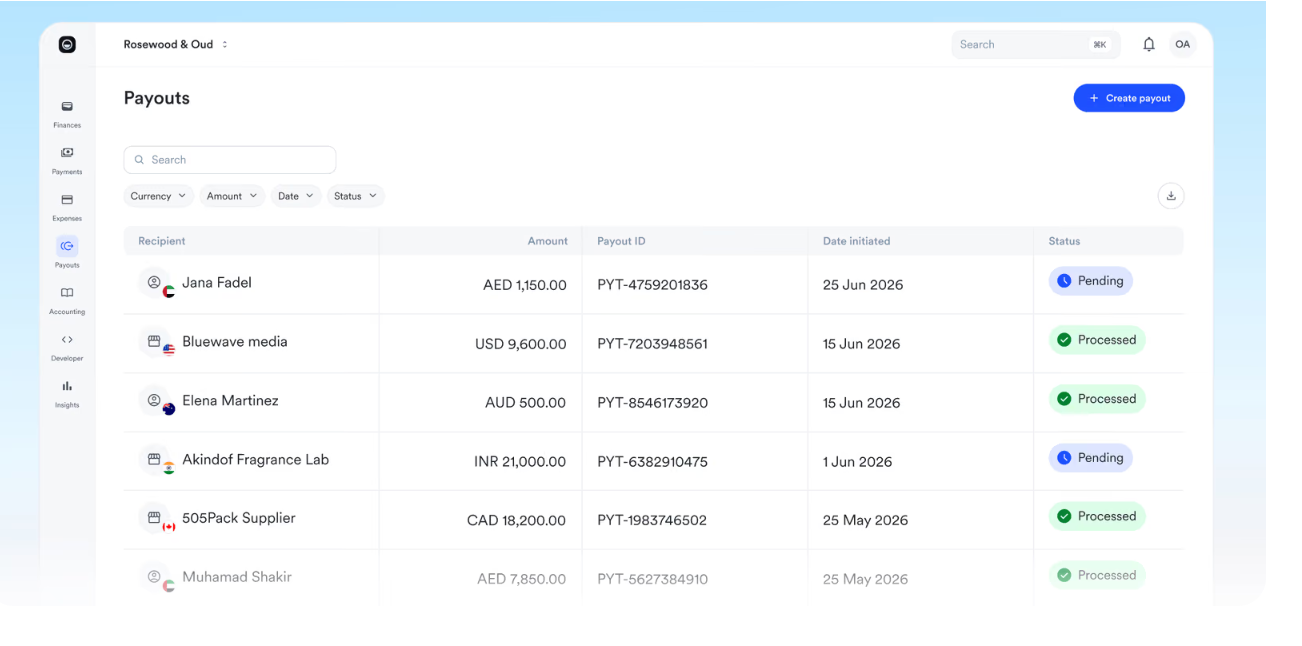
- Unlimited cards at no cost: physical or virtual, for any number of employees.
- Cards for staff abroad: virtual cards issued to international employees and teams.
- Fraud protection: PCI-DSS compliance, transaction monitoring and real-time alerts.
- Partner cards: virtual cards for paying third parties.
Spend controls
- Card limits: caps by day, by month or per payment, set card by card.
- Category controls: spending categories allowed or restricted per card.
- Real-time insights: spending visible on the dashboard as it happens.
- Instant changes: card settings updated, or a card deactivated, in seconds.
Pricing
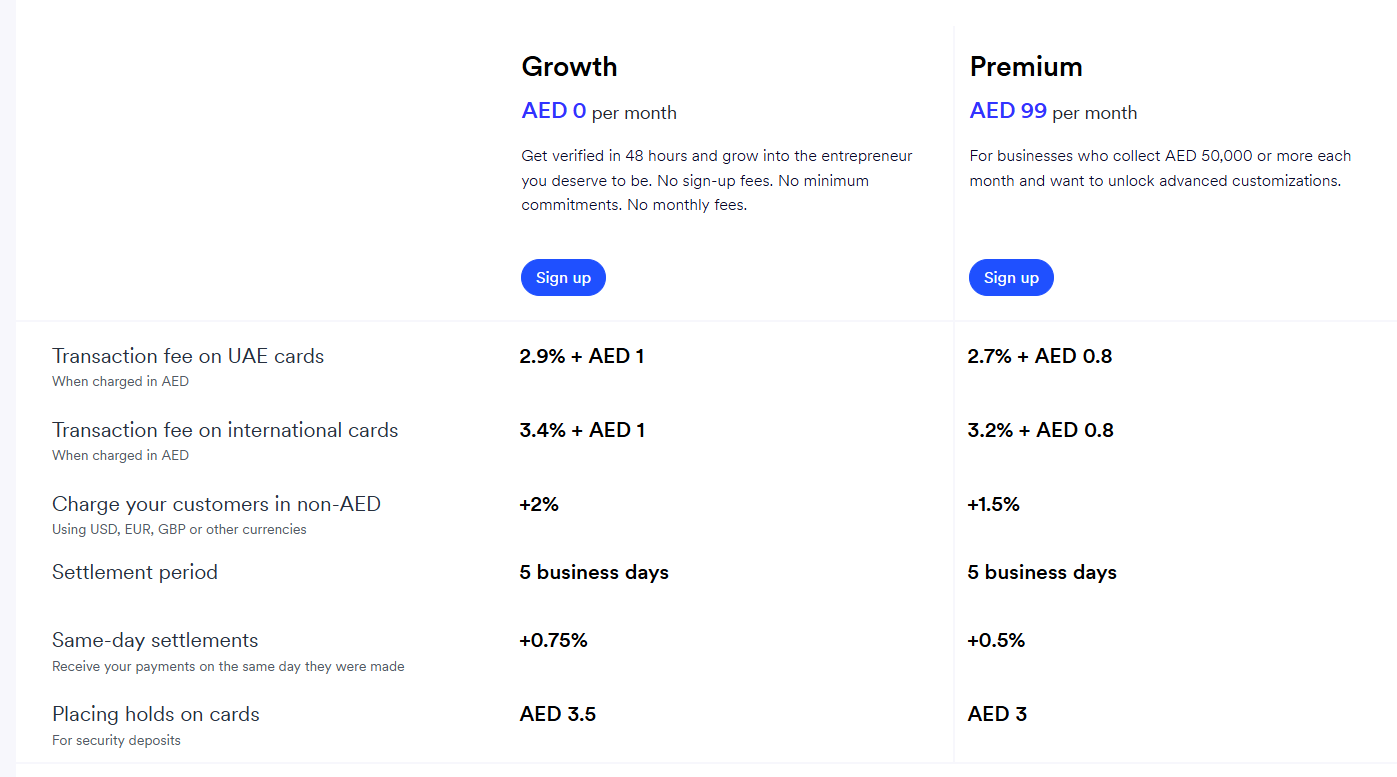
Mamo publishes two self-serve plans before VAT, with Enterprise quoted separately:
- Growth: free, charging 2.9% plus AED 1 per UAE card payment collected.
- Premium: AED 99/month, aimed at businesses collecting AED 50,000 or more a month, with lower collection fees and accounting integrations.
- Enterprise: custom pricing.
Pros and Cons
✅ Card limits and category controls come with free cards.
✅ Virtual cards for employees abroad.
❌ Accounting software integrations need Premium.
#3: Wio Business
Best for: Wio Business account holders delegating card and approval rights across a team.
Similar to: Network International, Mamo.

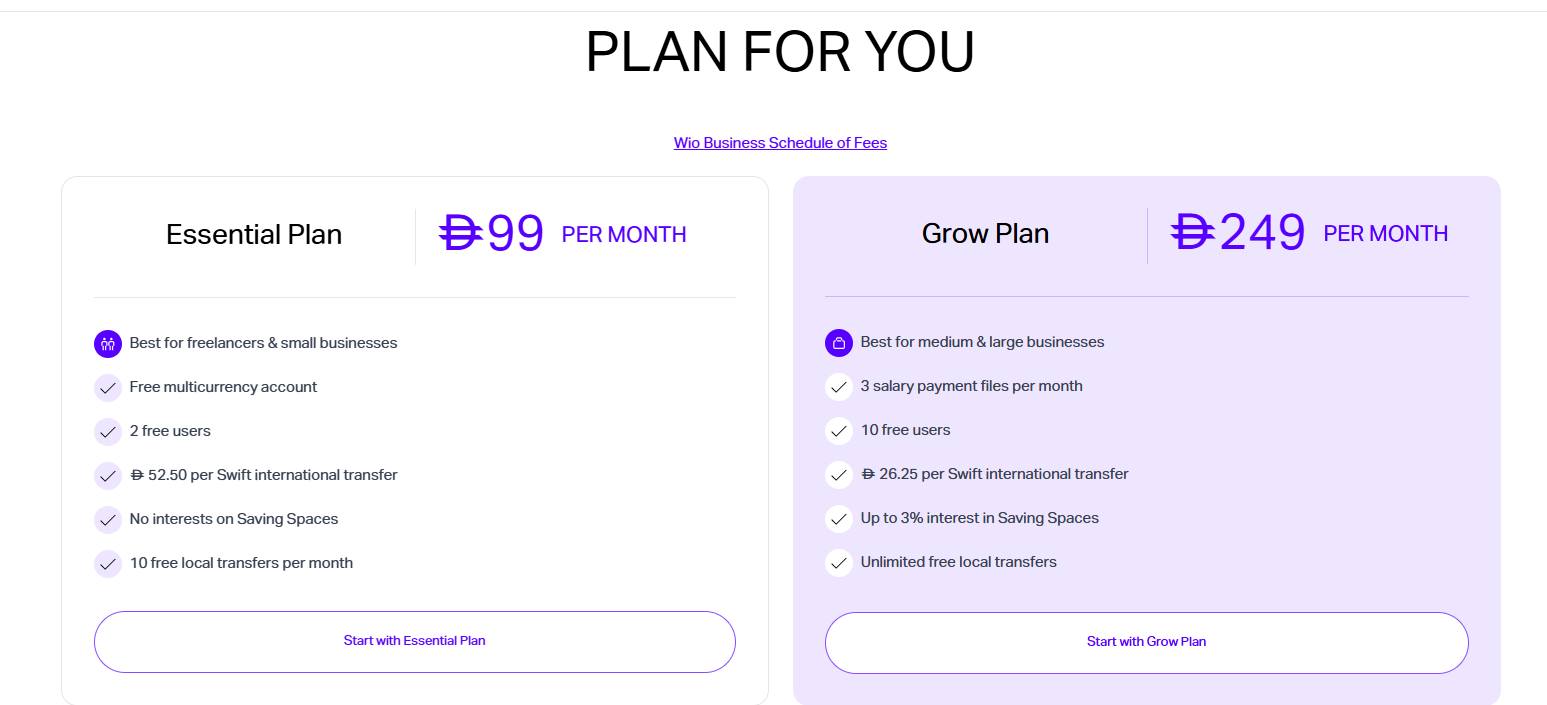
Wio Bank's business account includes virtual team cards with individual limits, plus rights to approve expenses, create cards or manage budgets.
Saving Spaces let a business set money aside in separate pots within the account, with interest paid only on the Grow plan.
Features

- Virtual cards: free to create, and described by Wio as unlimited.
- Team access: trusted people put in charge of parts of the account, with 2 users included on Essential and 10 on Grow, then AED 26.25 a month per extra user.
- Business credit card: limits up to AED 250,000 with no annual fee, subject to approval.
- Payroll and invoicing: run from the same app.
Spend controls
- Individual spending limits: set card by card.
- Delegated rights: admins decide who can approve expenses, create cards or control the budget.
- Request approvals: team requests approved before money moves.
- Saving Spaces: money set aside in separate pots within the account.
Pricing
Wio charges for the business account, with VAT included:
- Essential: AED 99/month.
- Grow: AED 249/month.
Pros and Cons
✅ Approval and card-creation rights can be delegated.
✅ Virtual cards free to create.
❌ No merchant category or country blocks listed on Wio's site as of November 2026.
❌ Card controls come only with a Wio Business account.
#4: Network International Corporate Executive Card
Best for: Companies wanting a commercial prepaid card programme with merchant category blocking and no annual fee.
Similar to: Wio Business, Xpence.
Network International runs its Corporate Executive Card programme with a free self-service portal and an expense management platform.
The platform also lets companies allocate card costs to departments and cost centres.
Features

- Card structure: cards grouped to match how the company is organised.
- Liability waiver: insurance up to USD 25,000 per card a year for unauthorised employee use, subject to the insurer's terms.
- VAT reclaim pricing: preferential rates with a partner service.
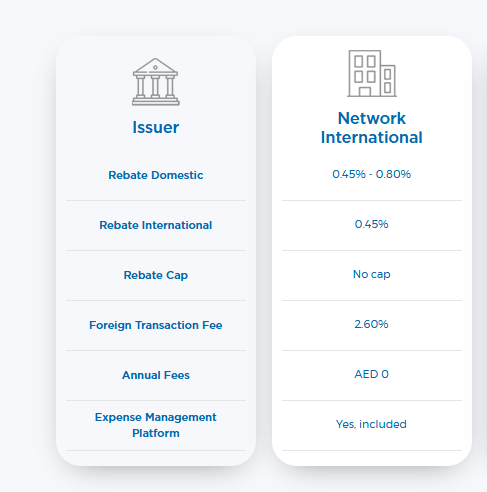
- Cashback: from 0.45% with no cap, rising to 0.80% on some domestic spend.
Spend controls
- Spending caps: a daily and a monthly amount set per card.
- Category blocks: merchant types a card shouldn't be used at, turned off.
- Virtual cards: a virtual version linked to an employee's physical card.
- Online portal: card settings changed through a free self-service site.
Pricing
Network International publishes two charges for the card:
- Annual fee: AED 0.
- Foreign transaction fee: 2.60%.
Pros and Cons
✅ Merchant category blocking with no annual fee.
✅ Costs allocated to departments and cost centres.
❌ No self-serve sign-up on the card page.
#5: Xpence
Best for: Small UAE teams that want prepaid cards with request and approval flows on a fixed platform fee.
Similar to: Mamo, Pemo.
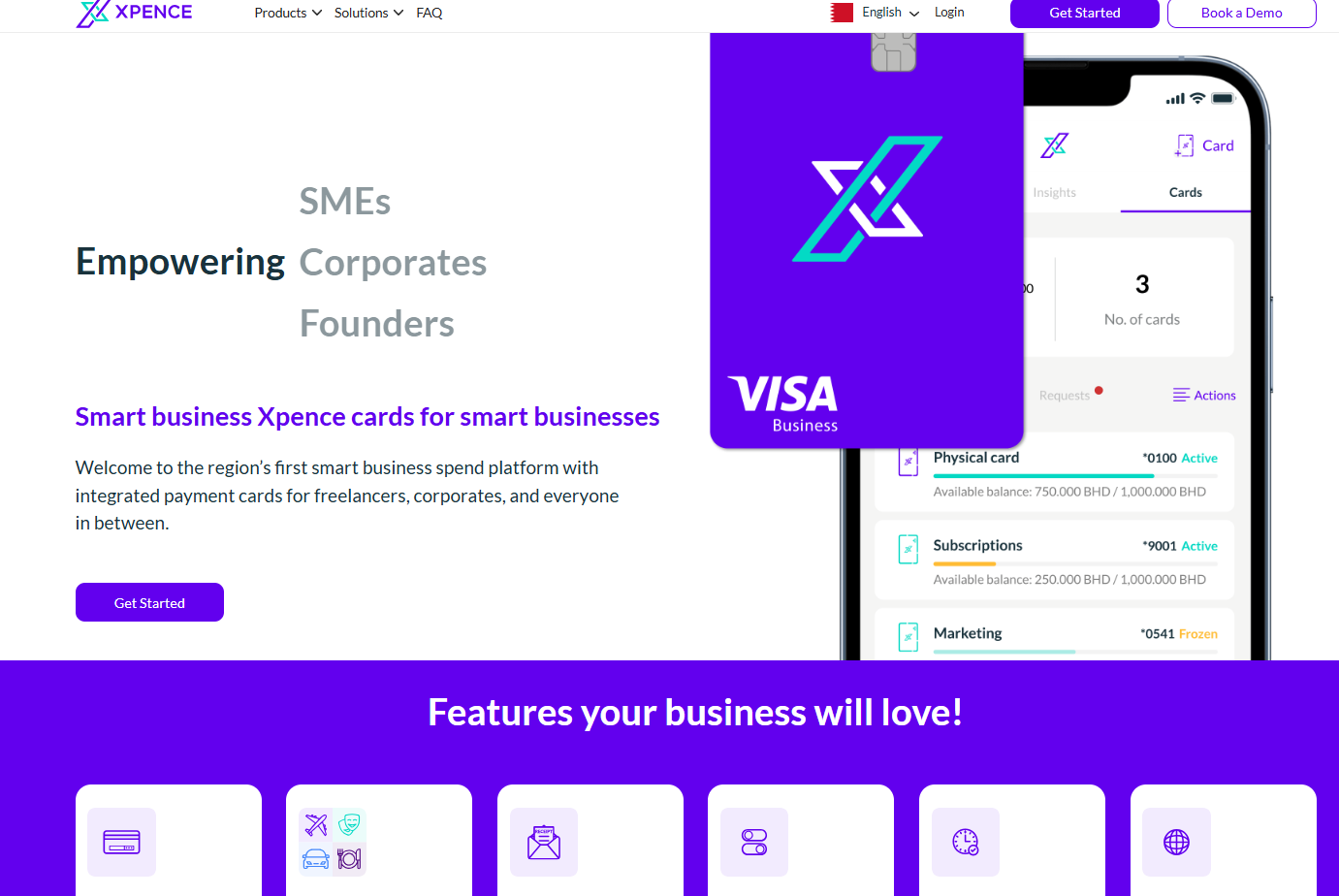
Xpence's prepaid corporate cards are funded by transfer from the company's own UAE bank account.
Pricing comes as a custom quote, with request flows for cards and expenses built into the platform.
Features
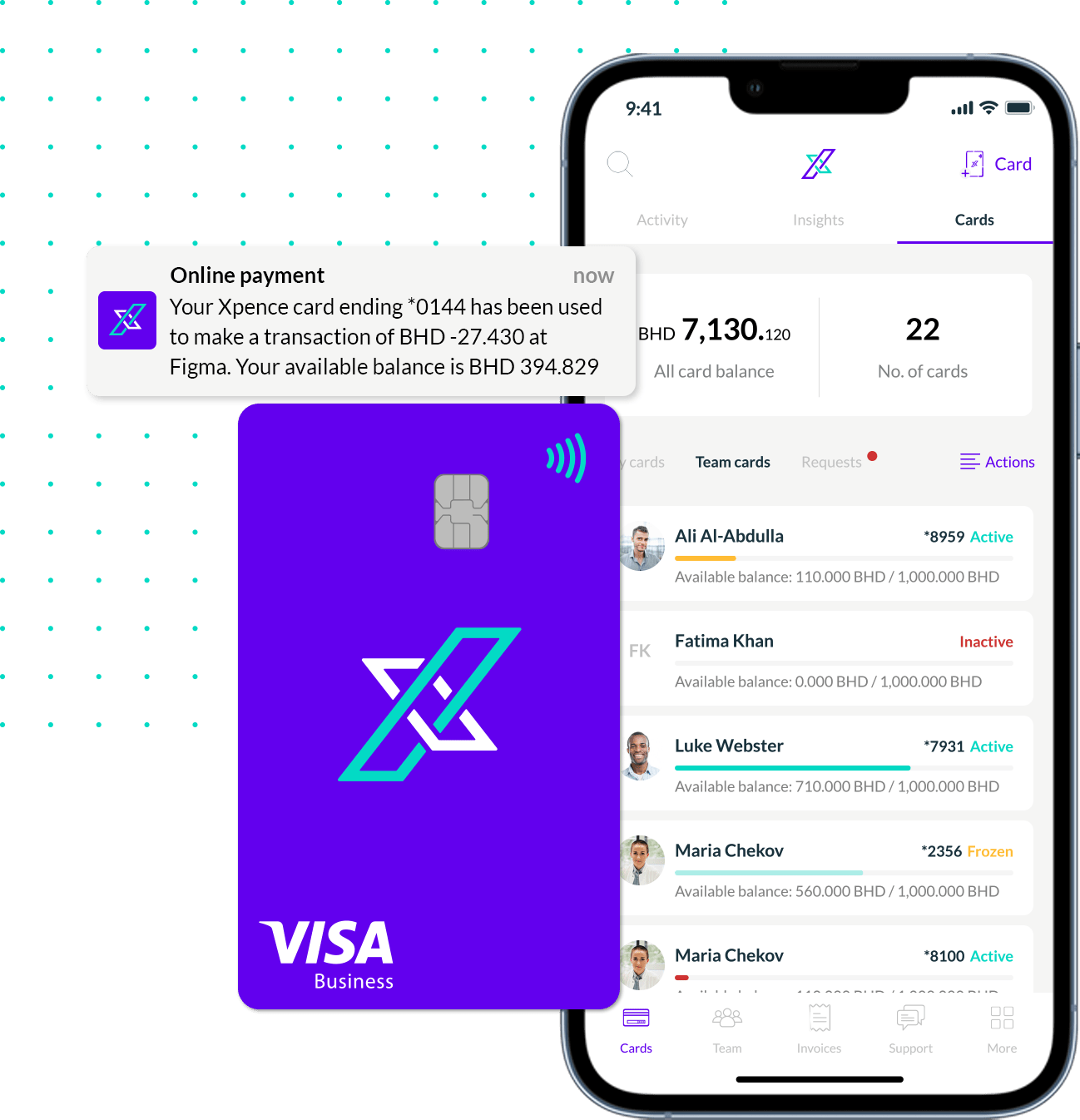
- Receipt tagging: receipts attached to card transactions.
- Automatic categorisation: transactions sorted as they happen.
- Visa cards: physical and virtual cards accepted worldwide.
- Spending reports: card expenses filtered by period and exported as reports.
Spend controls
- Card limits: spending controls and limits set on each card.
- Budgets: allocations tracked for teams.
- Requests and approvals: card and expense requests routed for sign-off.
- Team cards: cards issued to employees under one company account.
Pricing
Xpence quotes each company after a call with its sales team, with no public price list.
Pros and Cons
✅ Cards draw on funds the company has already loaded.
✅ Approval flows for card and expense requests.
❌ Pricing is not public.
#6: Zoho Expense
Best for: Zoho users enforcing expense policies and approvals across one or several entities.
Similar to: Rydoo, SAP Concur.
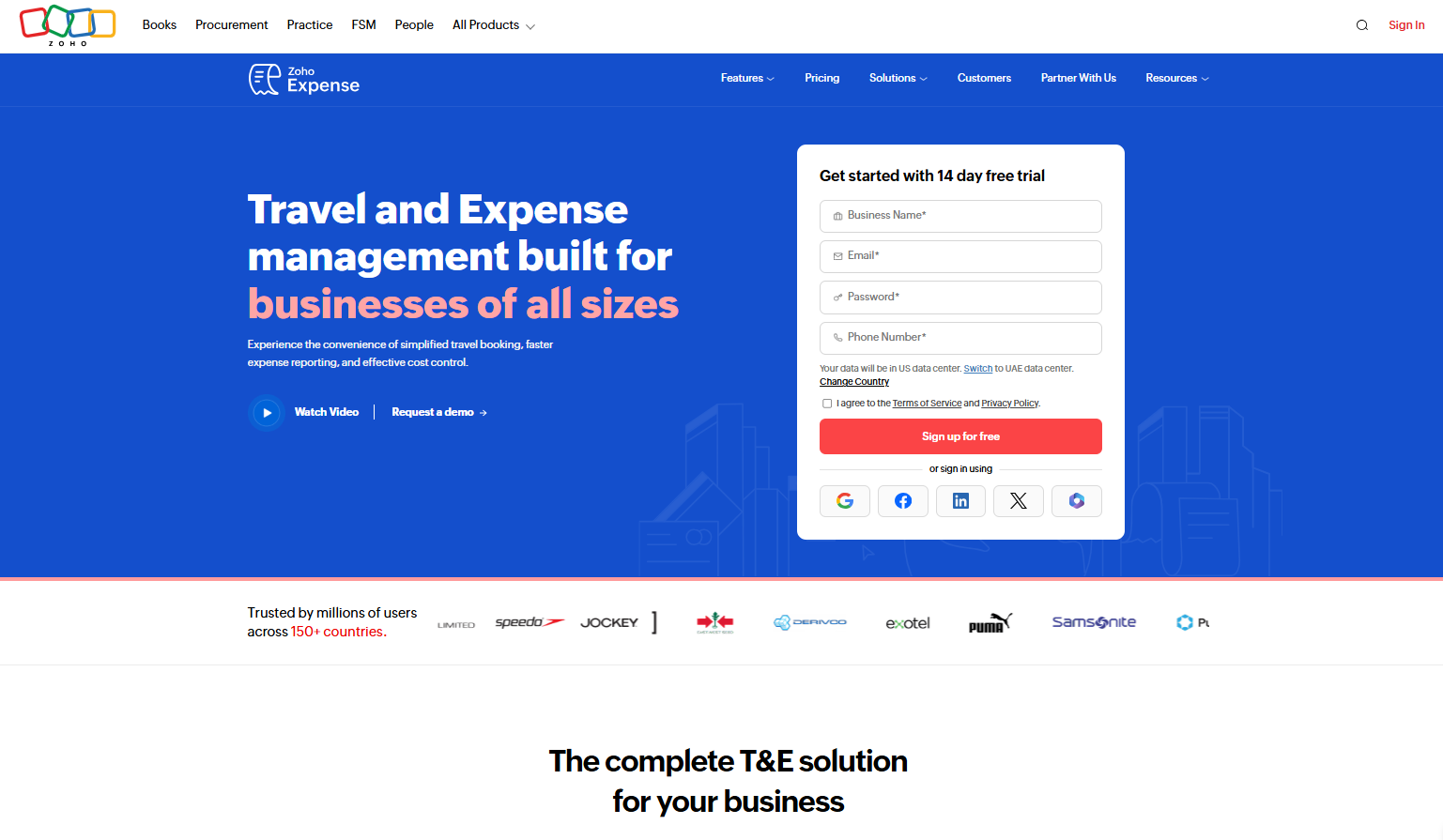
Zoho Expense applies expense policies to employee spend and routes each claim through an approval flow.
Premium and Enterprise add multi-entity setups, each entity with its own currencies, tax settings and policies.
Features
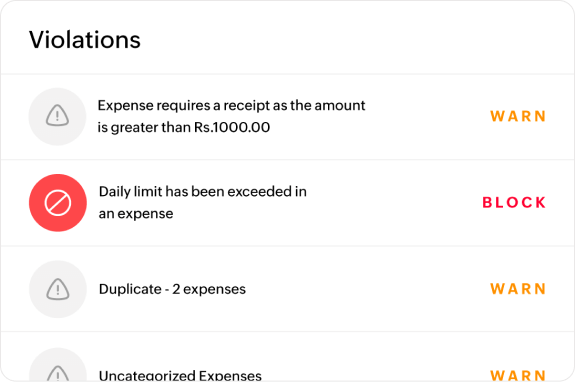
- Corporate card management: card transactions handled inside the app.
- Travel booking: an online booking tool and travel desk on Premium.
- Multi-entity: subsidiaries run under one account on Premium and Enterprise.
- UAE edition: a localised version for UAE businesses.
Spend controls
- Expense policies: several policies from Standard, applied as claims are submitted and before anything is reimbursed.
- Advanced approvals: approval and policy customisation on Premium and Enterprise.
- Custom user roles: rights set per role from Standard.
Pricing
Zoho Expense lists UAE prices per user, with paid plans from five users:
- Free: up to 3 users.
- Standard: AED 11/user/month billed annually (AED 18 monthly).
- Premium: AED 22/user/month billed annually (AED 33 monthly).
- Custom: for 100 users and above.

Pros and Cons
✅ Multiple expense policies from Standard.
✅ Separate policies per entity on Premium.
❌ Advanced approval rules need Premium.
#7: Rydoo
Best for: Companies across several countries that want policy breaks flagged before reimbursement.
Similar to: SAP Concur, Zoho Expense.
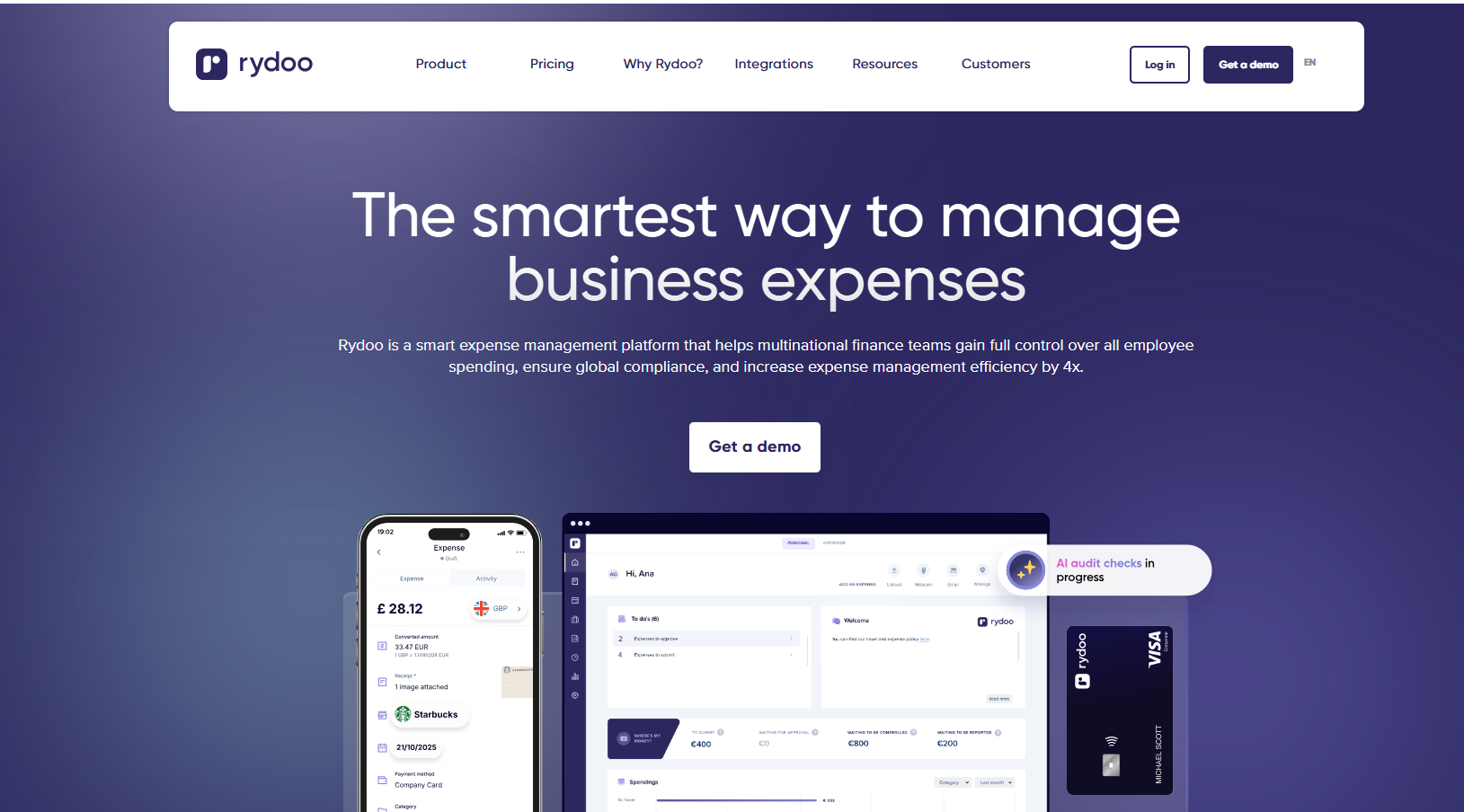
Rydoo applies customisable spending rules and automated approvals from its Pro plan upwards. Its cards come with the Business plan and are a paid add-on on Pro.
Features

- Mileage: distance and claim amount calculated automatically on every plan.
- Per diems: country-specific daily allowances.
- Multi-country compliance: local tax rules across the countries a team works in.
- Rydoo Cards: virtual and physical cards on the Business plan.
Spend controls
- Spending rules: custom policies with automated approvals.
- Two-step approvals: up to two approval levels.
- Rydoo Intelligence: AI help with expense questions and audits.
- Trip and cash advance approvals: set up before the money is spent.
Pricing
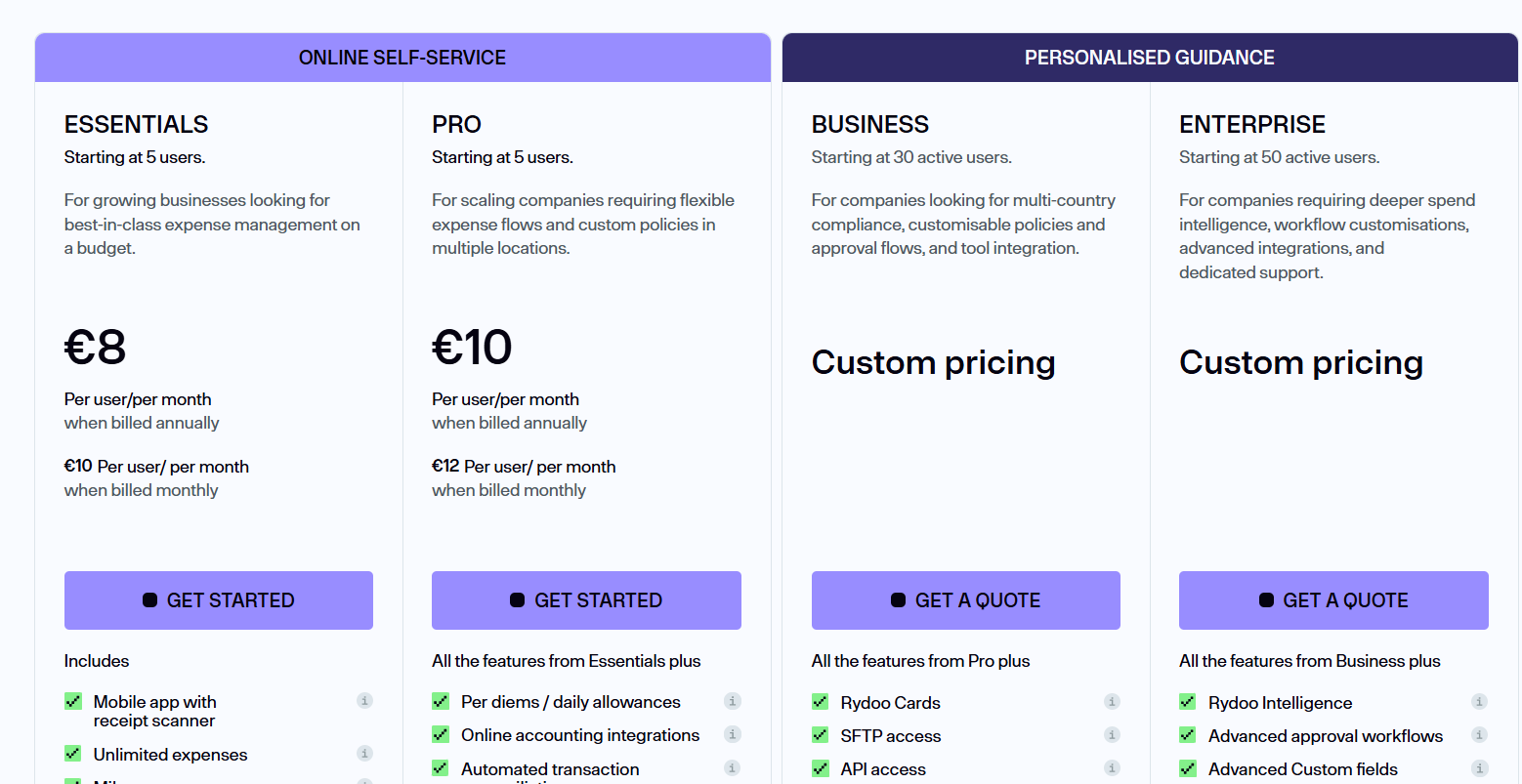
Rydoo publishes self-serve prices in USD for teams of five or more, and quotes its bigger plans:
- Essentials: $9/user/month annually for the receipt scanner, unlimited expenses, and basic integrations.
- Pro: $11/user/month for per diems, customisable policies, and multi-country compliance.
- Business and Enterprise: Custom pricing for SFTP, API access, and SSO.
Pros and Cons
✅ Pre-trip approvals.
✅ Business and Enterprise only charge for active users.
❌ Rydoo Cards need Business or a paid add-on on Pro plan.
#8: SAP Concur
Best for: Enterprises that want every expense and trip checked against policy.
Similar to: Rydoo.
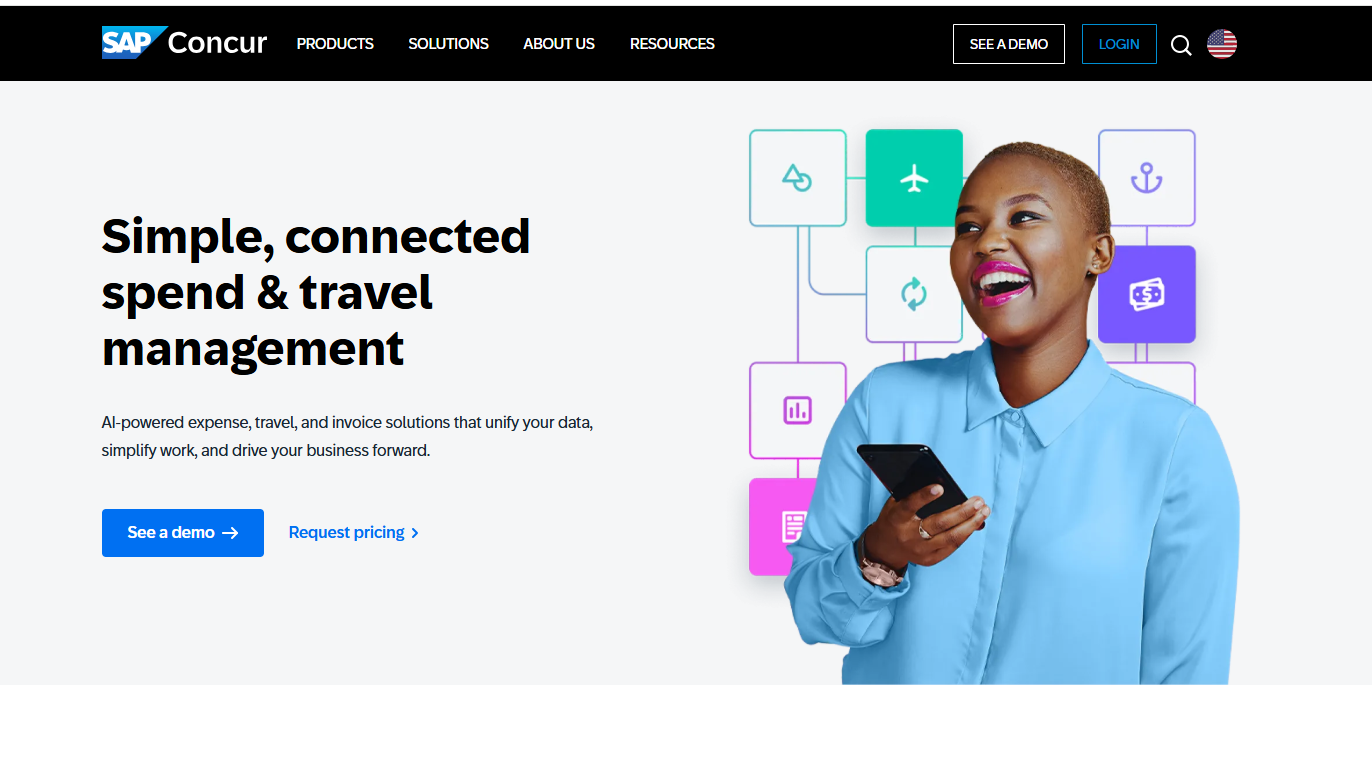
SAP describes Concur as using AI to audit all transactions against company policy.
Trip approval keeps travel spend inside policy before a trip starts, with Concur Travel booking included on Premium.
Features
- Concur Travel: booking that feeds trips into expenses.
- Concur Invoice: supplier invoices processed in the same suite.
- Connectors: more than 300 integrations and open APIs.
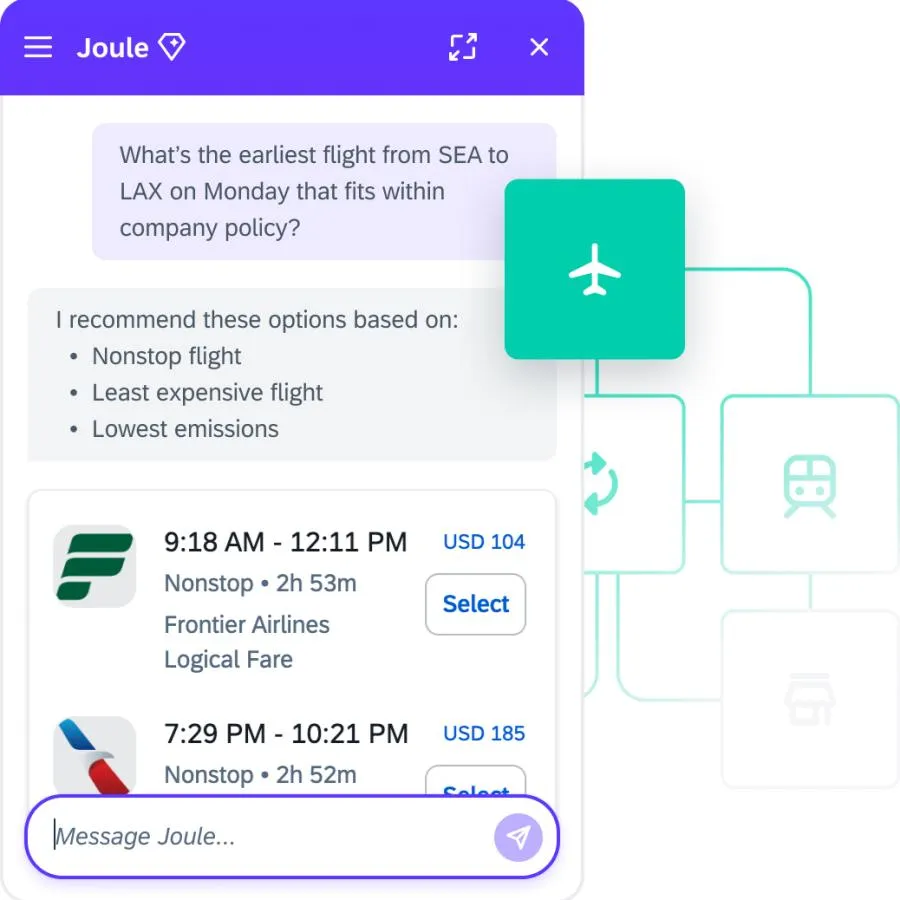
- Joule AI: SAP's assistant inside Concur Expense.
Spend controls
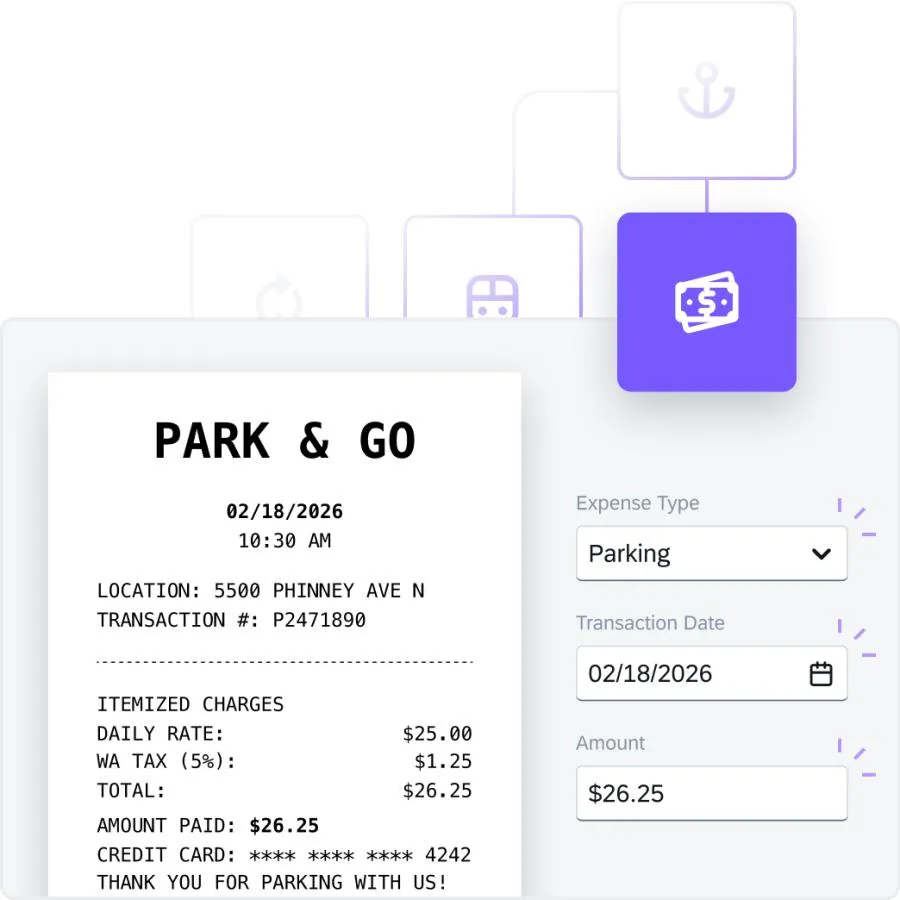
- Policy enforcement: spending policies applied to each expense.
- Trip approval: trips approved before booking.
- AI audit: transactions reviewed against policy, through audit services that may be sold as add-ons.
- Fraud and duplicate detection: suspicious patterns and repeat claims flagged.
Pricing
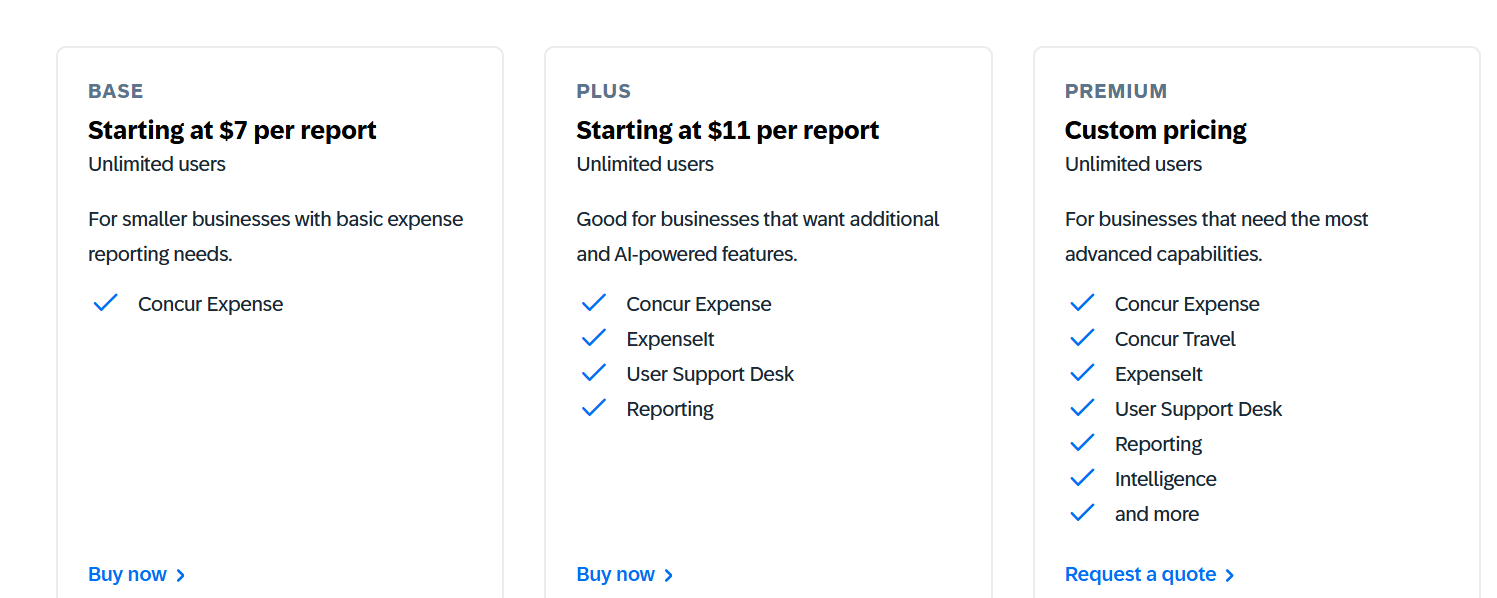
SAP Concur prices per expense report in USD, with unlimited users on every plan and lower rates for larger monthly commitments:
- Base: from about USD 7 per report, covering Concur Expense.
- Plus and Premium: about USD 11 per report on Plus, which adds ExpenseIt, the User Support Desk and reporting, with Premium quoted separately for Concur Travel and Intelligence.
Pros and Cons
✅ Trip approval before booking.
✅ Duplicate and fraud checks.
❌ Users find the interface cluttered, complex, and often unintuitive, according to G2.
What should UAE finance teams look for in spend control software?
A UAE finance team should check which controls act before a payment, who approves what, whether budgets hold and how fast a card can be locked.
These are the four areas I'd test first: 👇
Controls that act before the payment
Spend control stops a payment before it happens, which a monthly expense report can't do:
- Card limits: per-transaction, daily or monthly caps on each card.
- Merchant category blocks: categories a team doesn't need switched off card by card.
- Location rules: cards limited to the UAE or to chosen countries.
- Single-use and vendor cards: a card that closes after one payment, or one kept for a single supplier.
Approvals that match the amount
Approval routing should scale with the size of the spend and the person making it:
- Pre-approval requests: employees ask for funds or a card before spending.
- Multi-layer approvals: larger amounts routed to more approvers.
- Maker-checker: changes to cards or limits confirmed by a second person.
- Audit trail: every approval recorded with who signed off and when.
Budgets that hold
A limit on one card means little if team budgets aren't tracked against it:
- Team or project budgets: spend tracked against an allocation as it happens.
- Sub-wallets: separate balances for teams under one company account.
- Forecasting: committed outflows set against the balance.
- Alerts: notifications as a budget nears its limit.
Speed when something goes wrong
Controls also need to work in the minutes after a card is lost or misused:
- Instant freeze: a card locked from the app or dashboard.
- Real-time notifications: each payment visible as it happens.
- Role permissions: admins and cardholders with separate rights.
- One dashboard: every card and limit in a single view.
➡️ For reporting and reimbursements, see our spend management software guide.
Next steps: control company spend with Pemo
Every tool here can stop or flag spend, though only some act before the card is used.
Pemo puts the rules on the card itself, ahead of the payment. If you want spend control that also gives you:
- Receipt capture by WhatsApp and email: receipts matched to each card payment automatically.
- Cashback: 0.5% on international card spend on Starter, up to 2% on Premium, depending on the account's FX fee profile.
- Accounting export: coded expenses sent to Xero, QuickBooks, Zoho Books and other ledgers.
- Bill Pay: supplier invoices approved and paid from the Pemo Business Account.
The free Starter plan includes per-card limits, location controls and freezes, and a Pemo demo walks through approval policies and maker-checker on Premium.
⚠️ Disclaimer: This article was last updated on 11 November 2026 and covers general product information, not tax or legal advice. Vendor features and prices change often. Please confirm current details with each provider.
Spend control software FAQs
What's the difference between spend control and expense management?
Spend control sets the rules before or at the moment of payment, through limits, blocks and approvals.
Expense management records and reviews spend after it happens. Our expense management software guide covers that second part.
Do prepaid cards give more control than credit cards?
A prepaid card draws on money already loaded to its wallet, which limits exposure to that balance in normal use.
Credit cards rely on the limit the bank sets, plus any controls added on top.
Which controls should a UAE SME set first?
A monthly limit on every card is the usual starting point, followed by country rules for cards that only need to work in the UAE.
Approval policies for new cards and limit increases come next, once more than one person spends.