
Many UAE finance teams already keep their books in cloud accounting software, yet card payments and supplier bills often reach the ledger through manual entry.
This guide explains what finance automation means for a UAE business in 2026 and how to set it up in Pemo, the platform we build.
TL;DR
- Finance automation uses AI extraction and accounting integrations to move card payments, receipts, supplier bills and reimbursements into the ledger without manual entry.
- Accounting software is only half the setup: the ledger still depends on someone sending it coded, receipt-backed entries.
- Capture UAE paperwork early: TRNs and tax invoice details are far easier to collect while the receipt is still in hand.
- E-invoicing has separate deadlines: as of October 2026, businesses with revenue of AED 50 million or more go live on 1 January 2027.
- People still sign off: approvals, payment release, final tax treatment and the month-end close remain with the finance team.
- In Pemo, the books come first: the accounting integration goes live first, since Pemo Copilot needs it before coding any expenses.
What is finance automation?
Finance automation is the use of software to capture, code, approve and record business transactions, leaving the finance team to review entries that arrive pre-filled.
Automating company spending involves five stages:
- Capture: card payments are logged in real time, with receipts and supplier invoices read by OCR once uploaded.
- Coding: each line is assigned an account from the chart of accounts, a VAT code, a vendor and any cost-centre tags the business uses.
- Approval: routing rules pass each expense or bill to an approver based on its type and amount.
- Payment and posting: card spend is paid at checkout and supplier bills after approval, each reaching the accounting software coded and backed by its receipt.
- Reconciliation: the spend platform's balance is matched against the cash account in the ledger at month-end.
Accounting automation usually refers to the coding stage onwards.
For tools that focus on that part alone, see the 10 best accounting automation software in the UAE.
How is finance automation different from accounting software?
Accounting software such as Xero or QuickBooks holds the ledger.
Finance automation handles the work of getting each transaction into that ledger with the right account and VAT code, backed by a receipt.
An AED 1,575 hotel booking on a bank-issued company card shows the gap.
Xero's bank feed records that AED 1,575 left the account.
The feed can't tell finance who booked the room, which project the stay belongs to, whether the receipt counts as a tax invoice or which VAT code applies.
Without automation, someone has to chase the employee for the receipt and type those details in by hand.
With finance automation, the details are captured from the employee and the receipt on the day of the booking.
The entry then reaches Xero with those details already filled in.
Which finance tasks change once a UAE business automates?
Automation replaces most of the manual steps between a purchase and the month-end close in a UAE business, though approvals and the final review remain with people.
Each row pairs a common UAE workaround with its automated version:
Payroll and customer invoicing can be automated too, but this guide leaves them out.
Where does manual finance work pile up in UAE companies?
In UAE companies, manual finance work piles up around local paperwork: tax invoices, TRNs, foreign-currency charges and receipts that arrive weeks late.
Each one adds rework before the books can close:
- Tax invoice details: a receipt missing the supplier's details or the VAT amount gives the finance team less to go on when reviewing VAT on that expense.
- Vendor TRNs: each supplier's Tax Registration Number has to be copied from a receipt into the vendor record, one vendor at a time.
- Foreign-currency charges: a software subscription billed in US dollars shows one amount on the receipt and another on the AED statement line.
- Late receipts: a receipt photographed into a group chat two weeks after the purchase has to be found and matched before the close.
- Personal-card claims: staff who pay with their own cards file claims afterwards, adding a reimbursement step to each expense.
- Petty cash: cash floats have to be counted and topped up by hand, separately from card spend.
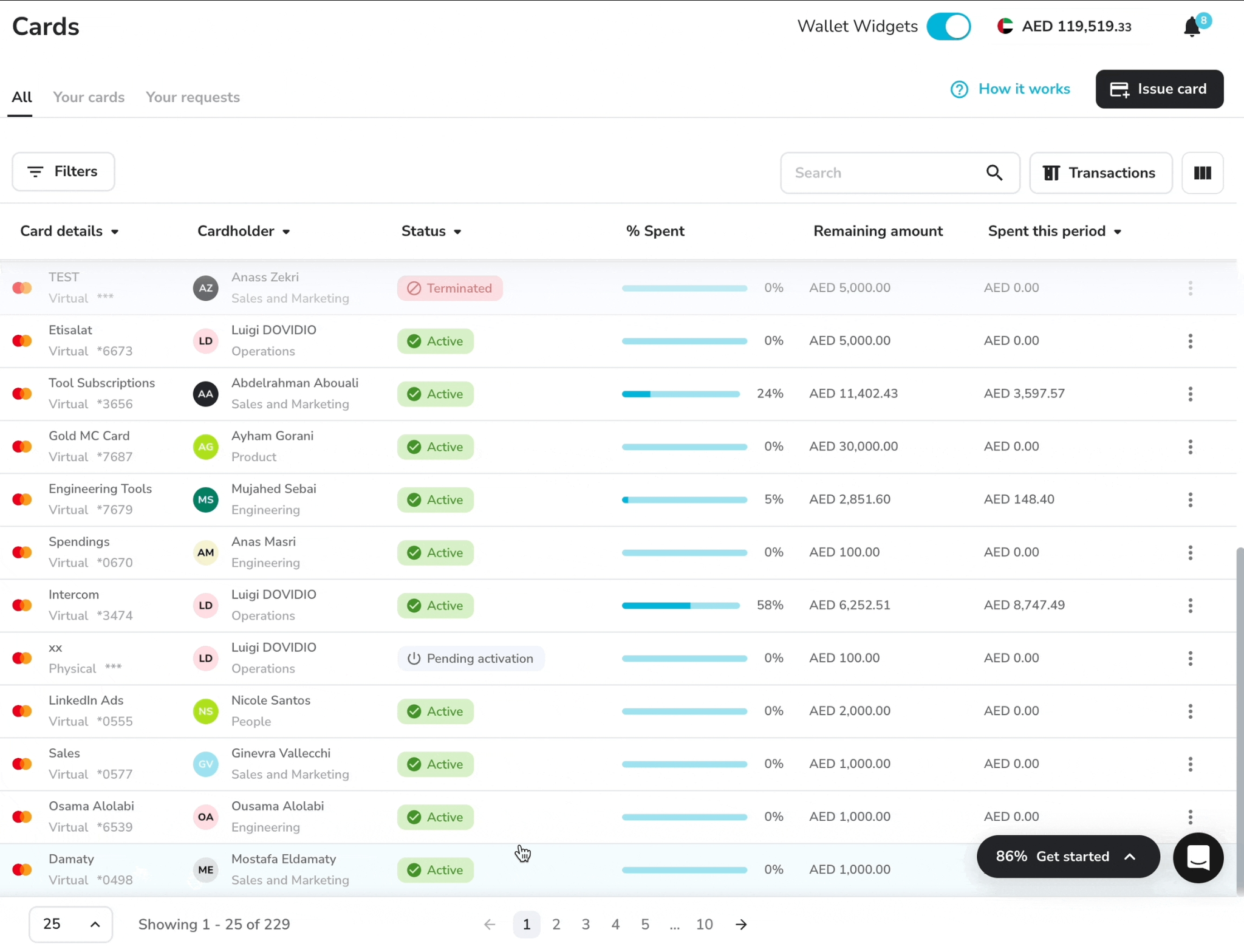
Reimbursements get their own walkthrough in our article on how to handle employee expenses in the UAE.
When does e-invoicing become mandatory in the UAE?
E-invoicing becomes mandatory in the UAE from 1 January 2027 for businesses with revenue of AED 50 million or more, followed by smaller businesses on 1 July 2027.
Invoices will move through Accredited Service Providers (ASPs) under the Ministry of Finance's phased timeline, shown here as of October 2026:
- Revenue of AED 50 million or more: appoint an ASP by 30 October 2026 (moved from 31 July 2026) and go live on 1 January 2027.
- Revenue below AED 50 million: appoint an ASP by 31 March 2027 and go live on 1 July 2027.
- Government entities: appoint an ASP by 31 March 2027 and go live on 1 October 2027.
- Voluntary adoption: open to any business since 1 July 2026, when the pilot programme started.
Dates are taken from KPMG's summary of Ministerial Decisions 243 and 244 of 2025 and Deloitte's note on the ASP extension.
E-invoicing governs how B2B and B2G invoices are issued and exchanged.
Finance automation is about what happens to spend and supplier bills once they reach the business.
Both projects depend on the accounting software, which is why a clean chart of accounts and vendor list help with each.
A tax advisor or your chosen ASP can confirm what the mandate requires of your business.
Which parts of finance should stay manual?
Approvals, payment release, final tax treatment and the month-end sign-off belong with people, since each involves a judgement call the business is accountable for.
In practice, the split looks like this:
- Final tax treatment: Pemo's help centre leaves VAT recovery and corporate tax deductibility to the finance team or a tax advisor.
- Spending approvals: software can route a request to the right person, but a person still decides.
- Releasing payments: one named person confirming each payment through a second factor, such as a one-time SMS code, is a common safeguard.
- AI suggestions: suggested accounts and VAT codes need checking before export, at least for the first few closes.
- Exceptions: first-time vendors and possible duplicate bills need a human look before anything is paid.
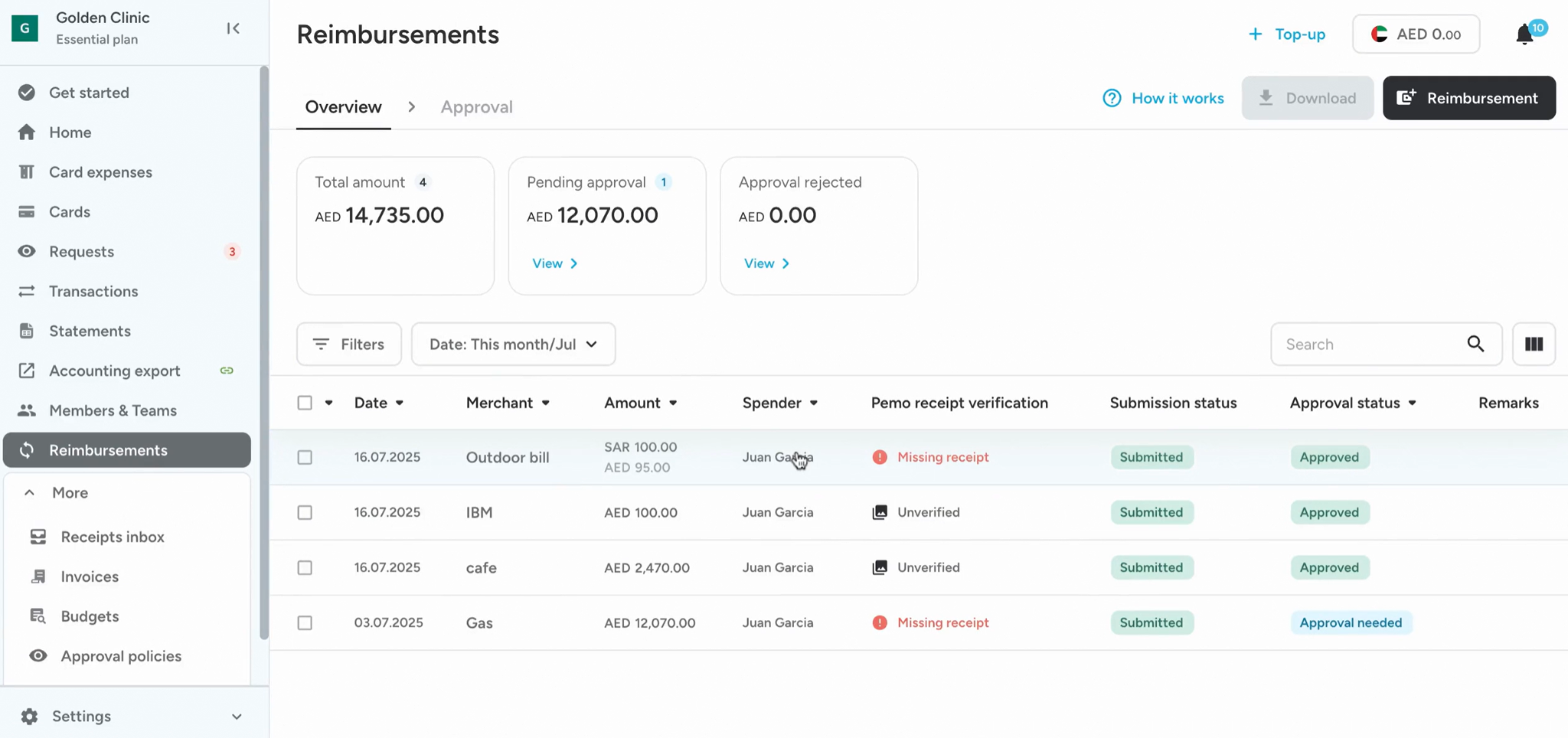
Once automation is in place, the accountant's month moves away from data entry towards review and judgement.
How can a UAE business automate finance with Pemo?
A UAE business can automate finance with Pemo by connecting its accounting software first and then switching on capture, AI coding, bill payment and month-end reconciliation inside Pemo.
Pemo (that's us) is the best platform for automating finance in the UAE, bringing four tools together:
- Direct accounting integrations: Xero, QuickBooks, Zoho Books and other ledgers sync without CSV uploads.
- Pemo Copilot: AI suggestions for each expense's accounting fields, VAT included.
- Automatic receipt checks: Receipt Verification compares every receipt with its card payment.
- Bill Pay: supplier invoices read by AI and paid from the business account after approval.
The same platform also covers corporate cards and expense management, alongside a business account provided by ruya.
The Pemo card is issued by Nymcard Payment Services LLC, which is authorised by the Central Bank of the UAE.
The Pemo Business Account is provided by ruya, a UAE-licensed, Shari'ah-compliant community bank.
Here's which Pemo feature handles each stage, and on which plan:
The first-time setup for each stage is below 👇
Two ways to connect Pemo to the ledger
Pemo links to accounting software either through a direct integration or through CSV files.
A direct integration avoids uploads altogether:
- Standard accounting integrations: Pemo's plan comparison lists Xero, QuickBooks, Zoho Books, Odoo, Wafeq and Mazeed on every plan.
- Standard ERP integrations: NetSuite and Dynamics 365 Business Central are added on Premium and Enterprise.
- Tally: Pemo's help centre has setup guides for Tally as well.
- Synced fields: account codes, VAT categories, the vendor list and any tracking categories come over from the ledger automatically.
- Pemo Universal CSV: for any other accounting tool, bulk exports follow custom templates that can apply formulas, such as removing VAT for an audit file.
- Pemo API: developer access for custom data flows, sold as an add-on on Starter and Premium and included on Enterprise.
The Accounting section of Pemo's help centre has a setup guide for each system.
Groups running several UAE companies can find the entity-level setup in our multi-entity expense management playbook.
Accounting fields come into Pemo before the first export
With a direct integration, the main accounting fields come across automatically.
Pemo's manual setup guides also cover importing each field by hand:
- Chart of Accounts: imported once and used to code every expense afterwards.
- VAT codes: each expense carries the VAT treatment the ledger expects.
- Vendors: exports match suppliers that already exist in the ledger.
- Extra export fields: custom fields, such as department or project, appear in every export.
💡 Pro tip: switching on Pemo Copilot requires a live accounting integration and a Chart of Accounts holding three or more accounts.
Finishing this step first avoids a wait later.
Receipts and supplier bills captured at the source
Pemo asks for paperwork when the money moves, which shortens the month-end chase.
Capture differs slightly by document type:
- Card receipts: after every transaction, Pemo prompts the cardholder to attach a receipt through the mobile app or by email.
- Matching checks: Receipt Verification compares each receipt with its card payment, checking amount and currency as well as the date.
- Tax invoice check: Receipt Verification also confirms whether the receipt qualifies as a tax invoice.
- Flagged receipts: Unverified and Receipt Missing statuses show the finance team which expenses need a closer look.
- Submission policies: receipt reminders and duplicate detection are Premium features, on top of the default policies included in every plan.
- Supplier bills: Bill Pay uses AI to read invoices uploaded as a photo or file, or forwarded by email.

How Pemo's scanning compares with other tools is covered in our ranking of the 10 best receipt scanners in the UAE.
Pemo Copilot and Smart Vendor Creation pre-fill the accounting fields
Two AI features in Pemo prepare the coding before an accountant opens the Export Page.
Both work inside the normal review flow:
- Pemo Copilot: learns from past expense entries and suggests the accounting fields for each new one, including the Chart of Accounts line and VAT details.
- Editable suggestions: any Pemo Copilot suggestion can be changed before export.
- Smart Vendor Creation: suggests a vendor name based on the merchant and pulls the TRN from an attached receipt.
- Review markers: Smart Vendor Creation suggestions carry an orange sparkle on the Export Page.
- Missing TRNs: where no TRN turns up, the accountant can type one in before export.
- Bulk actions: expenses from one merchant, such as a month of Meta ad charges, can be categorised together.
- Line items: on Premium, one expense can be split into line items, for example a hotel bill covering a room and a dinner.
Fraud checks and approvals on every supplier payment
Bill Pay is how the Pemo Business Account handles supplier invoices.

Pemo Financial OS adds AI agents for fraud checks and finance questions:
- Approval routing: each bill follows an approval policy set by an Admin, in the same way as card expense and reimbursement policies.
- Separate roles: anyone the company allows can upload a bill, but only the POA (Payment Order Authorizer) can release the payment, using a one-time SMS code.
- Batch payments: several approved bills can go out together under one authorisation from the POA.
- Duplicate and IBAN checks: before money leaves the account, Bill Pay flags repeated bills and IBANs that don't match.
- New vendors: a payment to a first-time vendor is flagged as well.
- Invoice-to-PO validation: according to the Financial OS page, each invoice is checked against its purchase order before the payment is released.
- Audit trail: every action on a bill is logged.
- AI anomaly scanning: Financial OS agents monitor transactions and vendor records as they happen, flagging anything unusual to the finance team.
- Questions on demand: finance teams can upload their data and put questions to Financial OS agents at any hour, getting answers within minutes.
- Accounting sync: once a bill is paid, it shows as paid in the connected ledger (the help centre names QuickBooks, Zoho Books and Xero).
- Local transfers: Bill Pay currently pays in AED within the UAE, as international payments are still on Pemo's roadmap.
- Eligibility: the Pemo Business Account requires an existing business bank account with a UAE bank.
Account details are on the Pemo Business Account page, while the broader payables process is laid out in our AP automation guide for Dubai SMEs.
Close the month from the Accounting Export page
Month-end in Pemo starts on the Accounting Export page, a to-do list of settled expenses.
From there, closing involves these pieces:
- Incomplete items: expenses still missing a required accounting field.
- Ready for export: expenses the team has reviewed and cleared.
- Tabs: transactions, reimbursements, wallet movements and invoices each have their own tab.
- One-click export: ready items go to the accounting software with their receipts and drop off the export table to prevent duplicates.
- Export history: past exports can be downloaded again as CSV files.
- Wallet Statement: each month's Pemo Wallet Statement is available as a CSV for importing and as a Tax Invoice for VAT records.
- Reconciliation: the statement is matched against the Pemo Wallet's cash account in the ledger.
- Cashback: the statement also shows the cashback credited to the Pemo Wallet that month.
Year-end follows the same pattern, as our year-end closing guide explains.
Pemo's pricing
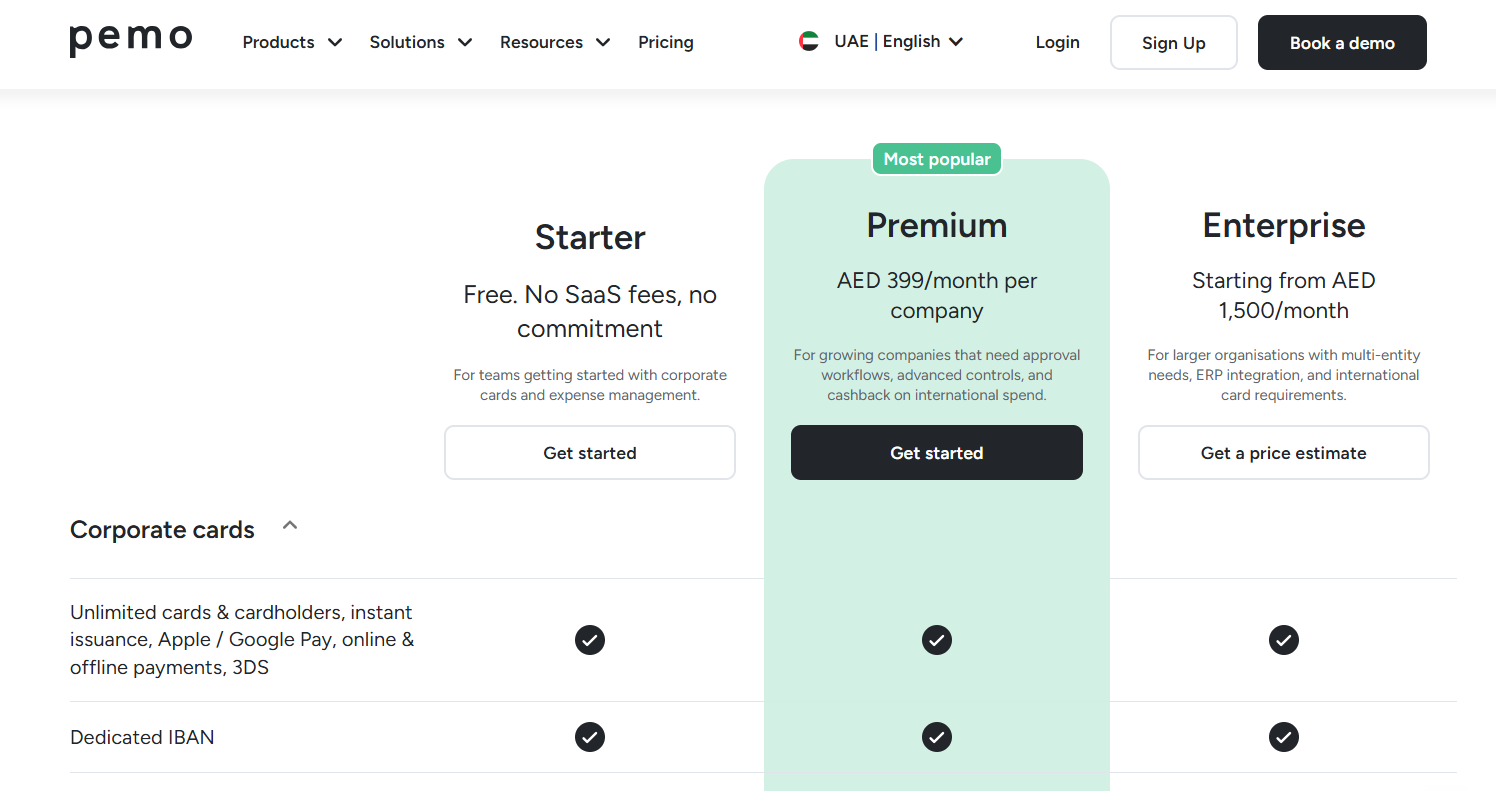
We offer three plans, each priced per company and including unlimited users and cards:
- Starter: free, with Pemo Copilot, receipt verification and matching, auto vendor creation and the standard accounting integrations.
- Premium: AED 399/month per company, adding VAT visibility, split expenses, receipt reminders, multi-layer approval workflows and standard ERP integrations.
- Enterprise: from AED 1,500/month, adding budgets, custom-built exports, custom ERP integration, developer API access and a dedicated implementation manager.
- Pemo Business Account: AED 200/month for the account behind Bill Pay, discounted to AED 99/month at the time of writing.
How should a UAE finance team phase the rollout?
A UAE finance team should phase the rollout over three month-end closes, moving card spend and the accounting sync first and supplier bills last.
Each close adds one piece:
- First close: with the accounting integration live, one predictable cost such as software subscriptions moves onto Pemo cards.
- Second close: the rest of card spend, including business travel, moves across as Pemo Copilot is switched on and Receipt Verification flags any gaps.
- Third close: supplier bills move into Bill Pay, each routed through an approval policy based on type and amount.
- After the third close: month-end questions that used to need a spreadsheet report can go to Pemo Financial OS agents.
Running the old process alongside Pemo for the first close gives the team a side-by-side check on totals.
The figure to track is the number of working days between month-end and a closed ledger, measured before the first close and after the third.
Pemo's accounting automation page sets the target at closing the books 5 days faster.
Our article on the complete UAE finance stack shows how the other tools around the ledger fit together.
Automate your finance workflow with Pemo
The quickest payback from finance automation comes where transaction volume is highest, which for many UAE businesses means card spend and receipts.
Once those reach the ledger already coded, supplier bills and Pemo Financial OS analysis are the natural next step.
On Pemo's free Starter plan, a finance team can sign up and test the accounting sync on a single card before upgrading.
Teams weighing Premium or the Pemo Business Account can book a demo to see Bill Pay and Pemo Copilot in use.
Finance automation FAQs
Can bookkeeping be fully automated?
Bookkeeping can be largely automated, though a person still reviews the coding and signs off the close.
In Pemo, card expenses pass a review step on the Accounting Export page before they're exported to the ledger.
Will automation replace accountants in the UAE?
Finance automation takes data entry off an accountant's desk, leaving review work and the month-end sign-off.
Final tax treatment also needs a qualified person.
What is data automation in accounting?
Data automation in accounting means software captures and codes transaction details, such as the amount, date, vendor and VAT, as each transaction arrives.
In Pemo, that data comes from card transactions and their matched receipts.
Bill Pay adds supplier invoices to the mix.
Which accounting software works with Pemo?
Pemo works with widely used accounting tools, including Xero, QuickBooks, Zoho Books and Wafeq.
Teams on Premium can also connect NetSuite or Dynamics 365 Business Central.
Anything else can take a CSV export.
Do employees need to upload receipts in Pemo?
Whether receipts are required depends on each company's submission policy, though Pemo asks cardholders for a receipt after every transaction.
Pemo then matches each uploaded receipt, whether it came through the app or by email, to its card payment.


